
How do you track gym membership expenses? As recurring ledger rows — not a folder named Gym, and not a four-phase app tour. Done is every dues charge, PT add-on, locker fee, and recovery purchase on one export-ready sheet: date, vendor, total, tax, category, source.
Month-end, freelancer or trainer mode. The Equinox auto-pay PDF is still in inbox. Yesterday’s PT session is a phone snap in Camera Roll. The locker renewal is a crumpled thermal in the glovebox. The recovery-room charge lives somewhere between those three places. Dumping all of it into a Drive folder labeled Gym is not tracking. When April asks what you spent on coaching versus dues, the filter still fails.
One charge equals one row. Gym is a category (or a few), not a second file tree. Personal versus business is a field you decide on that row — this page is the ledger, not tax advice.
Why a Gym folder is not expense tracking
Folders store files. They do not give you date, vendor, total, tax, or category as columns you can filter. Auto-pay dues and a one-off equipment buy both belong on the same sheet; the date column carries the month. Recurring and one-off are the same shape of row.
Raw OCR can read the slip and still leave you without a categorized dues row. A local Q2 2026 run on n=20 synthetic receipts (Tesseract 5.5.0) is the useful baseline: vendor hit 95%; date and total hit 100%; tax hit 60%; all four fields correct on only 55% (11/20). Ground-truth sum $2,034.43 matched the OCR-parsed sum. Every receipt still had 2+ currency-like amounts (avg 6.05). OCR pulls digits. You still assign category on review before export — especially when a membership invoice, a PT desk slip, and a recovery charge all sit in the same month.
A worked month of gym membership receipts
Here is one invented September for a self-employed trainer. Same six columns every time. Filter Training / dues and the auto-pay stays. Filter Equipment and the Rogue order stays. No Gym-folder rename required.
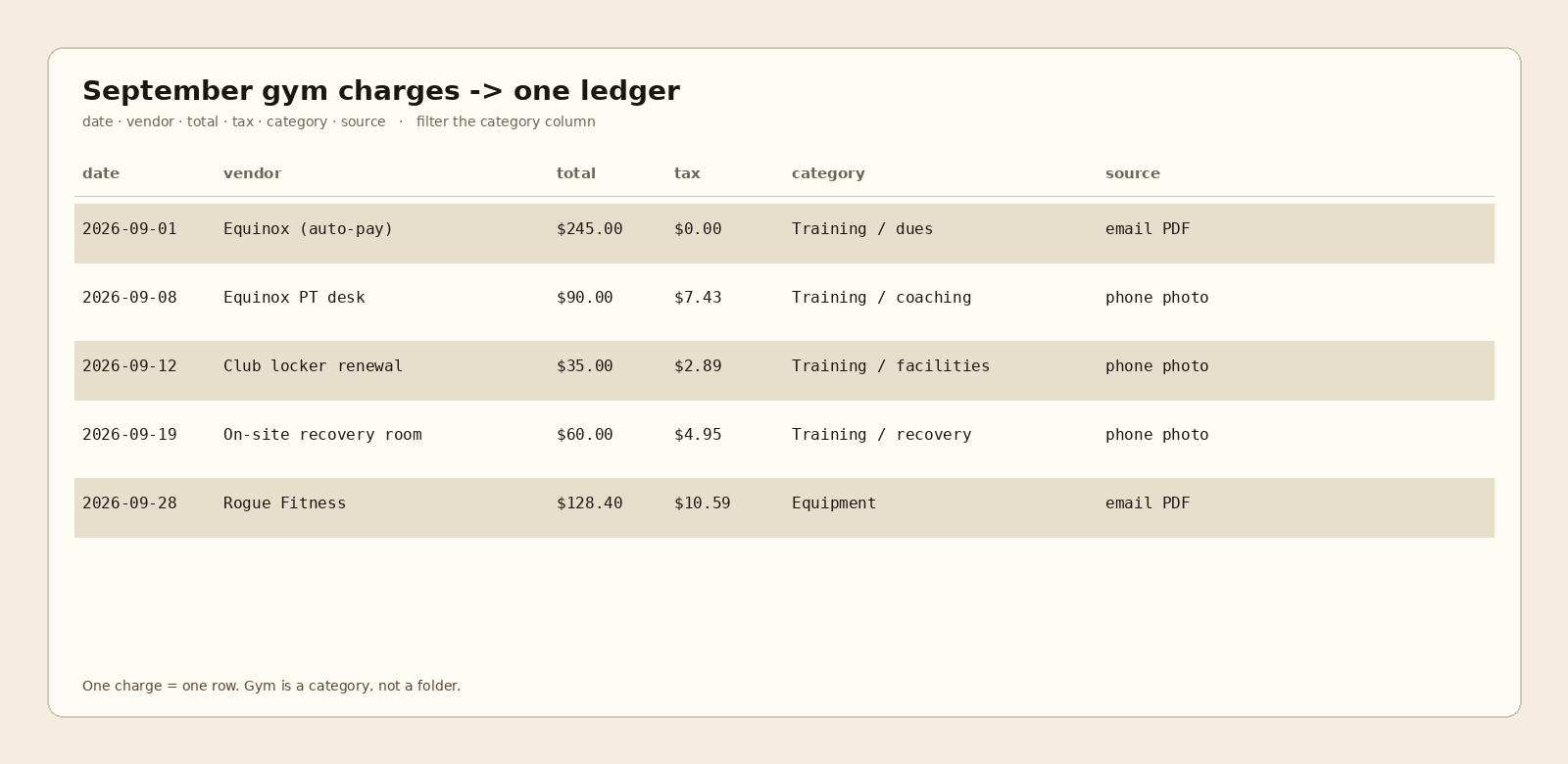
| date | vendor | total | tax | category | source |
|---|---|---|---|---|---|
| 2026-09-01 | Equinox (auto-pay) | $245.00 | $0.00 | Training / dues | email PDF |
| 2026-09-08 | Equinox PT desk | $90.00 | $7.43 | Training / coaching | phone photo |
| 2026-09-12 | Club locker renewal | $35.00 | $2.89 | Training / facilities | phone photo |
| 2026-09-19 | On-site recovery room | $60.00 | $4.95 | Training / recovery | phone photo |
| 2026-09-28 | Rogue Fitness | $128.40 | $10.59 | Equipment | email PDF |
Auto-pay dues and the Rogue buy are both rows. The date column is how the month shows up. Category is how QuickBooks (or Sheets, or CSV) can import the slice — a column on the row, not a tutorial on chart-of-accounts setup.
Slipsheet turns photos and PDFs into rows you review, with category on the row, then a CSV or Sheets file you own. Photo, PDF, or forward to receipts@slipsheet.app. Starter is $5/mo for 250 receipts; Pro is $12/mo for 1,500. Fourteen-day trial, no card. Soft land only: open the ledger, filter the category, export what you need.
Recurring dues and one-off buys use the same row shape
Monthly membership auto-pay is a row with a dues category. A locker fee, a PT session, and a recovery charge are rows with narrower categories under the same training umbrella. An equipment order is still one row. You do not need a parallel “recurring” folder and a “one-off” folder when date and category are fields on the same ledger.
A few straight answers
How do I track gym membership expenses without a Gym folder?
Put each charge on a row with date, vendor, total, tax, category, and source. Filter the category column. Keep the PDF or photo as evidence pointed to by source — not as a second pile.
Is gym membership a business expense?
That is a personal-versus-business call (and sometimes a tax call) you make for your situation. This page does not advise on deductibility. It shows how to keep every charge as a filterable row so the decision, when you make it, has clean numbers behind it.
How do I categorize gym membership in QuickBooks?
Treat category as a column on the ledger row you import. Map that column to whatever account or class you already use. This is ledger framing, not a QuickBooks walkthrough.
Do auto-pay dues need a different workflow than a PT slip?
No. Same six columns. Email PDF or phone photo lands in source. Recurring versus one-off is visible in the date pattern and the category you assign — not in a separate Capture→Export pipeline.