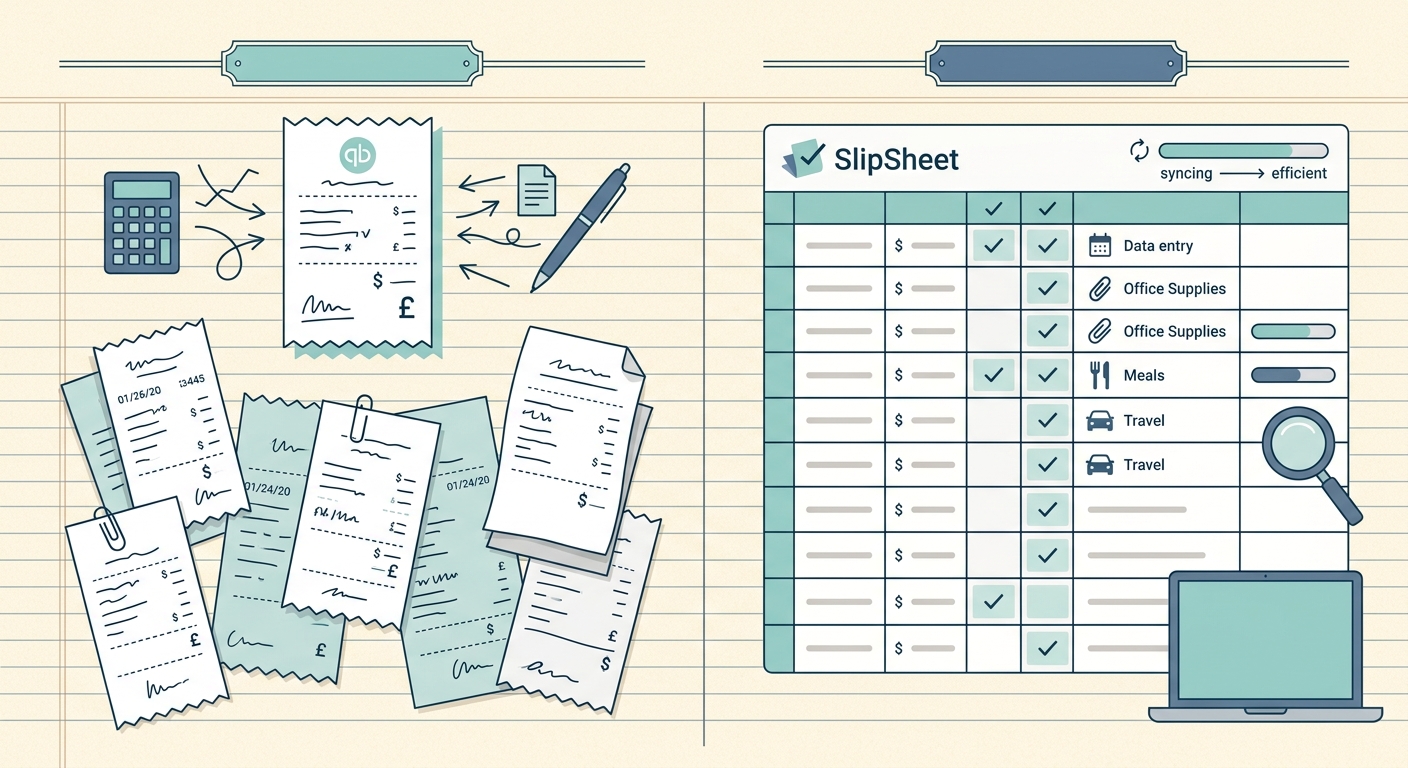
QuickBooks is a full accounting platform built for businesses that need ledgers, payroll, and tax filing in one place. SlipSheet is a focused tool that turns paper and digital receipts into clean spreadsheet rows in seconds. The two products solve different problems, and the right choice depends on whether you need a complete back-office suite or a faster path from receipt to spreadsheet.
Receipt capture
QuickBooks offers receipt capture inside its mobile app and the receipt management feature inside QuickBooks Online. You snap a photo, the system runs OCR, and the receipt attaches to a transaction in your books. Capture is tightly coupled to the accounting workflow, which is a strength if you live in QuickBooks every day and a weakness if you just want the receipt data extracted and stored elsewhere.
SlipSheet accepts uploaded receipts, photos, and PDFs and reads the merchant, date, total, tax, and line items. You can drop in a stack of mixed-format receipts and get a uniform batch of data without opening a chart of accounts first. Capture is a standalone step; export comes after.
Data extraction and accuracy
QuickBooks' OCR has improved steadily and handles common receipt formats well, but the extracted fields are designed for posting to QuickBooks categories. If a receipt is fuzzy, folded, or handwritten, the system flags it for manual review inside the transaction list.
SlipSheet extracts the same core fields but presents them as rows in a spreadsheet preview. You see merchant, date, total, tax, and line items side by side, and you can correct any row inline before export. The workflow is spreadsheet-first, so verification happens in the same view you will export from, which removes a separate review step.
Export and integrations
QuickBooks exports to its own ledgers, to CSV, and to a small set of connected apps. If your accountant or bookkeeper works in QuickBooks already, the data lands exactly where they need it. Exporting outside QuickBooks means reconciling categories after the fact.
Slipsheet exports one CSV with nine fixed columns: date, merchant, total_amount, currency, tax_amount, category, client_tag, notes, and file_name. Google Sheets sync is available on the Pro plan, and Excel is coming soon. If you hand a CSV to your bookkeeper at the end of the month, that is the file Slipsheet gives you. QuickBooks users bring the same CSV in through QuickBooks' own CSV import; there is no direct connection.
Pricing
QuickBooks Online starts in the $30 to $90 per month range depending on tier, plus add-on fees for payroll, payments, and receipt capture on the lower plans. The total cost grows as you add features.
Slipsheet is a flat monthly subscription: Starter is $5/mo for up to 250 receipts, Pro is $12/mo for up to 1,500 receipts plus Google Sheets sync, and there's a 14-day free trial with no card required. For freelancers and small businesses that only need the receipt-to-spreadsheet step, the cost is a fraction of a full accounting suite and there is no requirement to migrate your books.
Who each tool fits
QuickBooks is the better fit if you need a general ledger, invoicing, payroll, and tax forms in one system and you are willing to commit to that platform for the long haul. It is a full back office.
SlipSheet is the better fit if your bottleneck is the pile of receipts on your desk or in your inbox and you already keep your books in a spreadsheet or with a bookkeeper who prefers raw data. It does one job, scans receipts into a spreadsheet, and gets out of the way.
Common questions
Can I use both? Yes. Many freelancers run SlipSheet for receipt capture and export, then hand a clean CSV to a bookkeeper who posts it into QuickBooks at month end. The two tools complement each other.
Does SlipSheet replace bookkeeping? No. SlipSheet replaces the manual typing step between receipts and your books. The bookkeeping step still happens, but the input is already clean.
For a closer look at how a QuickBooks export pipeline works in practice, see our receipt to QuickBooks workflow guide. If you are weighing SlipSheet against QuickBooks specifically for receipt capture, the QuickBooks Online vs SlipSheet comparison goes deeper on the online variant.
Try SlipSheet free for 14 days at slipsheet.app and see how fast a stack of receipts turns into a clean spreadsheet.
FAQ
Is SlipSheet a replacement for QuickBooks?
No. SlipSheet replaces the manual receipt-to-spreadsheet step; QuickBooks handles the ledger, invoicing, payroll, and tax forms. Many users run both and export SlipSheet data into QuickBooks at month end.
Which is cheaper, QuickBooks or Slipsheet?
QuickBooks Online starts around $30 per month and climbs with add-ons like payroll and payments. Slipsheet is a flat monthly subscription. Starter is $5/mo for up to 250 receipts, and Pro is $12/mo for up to 1,500 receipts plus Google Sheets sync. Yearly plans are $50 and $120. There's a 14-day free trial with no card required.
Can I export Slipsheet data into QuickBooks?
Yes. Export the Slipsheet CSV and bring it in through QuickBooks' own CSV import. There is no direct connection between Slipsheet and QuickBooks.
Which tool has better receipt OCR?
Both run OCR with similar accuracy on clean printed receipts. SlipSheet presents extracted fields in a spreadsheet preview so you can correct rows inline before export; QuickBooks ties extraction to its own transaction categories.
Who should pick QuickBooks over SlipSheet?
Businesses that need a full back office in one platform, including invoicing, payroll, and tax forms, will get more value from QuickBooks. Freelancers and small teams that just want faster receipt-to-spreadsheet workflows usually find SlipSheet enough on its own.