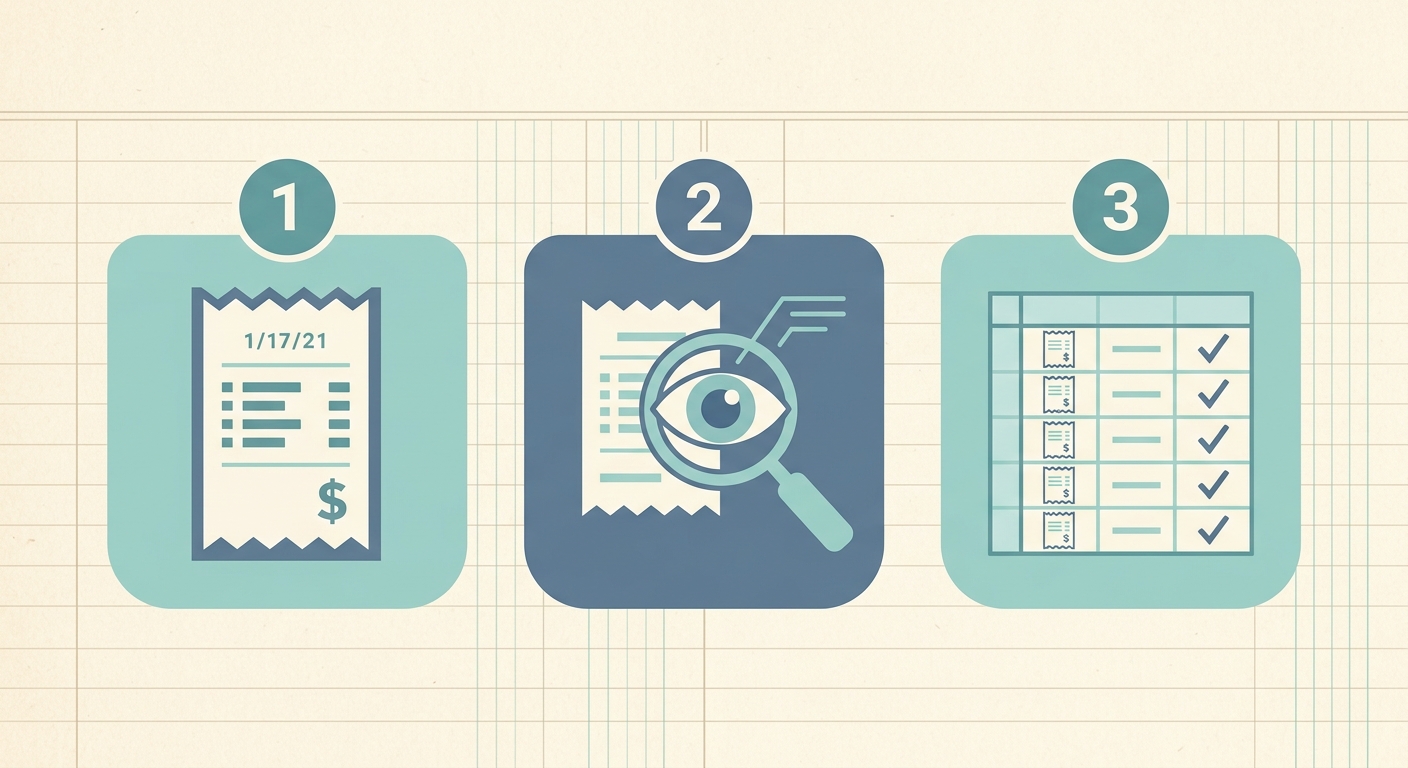
How to Prepare Receipts for a Tax Audit: A Step-by-Step Guide
The thought of a tax audit can send shivers down any business owner's or individual's spine. While it's a relatively rare occurrence, being unprepared can turn a minor inconvenience into a major headache, potentially leading to penalties and additional taxes. The cornerstone of a successful audit defense is meticulous record-keeping, especially when it comes to your receipts. Knowing how to effectively prepare receipts for a tax audit is not just about compliance, it's about peace of mind and protecting your financial interests.
This guide will walk you through the essential steps to organize and maintain your receipts, ensuring you're fully equipped should the IRS or other tax authorities come knocking. We'll explore best practices, what documentation you'll need, and how modern tools like SlipSheet can revolutionize your receipt management process, transforming a daunting task into a streamlined workflow.
What You Need to Prepare Receipts for a Tax Audit
Before diving into the organizational process, it's crucial to understand what auditors typically look for. They want clear, verifiable evidence to support every deduction, expense, and income reported on your tax return. This means having more than just a pile of paper; it means having organized, legible, and complete records.
- All Relevant Receipts: This includes receipts for business expenses, travel, meals, charitable donations, medical expenses, home office deductions, and any other item for which you claimed a deduction or credit.
- Bank and Credit Card Statements: These serve as secondary proof of payment and can help corroborate the amounts on your receipts. They are excellent for cross-referencing but generally not sufficient on their own.
- Invoices and Bills: For larger purchases or services, invoices provide detailed descriptions of transactions.
- Mileage Logs: If you claimed vehicle expenses, a detailed log of business mileage is essential.
- Appointment Books or Calendars: For certain expenses, proof of activity or meetings can support the business purpose.
- Prior Year Tax Returns: Auditors may look at continuity or changes from previous filings.
- Accounting Software Records: If you use accounting software, ensure your digital records align with your physical or digitized receipts.
The goal is to present a cohesive story of your financial activities, backed by robust documentation. Digital records are increasingly preferred for their searchability and durability, making tools that digitize physical receipts invaluable.
Phase 1: Gathering Your Receipts and Initial Organization
The first and often most overwhelming step to prepare receipts for a tax audit is to gather every single relevant document. This isn't a task to be rushed; it requires thoroughness and attention to detail. Think of it as an archaeological dig into your financial past.
-
Physical Receipts: Start by collecting all paper receipts from shoeboxes, wallets, car consoles, and desk drawers. Group them by category, such as travel, office supplies, meals, or utilities. Date order within categories is ideal but not critical at this initial stage, as digital tools will help sort them later. Ensure that the receipts are legible; faded thermal paper receipts are a common problem. If a receipt is fading, make a photocopy immediately or, even better, digitize it.
-
Email Receipts and Digital Invoices: Many transactions today are entirely digital. Create a dedicated folder in your email client for tax-related receipts. Search your inbox for keywords like "receipt," "invoice," "order confirmation," or specific vendor names. Forward these to a central repository or directly to a tool like SlipSheet for processing.
-
Bank and Credit Card Statements: Download or print statements for the tax year in question. While not primary documentation, they serve as an excellent checklist to ensure you haven't missed any significant transactions for which you should have a receipt. Highlight any expenses that require supporting documentation.
This initial gathering phase lays the groundwork. The more comprehensive you are now, the smoother the subsequent digitization and organization will be. Remember, the IRS generally requires you to keep records for three years from the date you filed your original return or two years from the date you paid the tax, whichever is later. For certain situations, like claiming bad debt deductions or worthless securities, this period can extend to seven years.
Phase 2: Digitizing and Structuring with SlipSheet
Once you have gathered your receipts, the next critical step to prepare receipts for a tax audit is to transform them into an organized, searchable digital format. This is where SlipSheet truly shines, automating much of the tedious data entry and organization.
-
Upload or Capture with SlipSheet:
- For Physical Receipts: Simply use your smartphone camera to snap a photo of each receipt. SlipSheet's intelligent OCR (Optical Character Recognition) technology will read the key information. Ensure the receipt is flat, well-lit, and all details are visible in the photo.
- For Email Receipts: Forward your digital receipts directly to your unique SlipSheet email address. SlipSheet will automatically process these, extracting the necessary data just as it does with photo receipts. This eliminates manual copy-pasting or printing.
-
Review Extracted Fields: After SlipSheet processes your receipts, it will present the extracted data in a user-friendly interface. This typically includes the vendor name, date of transaction, total amount, and often a suggested category. It is crucial to review this information for accuracy. While SlipSheet is highly accurate, a quick check ensures everything is correct, especially for unusual vendors or handwritten notes. You can easily edit any field, add notes, or assign specific tax categories relevant to your filing.
-
Benefits of Digital Organization: By digitizing your receipts with SlipSheet, you gain numerous advantages. Your receipts become searchable by date, vendor, amount, or category, making it incredibly easy to locate specific transactions. You eliminate the risk of lost or faded paper receipts, and all your documentation is stored securely in one central, accessible location. This structured data is precisely what an auditor appreciates, demonstrating a clear, professional approach to record-keeping.
Phase 3: Exporting and Securing Your Audit-Ready Data
Having your receipts digitized and structured is a significant achievement. The final phase to prepare receipts for a tax audit involves ensuring this data is readily accessible, exportable, and securely backed up.
-
Export or Share the Data: SlipSheet allows you to export your organized receipt data into various formats, most commonly CSV or Excel spreadsheets. This spreadsheet will contain all the extracted fields for each transaction, creating a comprehensive log of your expenses. This format is ideal for sharing with your accountant or directly presenting to an auditor. You can also generate reports based on categories or date ranges, providing quick summaries of your spending.
-
Secure Cloud Storage: While SlipSheet itself stores your data securely, it's always wise to have multiple backups. Once exported, save your spreadsheets to a reliable cloud storage service (e.g., Google Drive, Dropbox, OneDrive) and/or an external hard drive. This redundancy protects your vital records against unforeseen data loss, whether due to hardware failure or accidental deletion.
-
Link to Accounting Software (Optional): If you use accounting software like QuickBooks or Xero, ensure your SlipSheet data can be easily reconciled or imported. This integration streamlines your overall financial management and provides another layer of corroboration for your tax records.
By completing this phase, you have not only prepared your receipts but also created a robust, easily navigable database of your financial transactions, ready to withstand scrutiny.
Common Mistakes to Avoid When Preparing Receipts for a Tax Audit
Even with the best intentions, certain pitfalls can undermine your efforts to prepare receipts for a tax audit. Being aware of these common mistakes can save you significant trouble down the line.
-
Missing Information: A receipt without a date, vendor name, or clear amount is often considered invalid. Ensure all critical details are present and legible. If a receipt is missing information, try to supplement it with bank statements or a written explanation of the expense.
-
Illegible or Faded Receipts: Thermal paper receipts, common in retail, fade over time. Waiting until tax season to deal with a year's worth of these can leave you with unreadable documentation. Digitize them promptly to preserve the information.
-
Lack of Business Purpose: For business expenses, simply having a receipt isn't enough; you must also demonstrate the business purpose of the expense. Add notes to your digitized receipts explaining why the expense was incurred, especially for meals, travel, or entertainment.
-
Disorganization: A shoebox full of unsorted receipts is an auditor's nightmare and a red flag. It suggests a lack of diligence. Presenting organized, categorized, and easily searchable records demonstrates professionalism and simplifies the audit process for both parties.
-
Delaying Preparation: Procrastination is the enemy of good record-keeping. Receipts are best processed as they come in, or at least weekly. This prevents overwhelming backlogs and ensures accuracy and completeness.
-
Disposing of Records Too Soon: Be mindful of the IRS record retention rules. Disposing of documents before the required period has elapsed can lead to significant problems if you are audited.
Avoiding these common errors will significantly strengthen your position and make the process of preparing for an audit much smoother.
Conclusion
Preparing receipts for a tax audit doesn't have to be a stressful ordeal. By adopting a proactive approach and leveraging efficient tools, you can transform a potential compliance nightmare into a manageable, even routine, task. The key lies in consistent organization, accurate record-keeping, and the ability to quickly retrieve detailed information when needed. Digital solutions like SlipSheet empower you to maintain impeccable records with minimal effort, ensuring every expense is accounted for and audit-ready.
Don't let the fear of an audit dictate your financial peace of mind. Take control of your receipts today and build a robust defense for your tax filings. Visit slipsheet.app to learn how SlipSheet can help you effortlessly turn your receipt photos and email receipts into organized spreadsheet rows, making tax preparation and audit readiness simpler than ever.
FAQ
How long should I keep my tax receipts?
The IRS generally recommends keeping tax records for three years from the date you filed your original return or two years from the date you paid the tax, whichever is later. However, for certain situations, such as claiming a loss from worthless securities, this period can extend to seven years.
Are digital receipts valid for a tax audit?
Yes, digital receipts are generally accepted by the IRS, provided they are clear, legible, and contain all the necessary information, such as vendor name, date, amount, and item description. Tools like SlipSheet help create and organize these valid digital records.
What information must be on a receipt for it to be valid for tax purposes?
A valid receipt should typically include the vendor's name, the date of purchase, a description of the items or services purchased, and the total amount paid. For business expenses, it's also helpful to note the business purpose of the expense.
Can I just use bank or credit card statements instead of receipts?
Bank and credit card statements serve as excellent secondary proof of payment and can help corroborate expenses, but they are generally not sufficient on their own. They often lack the detailed information, such as the specific items purchased or the business purpose, that auditors require.
What happens if I lose a receipt for a tax deduction?
If you lose a receipt, you may be able to reconstruct the expense using other documentation, such as bank statements, credit card statements, or canceled checks, along with a detailed explanation. However, it is always best practice to have the original receipt or a clear digital copy, which tools like SlipSheet help ensure.