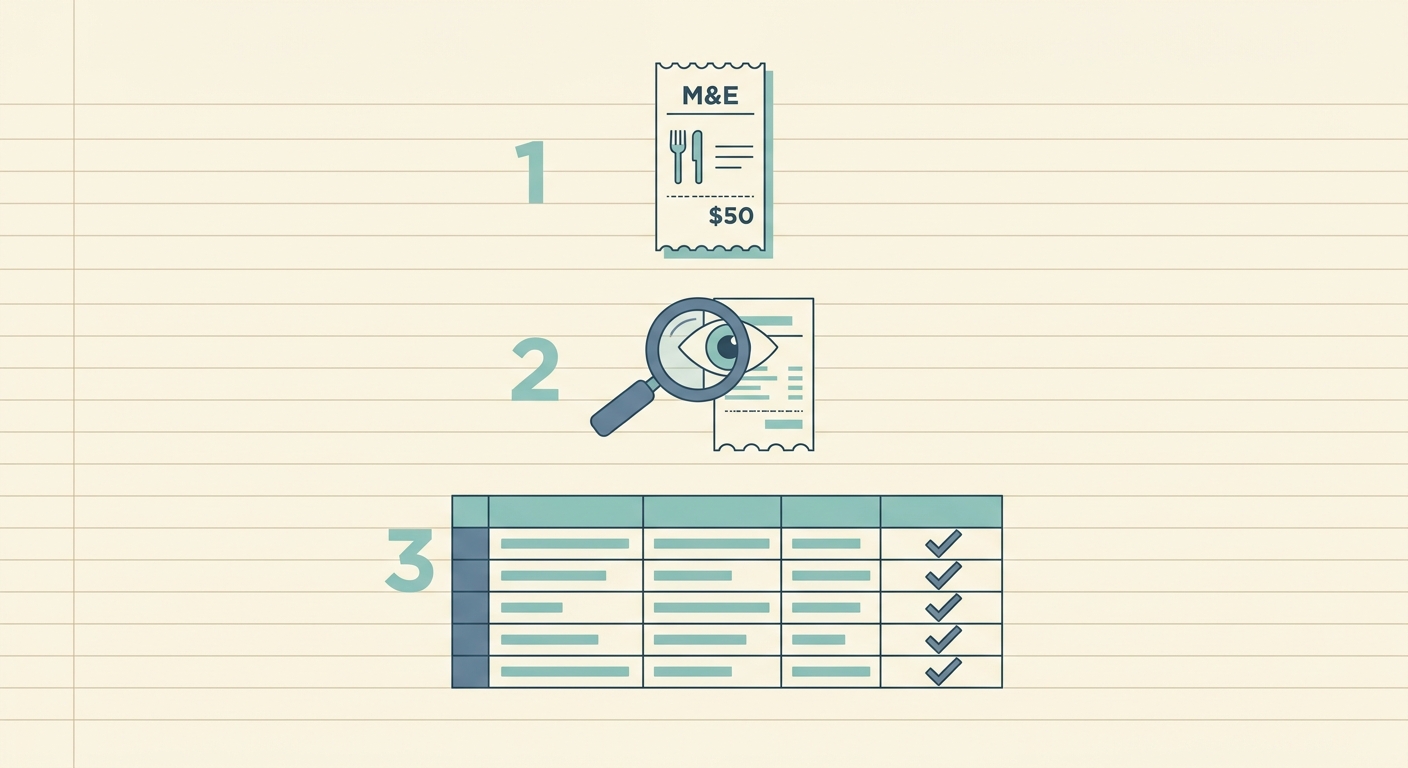
Meal and entertainment expenses are easy to lose track of because they happen in busy moments. A client lunch, coffee before a sales meeting, snacks for a small team event, or dinner while traveling can all be legitimate business costs, but only if the details are recorded clearly. The goal is not to create a perfect accounting system at the restaurant table. The goal is to capture enough information that you can review, categorize, and support the expense later.
This guide walks through a practical process to track meal expenses without letting receipts pile up in your wallet, inbox, or glove compartment. It is written for freelancers, small business owners, bookkeepers, and anyone who needs a clean spreadsheet at month end.
What you need before you start
Before you build a routine, decide what information you need for every meal or entertainment expense. At minimum, capture the vendor, date, total, payment method, business purpose, and attendees. If your accountant or tax preparer asks for more detail, add those fields now instead of trying to reconstruct them months later.
- Receipt image: A photo, scan, or email receipt that shows the total and vendor.
- Business purpose: A short note such as client discovery call, project kickoff, or team planning lunch.
- Attendees: Names or roles of the people present, especially for client meals.
- Category: Meals, travel meals, entertainment, staff event, or another category used by your books.
- Export destination: A spreadsheet, accounting import file, or shared folder for your bookkeeper.
Keeping the required fields simple helps the habit stick. If the process takes more than a minute after the meal, most people stop doing it consistently.
1. Gather your receipts immediately
The best time to record a meal expense is right after paying. Take a photo of the receipt before you leave the table, or forward the email receipt as soon as it arrives. If you pay with a card and the restaurant offers a text receipt, save it the same way you save every other receipt. Consistency matters more than the capture method.
For paper receipts, make sure the image is readable. Include the full receipt, not just the total line. Tips, taxes, and itemized charges can matter when you review the expense. If the receipt is faded or printed on thermal paper, photograph it quickly because those receipts can become unreadable over time.
If you manage expenses for a team, set one rule: no receipt, no reimbursement until the missing information is supplied. That sounds strict, but it prevents a month end scramble where everyone is searching pockets, inboxes, and chat threads.
2. Upload or capture the receipt with SlipSheet
Once you have the receipt, upload it to SlipSheet so the information can be turned into structured rows. SlipSheet is useful when you want receipt data in a spreadsheet-first format, rather than locked inside a heavier expense platform. You can capture receipts from routine meals, client entertainment, travel days, and team purchases, then keep the results organized for review.
Use a naming habit that makes sense for your workflow. Some people organize by month, such as 2026-06 meals. Others group by client, project, or trip. The exact folder structure matters less than being able to answer a simple question later: where is the receipt and what spreadsheet row belongs to it?
If you receive receipts by email, forward or save them in batches on a schedule. A daily habit is best for high-volume teams. A weekly habit may be enough for solo operators. The key is to process receipts before memory fades, because the receipt alone rarely explains the business purpose.
3. Review the extracted fields
Automation saves time, but meal expenses still need human review. Check the vendor name, transaction date, subtotal, tax, tip, and total. Restaurant receipts can be messy. A handwritten tip, split payment, discount, or delivery fee can cause confusion if you never look at the extracted row.
Add the business purpose while the context is fresh. Instead of writing lunch, write lunch with Acme Co. to review April campaign results. Instead of coffee, write coffee before contractor onboarding meeting. These notes do not need to be long, but they should be specific enough that you or your accountant can understand the reason later.
Also confirm the category. Meals and entertainment rules can vary by country, business type, and tax year. Some expenses may be partially deductible, some may be reimbursable, and some may belong in a separate travel category. SlipSheet helps with capture and organization, but your accounting rules should come from your bookkeeper, accountant, or internal policy.
4. Export or share the data
After review, export the meal expense data to the spreadsheet or accounting workflow you already use. A clean export should include the receipt link or file reference, vendor, date, total, category, purpose, and attendee notes. This gives your bookkeeper enough detail to reconcile card transactions and answer follow-up questions.
For small businesses, a monthly export is often enough. For teams with frequent client meals or travel, weekly exports keep the books cleaner and reduce reimbursement delays. If you are preparing for taxes, keep the exported file with the receipt images so you are not separating the evidence from the numbers.
When sharing data with a bookkeeper, do not send a folder of random photos without context. Send the structured spreadsheet, the receipt files, and any policy notes that explain how categories should be handled. That small amount of organization can save hours later.
Common mistakes to avoid
- Waiting until month end: The longer you wait, the harder it is to remember who attended and why the expense happened.
- Only saving card statements: A statement proves payment, but it usually does not show the itemized receipt or business purpose.
- Using vague notes: Notes like meeting or dinner are not very helpful during review. Add the client, project, or purpose.
- Mixing personal and business meals: Use separate payment methods when possible, or flag mixed transactions immediately.
- Skipping policy checks: If you reimburse employees or contractors, define what counts as an approved meal expense before spending happens.
A simple tracking habit beats a complicated system that nobody follows. Capture the receipt, add the context, review the extracted fields, and export on a regular schedule. If you want a faster way to turn receipt photos and email receipts into clean spreadsheet rows, try SlipSheet and build a meal expense workflow that is easy to keep up with.
FAQ
What details should I record for a business meal expense?
Record the vendor, date, total, business purpose, attendees, payment method, and receipt image. Those details make review, reimbursement, and bookkeeping much easier.
Is a credit card statement enough for tracking meal expenses?
A card statement helps confirm payment, but it usually is not enough by itself. Keep the itemized receipt and add a short note explaining the business purpose.
How often should I export meal expense data?
Monthly exports work for many small businesses, but weekly exports are better if you have frequent client meals, travel, or employee reimbursements.
Can SlipSheet help if I already use spreadsheets for expenses?
Yes. SlipSheet is designed for spreadsheet-first workflows, so it helps turn receipts into structured rows you can review, export, and share.
Do meal expense rules vary by business or location?
Yes. Deductibility and reimbursement rules can vary, so use SlipSheet for capture and organization, then follow guidance from your accountant or bookkeeper.