Office supplies are easy to buy and easy to forget. A few pens here, printer paper there, toner before a deadline, shipping labels before a client mailing, and suddenly the expense category is a mess. If you want clean books, better tax records, and fewer end-of-month surprises, you need a simple way to track office supply expenses as they happen.
The good news is that this does not require a complex accounting workflow. For most small businesses, freelancers, and bookkeepers, the best system is consistent receipt capture, fast data extraction, a quick review step, and a spreadsheet or accounting export that matches how you already work.
What you need before you start
Before you build the workflow, decide what information matters for your records. Office supply purchases usually need enough detail to support bookkeeping, tax categorization, reimbursement, and budget review.
- Receipt image or PDF for proof of purchase
- Vendor name, such as Staples, Amazon, Office Depot, or a local print shop
- Purchase date
- Total amount paid, including tax and shipping
- Payment method, especially if multiple cards are used
- Category, usually office supplies, postage, printing, software supplies, or equipment
- Notes for unusual purchases, client billbacks, or team reimbursements
If your business has employees or contractors, also decide who is responsible for submitting receipts and how quickly they need to do it. A same-day or weekly habit is much easier than reconstructing three months of small purchases from bank statements.
1. Gather your receipts consistently
The first step is to capture every receipt in one place. This includes paper receipts from in-store purchases, email receipts, invoices, packing slips that show payment, and screenshots from online marketplaces. Office supply spending often gets scattered because people buy supplies wherever it is convenient, not from one single vendor.
Create a simple rule: if it supports the purchase, save it. For paper receipts, take a photo as soon as possible. For email receipts, forward them to a dedicated inbox or save them as PDFs. For online orders, download the invoice or receipt instead of relying on the order history to remain easy to find later.
Bookkeepers should also separate true office supplies from larger equipment purchases. A box of envelopes is usually an office supply. A new printer, standing desk, or computer monitor may need a different category depending on your accounting policy and tax treatment.
2. Upload or capture receipts with SlipSheet
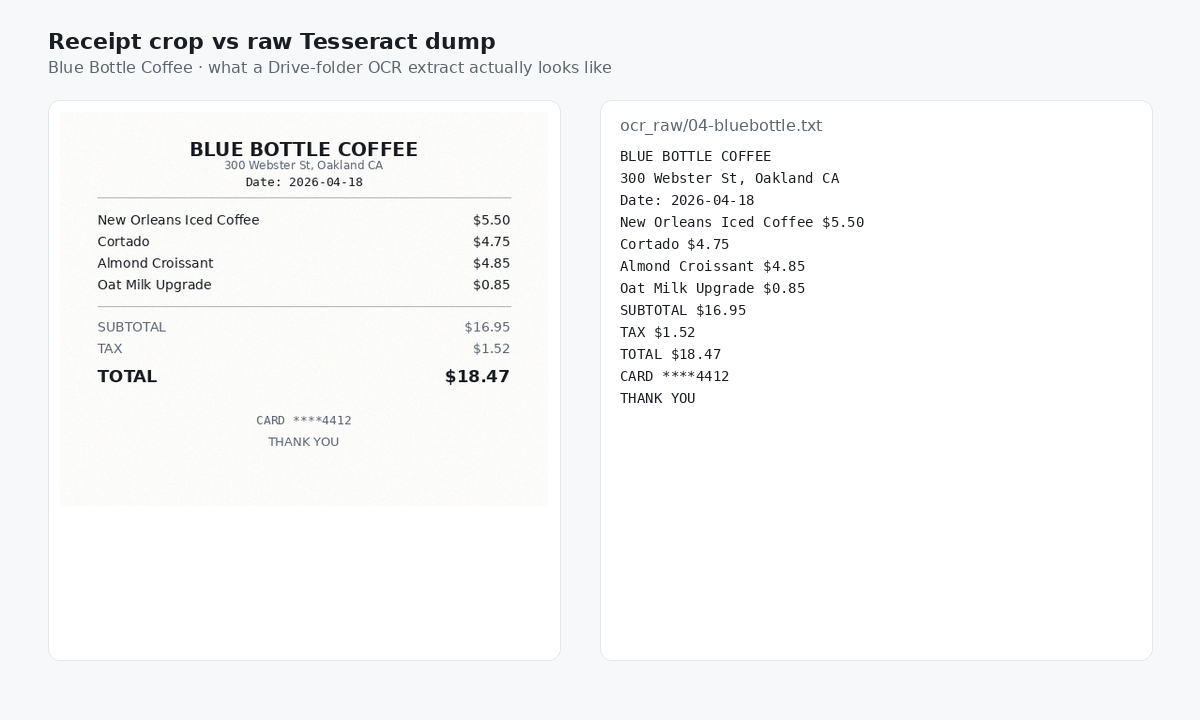
Once receipts are collected, move them into a tool that can turn them into structured data. SlipSheet is built for this spreadsheet-first workflow. You upload or capture receipts, then use extracted fields to create a clean expense log without manually typing every vendor, date, and total.
This is especially helpful for office supplies because the transactions are often small but frequent. Manual entry feels harmless when there are five receipts. It becomes a time sink when there are fifty, and it becomes risky when those receipts are spread across phones, inboxes, and card statements.
For best results, upload receipts in batches by week or month. Keep the batch size small enough that review is manageable. If you are handling receipts for multiple clients, keep each client separate from the beginning so you do not have to untangle expenses later.
3. Review extracted fields before exporting
Automation saves time, but the review step is where accuracy happens. After SlipSheet extracts the receipt details, check the fields that matter most: vendor, date, total, tax, and category. Office supply receipts can include discounts, shipping charges, mixed items, and return adjustments, so a quick review prevents small errors from piling up.
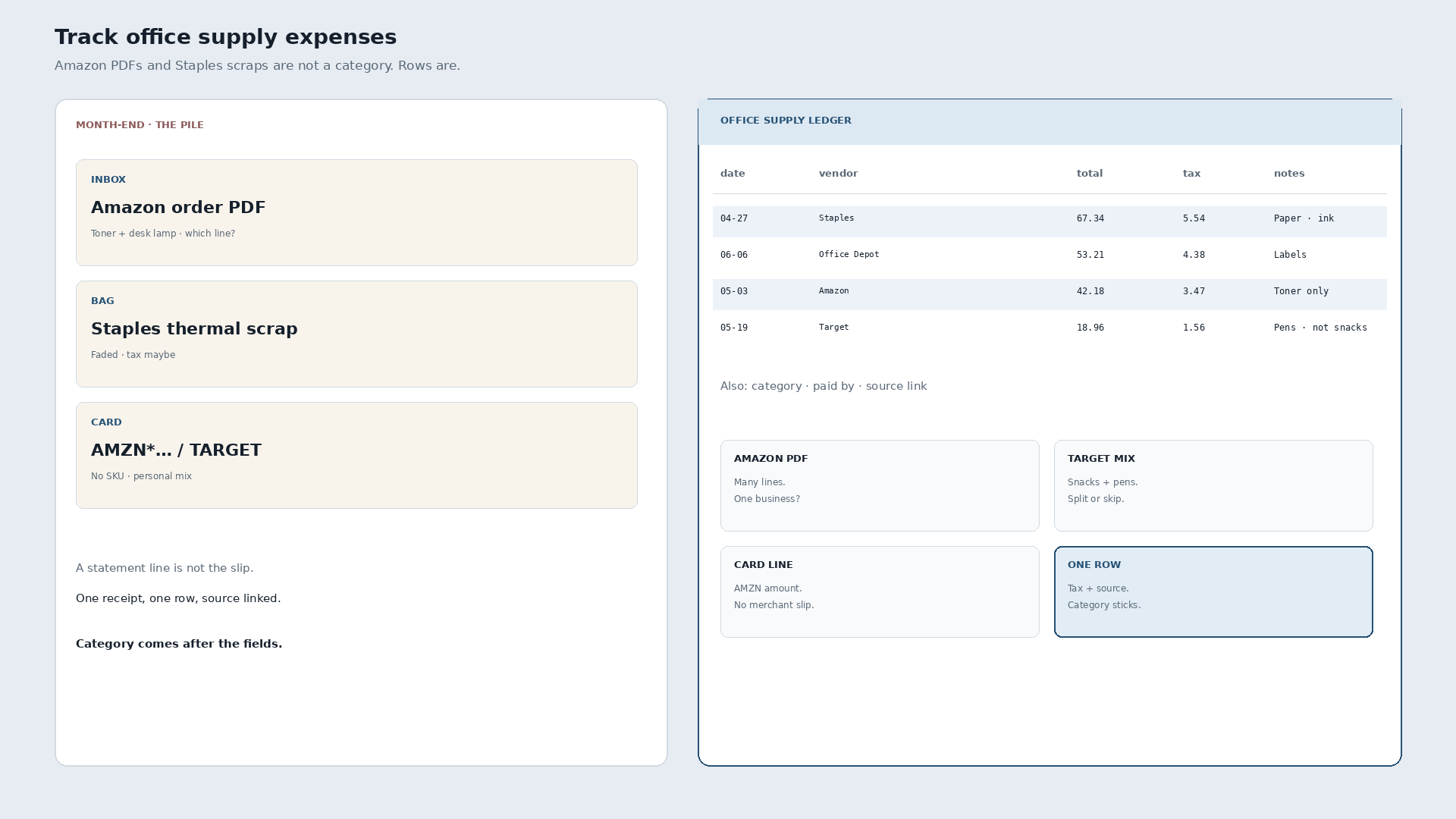
Pay special attention to vendors that sell many kinds of products. An Amazon receipt might be office supplies, software accessories, cleaning supplies, or equipment. A warehouse club purchase might include both business supplies and personal items if the owner used the same card. The receipt image gives you the context that a bank feed usually cannot.
Use notes when an expense needs explanation. For example, you might note that printer paper was purchased for a client workshop, or that postage supplies were used for a specific mailing campaign. These notes make review easier for an accountant and reduce follow-up questions later.
4. Export or share the office supply expense data
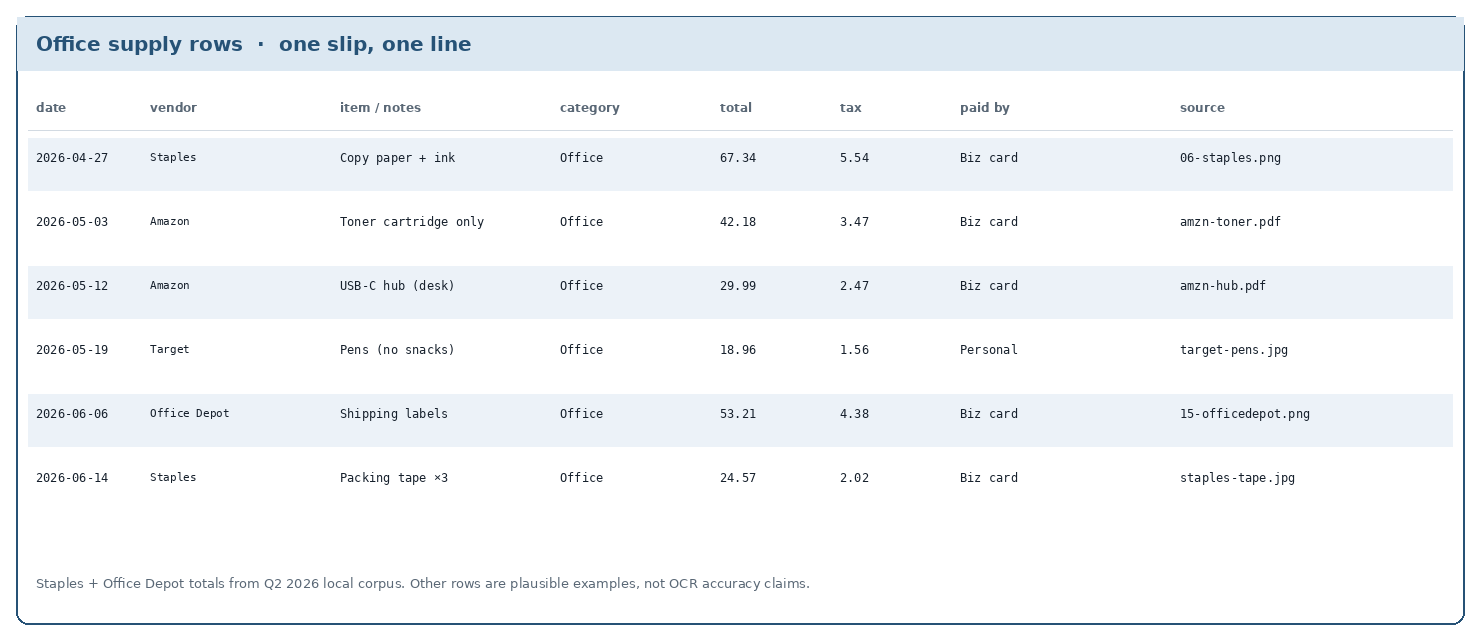
After review, export the data into the format your bookkeeping workflow needs. Many small teams prefer a spreadsheet because it is flexible, easy to audit, and simple to share. A clean spreadsheet can include receipt links, vendor, date, amount, category, payment method, and notes.
If your accountant or bookkeeper uses accounting software, the spreadsheet can still be useful as a staging file. It gives them a reviewed expense list instead of a folder full of unlabeled receipts. That saves time during monthly close, tax prep, and reimbursement review.
A good office supply expense log also helps with budgeting. You can compare supply spending month to month, spot unusual purchases, and decide whether to centralize buying through one vendor. Even small expense categories deserve visibility when margins are tight.
Common mistakes to avoid
The biggest mistake is waiting until tax season. Office supply receipts fade, email searches get messy, and memory is unreliable. Build a lightweight routine instead of a rescue mission.
- Do not rely only on bank statements. They show the vendor and amount, but not what was purchased.
- Do not mix personal and business supplies on one receipt if you can avoid it.
- Do not skip review just because the extracted total looks right.
- Do not use vague categories for everything. Separate office supplies from postage, printing, subscriptions, and equipment when needed.
- Do not store receipts only on one employee's phone or in one inbox.
Getting into a weekly rhythm
The easiest system is the one you can repeat. Set a weekly reminder to upload new receipts, review extracted details, and export or update your expense spreadsheet. For a solo freelancer, this might take ten minutes. For a bookkeeper managing several small businesses, batching by client can keep the work organized without becoming a monthly backlog.
If office supply purchases happen across a team, set a simple submission rule: receipts are due by Friday, and every receipt needs the business purpose if it is not obvious. Clear rules reduce chasing, and a spreadsheet-first workflow keeps the final record easy to inspect.
SlipSheet helps turn office supply receipts into clean spreadsheet data, so you can spend less time typing totals and more time keeping the books accurate.
FAQ
What counts as an office supply expense?
Common examples include paper, pens, toner, envelopes, labels, folders, postage supplies, and other small items used to run the office. Larger items like printers or monitors may need a separate equipment category.
Is a bank statement enough for tracking office supplies?
A bank statement helps confirm the amount and vendor, but it does not show what was purchased. Keep the receipt or invoice so the expense can be reviewed and categorized correctly.
How often should I update my office supply expense log?
Weekly is a practical rhythm for most small businesses. It keeps receipts fresh, prevents backlog, and makes monthly bookkeeping much faster.
Can SlipSheet export office supply receipts to a spreadsheet?
Yes. SlipSheet helps extract receipt details and organize them into spreadsheet-ready data for review, sharing, and bookkeeping workflows.
Should office supplies and software subscriptions go in the same category?
Usually no. Office supplies are physical consumables, while software subscriptions are often tracked separately so spending reports and tax records stay clear.