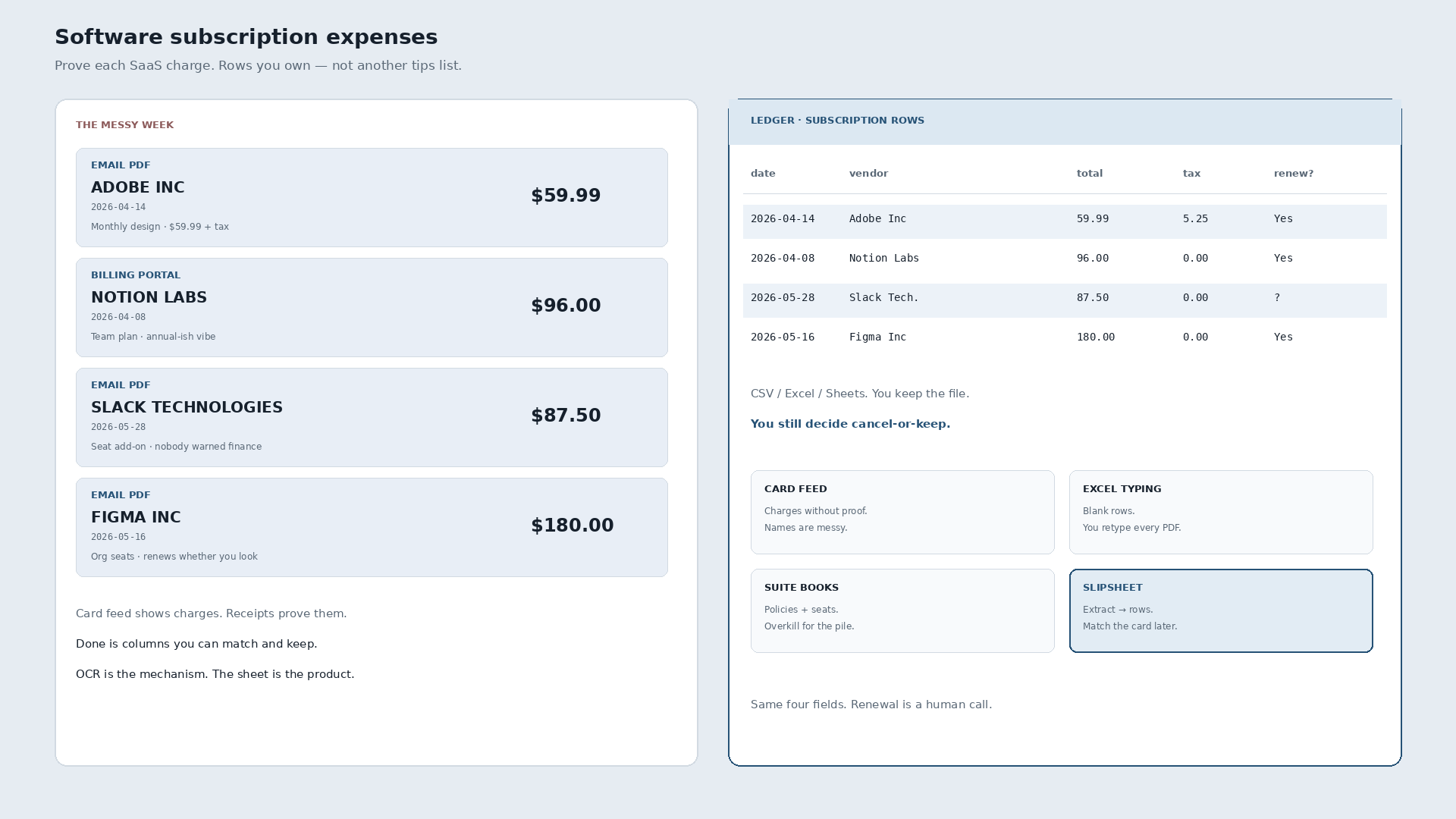
How do you track software subscription expenses? Prove each SaaS charge. Keep an inventory of tools you pay for, capture the receipt or invoice (email PDF or billing-portal download), and match it monthly against the card feed. The destination is spreadsheet rows you own: vendor, date, total, tax, plus plan or seats and whether it renews. Not another tips list.
A messy week looks like this. Adobe Inc, $59.99 plus tax $5.25, April 14, monthly design, sitting in email. Notion Labs, $96.00, April 8, team plan PDF from the billing portal. Slack Technologies, $87.50, May 28, seat add-on nobody warned finance about. Figma Inc, $180.00, May 16, org seats that renew whether anyone looks. The card feed shows four charges with messy names. The ledger job is four rows you can defend.
| Date | Vendor | Total | Tax | Was sitting in |
|---|---|---|---|---|
| 2026-04-14 | Adobe Inc | 59.99 | 5.25 | Email · monthly |
| 2026-04-08 | Notion Labs Inc | 96.00 | 0.00 | Billing portal · PDF |
| 2026-05-28 | Slack Technologies | 87.50 | 0.00 | Email · seat add-on |
| 2026-05-16 | Figma Inc | 180.00 | 0.00 | Email · org seats |
Those totals are measured slips from a local Q2 2026 research corpus (synthetic SaaS-style receipts). Subscription framing is narrative on top of the same four fields. Not invented vendors or totals.
Inventory first, then receipts
List what you already pay for: vendor, owner, purpose, expected amount, renewal date. That inventory is not the ledger. It is the checklist you reconcile against. Without it, every card charge becomes a scavenger hunt.
Then capture proof. Forward the Adobe email. Download the Notion portal PDF. Keep the Slack seat invoice. OCR pulls date, vendor, total, and tax off the page. It is the mechanism, not the story. You still decide category, owner, and cancel-or-keep.
Recurring is different from one-off
A laptop purchase is a one-time row. A SaaS charge asks two extra questions: will it renew, and should it renew. Mark renewals on the inventory. When a seat add-on appears (Slack), treat it as a new line until someone owns the decision. Annual renewals that land as one big PDF still need a row the month they hit the card.
Typing every line from the pile into Excel works until the week has four PDFs and a seat surprise. Suite bookkeeping bolted onto receipts wins when approvals and policies are the product. For freelancers and small teams, the job usually ends at a sheet you own.
The plain how-to for any receipt pile, without the subscription framing, is how to convert receipts to a spreadsheet.
What “done” looks like each month
Open the card feed. Pull every SaaS-looking charge. Match each to a receipt row (or flag the orphan). Export CSV, Excel, or Sheets. Keep the file. Update the inventory when something cancels or seats change. The extract step is mechanical. The renew decision is human.
Slipsheet turns those PDFs and snaps into rows you review, then CSV, Excel, or Sheets. Photo, PDF, or forward to receipts@slipsheet.app. Soft land only: you still glance at the totals and decide what renews.
A few straight answers
What is the best way to track SaaS subscription expenses?
Inventory of tools you pay for, receipt or invoice for each charge, monthly match to the card, rows in a sheet you own. Tips lists without proof do not close the month.
Is the bank or card feed enough without receipts?
Enough to see that money left. Not enough to prove vendor, tax, plan, or seats when finance or tax asks. The feed is the checklist; the receipt is the proof.
Should I track monthly and annual subscriptions the same way?
Same four fields in the sheet. Different renewal cadence on the inventory. Annual hits once on the card and still needs a row that month; monthly needs a habit of matching every cycle.