Mastering Your Monthly Expense Report from Receipts with SlipSheet
Are you tired of the monthly scramble, sifting through a shoebox full of crumpled receipts, desperately trying to piece together your financial puzzle? Creating a comprehensive monthly expense report from receipts can feel like a daunting task, consuming valuable time and often leading to errors. Whether you're a freelancer, a small business owner, or simply someone looking to gain better control over personal finances, the traditional methods of expense tracking are inefficient and prone to frustration.
Imagine a world where your receipts, whether physical or digital, seamlessly transform into organized spreadsheet rows, ready for analysis and reporting. This isn't a pipe dream; it's the reality offered by tools like SlipSheet. In this guide, we'll walk you through a streamlined workflow to effortlessly generate your monthly expense report from receipts, ensuring accuracy, saving time, and providing invaluable financial insights.
Getting Started: Simplifying Your Monthly Expense Report from Receipts
The first step to conquering your expense reporting is adopting a system that works for you, not against you. Traditional methods often involve manual data entry, which is not only tedious but also highly susceptible to human error. With SlipSheet, you bypass these pain points entirely. Getting started is straightforward, allowing you to quickly transition from a chaotic receipt pile to an organized digital ledger. Simply sign up, and you're ready to begin capturing your financial transactions immediately.
- Eliminate Manual Entry: Say goodbye to typing out every detail from every receipt.
- Centralized Hub: Keep all your expense data in one accessible place.
- User-Friendly Interface: Designed for intuitive navigation, making expense tracking simple for everyone.
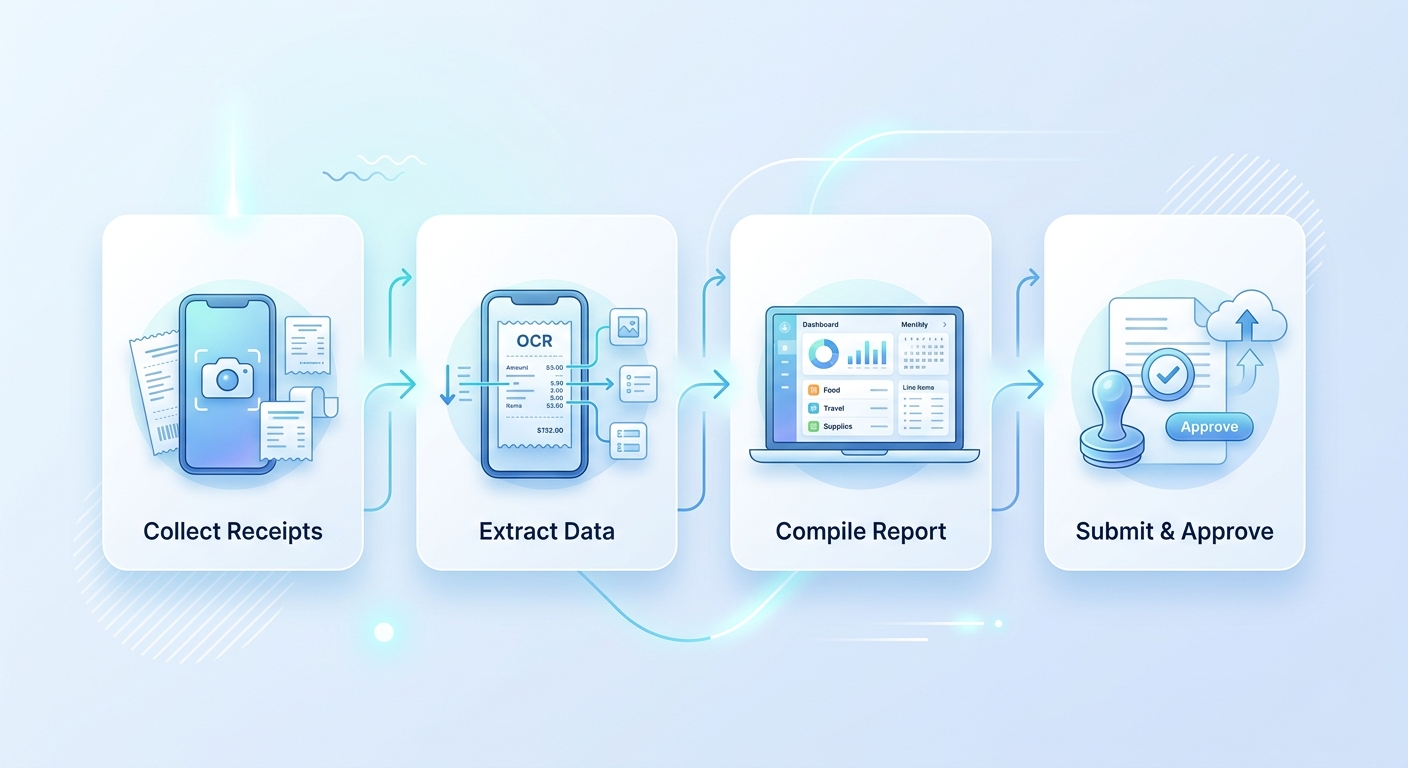
Phase 1: Add Receipts Throughout the Month – The Foundation of Your Report
The key to an accurate and stress-free monthly expense report is consistent, ongoing capture. Don't wait until the end of the month to tackle a mountain of receipts. SlipSheet makes it incredibly easy to add receipts as they come in, turning a monumental task into a series of quick, minor actions. This proactive approach ensures no expense is overlooked and prevents the last-minute rush that often leads to mistakes.
SlipSheet offers versatile ways to capture your expenses:
- Photo Capture: Simply snap a picture of any physical receipt with your smartphone. SlipSheet's intelligent OCR technology will read and extract the crucial details, such as the merchant, date, and total amount, directly from the image.
- Email Forwarding: For your digital receipts, such as online purchases or subscription renewals, just forward the email directly to your unique SlipSheet email address. The system automatically processes these, pulling out the relevant transaction information.
- Upload Files: If you have PDF receipts or other digital files saved on your computer, you can easily upload them to SlipSheet. This flexibility ensures all your expenses are accounted for, regardless of their original format.
By integrating receipt capture into your daily or weekly routine, you build a robust foundation for your monthly expense report, making the subsequent steps significantly smoother.
Phase 2: Review Extracted Merchant and Total Fields – Ensuring Accuracy
Once your receipts are added, SlipSheet's powerful optical character recognition (OCR) technology gets to work, automatically extracting key information like the merchant name, transaction date, and total amount. While SlipSheet boasts high accuracy, a quick review is always a good practice to ensure your monthly expense report is perfectly precise. This step is crucial for maintaining the integrity of your financial records.
The review process is designed to be fast and intuitive:
- Automated Data Extraction: SlipSheet intelligently identifies and populates fields, saving you significant manual effort.
- Quick Verification: Glance over the extracted data. If a field needs adjustment, such as a slightly misspelled merchant name or an incorrect total, you can edit it directly within the SlipSheet interface with a few clicks.
- Learning System: SlipSheet learns from your corrections. Over time, its accuracy for recurring merchants and similar receipt formats improves, further streamlining your process.
This verification phase ensures that every piece of data contributing to your monthly expense report from receipts is exactly right, giving you confidence in your financial summaries.
Phase 3: Group Expenses by Project or Category – Gaining Insights
Raw data is useful, but organized data is powerful. To transform your collection of individual expenses into a truly insightful monthly expense report, categorization and grouping are essential. This step allows you to understand where your money is going, identify spending patterns, and prepare your data for specific reporting needs, such as tax preparation or client reimbursement.
Within SlipSheet, you have robust tools to organize your expenses:
- Custom Categories: Create and assign categories that make sense for your personal budget or business accounting, for example, 'Travel', 'Office Supplies', 'Client Project X', or 'Utilities'.
- Tags and Notes: Add specific tags or detailed notes to individual expenses for additional context. This is particularly useful for distinguishing between different projects or attaching specific reasons for a purchase.
- Filtering and Sorting: Easily filter your expenses by date range, merchant, category, or project. This allows you to quickly view specific segments of your spending, making it simple to analyze different aspects of your monthly expense report.
By thoroughly categorizing your expenses, you not only prepare for your monthly expense report but also gain a clearer picture of your financial health, empowering better decision-making.
Phase 4: Export Your Report Before Reimbursement or Bookkeeping – Seamless Integration
With all your receipts captured, extracted, reviewed, and categorized, the final step is to generate and export your comprehensive monthly expense report. SlipSheet makes this process incredibly simple, providing clean, structured data that is ready for whatever your next financial step may be, whether it's submitting for reimbursement, importing into accounting software, or simply reviewing your personal budget.
SlipSheet's export functionality ensures compatibility and ease of use:
- CSV Export: Download your entire expense log, or a filtered selection, as a Comma Separated Values (CSV) file. This universal format is compatible with virtually all spreadsheet programs and accounting software.
- Excel Export: For those who prefer the robust features of Microsoft Excel, SlipSheet provides direct export to an Excel spreadsheet, maintaining your data's structure and readability.
- Ready for Action: Your exported data is perfectly formatted with columns for date, merchant, amount, category, notes, and more. This means no extra cleanup is required before you send it to your accountant, use it for tax filings, or import it into your preferred financial management tool.
This final phase transforms your collection of receipts into a professional, accurate, and actionable monthly expense report, ready to meet your financial obligations and provide clear insights.
Common Pitfalls and How to Avoid Them When Creating Your Monthly Expense Report
Even with powerful tools like SlipSheet, knowing common pitfalls can help you maintain an even smoother workflow for your monthly expense report from receipts. Awareness and proactive measures are key to consistent, accurate financial tracking.
- Forgetting to Capture Receipts: The most common issue. Combat this by making receipt capture a habit. With SlipSheet, it takes mere seconds to snap a photo or forward an email, so do it immediately after a purchase.
- Poor Photo Quality: Blurry or poorly lit receipt photos can hinder OCR accuracy. Ensure good lighting and a steady hand when taking pictures. SlipSheet's interface often guides you for optimal capture.
- Inconsistent Categorization: Vague or inconsistent categories can muddy your report. Establish a clear set of categories and stick to them. SlipSheet allows you to create custom categories, helping you maintain consistency.
- Procrastinating Review: While automated, a quick review of extracted data prevents minor errors from snowballing. Dedicate a few minutes each week to review and correct any entries, rather than facing a large backlog at month-end.
- Not Utilizing Notes and Tags: These features add valuable context. Use them for specific project IDs, client names, or special circumstances. This enhances the detail and utility of your monthly expense report.
By sidestepping these common issues, you ensure your monthly expense report from receipts is always complete, accurate, and insightful.
Creating your monthly expense report from receipts no longer needs to be a source of dread. With SlipSheet, you transform a tedious, error-prone task into an efficient, automated process. From capturing every transaction in real-time to generating comprehensive, categorized reports, SlipSheet empowers you to take control of your finances with ease and accuracy. Stop wrestling with paper and spreadsheets, and start enjoying the clarity and time savings that modern expense management provides.
Ready to streamline your expense reporting? Visit slipsheet.app today and experience the future of monthly expense reports from receipts.
FAQ
How does SlipSheet handle different types of receipts?
SlipSheet accepts receipt photos taken with your phone and email forwards of digital receipts, converting both into structured data for your reports.
Can I categorize expenses in SlipSheet?
Yes, you can easily add custom categories, tags, and notes to each expense, making your monthly expense report more organized and insightful.
What if the extracted data is incorrect?
SlipSheet uses advanced OCR, but you can quickly review and edit any extracted fields directly within the interface to ensure 100% accuracy before exporting.
What export formats does SlipSheet support for my reports?
SlipSheet allows you to export your compiled monthly expense report data to universal formats like CSV or Excel, ready for accounting software or personal use.
Is SlipSheet suitable for small businesses or freelancers?
Absolutely, SlipSheet is designed to streamline expense tracking for individuals, freelancers, and small businesses, significantly simplifying their financial reporting and bookkeeping.