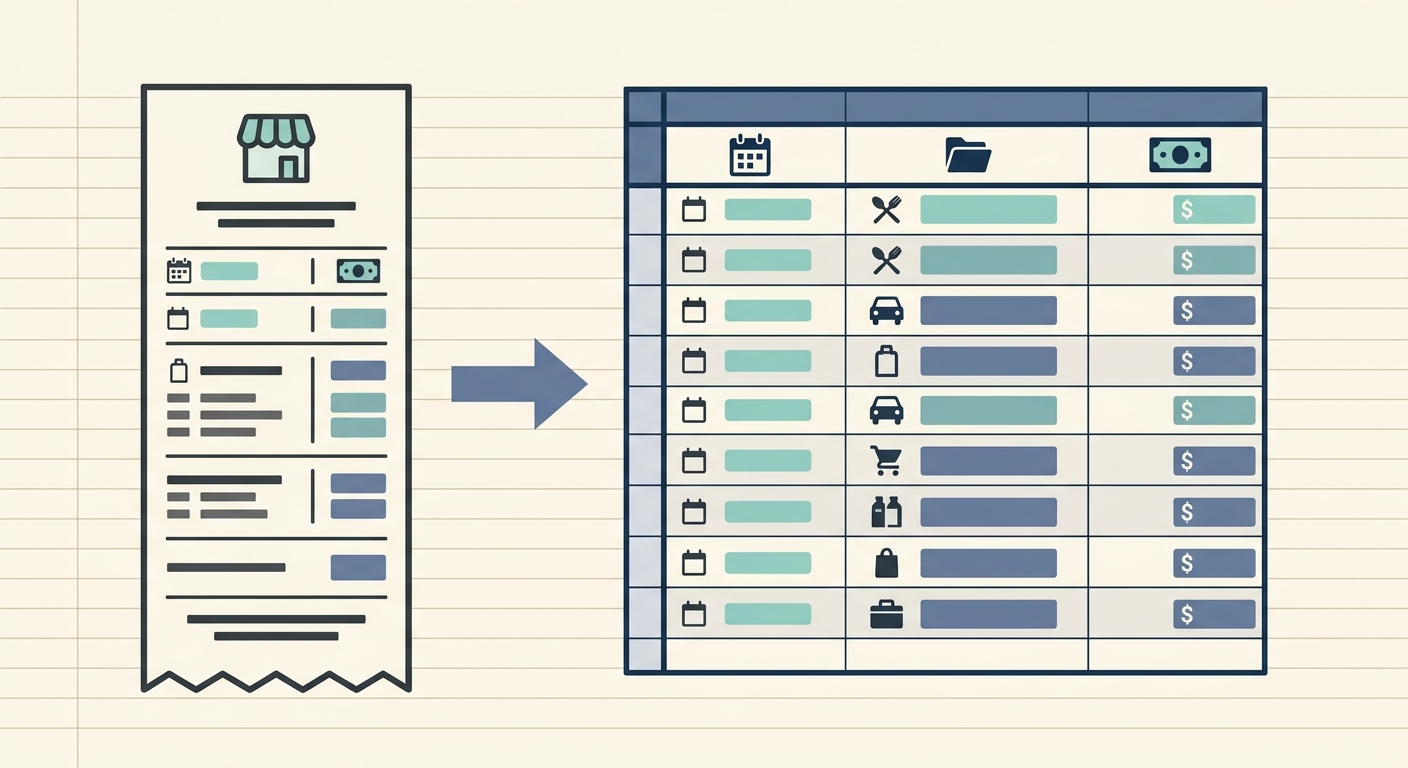
A reimbursable expense workflow should be simple enough for employees to follow, detailed enough for bookkeeping, and consistent enough that managers are not chasing missing receipts at month end. The goal is not to build a complicated approval system. The goal is to turn everyday spending into clean records that can be reviewed, categorized, and paid back without confusion.
For small businesses, agencies, nonprofits, and solo operators who work with contractors, reimbursements often start informally. Someone buys supplies, pays for parking, books a client meal, or covers a software charge on a personal card. The receipt lands in an email inbox, text thread, glove compartment, or desk drawer. A few weeks later, the business needs to know what happened, whether the expense is valid, how it should be categorized, and who still needs to be paid.
A practical workflow fixes that. It gives everyone one path to follow, from capture to export, so reimbursements stop depending on memory and scattered screenshots. SlipSheet fits this kind of process because it focuses on receipt capture, field extraction, review, and spreadsheet-ready export rather than forcing every team into a heavy accounting platform.
Capture receipts at the moment of purchase
The first phase is capture. A reimbursement process only works if receipts are collected while the details are still fresh. Ask employees and contractors to submit receipts as soon as they make a reimbursable purchase, not at the end of the month. This reduces lost receipts and makes it easier to remember the business purpose.
A good capture step should accept the formats people already use. That might include a phone photo of a paper receipt, a PDF from an online order, or an emailed receipt from a travel vendor. The fewer rules you put in front of submission, the more likely people are to comply.
- Require the receipt image or PDF for every reimbursable expense.
- Ask for the business purpose when it is not obvious from the receipt.
- Set a submission window, such as within 7 days of purchase.
- Use one intake location so receipts do not spread across email, chat, and shared drives.
With SlipSheet, the capture step can start with uploading or forwarding receipts into a structured workflow. The important part is consistency. If everyone knows where receipts go, the rest of the process becomes much easier.
Extract the key details from each receipt
Once receipts are collected, the next phase is extraction. This is where the workflow turns a receipt into usable data. At minimum, you usually need the merchant, date, total, tax if relevant, payment method, employee name, and category. For project-based work, you may also need a client, job, event, department, or grant code.
Manual entry works when volume is low, but it becomes tedious and error-prone as the number of receipts grows. A person entering totals from a pile of receipts can easily miss sales tax, mistype a date, or put the same vendor under three different names. Automated extraction helps by reading the receipt and filling in the first version of the data.
SlipSheet is useful here because it is designed to extract receipt fields into a reviewable table. That means the receipt is not just stored as an image. It becomes a row of data that can be checked, edited, and exported.
Review before reimbursement
Extraction should not replace review. It should make review faster. Before reimbursing anyone, check that each expense is legitimate, complete, and categorized correctly. This step protects the business from duplicate claims, personal expenses, missing documentation, and category mistakes that create bookkeeping cleanup later.
A review checklist keeps the process fair and repeatable. It also helps employees understand what will be approved. If a receipt is missing a business purpose, the reviewer can flag it before payment. If a meal receipt is missing attendees, it can be corrected while the context is still available.
- Confirm the receipt date falls within the reimbursement period.
- Check that the total matches the submitted amount.
- Look for duplicate receipts or repeated charges.
- Confirm the expense has a valid business purpose.
- Assign or verify the bookkeeping category.
For very small teams, one owner or bookkeeper may handle this review. For larger teams, a manager may approve the business purpose before the bookkeeper reviews categories. Keep the number of approval steps as low as possible. Every extra step should have a clear reason.
Export to your preferred bookkeeping tool
After review, the reimbursement data needs to move into the system where you track expenses and payments. Some businesses want a CSV for a spreadsheet. Others need data prepared for accounting software, payroll reimbursement, or an accounts payable process. The best workflow should support the tool you already use instead of forcing a new system into the middle of your month-end routine.
Exported data should include both the reimbursement amount and enough context for bookkeeping. A clean export usually includes employee name, merchant, date, total, category, notes, project or client if needed, and a receipt reference. If your export only lists amounts, your bookkeeper will still need to dig through receipts later.
SlipSheet works well for spreadsheet-first teams because it turns receipts into structured rows that can be exported and adjusted. That is helpful when your reimbursement process lives in Google Sheets, Excel, Airtable, or a lightweight bookkeeping workflow.
Getting started with a simple reimbursement routine
You do not need a full policy manual to improve your reimbursable expense workflow. Start with a simple routine that everyone can understand. Define what can be reimbursed, where receipts should be submitted, who reviews them, and when reimbursements are paid. Then write the process down in plain language.
- Create a single place for receipt submission.
- Decide which fields are required for every expense.
- Choose categories that match your bookkeeping chart of accounts.
- Set a weekly or monthly review deadline.
- Export approved expenses and mark them as paid after reimbursement.
If your team is small, keep the process light. A weekly review may be enough. If reimbursements are frequent, create a cutoff date and payment schedule so people know when to expect repayment. The more predictable the process is, the fewer status questions you will get.
Common pitfalls to avoid
The most common reimbursement problems are usually process problems, not people problems. If receipts are missing, it may be because submission is unclear. If categories are messy, it may be because no one agreed on category rules. If reimbursements are late, it may be because there is no review schedule.
- Do not accept reimbursement requests without receipts unless you have a clear exception policy.
- Do not wait until tax season to sort employee reimbursements.
- Do not rely on memory for business purpose notes.
- Do not mix reimbursable expenses with owner draws or payroll without clear labels.
- Do not export unreviewed receipt data directly into your books.
A reliable reimbursable expense workflow gives your team a fair way to get paid back and gives your bookkeeper records they can trust. If you want to turn receipt piles into clean, reviewable spreadsheet data, try SlipSheet and build a reimbursement process that is easier to follow every week.
FAQ
What counts as a reimbursable expense?
A reimbursable expense is a business cost paid personally by an employee, contractor, or owner that the business agrees to pay back. Common examples include travel, supplies, parking, client meals, and approved software purchases.
How quickly should employees submit receipts?
A 7-day submission window works well for many small teams because the details are still fresh. The key is to set a clear deadline and use it consistently.
Do reimbursements need categories?
Yes, categories help your bookkeeper record the expense correctly and keep reports clean. Match reimbursement categories to your chart of accounts whenever possible.
Can SlipSheet replace a full expense management platform?
SlipSheet is best for teams that want receipt extraction and spreadsheet-ready reimbursement data without a heavy approval system. Larger companies with complex card controls may still need a full expense management platform.
What should I export for each reimbursement?
Export the employee name, merchant, date, total, category, business purpose, project or client if relevant, and receipt reference. This gives bookkeeping enough context to record and audit the expense.