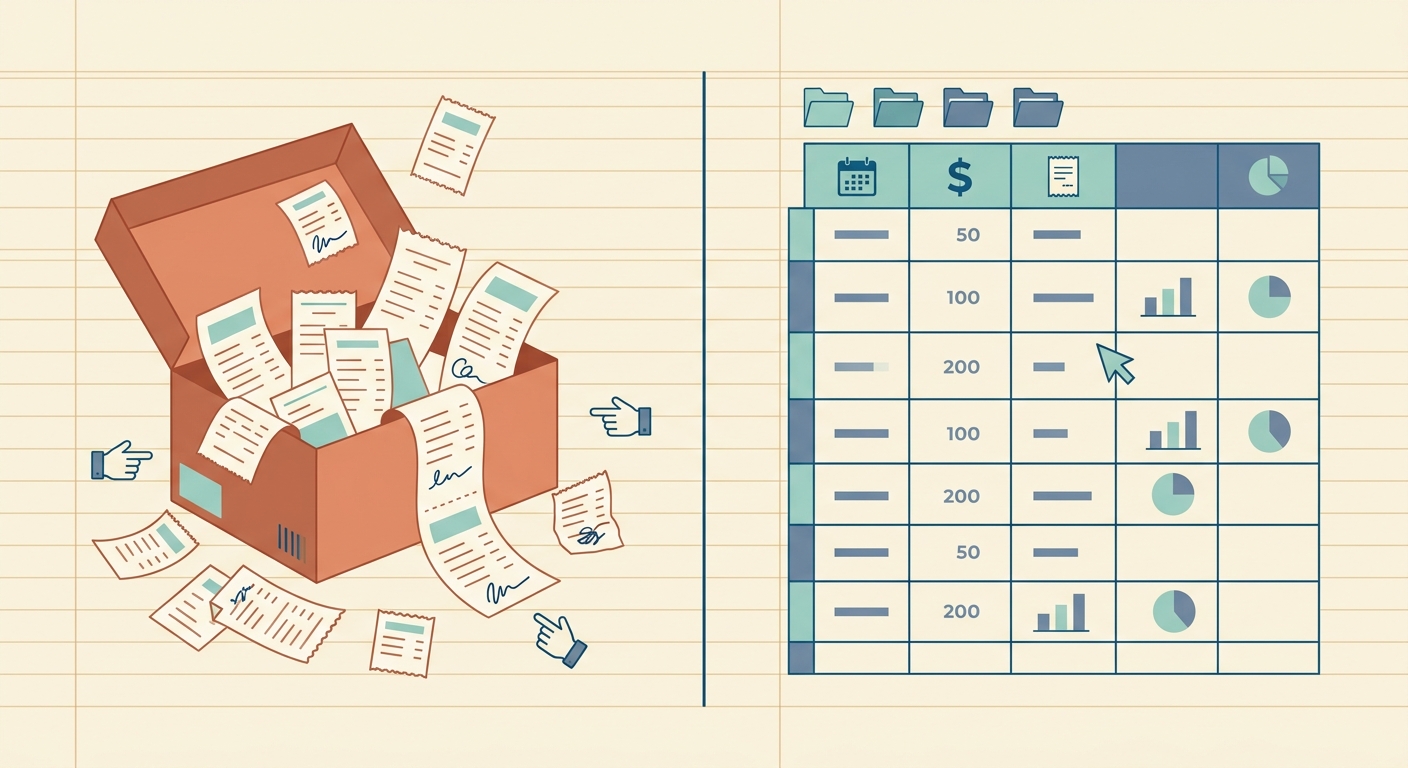
A Shoeboxed Mail-In Alternative That Scans Receipts Instantly
If you are looking for a Shoeboxed mail-in alternative, you probably want the same end result with less waiting: clean receipt data in a spreadsheet you can review, sort, and send to your accountant. Mail-in receipt services can be useful when you have stacks of paper and no time to scan them, but many freelancers, small teams, and bookkeepers now need a faster, more direct workflow.
SlipSheet is built for that spreadsheet-first workflow. Instead of shipping envelopes of receipts and waiting for processing, you upload receipt images or PDFs, extract the important fields, review the results, and export structured data. It is not trying to be a full document storage warehouse. It is focused on turning receipts into usable rows.
What Shoeboxed mail-in does well
Shoeboxed is known for one very practical promise: send in your paper receipts and let someone else handle the scanning. For business owners with years of paper clutter, that can be valuable. The mail-in model removes the need to scan each receipt yourself, and it can be helpful if your main problem is physical document cleanup.
It also suits teams that still collect a large volume of paper receipts from drivers, field staff, events, or legacy filing systems. If your office has boxes of receipts and you want someone to digitize the backlog, a mail-in service can save time. The tradeoff is that you are adding a physical handoff, a processing queue, and another step before the data becomes useful.
Where it falls short
The biggest limitation of a mail-in workflow is speed. Receipts have to be gathered, packed, shipped, received, scanned, processed, and then reviewed. That can be fine for archival cleanup, but it is less useful when you need last week's expenses in a spreadsheet today.
Mail-in systems can also be more workflow than a small business needs. If your goal is simply to get date, vendor, total, tax, payment method, and category into a spreadsheet, sending receipts away may feel like overkill. You may not need long-term document custody, envelope logistics, or a broader expense platform. You may only need accurate extraction and a clean export.
There is also a control issue. When receipts leave your desk, you are waiting for someone else's process. If a vendor name is wrong, a total needs checking, or a category should be changed, you still need to review the output later. Many business owners prefer to review data while the purchase is fresh, not weeks after the receipt was mailed.
What SlipSheet does differently
SlipSheet keeps the work digital from the start. You upload receipts you already have as phone photos, scans, screenshots, or PDFs. SlipSheet extracts the key information and prepares it for spreadsheet use, so you can review and export without building a manual data-entry process.
The goal is not to replace every feature in a full expense management suite. The goal is to make receipt data easier to capture and move. That matters if your bookkeeping system starts in Google Sheets, Excel, CSV files, or accountant-ready spreadsheets.
A simple SlipSheet workflow usually looks like this:
- Collect receipts from your phone, email, scanner, or shared drive.
- Upload them to SlipSheet in batches.
- Review extracted fields such as merchant, date, amount, tax, and category.
- Fix anything that needs human judgment.
- Export the results to the spreadsheet format your business already uses.
This keeps the receipt close to the data. If a total looks odd, you can compare it immediately. If a receipt belongs to a client project, job, property, or reimbursement report, you can add that context before exporting.
Who should switch
SlipSheet is a strong fit if you do not need a mail-in scanning box, but you do need faster receipt extraction. It works well for freelancers catching up on quarterly expenses, bookkeepers processing client receipts, landlords tracking property costs, consultants preparing reimbursements, and small teams that want spreadsheet-ready records.
You should consider a digital alternative if most of your receipts already arrive by email, app, screenshot, or phone photo. In that case, printing, storing, or mailing them adds friction instead of removing it. A digital upload process lets you handle receipts closer to the moment they are created.
SlipSheet is also useful when your accountant or tax preparer asks for a spreadsheet, not another software login. Many small businesses still close the loop in a spreadsheet because it is portable, easy to audit, and simple to share. If that is your reality, a receipt-to-spreadsheet tool is often the shortest path.
Common migration questions
If you are moving away from a mail-in workflow, start with your current receipt sources. Separate paper-only receipts from receipts that are already digital. You may find that a large share of your current expense records are already in email inboxes, bank portals, phone camera rolls, or vendor accounts.
For old paper backlogs, you may still want to scan in batches before uploading. A phone scanner app, office scanner, or multifunction printer is usually enough for routine work. Once receipts are digitized, SlipSheet can help turn them into rows you can use.
For new receipts, the migration is simpler: stop letting them pile up. Add a weekly receipt capture habit. Upload the week's receipts, review the extracted fields, and export before the details fade. This small routine prevents the classic shoebox problem from coming back.
Getting started with a spreadsheet-first process
The cleanest receipt workflow is the one your business will actually follow. If mailing receipts creates delays, missed context, or extra admin work, a digital receipt-to-spreadsheet process can be easier to maintain.
Before you switch, define the columns you need: date, vendor, total, tax, category, payment method, client, project, notes, and receipt file reference are common starting points. Then process a small batch and confirm the export matches how you or your bookkeeper already reviews expenses.
If you want a faster Shoeboxed mail-in alternative for clean spreadsheet exports, try SlipSheet. Upload receipts, review the extracted data, and turn expense paperwork into a spreadsheet you can actually use.
FAQ
What is the best Shoeboxed mail-in alternative for spreadsheet exports?
SlipSheet is a good fit if your main goal is to turn receipts into clean spreadsheet rows without mailing paper receipts. It focuses on upload, extraction, review, and export.
Do I need to mail receipts to use SlipSheet?
No. SlipSheet works with digital receipt files such as photos, scans, screenshots, and PDFs, so you can keep the workflow online.
Is a mail-in receipt service still useful?
Yes, it can be useful for large paper backlogs or offices that do not want to scan receipts. For ongoing bookkeeping, a digital upload workflow is often faster.
Can I use SlipSheet with Excel or Google Sheets?
Yes. SlipSheet is designed for spreadsheet-first workflows, so you can export receipt data and use it in tools like Excel, Google Sheets, or CSV-based bookkeeping processes.
How should I switch from mail-in receipt processing?
Start by digitizing any paper receipts you still need, then build a weekly habit of uploading new receipt photos or PDFs. Review the extracted fields before exporting them to your bookkeeping spreadsheet.