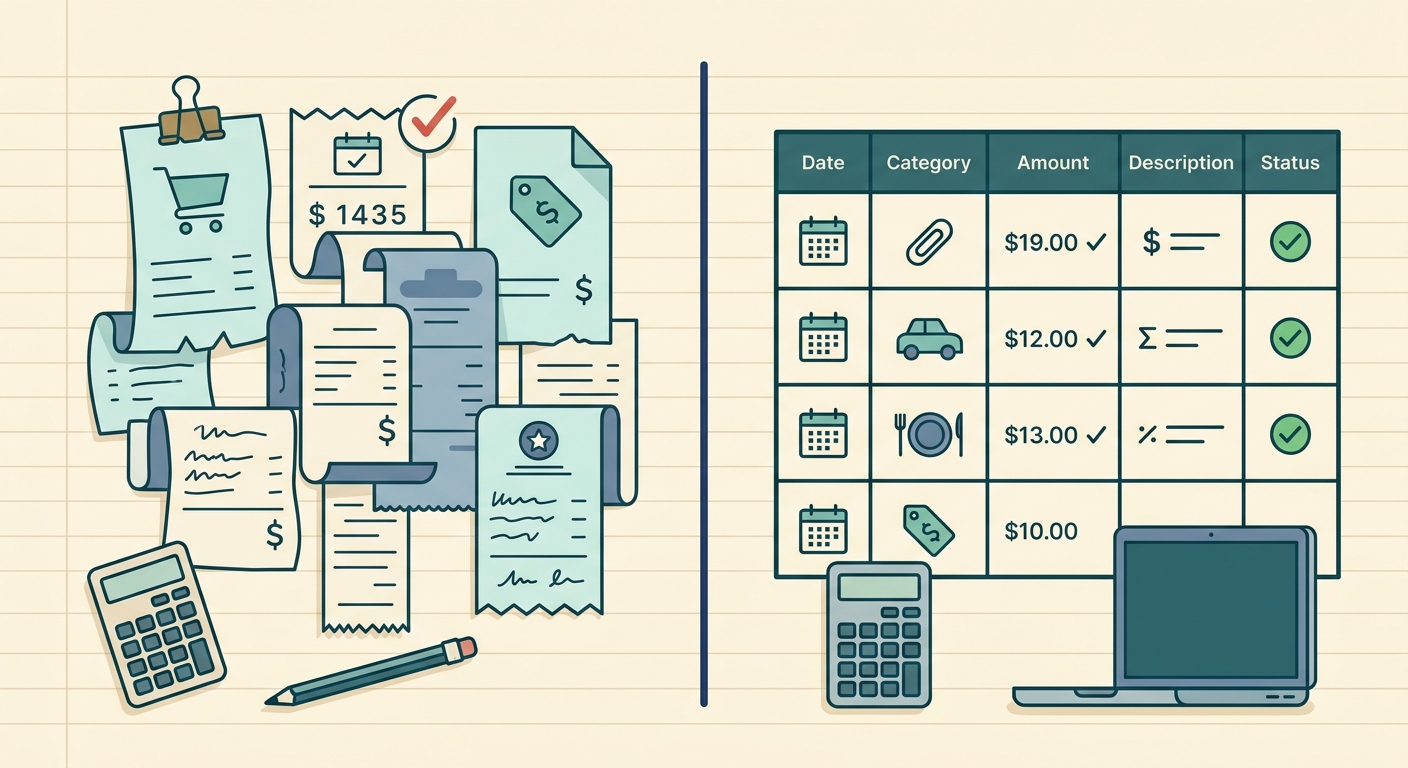
Choosing between full accounting software and SlipSheet comes down to how much system you actually need. Full accounting software is built to run the financial backbone of a business: invoicing, bank feeds, payroll connections, tax categories, reporting, reconciliation, and sometimes inventory. SlipSheet is intentionally narrower. It helps you turn receipts into clean spreadsheet rows so you can review, categorize, and export the records without adopting a whole accounting platform.
For many small businesses, freelancers, property managers, and bookkeepers, that narrower job is the real bottleneck. The problem is not always accounting. It is getting paper receipts, email receipts, and phone photos into a format that can be checked and used. This comparison explains where full accounting software wins, where it can feel heavy, and where SlipSheet fits as a focused receipt-to-spreadsheet workflow.
Receipt capture
Full accounting software usually offers receipt capture as one feature among many. Depending on the product, you may be able to upload a receipt, attach it to an expense, match it with a bank transaction, and store it for audit records. That is valuable if you already use the software for your books and want everything connected in one place.
The tradeoff is that receipt capture often lives inside a broader accounting workflow. You may need to pick a client, vendor, account, tax code, payment method, or transaction match before the receipt feels complete. For a business owner who only wants a spreadsheet of expenses, that can be more setup than the job requires.
SlipSheet is designed for the front end of the workflow: capture the receipt, extract the useful fields, and keep the output simple. It is a good fit when you want to process a batch of receipts before sending them to a bookkeeper, importing them into another system, or adding them to a spreadsheet you already manage.
Data extraction
Accounting platforms are strongest when extraction is tied to categorization and transaction history. If your bank feed shows a charge from a known vendor, the software may suggest a category or match the uploaded receipt automatically. That can save time for teams that keep all activity inside the same system.
SlipSheet focuses on the fields that make receipts useful outside a full accounting platform. Typical outputs include merchant, date, total, tax, currency, and notes or category fields you can review. The goal is not to replace bookkeeping rules. The goal is to get accurate, readable rows from messy receipt images so a human can quickly confirm the data.
This distinction matters for spreadsheet-first users. If your final destination is Excel, Google Sheets, Airtable, a client reimbursement file, or a custom expense tracker, you may not want extracted data locked into an accounting workflow first. SlipSheet keeps the data portable.
Export and spreadsheet workflows
Full accounting software usually exports reports, not raw receipt workflows. You can often download expense reports, profit and loss statements, tax summaries, or transaction lists. Those exports are useful, but they may include more structure than you need, and the column layout may be shaped around the accounting system rather than your own process.
SlipSheet is built around simple exports from the start. The practical question is, “Can I get these receipts into a spreadsheet I can actually use?” That makes it useful for contractors tracking job expenses, freelancers preparing deductions, small teams collecting reimbursements, and bookkeepers cleaning up client records before month end.
If you already have a spreadsheet template, SlipSheet can sit before it in the process. Capture receipts, review the extracted values, export the rows, then paste or import them into your preferred sheet. You keep control of the final layout instead of reshaping your work around a full accounting product.
Pricing and setup
Full accounting software can be worth every dollar when you need the full package. If you send invoices, reconcile bank accounts, prepare tax reports, manage sales tax, invite an accountant, or run payroll integrations, a proper accounting platform is often the right investment. It gives you a central source of truth.
But that value depends on adoption. A full platform takes time to configure and maintain. You may need to connect accounts, clean categories, learn reports, manage users, and decide how every transaction should be recorded. For some small teams, the software becomes another place where unfinished admin work piles up.
SlipSheet is lighter because it does less. That is the point. If your immediate need is receipt extraction and spreadsheet export, you can avoid paying for and learning features you are not ready to use. It works best as a practical tool for one recurring task rather than a complete finance operating system.
Integrations and handoff
Full accounting software usually has the stronger integration ecosystem. It may connect to banks, payment processors, payroll tools, ecommerce stores, tax apps, and reporting dashboards. If your business has many moving parts and you want a connected finance stack, this is where accounting software clearly excels.
SlipSheet fits a different handoff model. Instead of trying to own every finance workflow, it helps prepare clean receipt data that can be handed to the next tool or person. That next step might be a bookkeeper, a CPA, a reimbursement approver, a spreadsheet, or an accounting system that accepts imported records.
This can be especially helpful when the person collecting receipts is not the person doing the books. A field team, freelancer, or client can process receipts into a cleaner format before sending them on. The bookkeeper gets less mystery, fewer missing totals, and fewer image-only attachments to decode.
Which option should you choose?
Choose full accounting software if you need a complete ledger, invoice tracking, bank reconciliation, tax reporting, accountant access, and connected financial records. It is the better choice when you want one system to manage the books and you are ready to maintain it consistently.
Choose SlipSheet if your main pain is turning receipts into spreadsheet-ready data. It is especially useful when you already have a bookkeeping process, you work with a spreadsheet-first workflow, or you need a lightweight way to prepare receipts before sending them elsewhere.
The two options can also work together. SlipSheet can handle receipt cleanup and exports, while full accounting software handles the formal books. That split keeps the receipt workflow simple without giving up a proper accounting system when you need one.
If you want a focused way to turn receipts into clean spreadsheet rows, try SlipSheet. It is built for people who want practical receipt capture, readable exports, and less admin friction.
FAQ
Can SlipSheet replace full accounting software?
SlipSheet is not a full ledger or bookkeeping system. It is best for extracting receipt data and exporting it to a spreadsheet or another workflow.
When is full accounting software the better choice?
Choose full accounting software when you need bank reconciliation, invoicing, tax reports, accountant access, payroll connections, or a central system for all financial records.
Who is SlipSheet best for?
SlipSheet fits freelancers, small business owners, property managers, and bookkeepers who need receipt data in a clean spreadsheet format without setting up a full accounting platform.
Can I use SlipSheet with my existing accounting software?
Yes. You can use SlipSheet to prepare and review receipt data, then export the rows for handoff to a bookkeeper, spreadsheet, or accounting system.
Why use a spreadsheet-first workflow for receipts?
A spreadsheet-first workflow gives you control over columns, categories, reviews, and client handoff. It is useful when you need simple, portable records rather than a full accounting setup.