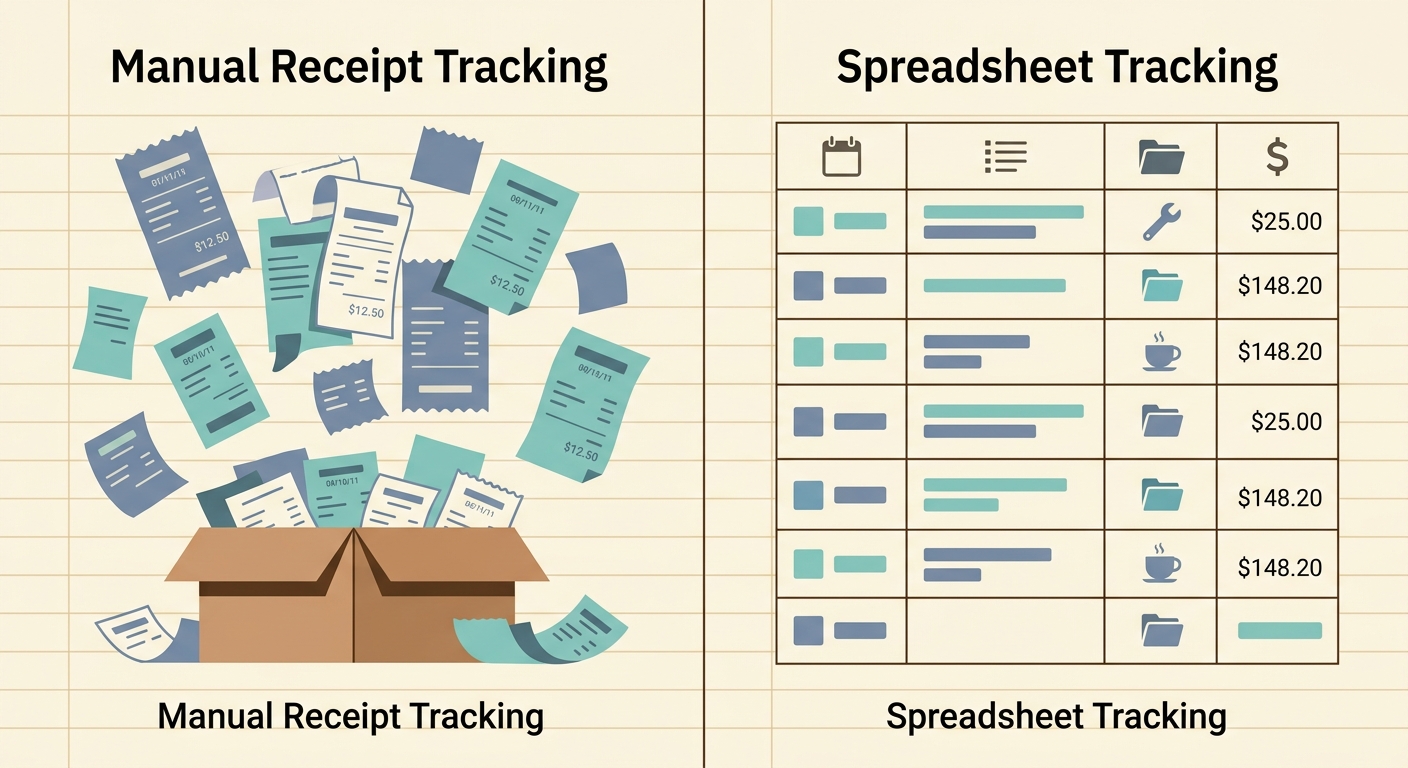
Most business owners land on a dedicated expense app the first time they try to do a year-end reconciliation by hand. Receipts stuffed in a shoebox, a shoebox stuffed in a drawer, and a vague sense of dread when April rolls around. The category has earned its place. But not every team needs the same thing from it. If you are a freelancer, a sole proprietor, or a small business owner who lives in a spreadsheet, a "business expense app alternative" might be the smarter pick.
What business expense apps do well
General purpose business expense apps are not bad products. Most of them, including the well-known ones like Expensify, QuickBooks Self-Employed, and FreshBooks, have spent years refining a few specific jobs.
- Receipt capture from a phone camera, often with OCR to pull out vendor, amount, and date.
- Categorization of expenses using a chart of accounts, useful for Schedule C filers and small LLCs.
- Direct integration with accounting software like QuickBooks, Xero, and Wave.
- Approval workflows for teams with employees, contractors, and per-diem reimbursements.
- Bank and credit card feed connections that auto-match receipts to transactions.
For a 30-person agency with weekly expense reports, monthly close cycles, and a controller who needs a clean audit trail, those features are not luxuries. They are baseline expectations. The category is mature and the tools have answered a real problem.
Where business expense apps fall short
The trouble starts when the cost and complexity of a full expense management platform exceed the actual workflow. Here is where the cracks show.
Pricing is structured for bigger teams. Most of these apps charge per active user, with tiered plans that get reasonable at five seats and painful at one. A solo freelancer who processes a dozen receipts a month is paying for features they will never use.
Data lives inside the app. Your expense history, categorization rules, and receipt images are often locked into a vendor database. Exporting to a usable format is sometimes a paid feature, sometimes a hassle, and sometimes both.
Spreadsheet exports are an afterthought. When the export finally arrives, it usually needs cleanup: missing columns, weird date formats, totals that do not match, and category names that do not match your chart of accounts. You end up rebuilding the spreadsheet anyway.
Onboarding takes longer than expected. Connect a bank, invite a card, set up categories, configure approvals, install the desktop app, learn the mobile app. A solo operator does not need an hour of setup to scan a coffee receipt.
Subscription stacking adds up. The expense app is on top of bookkeeping, on top of payroll, on top of the bank fees. Each one of those tools is reasonable on its own. Together, the small business software stack quietly runs $200 to $500 a month before the first invoice goes out.
What SlipSheet does differently
SlipSheet is a focused receipt-to-spreadsheet tool. The whole product is built around one promise: turn a pile of paper and PDF receipts into a clean CSV or Google Sheet that opens in the tool you already use.
You snap a picture, drop a PDF, or forward an email receipt. SlipSheet reads it with OCR, pulls out the vendor, date, total, tax, and line items where it can. The result lands in a spreadsheet with the columns named the way you want, ready for filters, pivots, and the rest of the work you do in Excel or Google Sheets.
There is no per-user pricing. There is no dashboard you have to log into every week. There is no approval workflow to configure. The receipt is captured, the data is extracted, and the spreadsheet is updated. The whole loop is short on purpose.
For a bookkeeper or accountant, this means the client can hand over a clean sheet at month-end instead of asking you to log into yet another portal. For the small business owner, it means a workflow that does not require remembering another password.
Who should switch
A business expense app alternative is the right answer when the workflow matches the following shape.
- You are a freelancer, sole proprietor, or single-member LLC, or you run a small team under five people.
- Your bookkeeping happens in a spreadsheet, Google Sheets, or a hybrid setup that includes a spreadsheet as the source of truth.
- You process anywhere from a handful to a few hundred receipts a month, not thousands.
- You do not need approval workflows, corporate card reconciliation, or multi-entity consolidation.
- You want to pay one flat fee and have the work go to a tool you already know.
If any of those describes your situation, the alternative approach usually wins on cost, on time, and on the simplicity of the audit trail. A spreadsheet with a date column, a vendor column, an amount column, and a category column is a perfectly good ledger for a small business, and it has the advantage that you control it.
Common migration questions
Can I move my historical receipts over? Most expense apps let you export a CSV of past entries. Upload that CSV to SlipSheet and the line items are preserved. The receipt images themselves usually need to be re-uploaded if you want them attached, but the numbers and categories transfer cleanly.
What about my accountant? A spreadsheet is the format most accountants prefer. Send the CSV or share the Google Sheet. No new login, no new portal, no extra seat for the bookkeeper.
Does SlipSheet work with QuickBooks and Xero? SlipSheet does not push directly into those platforms, but the export is structured to drop into a CSV import template with minimal cleanup. For most small operations, that one-step handoff is faster than configuring a direct integration.
What if I outgrow it? The data lives in your spreadsheet, not in a vendor database. Move it anywhere, copy it to a new tool, or keep using the spreadsheet. There is no lock-in.
How long does the switch actually take? For most solo users, the first receipt is captured and exported the same day. A team of two or three typically has the workflow running within a week.
SlipSheet is built for the team that does not want a bigger tool, just a cleaner spreadsheet. Try SlipSheet free and see how the receipt-to-spreadsheet loop fits the way you already work.
FAQ
What is the best business expense app alternative for a freelancer?
A focused receipt-to-spreadsheet tool like SlipSheet is the best alternative for a freelancer who does not need approvals, corporate cards, or a full accounting suite. The data lands in a CSV or Google Sheet that you control.
Can I use SlipSheet instead of Expensify or QuickBooks Self-Employed?
Yes, for receipt capture and categorization SlipSheet covers the same ground for solo and small-team users. If you need corporate card reconciliation, approval workflows, or direct accounting integrations, you will still want a full expense platform.
Does SlipSheet export to Excel and Google Sheets?
Yes. Exports are CSV-formatted to drop into both Excel and Google Sheets with the column structure you set up in your account. The output is yours to sort, filter, and pivot without leaving the spreadsheet.
How does SlipSheet handle receipt OCR and data extraction?
SlipSheet uses OCR to read receipts from photos, PDFs, and forwarded email attachments. It pulls vendor name, date, total, tax, and line items where legible, and the extracted fields are editable in the spreadsheet if anything needs a correction.
Is my data safe if I switch to SlipSheet from another expense app?
SlipSheet stores your receipt images and extracted data in your account, and exports sit in your own spreadsheet. There is no vendor lock-in, and you can move the data to any other tool or back to a manual workflow at any time.