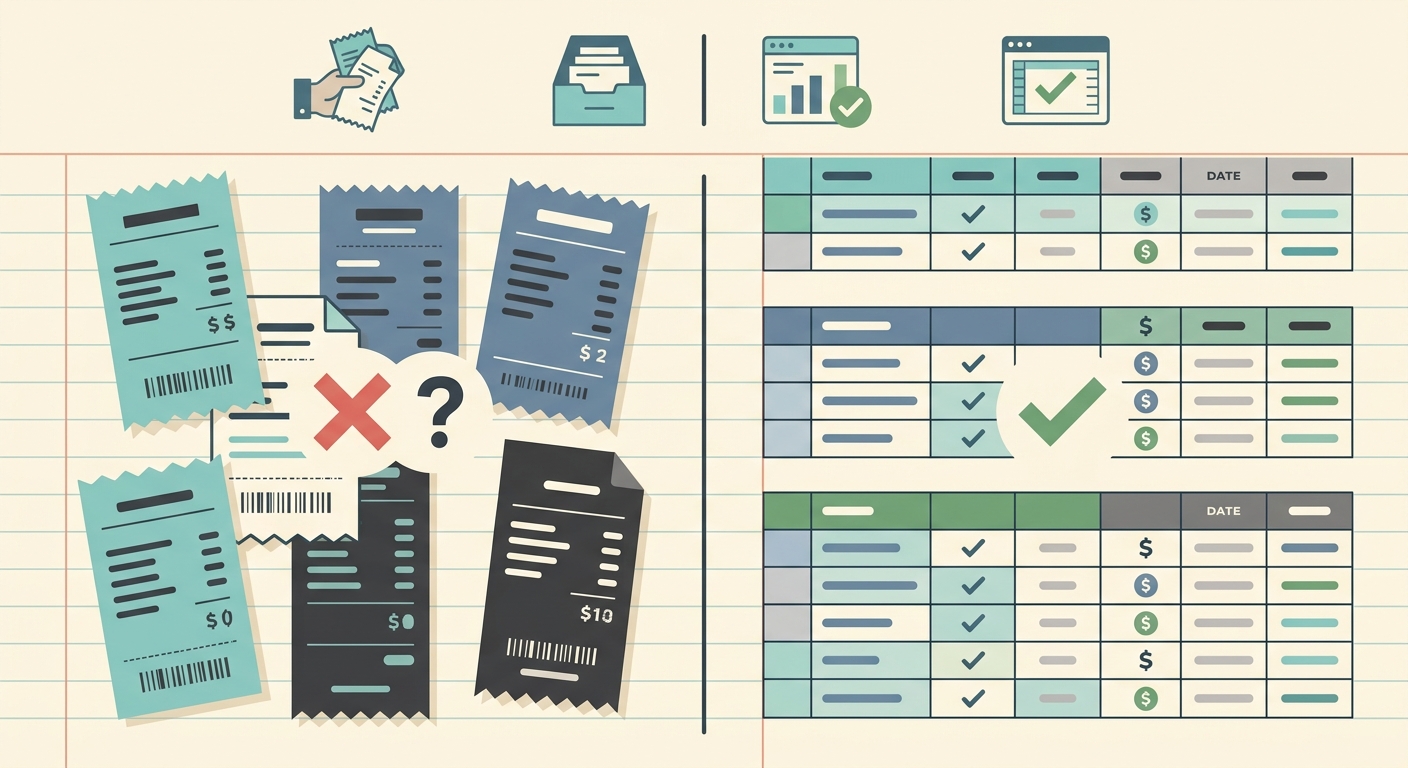
Email forwarding is one of the simplest ways to collect receipts. You create an inbox, forward vendor emails to it, and search that inbox later when it is time to reconcile expenses. For some teams, that is enough. If all you need is a place to store receipt emails, forwarding has almost no setup cost.
The problem appears when you need clean spreadsheet data. A forwarded email still has to be opened, read, categorized, and copied into a tracker. Attachments have to be downloaded. Totals, dates, merchant names, and tax details have to be checked by hand. SlipSheet is built for people who want the convenience of email capture, but also want the result to be a usable spreadsheet instead of another inbox to manage.
Receipt capture
Email forwarding does well at collection. Most vendors already send receipts by email, and forwarding a message is familiar to everyone. It is flexible, fast, and does not force a small business owner to learn a new workflow just to save a receipt.
Where it gets harder is consistency. Receipts come from different vendors, with different subject lines, layouts, attachments, currencies, and tax formats. Some arrive as HTML emails, others as PDFs, images, or links to a portal. A shared inbox can quickly become a pile of messages that technically contains the receipts, but does not make them easy to use.
SlipSheet keeps receipt capture practical while focusing on what happens next. Instead of treating the inbox as the final destination, SlipSheet turns receipts into structured expense rows. That matters when you are trying to stay current during the month, not just clean up the mess at tax time.
Data extraction
With plain email forwarding, extraction is usually manual. Someone opens the email, finds the amount, copies the date, checks the vendor, and enters the details into a spreadsheet or bookkeeping system. This can work when volume is very low. It is less effective once you have recurring subscriptions, team purchases, client reimbursements, travel receipts, and invoices arriving every week.
Manual extraction also creates small errors that are easy to miss. A receipt date can be confused with the billing period. A subtotal can be copied instead of the total. Sales tax can be skipped. A vendor name can be entered three different ways, which makes later filtering and reporting harder than it should be.
SlipSheet is designed to reduce that repetitive work. It reads receipt details and prepares spreadsheet-ready records with the fields that small business owners and bookkeepers actually need. You still review the result, because financial data should be checked, but the first draft is already organized.
- Merchant names are easier to standardize.
- Amounts and dates are pulled into separate fields.
- Receipt files can be connected to the expense row instead of sitting in an inbox.
- Review work becomes exception handling instead of full manual entry.
Export and spreadsheet workflow
Email forwarding is storage-first. It answers the question, "Where is the receipt?" It does not fully answer, "Can I use this receipt in my expense spreadsheet right now?" To get there, you still need a separate tracker, a naming convention, and a process for moving data from emails into rows.
That gap is exactly where SlipSheet fits. It is for spreadsheet-first operators who want receipts to end up in a clean, exportable format. If your bookkeeping system starts in Google Sheets, Excel, Airtable, or a CSV import, a structured export is more useful than a searchable inbox.
A good export workflow should make review simple. You should be able to sort by date, filter by vendor, scan for missing categories, and hand the file to a bookkeeper without sending them on a scavenger hunt through forwarded messages. SlipSheet helps turn receipt management into a repeatable process rather than a monthly reconstruction project.
Pricing and operational cost
Email forwarding looks free, and in direct software cost, it often is. A business can create a dedicated email address or label receipts inside an existing inbox without buying another tool. That is a real advantage, especially for a brand-new freelancer or a side business with only a few expenses per month.
The hidden cost is time. Every receipt that has to be opened, interpreted, copied, and checked becomes an admin task. If that work happens at the end of the month, it also becomes harder because context fades. You may not remember which client a meal was for, why a subscription changed price, or whether a purchase should be reimbursed.
SlipSheet makes more sense when the time cost is larger than the tool cost. If you already maintain an expense spreadsheet, pay a bookkeeper to clean up receipts, or lose time hunting through emails before filing taxes, automation can pay for itself quickly. The goal is not to add another system for its own sake. The goal is to remove the repetitive receipt handling that keeps interrupting better work.
Integrations and fit
Email forwarding is broadly compatible because every tool understands email in some form. It is a good lightweight capture method, and it may remain part of your process even if you use other software. For teams that only need archiving, forwarding can be perfectly reasonable.
SlipSheet is better suited for people who want structured outputs, cleaner review, and spreadsheet control. It is not trying to replace a full accounting suite for companies that need deep payroll, inventory, or enterprise approval workflows. It is built for the practical middle ground: receipts come in, useful data comes out, and the spreadsheet stays current.
Choose email forwarding if your volume is tiny and your main goal is storage. Choose SlipSheet if you are tired of turning receipts into rows by hand, or if your bookkeeper keeps asking for cleaner expense records. The best tool is the one that reduces the work you actually do, not the one that sounds most sophisticated on a feature checklist.
If you want receipt capture that leads directly to spreadsheet-ready expense data, try SlipSheet and turn your receipt pile into a clean export you can actually use.
FAQ
Is email forwarding enough for tracking receipts?
It can be enough if you only need receipt storage and have very few expenses. If you need spreadsheet-ready expense data, email forwarding still leaves a lot of manual entry.
Does SlipSheet replace my bookkeeping software?
No. SlipSheet helps turn receipts into organized spreadsheet data that can support your bookkeeping workflow or be reviewed before import.
Can I keep using email forwarding with SlipSheet?
Yes. Many teams keep email as a capture method, then use SlipSheet to structure the receipt data for review and export.
Who should choose email forwarding instead of SlipSheet?
Choose email forwarding if your receipt volume is tiny and you only need an archive. SlipSheet is a better fit when you regularly copy receipt details into spreadsheets.
What makes SlipSheet better for spreadsheet-first users?
SlipSheet focuses on clean fields, reviewable rows, and simple exports, which makes it easier to keep expense spreadsheets current.