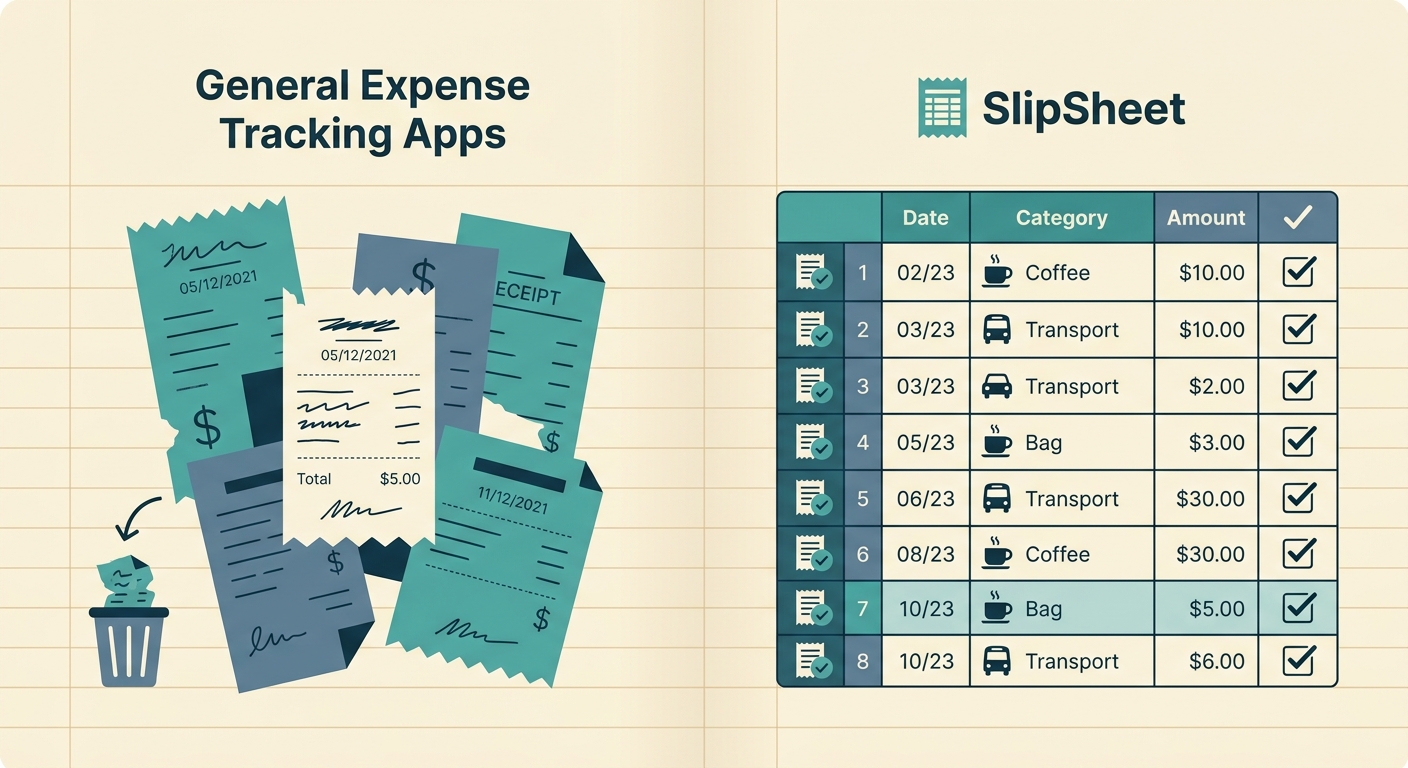
If you have ever typed a receipt total into a spreadsheet at the end of a long day, you already know the appeal of a dedicated expense tracking app. Snap a photo, let the software pull out the merchant and amount, and watch a tidy ledger fill itself in. For many freelancers, owners, and bookkeepers, that is a real win. So before you decide whether SlipSheet belongs in your stack, it is worth being honest about what general-purpose expense trackers do well, where they fall short, and how a receipt-to-spreadsheet tool like SlipSheet fits alongside them.
Receipt capture
Most expense tracking apps handle capture the same way: open the app, point the camera at a receipt, let the OCR run. The experience is fast, the photos are stored in the cloud, and you can usually batch a stack of receipts at the end of the week without much fuss. For someone who wants one app to hold everything from receipts to mileage to invoices, that consolidated photo vault is genuinely useful.
SlipSheet takes a narrower path. You upload or snap a single receipt, the file gets parsed, and the output lands in your spreadsheet. There is no in-app gallery to scroll through months later, no mileage log, no invoice builder. That is a tradeoff, not a defect: if your receipts already live in Google Drive, Dropbox, or an email folder, you do not need another photo locker. If you want every business document in one app, a full expense tracker is the better home.
Data extraction and categorization
General expense apps invest heavily in categorization. They learn your merchant patterns, suggest accounts and tax codes, flag recurring charges, and let you split a single transaction across multiple categories. For a business with a chart of accounts and a real accountant reviewing the books, that level of automation saves hours each month. The downside is that those suggestions live inside the app. If you want to look at your data sideways, sort it by project, or build a custom report, you are usually limited to whatever views the app ships with.
SlipSheet does the opposite. It pulls the merchant, date, total, tax, and line items from a receipt and writes them as columns in the spreadsheet you already use. From there you have full control: pivot tables, conditional formatting, custom formulas, shared workbooks. The categorization step is yours, and that is exactly the point. Spreadsheet-first users treat categorization as part of how they think about their books, not a step to delegate.
Export and integrations
Every expense app exports something. CSV is universal; many offer QBO, Xero, or PDF reports; a few push directly into accounting software. The exports are usually well formatted because the app owns the schema. Where things get awkward is when your accountant wants something slightly different, or when you need to combine expenses with revenue, time tracking, or inventory data. Most apps will gladly hand you a CSV, but stitching it back into the workbook you actually run your business from is on you.
SlipSheet's integration story is the spreadsheet itself. Because the parsed receipt data lands as rows and columns, it joins cleanly with whatever else lives in that workbook: bank imports, invoice logs, project budgets, 1099 contractor payments. There is no sync engine, no API key to manage, and no export step. The receipt becomes a row the moment it is parsed. For people who already think in cells and formulas, that is a feature, not a limitation.
Pricing and free tier
Pricing across the expense tracker category has converged on a similar shape: a free tier with a small monthly receipt cap, a mid-tier subscription around ten to fifteen dollars a month, and a premium tier that adds team seats, mileage, or advanced reporting. The free tiers are good enough to evaluate the product, but heavy users hit the cap quickly. Premium tiers usually make sense once you are processing dozens of receipts a week and need multi-user approvals.
SlipSheet charges per receipt processed, with no monthly subscription and no seat fees. If you only have a handful of receipts in a slow month, you pay only for those. If you are a solo operator or a bookkeeper handling a few clients, the math tends to come out ahead of a flat subscription. If you are running a team that needs approval workflows and centralized audit trails, a full expense platform will give you more for the money.
Who each option fits best
Pick a general expense tracking app if you want one mobile-first place to store receipts, log mileage, track invoices, and hand a polished report to your accountant at month end. You will trade some flexibility for a turnkey experience.
Pick SlipSheet if your receipts are an input to a spreadsheet you already trust. You want clean rows of parsed data, no lock-in to a proprietary schema, and pricing that scales with the number of receipts you actually process rather than a flat monthly fee. Many users end up using both: an expense app for travel days and on-the-fly capture, SlipSheet for the moments when a receipt needs to flow into a working financial model.
The right choice depends on how you think about your books. If your default mental model is "what does my spreadsheet say," SlipSheet will feel native. If your default is "what does my app say," a general expense tracker will be a better fit, and SlipSheet is honestly not for you.
Ready to see how a receipt lands in your spreadsheet in under a minute? Try SlipSheet free at slipsheet.app and upload your first receipt.
FAQ
Can I use SlipSheet alongside my existing expense tracking app?
Yes. Many users keep a mobile expense app for quick capture on travel days and use SlipSheet to flow parsed receipts into the spreadsheet where they actually run their books.
Does SlipSheet categorize expenses automatically?
No. SlipSheet extracts merchant, date, total, tax, and line items into spreadsheet columns and leaves categorization to you, which keeps you in control of your chart of accounts.
What kinds of receipts work best with SlipSheet?
Printed and handwritten receipts, emailed PDF receipts, and photos snapped from your phone all work. Blurry, crumpled, or partial receipts may need a second pass.
How does SlipSheet pricing compare to a monthly expense app subscription?
SlipSheet charges per receipt processed with no subscription or seat fees, so light months cost less. Heavy team workflows with approvals usually favor a flat-rate platform instead.
Where does the parsed receipt data actually live?
In your own spreadsheet, as new rows. SlipSheet does not store a proprietary copy of your books, which means your data stays portable and editable in Google Sheets, Excel, or Numbers.