For many freelancers, the freedom of being your own boss comes with the added responsibility of managing every aspect of your business, including finances. One of the most critical, yet often overlooked, tasks is diligent expense tracking. Without a clear system, you risk missing out on valuable tax deductions, struggling to understand your true profitability, and facing a stressful tax season. This is where a robust freelance expense tracking template becomes an indispensable tool, transforming a daunting chore into a streamlined process.
Imagine a world where every business expense, from a client lunch to a software subscription, is neatly categorized and instantly accessible. That is the power of an effective tracking system. It not only simplifies tax preparation but also provides vital insights into where your money is going, helping you make smarter financial decisions for your freelance venture. Let us explore how to build and utilize a template that puts you in control of your financial destiny.
The Essential Freelance Expense Tracking Template: Your Financial Compass
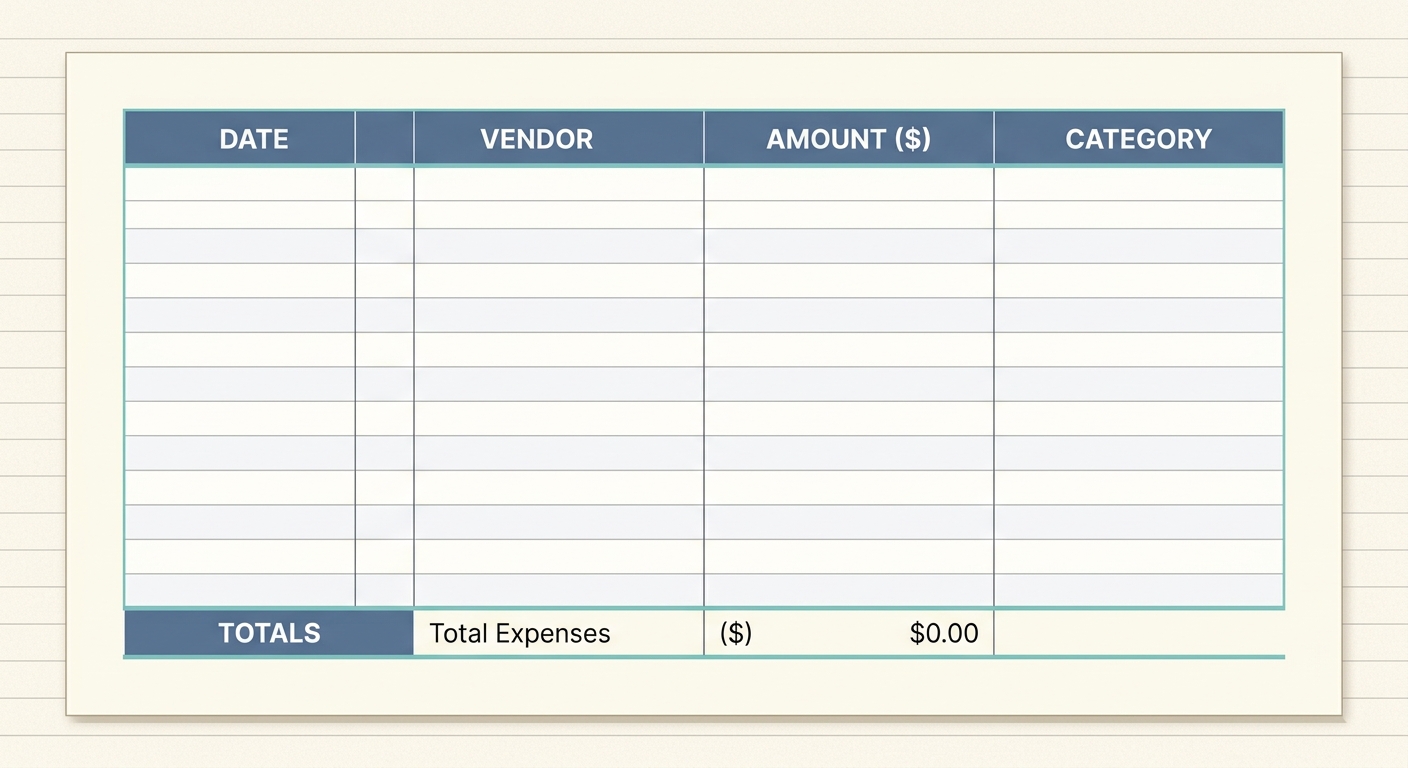
A freelance expense tracking template is essentially a digital ledger, typically a spreadsheet, designed to record every business-related cost you incur. Its primary purpose is to provide a comprehensive, organized overview of your expenditures throughout the year. Far from being just a list of numbers, this template acts as your financial compass, guiding you through the complexities of freelance accounting.
It helps you monitor cash flow, identify potential areas for cost reduction, and, most importantly, accurately report your income and expenses for tax purposes. For sole proprietors, independent contractors, and small business owners, this template is the backbone of financial health, ensuring compliance and maximizing eligible deductions. With a well-structured template, you can move beyond guesswork and manage your finances with precision and confidence.
Decoding Your Expenses: Key Fields for Your Template
To ensure your freelance expense tracking template is comprehensive and effective, it must include specific fields or columns. Each column serves a vital role in categorizing and detailing your expenses, making retrieval and analysis straightforward. Here are the essential components:
- Date: This field records the exact date the expense occurred. Precise dating is crucial for accurate financial reporting and for aligning expenses with specific accounting periods or projects.
- Client: If the expense is directly attributable to a particular client or project, noting the client name helps with project profitability analysis and potential client reimbursement.
- Project: Similar to the client field, specifying the project associated with an expense allows for granular tracking, which is excellent for understanding costs per project and informing future pricing strategies.
- Merchant: This is where you record the name of the vendor or store where the purchase was made. It is essential for verifying transactions against bank statements and receipts.
- Category: Perhaps one of the most important fields, the category helps you classify the type of expense. Common categories include office supplies, software subscriptions, travel, professional development, marketing, utilities, and meals and entertainment. Consistent categorization simplifies tax preparation significantly.
- Amount: The exact monetary value of the expense. This should be entered accurately, reflecting the total cost, including any taxes or fees.
- Invoice Status: This field helps track whether the expense has been invoiced to a client, reimbursed, or simply logged as a general business expense. It is particularly useful for managing billable expenses.
- Notes: A flexible field for any additional relevant details, such as a brief description of the expense's purpose, a receipt number, or special circumstances. This context can be invaluable months down the line.
Manually populating these fields for every single receipt can be time-consuming. This is where tools like SlipSheet shine, by automatically converting your receipt photos and email receipts into organized spreadsheet rows, ready to fill these very columns with minimal effort.
Putting Your Template to Work: A Step-by-Step Guide
Having a template is only the first step; consistent usage is key to its effectiveness. Here is a practical guide on how to integrate your freelance expense tracking template into your routine:
- Choose Your Platform: Decide whether you will use a simple spreadsheet program like Microsoft Excel or Google Sheets. Google Sheets offers the advantage of cloud access, allowing you to update your expenses from any device.
- Input Data Regularly: The golden rule of expense tracking is consistency. Do not let receipts pile up. Whether daily or weekly, set aside dedicated time to enter your expenses. This prevents errors, reduces stress, and keeps your financial records current.
- Keep Receipts Organized: Physical receipts can fade or get lost. Develop a system for digitizing them immediately. This is where SlipSheet becomes an invaluable ally, allowing you to snap a photo of a receipt or forward an email receipt, and have the data automatically extracted and formatted for your spreadsheet. This eliminates the need for manual data entry and ensures you always have a digital backup.
- Reconcile Periodically: At least once a month, compare your template entries with your bank and credit card statements. This helps catch any missing expenses, identify discrepancies, and ensure the accuracy of your records.
- Prepare for Tax Season: When tax season arrives, your meticulously maintained template will be a lifesaver. You will have a clear, categorized summary of all your deductible expenses, making tax preparation quick and stress-free. Your accountant will thank you, and you will be confident you are claiming every eligible deduction.
Tailoring Your Template: Customization for Your Unique Freelance Business
While the core fields are essential, a great freelance expense tracking template is also flexible enough to be customized for your specific business needs. Here are some ways to personalize your template:
- Add or Remove Columns: Depending on your industry, you might need additional fields. For instance, a freelancer who travels frequently might add columns for 'Mileage' or 'Destination'. Conversely, if a field like 'Client' is not relevant to your business model, you can simply remove it.
- Utilize Formulas: Leverage spreadsheet formulas to automate calculations. You can create columns that automatically sum up expenses by category, calculate monthly totals, or even track year-to-date spending. This provides instant insights without manual calculations.
- Color-Coding and Conditional Formatting: Visually enhance your template to highlight important information. Use color-coding for different expense categories or apply conditional formatting to flag expenses over a certain amount or those awaiting reimbursement.
- Create Separate Tabs: For more complex businesses, consider using separate tabs within the same spreadsheet for different years, specific projects, or even a summary dashboard. This keeps your primary expense log clean while allowing for deeper analysis.
- Integrate Budgeting: Add columns to track your budgeted versus actual spending for each category. This turns your expense tracker into a powerful budgeting tool, helping you stay within your financial goals.
Beyond the Basic: Variations for Different Freelance Business Types
While the fundamental template works for most, different freelance professions might benefit from slight variations to optimize their expense tracking:
- Creative Professionals (e.g., Photographers, Designers): Might add fields for 'Gear Rental', 'Software Licenses', 'Stock Photos/Assets', or 'Studio Fees'. Tracking costs per project is particularly important for accurately quoting future work.
- Consultants: Often incur significant travel and client entertainment expenses. Additional columns for 'Client Meeting Location', 'Travel Miles', or 'Per Diem' could be beneficial. The 'Client' and 'Project' fields are paramount for invoicing.
- Writers and Editors: May need fields for 'Research Materials', 'Subscription Services' (for industry publications or writing tools), or 'Conference Fees'. Tracking these specific costs helps justify professional development.
- Developers and IT Professionals: Could include columns for 'Hosting Fees', 'Domain Registrations', 'Cloud Services', or 'Specialized Software'. Keeping a close eye on recurring technology costs is crucial.
- Coaches and Educators: Might track 'Course Materials', 'Platform Fees', 'Certification Costs', or 'Venue Rental' for workshops.
Regardless of your niche, the goal remains the same: to create a clear, accurate, and easily manageable record of all your business outgoings. A tailored template ensures that every penny spent is accounted for and serves your business goals.
Mastering your freelance expenses does not have to be a struggle. With a well-designed freelance expense tracking template and the right tools, you can transform a tedious task into an empowering financial habit. This proactive approach ensures you are always prepared, always informed, and always maximizing your business's financial potential. Say goodbye to shoeboxes full of receipts and hello to clear, actionable financial insights.
Ready to simplify your freelance expense tracking? Say goodbye to manual data entry and scattered receipts. Visit slipsheet.app today to transform your receipt photos and email receipts into organized spreadsheet rows, making your freelance financial management effortless.
FAQ
Why is expense tracking important for freelancers?
It helps you understand your profitability, identify deductible expenses for tax purposes, and manage your cash flow effectively. Accurate tracking ensures you do not miss out on potential savings and can make informed financial decisions.
What's the best way to keep track of receipts?
Digitalizing receipts is highly recommended. You can use tools like SlipSheet to convert photo receipts and email receipts directly into spreadsheet rows, eliminating the need for physical storage and manual data entry.
How often should I update my expense tracking template?
For optimal accuracy and to prevent overwhelm, it is best to update your template at least weekly. Daily updates are even better, especially if you have frequent expenses, ensuring no details are forgotten.
Can I use this template for tax purposes?
Yes, a well-maintained freelance expense tracking template is an invaluable tool for tax preparation. It provides a clear, categorized record of all your business expenses, simplifying the process of claiming deductions and filing your taxes.
What if I have expenses in different currencies?
You should record the expense in its original currency and also include a column for the converted amount in your local currency, noting the exchange rate or date of conversion. SlipSheet can help streamline the capture of these details.