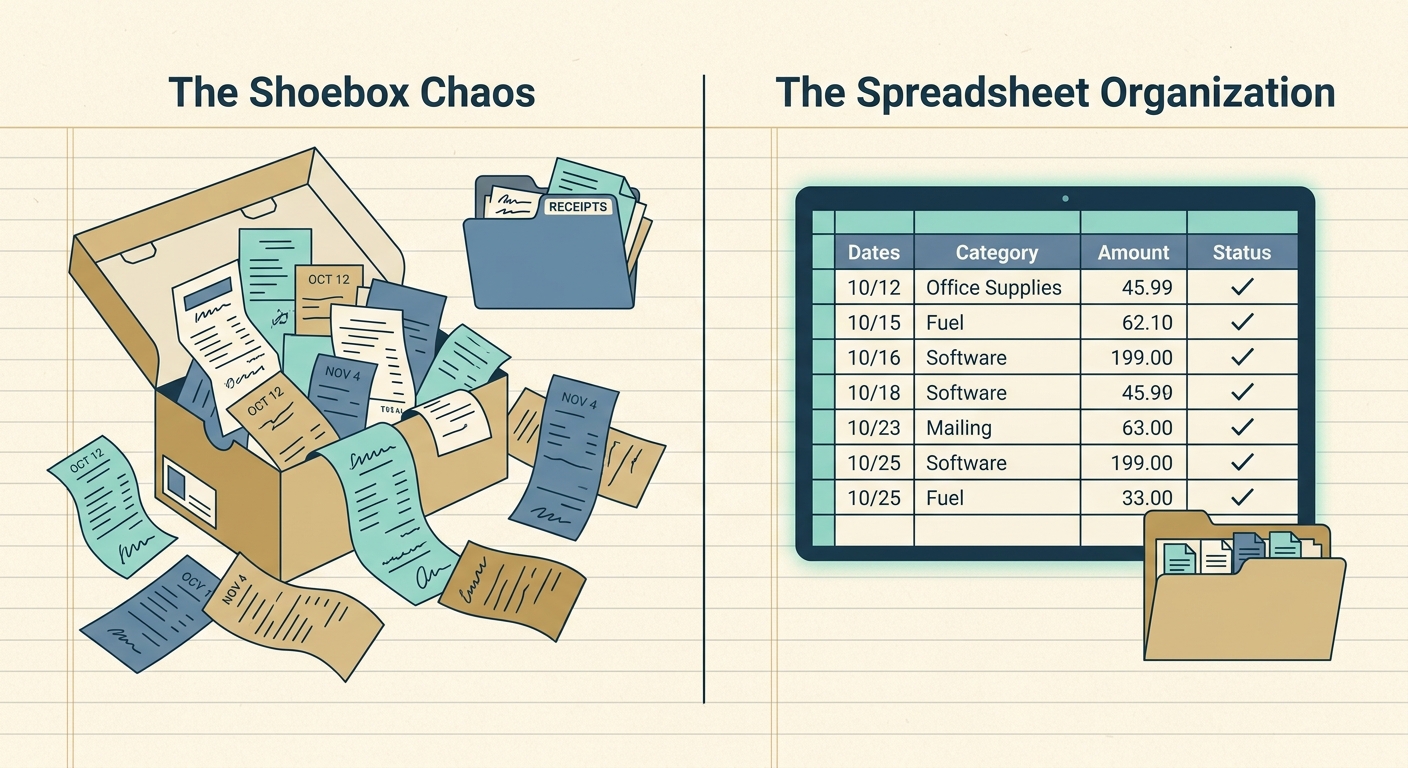
For decades, the manila folder has been the default receipt storage solution for small businesses. A folder, a label, and a stack of paper receipts sorted by month or vendor. Cheap, simple, and already on every office supply shelf. If you've been running your books this way for years, you already know why so many people still swear by it.
But as tax season approaches or a client audit lands on your desk, the cracks start to show. Finding a single receipt from March takes longer than retyping the numbers. The folder has become the bottleneck. That's where a purpose-built tool like SlipSheet can replace the manila folder entirely, without forcing you to learn a full accounting platform.
What manila folders do well
A physical folder is hard to beat for a few specific things. The cost is essentially zero; you already own a cabinet full of them. The setup requires no training, no account, no internet connection. You drop the receipt in, you write a date on the tab, and you're done. For a freelancer with five receipts a month, that level of friction is honestly hard to beat.
Manila folders also keep you in physical contact with your records. Some bookkeepers prefer that tactile review process, especially when reconciling cash purchases from a specific trip or event. And if you're already working in a paper-first environment, think construction sites, food trucks, mobile vendors, a folder slips into a glove box or a clipboard without any extra equipment.
The folder's strength is also its simplicity. There's nothing to break, no subscription to lapse, no software to update.
Where the manila folder falls short
The first problem is search. Once you have more than a few dozen receipts, finding the one you need becomes a manual scan through every folder in the cabinet. If your filing discipline slips for even a week, you're rebuilding the index from scratch.
The second problem is durability. Paper fades, coffee spills, and the corner of last March's gas receipt tears off and migrates to the bottom of the drawer. Receipts printed on thermal paper lose their text within a year or two, which means the very record you kept is gone when you need it most.
The third problem is workflow handoff. If you do your own books today and hand them to a CPA next April, the CPA needs every receipt in order, usually photocopied or scanned. A folder full of fading paper doesn't travel well, and re-scanning a stack of two hundred receipts is a full afternoon of busywork.
A folder is also invisible. There's no alert when something is missing, no duplicate detection, no totals at the bottom of the column. You find out things are wrong when the numbers don't add up, which is always later than you'd like.
What SlipSheet does differently
SlipSheet takes the same idea, a single place for receipts, and moves it to your phone, then exports the structured data to a spreadsheet. You snap a picture of the receipt, the OCR pulls out the vendor, date, total, and tax, and the row lands in a Google Sheet or Excel file ready to sum or pivot.
That means search is instant: type "Delta" and every Delta receipt from the last three years shows up. Durability is solved because the receipt photo is stored in the cloud alongside the structured data. Workflow handoff is solved because you can share a spreadsheet link with your CPA and they have everything they need in one file.
SlipSheet is not trying to replace your accounting platform. It exports to the spreadsheet you already use, which keeps the workflow simple for people who are not ready to commit to QuickBooks or Xero. The learning curve is closer to "send a text message" than "set up a chart of accounts."
Who should switch
If you're a freelancer or very small business owner with under fifty receipts a month and a clean paper filing system, a manila folder is honestly fine. The time you save by switching tools won't outweigh the friction of learning something new.
If you're at the point where finding a single receipt takes more than a minute, where you've lost at least one receipt to fading or damage, or where you've ever paid a bookkeeper to re-scan your folders, the math has flipped. SlipSheet's per-receipt pricing means the cost is roughly a cent per receipt at the entry tier, far less than the labor cost of a manual search.
It's also worth switching if your CPA has ever asked for digital copies, or if you do any kind of mileage or expense reimbursement that requires submitting records in a structured format. SlipSheet produces that output by default.
Common migration questions
Do I have to scan my old folder first? No. Start fresh with SlipSheet going forward. When you finish a folder, shred it; if the IRS audits you, the spreadsheet plus the photos in SlipSheet are your record.
What if a receipt is hand-written? SlipSheet's OCR handles printed receipts best. For handwritten ones, the photo is preserved as the source of truth and you can type the values into the spreadsheet by hand. The photo stays attached.
Can my bookkeeper use it too? Yes. You can export to a shared Google Sheet and grant your bookkeeper access. They never need a SlipSheet account.
Will it work with my existing spreadsheet template? Most likely. SlipSheet exports a standard CSV or writes to a Google Sheet with common columns. You can map fields to whatever header row your template already uses.
What if I stop using SlipSheet? Your data is yours. The exported spreadsheet and the receipt photos both stay accessible even if you cancel.
SlipSheet is built for the spreadsheet-first workflow: capture, extract, export. If your manila folders are starting to feel like an obstacle instead of a system, the cleanest path is to start today, capture every new receipt through the app, and retire one folder per month as it empties out. Within a year you'll have a full digital record, an unbroken audit trail, and a cabinet that finally has room for something other than paper. Try SlipSheet free at slipsheet.app.
FAQ
How is SlipSheet different from QuickBooks?
SlipSheet focuses on capturing receipts and exporting structured data to a spreadsheet. QuickBooks is a full accounting platform. If your workflow is spreadsheet-first, SlipSheet gets you the data without the overhead.
Do I need to keep my paper receipts after uploading them?
No. Once a receipt is in SlipSheet, the photo and the extracted data are both stored. The IRS accepts digital records as long as they are legible and retrievable.
How long does it take to set up?
The free tier takes about a minute. You sign in, connect a Google Sheet, and snap your first receipt. There is no chart of accounts to configure.
What happens if a receipt has bad OCR?
You can edit the extracted values in the app or directly in the spreadsheet. The original photo stays attached as the source of truth.
Can I export to Excel or only Google Sheets?
Both. SlipSheet writes directly to Google Sheets and can also export a CSV that opens in Excel, Numbers, or any spreadsheet app.