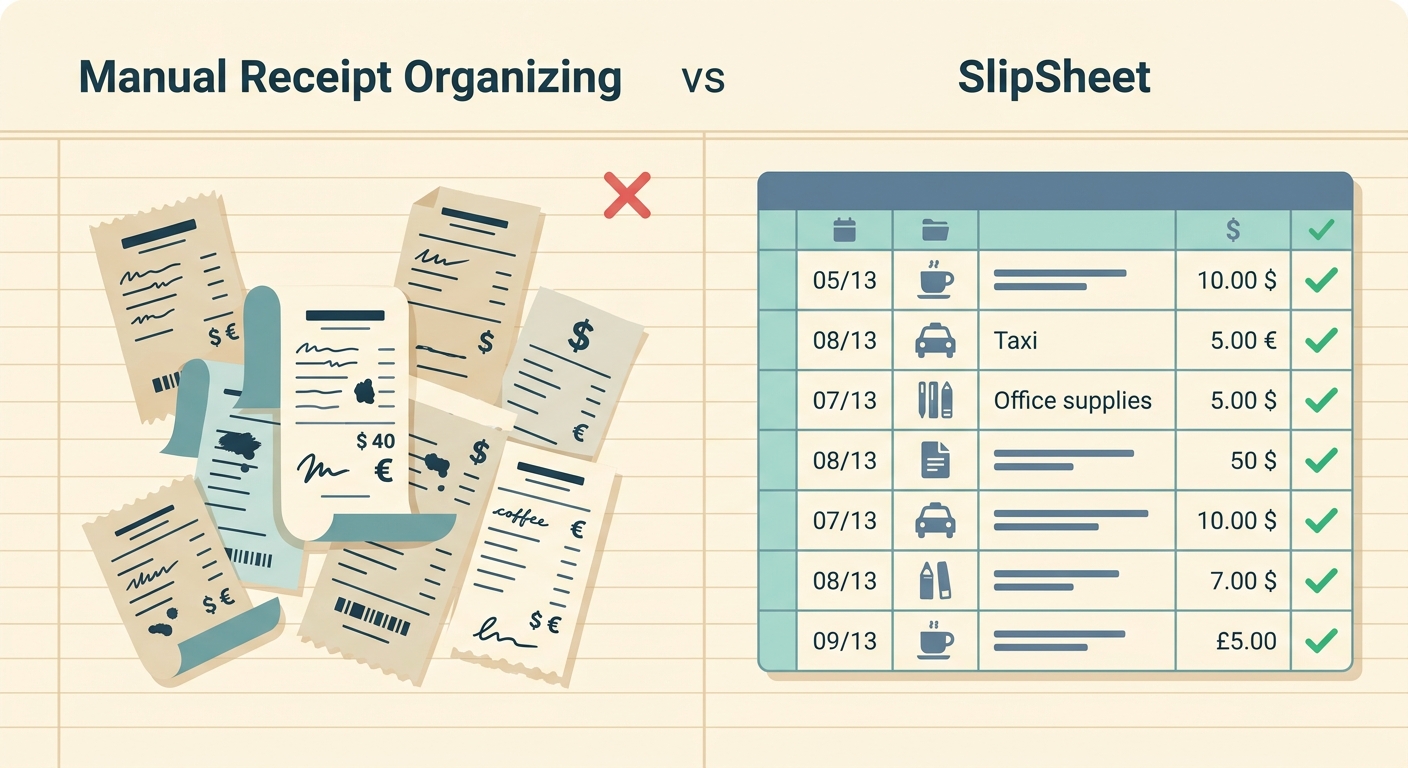
Manual Receipt Organizing vs SlipSheet: Streamlining Your Expense Tracking
In the world of personal finance and small business management, tracking expenses is a non-negotiable task. Whether for tax purposes, budgeting, or reimbursement, accurate record-keeping is crucial. For decades, the default method has been manual receipt organizing, a process often associated with shoeboxes, overflowing folders, and the tedious act of transcribing data by hand. While seemingly free and straightforward, this traditional approach comes with a hidden cost: time, accuracy, and sanity. Enter SlipSheet, a modern solution designed to transform receipt photos and email receipts directly into organized spreadsheet rows. This article delves into a detailed comparison, pitting the age-old practice of manual receipt organizing against the streamlined efficiency of SlipSheet, highlighting where each excels and where SlipSheet truly shines for spreadsheet-first users.
Receipt Capture: Physical vs. Digital Input
The first step in any expense tracking system is capturing the receipt itself. Manual organizing typically involves:
- Physical Storage: Receipts are collected, often haphazardly, in shoeboxes, envelopes, or filing cabinets. This physical storage can lead to clutter and makes retrieval a cumbersome task.
- Time-Consuming Collection: Gathering receipts from various locations, such as wallets, car consoles, or desk drawers, adds friction to the process.
- Risk of Loss or Damage: Paper receipts are fragile; they can fade, tear, or get lost, especially when handled frequently or stored improperly.
SlipSheet, on the other hand, embraces the digital age for receipt capture:
- Photo Capture via Phone: Simply snap a picture of any physical receipt using your smartphone. This creates an instant digital record, eliminating the need for physical storage.
- Email Forwarding for Digital Receipts: For online purchases or services that send email receipts, you can forward them directly to SlipSheet. This integrates seamlessly with your existing digital habits.
- Instant Digital Record: Once captured, your receipt is immediately accessible in your SlipSheet account, securely stored in the cloud.
While manual capture is undeniably free in terms of monetary cost, its reliance on physical documents makes it prone to errors and loss. SlipSheet offers unparalleled convenience and reliability, ensuring every receipt is captured and preserved digitally, ready for the next step.
Data Extraction: Tedious Typing vs. AI Automation
Once receipts are collected, the real work begins: extracting key information. This is where the contrast between manual methods and SlipSheet becomes stark.
With manual receipt organizing, you are typically faced with:
- Manually Typing Details: Every piece of information, from vendor name and date to amount and currency, must be painstakingly typed into a spreadsheet. This is a repetitive and time-intensive chore.
- High Potential for Human Error: Manual data entry is highly susceptible to typos, misinterpretations, and omissions, leading to inaccuracies that can complicate budgeting or tax filings.
- Requires Spreadsheet Expertise: To categorize and analyze data effectively, you often need to manually create and manage spreadsheet formulas, adding another layer of complexity.
SlipSheet leverages advanced technology to automate this process:
- AI/OCR Technology: SlipSheet employs Optical Character Recognition and artificial intelligence to automatically read and extract crucial data points from your receipts. This includes the vendor, date of transaction, total amount, and currency.
- Automated Data Population: The extracted data is automatically populated into structured rows, ready for your spreadsheet. This removes the need for manual transcription entirely.
- Minimizes Errors: By automating data extraction, SlipSheet significantly reduces the likelihood of human error, ensuring a higher degree of accuracy in your expense records.
- Significantly Reduces Data Entry Time: What would take hours of manual typing for a stack of receipts can be done in minutes with SlipSheet, freeing up valuable time.
While manual entry offers ultimate, granular control over how data is initially interpreted and categorized, SlipSheet's efficiency in quickly and accurately extracting core data provides a tremendous advantage for those who prioritize speed and precision.
Export & Reporting: Basic Sheets vs. Structured Data
The ultimate goal of receipt organizing is to have accessible, analyzable data. The output methods differ significantly:
When relying on manual methods, your output is:
- Only as Good as Manual Input: The quality and consistency of your spreadsheet data directly reflect the care taken during manual entry. Inconsistent formatting is common.
- Requires Manual Formatting and Formulas: To make sense of your data, you'll need to manually format columns, apply filters, and create formulas for sums, averages, or categorizations.
- Difficult to Generate Consistent Reports: Without standardized templates or automated processes, generating consistent, professional reports for tax season or reimbursements can be a recurring headache.
SlipSheet, however, focuses on providing structured, ready-to-use data:
- Exports Clean, Structured Data: SlipSheet provides exports directly to CSV or Google Sheets. The data is always presented in a consistent, easy-to-read format with clear columns for each data point.
- Ready for Analysis: With structured data, you can immediately begin analyzing your expenses, applying filters, and creating pivot tables within your chosen spreadsheet software without prior cleanup.
- Simplifies Tax Preparation and Expense Reporting: Having all your receipt data in a uniform, digital format makes tax time less stressful and expense report generation much faster and more accurate.
Manual organization gives you direct, full control over the initial spreadsheet layout, but SlipSheet guarantees a consistent, easily usable data structure, significantly streamlining the analysis and reporting phases.
Pricing & Accessibility: Free Labor vs. Subscription Value
Cost is always a factor, and here the comparison shifts from direct monetary cost to the value of time.
Manual receipt organizing appears to be:
- "Free" in Monetary Cost: It requires no software purchase or subscription fees, relying instead on basic office supplies and your own time.
- Accessible to All: Anyone with paper, a pen, and perhaps a basic spreadsheet program can engage in manual organizing.
SlipSheet operates on a different model:
- Subscription-Based Service: SlipSheet is a paid service, typically offered through flexible subscription plans, reflecting the value it provides.
- Value Proposition: The core value lies in saving significant time, reducing manual errors, and providing peace of mind. For many, the time saved quickly outweighs the subscription cost.
- Offers a Free Trial: Most digital tools, including SlipSheet, offer a free trial period, allowing users to experience the benefits before committing to a subscription.
- Accessible via Web and Mobile: SlipSheet is accessible from virtually anywhere, requiring only an internet connection and a web browser or smartphone.
While manual organizing has no upfront monetary cost, it comes with a substantial cost in terms of personal time and potential for error. SlipSheet offers a clear return on investment for individuals and small businesses who value their time and need accurate, efficient expense tracking.
Integrations & Ecosystem: Isolated vs. Connected Workflows
Modern financial management often involves multiple tools. How do these methods fit into a broader ecosystem?
Manual receipt organizing typically represents:
- An Isolated Process: Data entered manually into a spreadsheet often remains isolated. Transferring this information to other accounting software or financial tools usually requires further manual input or complex copy-pasting.
- No Direct Integrations: There are no inherent digital integrations with manual systems, meaning every connection point between your receipt data and other platforms is a human-powered bridge.
SlipSheet is built with connectivity in mind:
- Direct Export Options: With direct exports to CSV and Google Sheets, SlipSheet's output is immediately compatible with a vast array of spreadsheet-based workflows.
- Designed for Digital Workflows: SlipSheet is engineered to fit seamlessly into a digital ecosystem, providing structured data that can be easily imported into popular accounting software, personal finance applications, or custom analytical tools.
- Future-Proofing: As part of a digital platform, SlipSheet has the potential for further integrations and enhancements, continually improving how it connects with your other financial tools.
Manual methods avoid integration challenges by having no integrations at all. SlipSheet, conversely, is purpose-built to integrate smoothly with your existing spreadsheet-centric workflows, ensuring your expense data is not an island but a connected part of your financial picture.
The choice between manual receipt organizing and SlipSheet boils down to a fundamental trade-off: free labor versus intelligent automation. While manual methods offer a zero-cost entry point and direct control, they exact a heavy toll in terms of time, accuracy, and potential frustration. SlipSheet provides a powerful, efficient alternative, transforming the often-dreaded task of receipt management into a streamlined, accurate, and even simple process. For those who rely on spreadsheets for their financial oversight, SlipSheet is not just a convenience; it is an essential tool that saves hours, minimizes errors, and delivers clean, actionable data every time.
Ready to transform your receipt organizing? Visit slipsheet.app today and experience the future of expense tracking.
FAQ
What is SlipSheet and how does it help with expense tracking?
SlipSheet is a specialized tool that converts receipt photos and email receipts into organized spreadsheet rows. It automates the tedious process of data entry, making expense tracking simpler and more accurate for individuals and businesses.
How does SlipSheet compare to traditional manual receipt organizing?
Manual organizing involves physical storage and time-consuming data entry, which is prone to errors and loss. SlipSheet uses AI to digitally capture, extract, and format receipt data, saving significant time and improving accuracy.
Can SlipSheet categorize my expenses automatically?
SlipSheet primarily focuses on accurately extracting core receipt data like vendor, date, and amount, and structuring it for easy export. Users can then efficiently categorize and analyze their expenses within their preferred spreadsheet software.
Is SlipSheet suitable for both individuals and small businesses?
Yes, SlipSheet is designed for anyone who needs to track expenses efficiently and prefers to manage their financial data in spreadsheets. Its user-friendly interface and robust data extraction capabilities benefit both individual users and small business owners.
What types of receipts can SlipSheet process?
SlipSheet is versatile, capable of processing both physical receipts, which you can capture by taking a photo with your phone, and digital receipts, which can be forwarded directly via email. It handles a wide range of common receipt formats.