In the intricate world of business operations, managing expenses effectively is not just good practice, it's a cornerstone of financial health and strategic planning. Among the myriad of costs a business incurs, office supplies often represent a recurring, yet sometimes overlooked, category. From pens and paper to printer ink and ergonomic chairs, these essential items can quickly add up, making diligent tracking indispensable. This is where an office supplies expense template becomes an invaluable asset, transforming a potentially chaotic pile of receipts into an organized, actionable financial record.
A well-structured expense template provides clarity, enhances budgeting capabilities, and simplifies the often-dreaded tax season. It serves as a systematic approach to monitor every purchase, ensuring that no expenditure goes unnoticed or unallocated. For businesses of all sizes, from bustling startups to established corporations, the benefits of such a tool extend beyond mere record-keeping, fostering greater financial transparency and control. Let's delve into how an effective office supplies expense template can revolutionize your financial tracking.
What is an Office Supplies Expense Template?
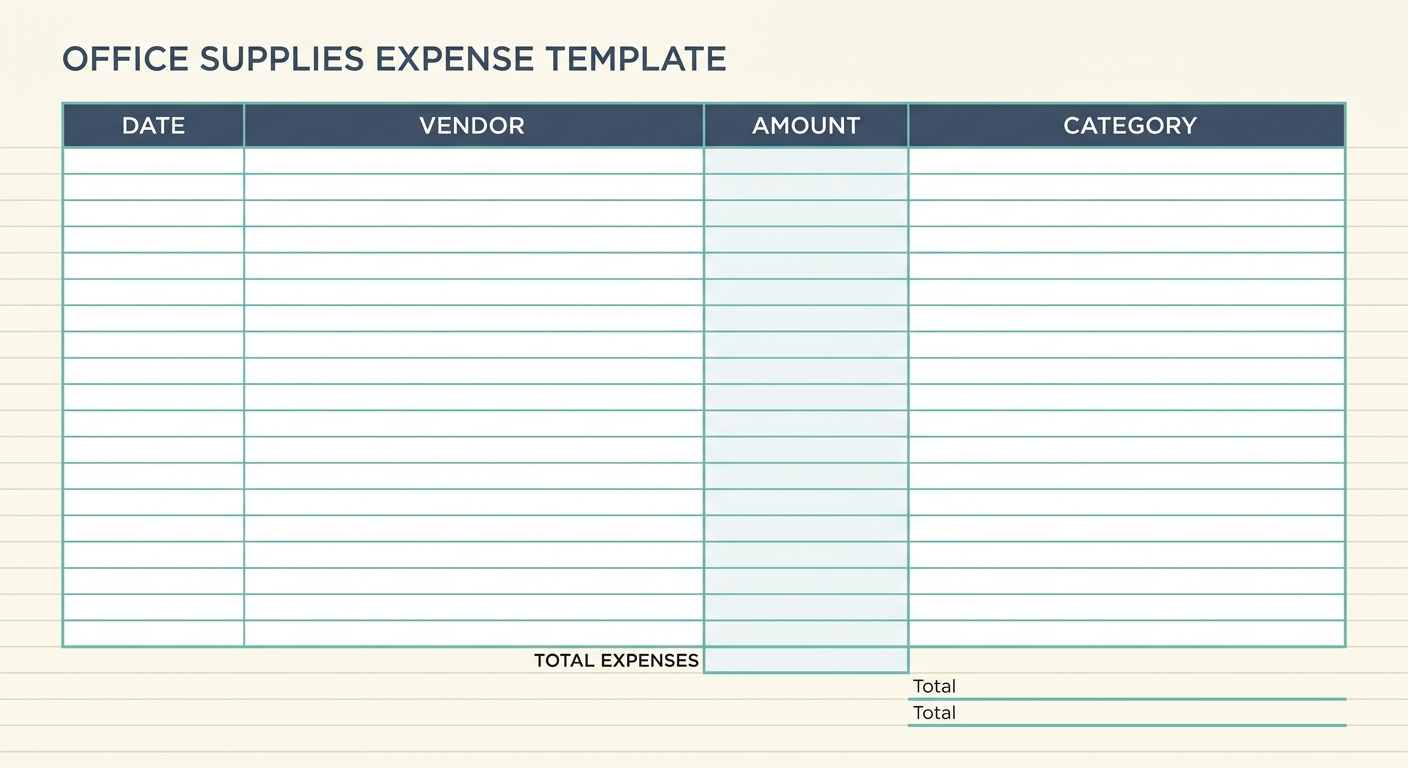
An office supplies expense template is a pre-designed spreadsheet or digital form specifically created to record and categorize all expenditures related to office necessities. Think of it as your dedicated ledger for everything from staples to software subscriptions. Its primary purpose is to provide a clear, chronological, and categorized account of every item purchased to keep your office running smoothly. This organizational tool goes beyond simply listing transactions, it empowers businesses to analyze spending patterns, identify areas for cost reduction, and make informed purchasing decisions.
The advantages of utilizing such a template are numerous. Firstly, it streamlines the budgeting process by offering a real-time snapshot of where your money is going, allowing for more accurate future financial planning. Secondly, it drastically simplifies tax preparation, as all relevant data for deductions is consolidated and easily accessible. Thirdly, it aids in internal auditing and compliance, ensuring that all expenses adhere to company policies. Lastly, by providing a detailed history of purchases, a template helps prevent overspending and identifies opportunities to negotiate better deals with vendors, ultimately boosting your bottom line.
Essential Fields for Your Office Supplies Expense Template
To maximize the effectiveness of your office supplies expense template, it's crucial to include specific fields that capture all necessary information. These columns act as the backbone of your tracking system, ensuring comprehensive data collection. Here are the most critical fields you should incorporate:
- Date: This field records the exact date of purchase, which is vital for chronological tracking, budget period reconciliation, and tax purposes.
- Item: A detailed description of the office supply purchased, such as "A4 Printer Paper, 500 sheets" or "Ergonomic Office Chair." Specificity here helps in understanding exactly what was bought.
- Vendor: The name of the supplier or store where the item was purchased, for example, "Staples," "Amazon," or "Local Stationery Shop." This helps track vendor relationships and potential bulk discounts.
- Cost: The total monetary amount spent on the item, including any taxes or shipping fees. Accuracy in this field is paramount for financial reconciliation.
- Department: For larger organizations, this field allocates the expense to a specific department, such as "Marketing," "HR," or "Operations." This is crucial for departmental budgeting and accountability.
- Budget Code: An internal accounting code used to classify the expense according to your company's chart of accounts. This enables granular financial analysis and reporting.
- Notes: A free-text field for any additional relevant information, such as the reason for an urgent purchase, a project associated with the expense, or details about a return or exchange.
How to Effectively Use Your Office Supplies Expense Template
Simply having a template is not enough; consistent and accurate usage is key to unlocking its full potential. Implementing a clear process ensures that your expense tracking remains efficient and reliable. Here's a step-by-step guide to effectively using your office supplies expense template:
- Step 1: Immediate Entry: Make it a habit to log expenses as soon as they occur. Procrastination leads to forgotten details and potential errors.
- Step 2: Keep All Receipts: Physical or digital, every receipt is proof of purchase. Store them systematically, either in a physical folder or digitally. Tools like SlipSheet can significantly streamline this by converting receipt photos and email receipts directly into spreadsheet rows for you, eliminating manual data entry.
- Step 3: Categorize Accurately: Ensure each item is correctly assigned to its respective fields, especially 'Item', 'Vendor', and 'Cost'. If using 'Department' or 'Budget Code', double-check these allocations.
- Step 4: Regular Review: Periodically review your template, perhaps weekly or monthly, to catch any discrepancies, identify trends, or ensure compliance with budget limits.
- Step 5: Backup Your Data: Regularly save and back up your template, especially if it's a digital file. Cloud storage solutions are ideal for accessibility and disaster recovery.
By integrating a tool like SlipSheet into your workflow, you can automate Step 2, transforming receipt management from a tedious chore into a seamless, automatic process. This not only saves valuable time but also drastically reduces the potential for human error, ensuring your template data is always precise and up-to-date.
Customizing Your Office Supplies Expense Template for Specific Needs
While the essential fields provide a solid foundation, every business has unique requirements. Customizing your office supplies expense template allows it to perfectly align with your operational nuances and reporting needs. Adaptability is one of the greatest strengths of a spreadsheet-based template.
- Adding Columns: You might want to include fields like "Payment Method" (e.g., credit card, petty cash), "Project ID" for project-based accounting, or "Approval Status" for larger organizations requiring expense authorizations.
- Removing Columns: For very small businesses or solopreneurs, fields like "Department" or "Budget Code" might be unnecessary. Simplifying the template can make it less daunting and more efficient for minimal needs.
- Creating Drop-down Menus: To ensure consistency and speed up data entry, implement drop-down lists for frequently used fields like "Vendor," "Department," or common "Item Categories" (e.g., writing supplies, electronics, cleaning supplies).
- Conditional Formatting: Use conditional formatting to highlight entries that exceed a certain cost threshold, flag purchases from unauthorized vendors, or simply make your data more visually appealing and easier to scan for important information.
These customizations ensure that your template evolves with your business, providing the exact level of detail and control you need without becoming overly complex or inadequate.
Variations of the Office Supplies Expense Template for Different Business Types
The ideal office supplies expense template isn't one-size-fits-all. Different business types have varying complexities and reporting requirements. Tailoring the template to your specific organizational structure ensures maximum utility and relevance.
- Small Businesses/Startups: A simpler template focusing on Date, Item, Vendor, Cost, and Notes is often sufficient. The emphasis here is on ease of use and clear documentation for tax deductions and basic budgeting.
- Larger Corporations: These entities often require a more robust template, incorporating Department, Budget Code, Project ID, Approval Status, and perhaps even a "Requisition Number." Integration with existing ERP or accounting software might also be a consideration.
- Non-Profits: Beyond the standard fields, non-profits might need to add columns for "Grant/Fund Source" or "Program Area" to track expenses against specific grants or initiatives, ensuring compliance with funding requirements.
- Remote Teams: For businesses with a distributed workforce, the template might include fields for "Employee Name" and "Reimbursement Status." This helps track individual employee purchases and their reimbursement processes, ensuring fair and timely compensation for home office supplies.
Understanding these variations allows you to create or adapt a template that perfectly fits your business model, enhancing efficiency and financial accuracy.
Streamlining Expense Tracking with Technology
While a manual office supplies expense template is a powerful tool, the process of manually transferring data from receipts can be time-consuming and prone to errors. This is where modern technology offers a significant advantage. Imagine taking a photo of a physical receipt or forwarding an email receipt, and having that data automatically populate your spreadsheet. That's precisely what SlipSheet does.
SlipSheet automates the tedious task of data entry by intelligently extracting key information from your receipt images and email confirmations, such as date, vendor, item, and cost. This extracted data is then converted into ready-to-use spreadsheet rows, which can be easily integrated into your office supplies expense template. This not only saves countless hours of manual input but also drastically improves accuracy, eliminating typos and misinterpretations that often occur with manual transcription. By leveraging SlipSheet, businesses can maintain an always-current, highly accurate expense template with minimal effort, allowing financial teams to focus on analysis rather than data entry.
An organized office supplies expense template is more than just a record-keeping tool; it is a strategic asset for financial management. It empowers businesses to make smarter spending decisions, optimize budgets, and navigate tax season with confidence. When combined with innovative solutions like SlipSheet, the process of expense tracking becomes incredibly efficient, accurate, and effortless. Take control of your office supply expenditures today and transform your financial management. Visit slipsheet.app to discover how easy it can be to turn your receipts into organized spreadsheet data.
FAQ
Why is an office supplies expense template important?
It helps businesses track spending, manage budgets, simplify tax preparation, and identify cost-saving opportunities by providing a clear, organized record of all purchases.
What are the most crucial fields to include in the template?
Essential fields typically include Date, Item, Vendor, Cost, and Notes. For larger organizations, Department and Budget Code are also vital for detailed tracking and allocation.
How often should I update my office supplies expense template?
It is best practice to update your template as soon as purchases are made or at least weekly. Regular updates ensure accuracy, prevent a backlog of data entry, and keep your financial records current.
Can I customize the office supplies expense template for my specific business?
Yes, templates are highly customizable. You can add or remove columns, create drop-down menus for categories, or implement conditional formatting to suit your unique accounting needs and business size, making it more efficient for your operations.
How can technology like SlipSheet help with expense tracking?
Tools like SlipSheet automate data entry by converting receipt photos and email receipts directly into spreadsheet rows. This significantly reduces manual effort, improves accuracy, and ensures your template is always up-to-date with minimal intervention.