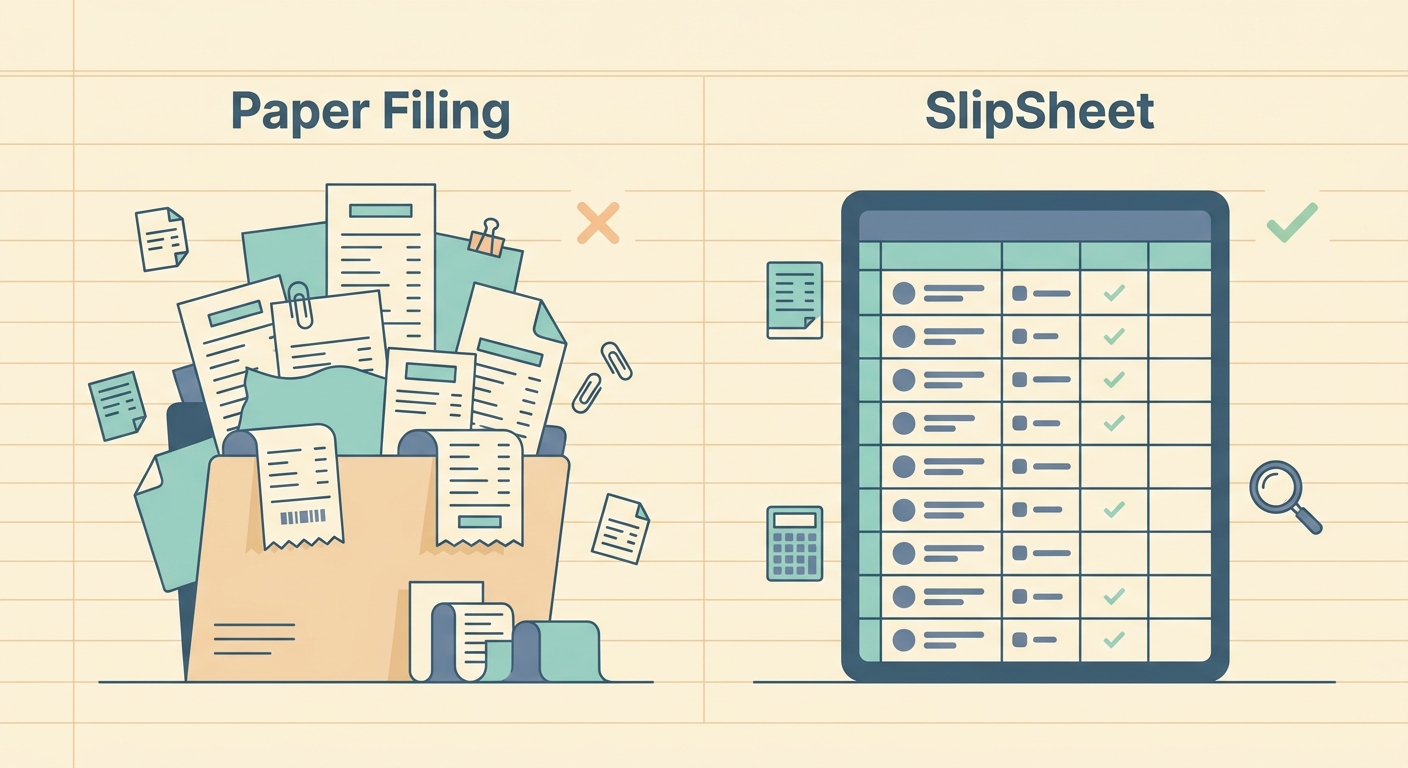
Paper filing is familiar, cheap, and easy to start. A folder, a shoebox, or a desk drawer can hold receipts for months without asking you to learn a new system. That simplicity is also the problem. When tax time, reimbursement review, or month-end bookkeeping arrives, every saved slip still has to be found, read, typed, checked, and filed again.
SlipSheet takes a different approach. Instead of treating receipts as paper records that eventually need manual entry, it turns each receipt into structured spreadsheet-ready data. For small business owners, freelancers, and bookkeepers who want clean exports rather than another heavy accounting platform, the difference can be significant. Here is how paper filing compares with SlipSheet across the areas that matter most.
Receipt capture
Paper filing does one thing well: it gives you a physical original. If your workflow depends on retaining hard copies, a paper folder can still be useful. It also works without Wi-Fi, subscriptions, device storage, or staff training. Anyone can put a receipt into a folder at the end of the day.
The weakness shows up as soon as receipts leave your hand. Paper can fade, tear, get coffee on it, or disappear into a jacket pocket. Thermal receipts are especially fragile, and the vendor name or total can become unreadable long before you need it. Paper filing also makes remote collaboration awkward. If your bookkeeper is not in the same room as the folder, someone has to scan, photograph, mail, or manually summarize the contents.
SlipSheet is built for capture at the point of work. You upload or photograph receipts, then keep the digital version tied to the extracted details. This is a better fit for people who buy supplies on the road, work with virtual assistants, or need to share records with a tax preparer without handing over a stack of paper.
Data extraction
Paper filing does not extract anything. It stores receipts until a person reads them. That means every vendor name, date, subtotal, tax amount, tip, and total has to be entered by hand. If you only handle a few receipts each month, that may be acceptable. If you handle dozens or hundreds, the work becomes slow and error-prone.
Manual entry also creates hidden costs. A receipt total can be typed into the wrong row. A date can be entered in the wrong format. A faded line item can be guessed. Categories may vary depending on who is doing the work that day. Those small inconsistencies make reports harder to trust.
SlipSheet helps by extracting receipt details into structured fields. You still review the result, because no receipt tool should be treated as magic, but the starting point is much better than a blank spreadsheet. Instead of typing every value from scratch, you confirm, correct if needed, and move on. For spreadsheet-first users, that is often the practical middle ground between a paper pile and a full accounting suite.
Export and spreadsheet workflow
Paper filing is flexible only after someone converts the paper into data. Until then, it is searchable only by memory, folder label, or date order. If you need to answer a question like "how much did we spend at office supply stores last quarter," a paper folder sends you back to the pile.
SlipSheet is designed around exports. The goal is to get receipt data into a clean spreadsheet format that can be sorted, filtered, reviewed, and shared. That matters if your bookkeeping system starts in Excel, Google Sheets, Numbers, or a CSV import. A spreadsheet lets you group vendors, check totals, tag categories, spot duplicates, and hand off a usable file to your accountant.
This does not mean paper has no place. Some businesses still keep originals for internal policy or audit comfort. The stronger workflow is often digital-first with paper retained only when required. SlipSheet handles the working data, while physical receipts become backup rather than the main system.
Pricing and time cost
Paper filing looks free because the tools are inexpensive. A few folders, labels, and boxes cost very little. For very low receipt volume, that can be enough. The real cost is time. Someone has to sort the pile, interpret each receipt, enter the data, reconcile it with card statements, and fix mistakes later.
SlipSheet has a software cost, but it is meant to reduce the repeated labor around receipts. The value is clearest when your time is expensive, when a bookkeeper bills by the hour, or when receipt backlog delays invoicing, tax prep, reimbursements, or financial review. If a tool saves even a few hours each month, it can pay for itself quickly.
A fair comparison should include frustration too. Paper filing often waits until the work becomes urgent. That creates weekend catch-up sessions and rushed data entry. SlipSheet encourages a more regular rhythm, capture now, review soon, export when needed. That rhythm is easier to maintain.
Integrations and collaboration
Paper filing integrates with nothing by itself. It can support any process, but only through human effort. A person has to move information from paper into a spreadsheet, accounting tool, email, or reimbursement form. That can work in a one-person business, but it becomes messy when multiple people submit receipts or when a bookkeeper needs timely access.
SlipSheet fits teams and outside collaborators better because the output is digital. You can keep receipt records in a format that is easier to share, review, and import. It is especially useful for businesses that do not want to rebuild their whole finance stack. You can keep the spreadsheet workflow you already understand, while improving the receipt capture and extraction step.
Paper filing still has an advantage for businesses with strict physical retention rules or very low transaction volume. SlipSheet is the better choice when receipts need to become usable data quickly, when the person spending money is not the person doing the books, or when spreadsheet exports are the real destination.
Which option is right for you?
Choose paper filing if your receipt volume is tiny, your records rarely need to be shared, and you are comfortable typing details manually when needed. It is simple, visible, and familiar. Just be honest about the time it takes and the risk of lost or faded receipts.
Choose SlipSheet if you want a focused receipt-to-spreadsheet alternative. It is not trying to replace every accounting tool or force you into a complicated system. It helps you capture receipts, extract the key details, review the data, and export it into a format you can actually use.
If your current paper filing system works only because you postpone the hard part, it may be time to move the hard part earlier and make it smaller. Start by digitizing new receipts as they come in, review them weekly, and export a clean spreadsheet before the pile returns. Try SlipSheet to turn receipts into spreadsheet-ready records without building a bigger bookkeeping process than you need.
FAQ
Is paper filing still acceptable for business receipts?
Yes, paper filing can still work for very low receipt volume or when physical originals are required. The main drawback is that the data still has to be entered and checked manually.
Does SlipSheet replace my accounting software?
No. SlipSheet is focused on turning receipts into clean spreadsheet-ready data, which you can then review, export, or use with your existing bookkeeping process.
Can I keep paper receipts and still use SlipSheet?
Yes. Many businesses use SlipSheet for daily capture and exports, then keep paper originals only as backup when their policies require it.
Who benefits most from switching from paper filing to SlipSheet?
Freelancers, small business owners, and bookkeepers who handle recurring receipts benefit most, especially when they need spreadsheet exports or remote collaboration.
Do I still need to review extracted receipt data?
Yes. SlipSheet reduces manual typing, but you should still review extracted fields before using them for bookkeeping, taxes, or reimbursement reports.