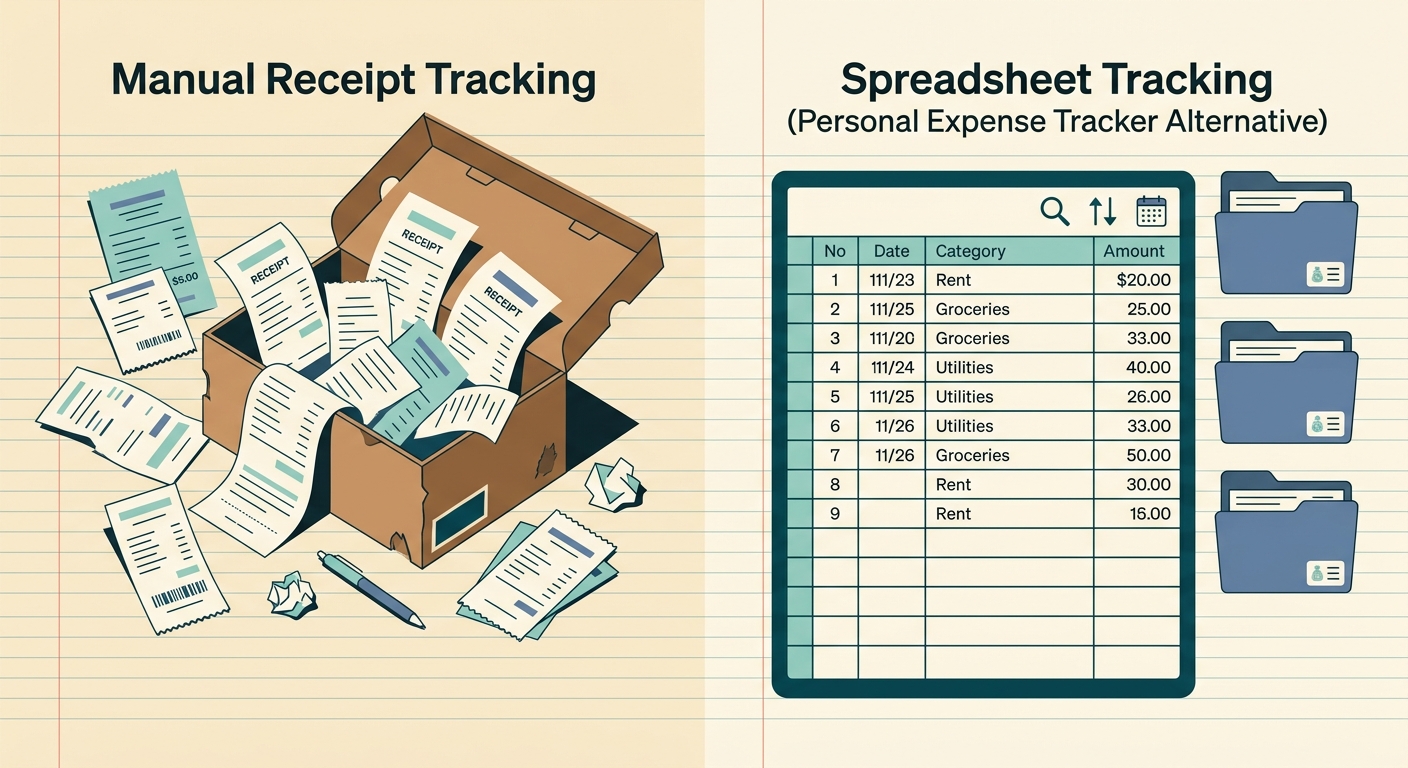
Personal expense trackers promise to organize your money. Apps in this category, including Mint, Rocket Money, YNAB, and Goodbudget, pull in transactions, categorize them, and produce neat dashboards. They are excellent for people who want an opinionated budgeting workflow baked into the app.
The trouble starts when you live in a spreadsheet. If you reconcile receipts against a Google Sheet, run a side business, or hand a CSV to a bookkeeper, a personal expense tracker can feel like one more silo. The category assumes the app is the home for your money. SlipSheet is a focused alternative for the opposite case: the spreadsheet is the home, and you just need clean receipt data flowing into it.
What personal expense trackers do well
The category is mature, and the best apps in it earn their reputation. If you want a single app that watches your bank, sorts transactions, and warns you when a subscription is about to renew, a personal expense tracker is built for that job.
You also get good defaults. Most apps ship with category sets that cover groceries, rent, gas, dining, and entertainment without any setup. The dashboards surface spending trends at a glance, and the alerts catch overdrafts before they happen.
For someone who has never tracked a dollar, a personal expense tracker is genuinely the easiest path to a budget. The onboarding is friendly, the categories are sensible, and the recurring bill detection works on the first try.
Where they fall short for spreadsheet-first users
The model breaks down when you already have a system. A bookkeeper who reconciles in Excel, a freelancer with a Google Sheet for quarterly estimated taxes, and a small business owner who tracks reimbursable expenses on a shared Sheet are not the target audience. They are tolerated, sometimes, by being able to export a CSV.
The CSV export is usually the rough edge. Categories come through as opaque codes, dates shift time zones, and amounts lose their sign. Splitting transactions is a fight. The app has an opinion about how to slice a transaction, and exporting a check split into three categories often produces a single line with a memo field the spreadsheet cannot pivot on.
A second problem is that most trackers live behind a login. A bookkeeper who does not share your bank password cannot review transactions inside the app. That pushes exports back to CSV, which is exactly the problem SlipSheet is designed to solve.
A third problem is privacy. Sharing a read-only bank connection with a household is a feature for some and a deal-breaker for others. Spreadsheet-first users tend to be skeptical of a third party that can see every transaction and auto-categorize them. They prefer a tool that touches a single receipt at a time.
What SlipSheet does differently
SlipSheet is a receipt-to-spreadsheet tool, not a budgeting app. You snap a photo of a receipt, the OCR pulls the merchant, date, total, tax, and line items, and the result lands in a Google Sheet row you control. There is no account to log into, no bank connection, and no category schema to learn.
The data model is the spreadsheet. You choose the column names. You decide whether "tax" is column D or part of the total. You decide whether to track net or gross, per-receipt or per-line, by month or by trip. SlipSheet fills the cells; you own the schema.
The export formats are flat by design. Every receipt becomes one or more rows, with consistent column headers, dates in ISO 8601, and amounts as numbers. There is no memo field stuffed with split categories and no timezone gymnastics. If a bookkeeper imports your CSV, the rows sort the way they expect.
SlipSheet also does batch well. A stack of receipts from a business trip can be photographed, OCR'd, and dropped into the same Sheet in under a minute. Personal expense trackers that pull from a bank are great at recurring charges and terrible at cash tips, parking, and the lunch meeting that nobody swiped a card for. Receipts cover exactly the spending the bank feed misses.
Who should switch
A personal expense tracker is the right tool if you want a single app to be the system of record for your money, and you trust the bank connection. Stay where you are.
A spreadsheet-first user is a different audience. The clearest signs you are in that group:
- You have a Google Sheet for money, and you update it manually.
- You have been burned by a CSV export with broken categories.
- You pay a bookkeeper, and the bookkeeper works in a spreadsheet.
- You run a small business, even a side one, and you keep personal and business expenses in the same Sheet.
- You travel for work, and you submit receipts after the trip.
If two or more of these describe you, SlipSheet is a faster, cleaner path. The switch is one Sheet template and a one-time OCR run on the receipts you already have.
Common migration questions
Do I need to give up my current tracker?
No. Many people keep a personal expense tracker for bank-fed subscriptions and recurring charges, and use SlipSheet for the receipts and cash spend the bank feed misses. The two coexist cleanly because they answer different questions.
How long does migration take?
For a typical month of receipts, the first batch run takes about 15 minutes including scanning and review. After that, a steady state of 3 to 5 receipts per day is a 30-second habit.
Will my bookkeeper need to learn anything?
No. SlipSheet produces a Google Sheet with the columns you define. If your bookkeeper already has a Sheet template, point SlipSheet at that template and the data lands in their structure on export.
What about bank transactions I cannot export as receipts?
SlipSheet is not a bank connector, and that is the point. If you want bank sync, keep your current tracker for that job. If you want clean receipt data in a Sheet you control, SlipSheet is the focused alternative.
Can I import my old CSV?
Yes. SlipSheet accepts a CSV with at minimum a date, a merchant, and a total. The importer maps your existing columns onto the same fields, and from there every new receipt flows in the same shape.
A personal expense tracker is a strong default. For the people who already run their money in a spreadsheet, SlipSheet is the focused receipt-to-spreadsheet alternative that meets them where they work.
Ready to stop typing totals into a Sheet by hand? Try SlipSheet free and have your first batch of receipts in your Sheet in under a minute.
FAQ
How is SlipSheet different from a personal expense tracker?
Personal expense trackers connect to your bank and act as the system of record for your money. SlipSheet is a receipt-to-spreadsheet tool. It captures receipt data and exports it to a Google Sheet you control, with no bank connection and no account to log in to.
Do I need to give up Mint or YNAB to use SlipSheet?
No. Many users keep a personal expense tracker for bank-fed subscriptions and recurring charges, and use SlipSheet for the cash, tips, and receipt-heavy spending the bank feed misses. The two coexist cleanly.
Can SlipSheet replace my bank feed for transactions?
No, and that is by design. SlipSheet is built for receipts, not bank connections. If you want automatic transaction sync, keep your current tracker for that job and use SlipSheet for the receipt data the bank cannot see.
How do I import my old receipts into SlipSheet?
Take a photo of each receipt and the OCR pulls merchant, date, total, tax, and line items into a Sheet row. A typical month of receipts processes in about 15 minutes including scanning and review.
Does SlipSheet work with my bookkeeper's spreadsheet template?
Yes. Point SlipSheet at your bookkeeper's existing Sheet template, and exports land in the columns they already use. No new schema, no reformatting on their end.