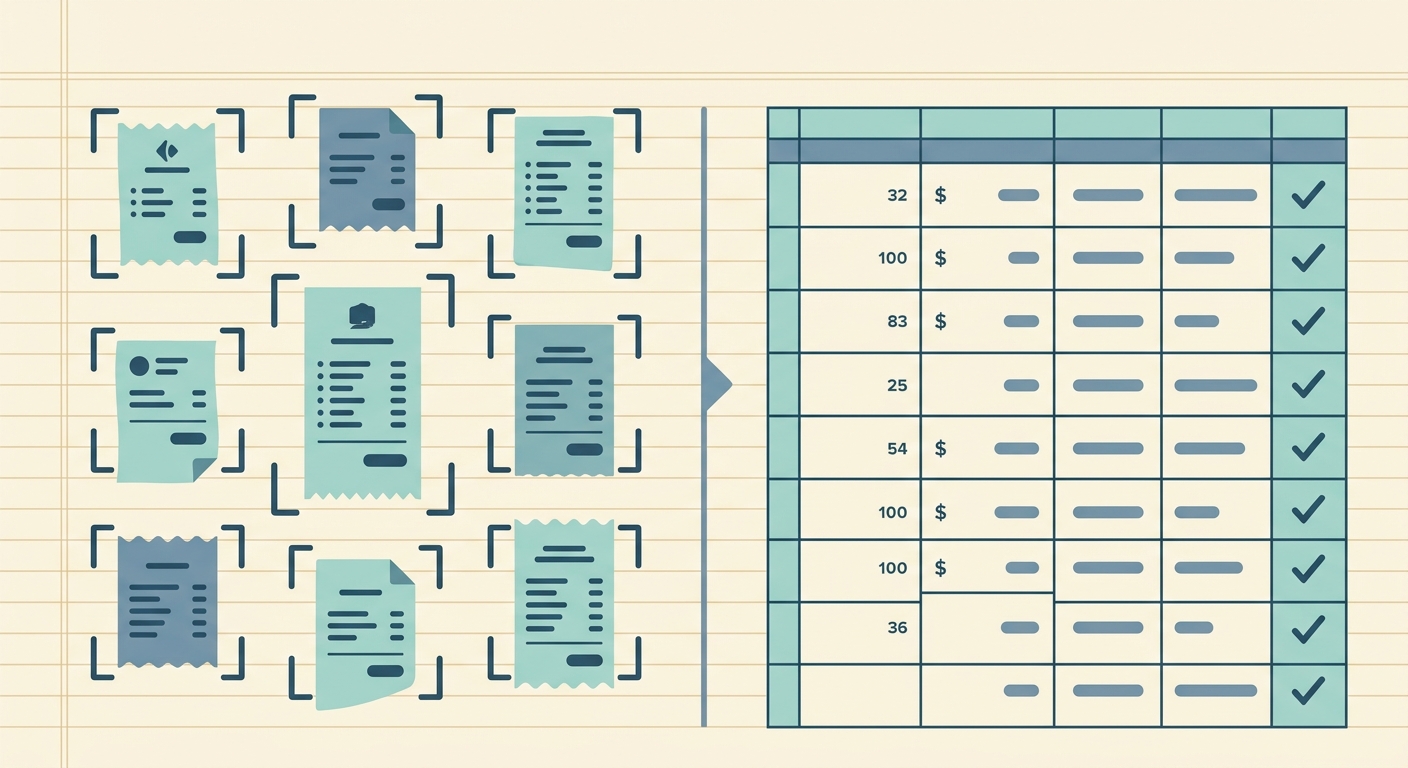
A phone camera is often the first receipt tool a small business owner tries. It is already in your pocket, it is fast, and it costs nothing extra. For a quick visual record, that may be enough. The problem starts when those photos need to become usable bookkeeping data. A camera roll full of receipts is not the same thing as a clean spreadsheet with dates, vendors, totals, tax, categories, and notes.
SlipSheet is built for the part that happens after the photo. It helps you turn receipt images into structured spreadsheet rows so you can review expenses, share them with a bookkeeper, or import them into your own workflow. This comparison looks at where a regular phone camera works well, where it becomes messy, and when a focused receipt-to-spreadsheet tool is the better fit.
Receipt capture
A phone camera does capture very well in the simplest sense. Open the camera app, take a photo, and the receipt is saved. There is no account setup, no new habit to learn, and no extra app decision when you are standing at a counter or unloading a stack of receipts at the end of the week.
That convenience is real, and it is the main reason many freelancers and small teams start there. If you only need a backup image for a few purchases each month, your camera roll can work. You can also use folders, albums, or cloud storage to keep photos from disappearing.
The weakness is organization. Camera photos are usually mixed with personal pictures, screenshots, job site images, and everything else your phone captures. File names are not meaningful, duplicate shots pile up, and blurry receipts may not get noticed until tax time. SlipSheet gives receipt capture a specific destination. Instead of asking your camera roll to behave like a bookkeeping system, you send receipt images into a workflow designed for expenses.
Data extraction
A plain phone camera records pixels. It does not automatically turn the receipt into bookkeeping fields. You still need to read the image, type the vendor name, enter the date, check the total, and decide how the purchase should be categorized. That manual step is where the hidden cost appears.
For one or two receipts, typing is not painful. For twenty, fifty, or a month of mixed card and cash purchases, it becomes a chore. Manual entry also invites small mistakes: transposed numbers, missing tax, wrong dates, and vendor names entered three different ways.
SlipSheet focuses on extracting usable fields from receipt images, then giving you a place to review them before export. The goal is not to remove judgment from bookkeeping. You still need to confirm that the result makes sense. The benefit is that the first draft of the data is already there, so your work becomes review and cleanup instead of typing from scratch.
Export and spreadsheet workflow
This is the biggest difference for spreadsheet-first users. A phone camera can store the receipt, but it does not produce a spreadsheet. To get from photos to a CSV, Google Sheet, or Excel workbook, you need another process. That may mean manual entry, a note-taking app, a document scanner, or a bookkeeping platform that does more than you need.
SlipSheet is designed around the export step. If your final destination is a spreadsheet, the workflow stays direct: upload receipts, review extracted rows, then export the data in a format your business can actually use. That makes it easier to send monthly expenses to a bookkeeper, reconcile a card statement, track reimbursable costs, or keep a simple audit trail for your records.
The camera approach is flexible, but flexibility can become fragmentation. Photos live in one place, notes in another, and spreadsheet entries somewhere else. SlipSheet reduces that split by connecting the receipt image to the row of data it supports.
Pricing and time cost
The phone camera wins on upfront price. You already paid for the phone, and the camera app is free. If your receipt volume is low, or if you enjoy maintaining a spreadsheet manually, there may be no reason to add another tool.
The more useful comparison is not camera cost versus software cost. It is time cost versus workflow cost. If manual receipt entry takes two hours a month, that is time you could spend on billable work, customer follow-up, inventory, proposals, or closing the books sooner. For bookkeepers, it is also time spent cleaning up client records that could have arrived in a more consistent format.
SlipSheet makes sense when the value of saved time, fewer errors, and cleaner exports is higher than the cost of the tool. It is especially practical for people who do not need a full accounting suite, but do need receipts turned into spreadsheet data without building a process from scratch.
Integrations and handoff
A phone camera integrates with almost everything only because photos can be shared anywhere. You can text them, email them, upload them to cloud storage, or attach them to a message for your bookkeeper. That is easy, but it pushes the cleanup work onto the next person.
SlipSheet fits better when the handoff needs structure. A bookkeeper usually wants consistent columns, clear totals, and enough context to review expenses quickly. A business owner wants a record they can understand later, not a pile of images named by date and time. By exporting rows instead of sending loose photos, the handoff becomes more predictable.
This does not mean every business needs a complex integration stack. Many small teams simply need a reliable CSV or spreadsheet they can store, filter, and share. SlipSheet is aimed at that practical middle ground: more organized than a camera roll, simpler than a full accounting migration.
Which option should you choose?
Use your phone camera alone if you only need occasional proof of purchase, your receipt volume is tiny, and you are comfortable typing details into a spreadsheet yourself. It is simple, familiar, and perfectly reasonable for very light use.
Use SlipSheet if receipts are becoming a recurring admin task. It is a better fit when you want receipt images converted into spreadsheet-ready data, when you need to share clean records with a bookkeeper, or when your current camera-roll system creates month-end friction.
The best tool is the one that matches the job. A camera is great for capturing the receipt. SlipSheet is built for turning that receipt into usable expense data. If your business lives in spreadsheets and you want a cleaner receipt workflow, try SlipSheet and turn your next batch of receipts into organized rows instead of another folder of photos.
FAQ
Is using my phone camera enough for receipt tracking?
It can be enough for a few receipts, especially if you only need image backups. If you need spreadsheet-ready expense data, a camera alone usually creates extra manual work.
What does SlipSheet do that a phone camera does not?
SlipSheet helps turn receipt images into structured rows with fields like vendor, date, total, and category so you can review and export them.
Do I still need to review extracted receipt data?
Yes. SlipSheet reduces typing, but you should still review totals, dates, and categories before using the data for bookkeeping.
Can I send SlipSheet exports to my bookkeeper?
Yes. SlipSheet is useful when your bookkeeper wants clean spreadsheet data instead of a folder of receipt photos.
Who should stick with a phone camera instead of SlipSheet?
If you only save a handful of receipts each year and do not mind manual entry, your phone camera may be enough. SlipSheet is better when receipt admin becomes a recurring task.