Receipt Bank vs SlipSheet: Streamlining Your Expense Tracking
Managing receipts, whether they are physical slips or digital emails, can be a tedious and time-consuming task for individuals, freelancers, and small businesses alike. The need for efficient expense tracking tools has never been greater. Two prominent players in this space are Receipt Bank, now known as Dext Prepare, and SlipSheet. While both aim to simplify receipt management, they cater to different needs and workflows. This article will delve into a direct comparison, Receipt Bank vs SlipSheet, to help you determine which tool is the right fit for your specific expense tracking requirements, particularly if you prioritize simple, direct spreadsheet exports.
Receipt Capture Methods
The first step in any expense management process is getting your receipts into the system. Both Receipt Bank (Dext Prepare) and SlipSheet offer robust ways to capture your financial documents, though their approaches reflect their broader philosophies.
- Receipt Bank (Dext Prepare): This platform boasts a comprehensive array of capture methods designed to integrate seamlessly into a busy business environment. Users can submit receipts via its dedicated mobile app, email forwarding, direct integrations with various suppliers, and even by fetching supplier statements. Its breadth of options ensures that virtually no receipt goes uncaptured, making it highly versatile for businesses with diverse spending habits and multiple team members.
- SlipSheet: Focusing on simplicity and directness, SlipSheet offers two primary, highly efficient capture methods. You can easily take photos of your physical receipts directly through its web application, turning them into digital records instantly. Additionally, email receipts can be forwarded to a unique SlipSheet email address, automatically processing your digital transactions. This streamlined approach is perfect for users who value ease of use and a straightforward process without the overhead of complex integrations.
Data Extraction and Accuracy
Once receipts are captured, the crucial next step is extracting the relevant financial data. Both tools leverage technology to turn images and emails into structured data, though their outputs serve different purposes.
- Receipt Bank (Dext Prepare): Renowned for its advanced AI and machine learning capabilities, supplemented by human verification, Receipt Bank offers highly accurate data extraction. It not only captures essential details like vendor, date, and amount, but also focuses on categorization, tax information, and providing an audit-ready trail. This level of detail is vital for accountants and businesses requiring comprehensive financial reporting and compliance.
- SlipSheet: SlipSheet employs powerful AI to extract key data points from your receipt photos and email receipts, including the date, vendor name, and total amount. Its focus is on providing clean, accurate core data that is immediately ready for spreadsheet use. While it prioritizes getting essential information into your spreadsheet rows quickly, it maintains a high degree of accuracy for these critical fields. SlipSheet is designed for users who need reliable data for their spreadsheets, without the added complexity of in-app categorization or deep accounting logic.
Exporting Your Financial Data
This is where the distinction between Receipt Bank vs SlipSheet becomes most apparent, especially for users who rely on spreadsheets for their financial management.
- Receipt Bank (Dext Prepare): While Receipt Bank offers CSV export, its primary strength lies in its deep, two-way integrations with major accounting software platforms like Xero, QuickBooks, and Sage. It's built to push categorized, reconciled data directly into these systems, minimizing manual entry for bookkeepers and accountants. The export often includes not just the data but also the original receipt images, ensuring a complete audit trail within the accounting software.
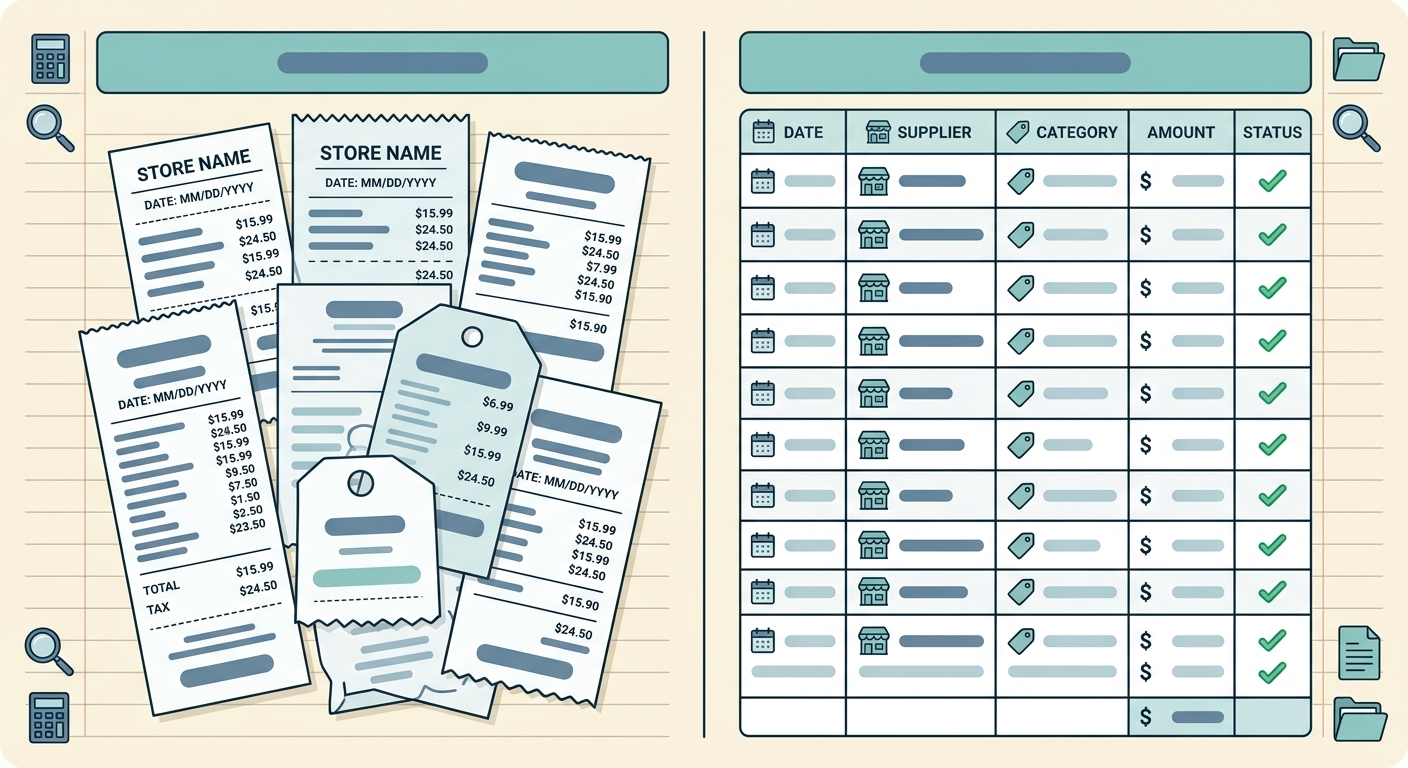
- SlipSheet: SlipSheet truly excels for users who want to manage their expenses directly in spreadsheets. Its core functionality is centered around providing incredibly clean, customizable, and ready-to-use CSV exports. SlipSheet transforms your receipt photos and email receipts into spreadsheet rows with precision, ensuring that the data is perfectly formatted for Excel, Google Sheets, or any other spreadsheet application. This direct, no-fuss export capability means you spend less time cleaning data and more time analyzing your expenses, making it the ideal choice for spreadsheet-first expense tracking.
Pricing Structures
Cost is always a significant factor when choosing a tool. Both platforms offer different pricing models reflecting their feature sets and target audiences.
- Receipt Bank (Dext Prepare): Typically offers tiered pricing plans, often catering to businesses of various sizes, accounting firms, and bookkeepers. Its comprehensive feature set, including advanced integrations, multiple users, and extensive reporting, usually comes with a higher price point, reflecting the value it provides in a full accounting ecosystem.
- SlipSheet: Designed to be a highly accessible and cost-effective solution, SlipSheet generally offers simpler, more predictable subscription models. Its pricing is structured to appeal to individuals, freelancers, and small teams who need a focused tool for spreadsheet exports without paying for a suite of features they do not require. For users prioritizing budget and direct spreadsheet functionality, SlipSheet presents an attractive option.
Integrations and Ecosystem
The ecosystem surrounding an expense management tool can significantly impact workflow efficiency.
- Receipt Bank (Dext Prepare): This platform boasts a vast network of integrations with leading accounting software, practice management tools, and payment providers. It's designed to be a central hub for financial data, feeding directly into comprehensive accounting systems and streamlining the entire bookkeeping process. Its strength lies in its ability to connect disparate financial tools.
- SlipSheet: By design, SlipSheet maintains a minimalist approach to direct API integrations. Its "integration" is its universal compatibility with any spreadsheet software. By providing impeccably structured CSV files, SlipSheet seamlessly feeds data into any system that accepts spreadsheet imports. This approach offers unparalleled flexibility for users who prefer to control their data flow and leverage the power of spreadsheets as their primary financial management tool, rather than relying on specific, deep integrations.
Who is SlipSheet For?
In the Receipt Bank vs SlipSheet comparison, it's clear that each tool serves a distinct purpose. Receipt Bank (Dext Prepare) is an incredibly powerful, comprehensive expense management solution tailored for businesses, accountants, and bookkeepers who require deep accounting software integrations, audit trails, and extensive categorization. It's a robust platform built for a complete financial ecosystem.
SlipSheet, on the other hand, is the focused, efficient, and cost-effective alternative for individuals, freelancers, and small businesses whose primary need is to transform receipt photos and email receipts directly into clean, usable spreadsheet rows. If you manage your expenses in Excel or Google Sheets, value simplicity, and need a reliable way to get your receipt data into a spreadsheet quickly and accurately, SlipSheet is designed specifically for you. It eliminates the hassle of manual data entry, providing you with the flexibility and control that only a spreadsheet can offer.
If you're looking for a straightforward, efficient, and affordable way to get your receipt data directly into a spreadsheet, explore what SlipSheet can do for you. Visit slipsheet.app today and simplify your expense tracking.
FAQ
What is the main difference between Receipt Bank and SlipSheet?
Receipt Bank, now Dext Prepare, is a comprehensive expense management tool designed for deep accounting integration, while SlipSheet focuses purely on converting receipt photos and email receipts into structured spreadsheet rows for direct export.
Is SlipSheet suitable for small businesses?
Yes, SlipSheet is ideal for small businesses, freelancers, and individuals who manage their expenses using spreadsheets and need a simple, efficient way to digitize and organize receipt data.
Does SlipSheet integrate with accounting software like Xero or QuickBooks?
SlipSheet's primary integration is its robust, clean CSV export, allowing you to easily import data into any accounting software that supports spreadsheet imports. It does not offer direct API integrations like Receipt Bank.
How does SlipSheet handle receipt capture?
SlipSheet allows users to capture receipt data by taking photos of physical receipts through its web application or by forwarding email receipts directly to a dedicated email address.
Why choose SlipSheet over Receipt Bank?
Choose SlipSheet if your main priority is a simple, cost-effective solution to get receipt data directly into a spreadsheet, without the need for a full-fledged accounting ecosystem or complex integrations.