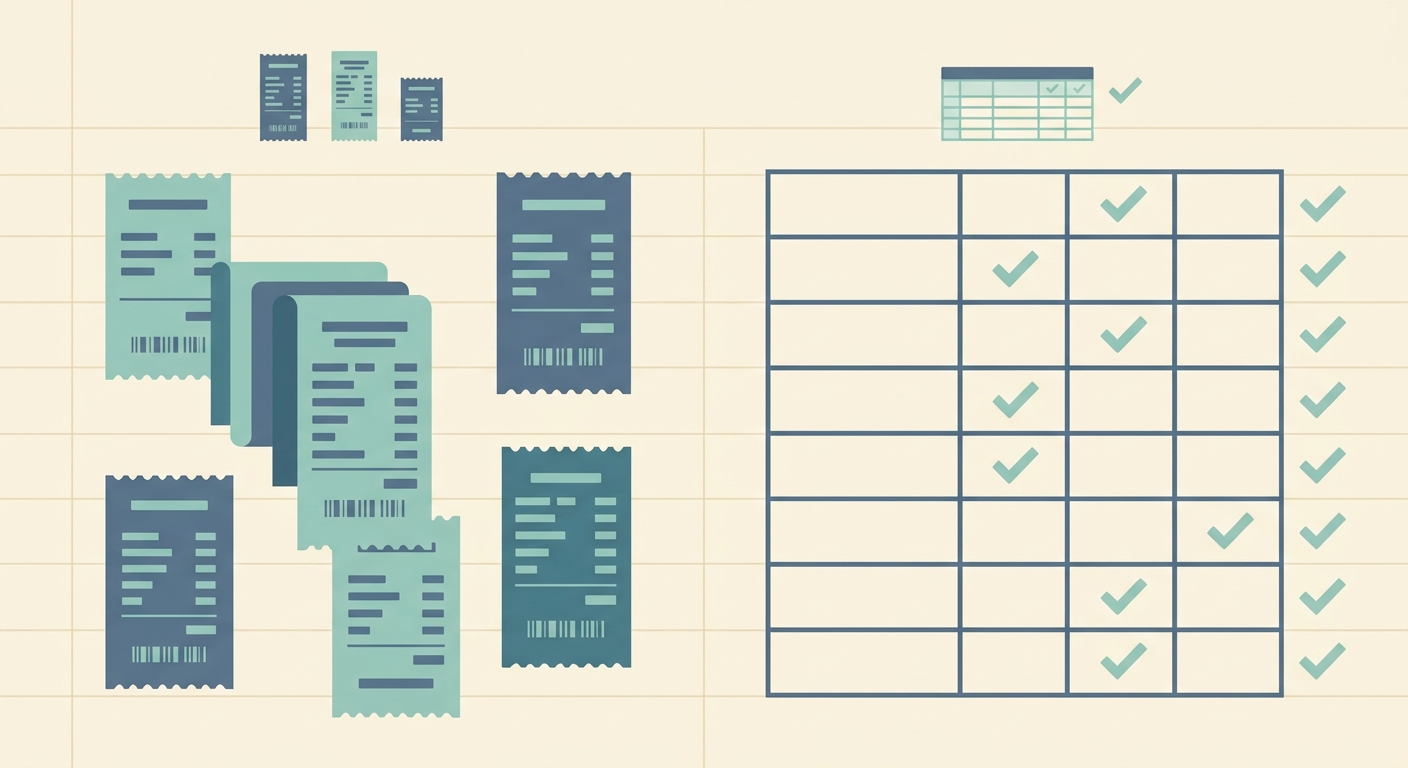
Receipt photo organizers are useful when your main goal is to keep pictures of receipts in one place. They help you avoid a camera roll full of random lunch receipts, gas slips, supplier invoices, and travel expenses. For some people, that is enough. For many small business owners, freelancers, and bookkeepers, it is only the first step.
The real work starts after the photo is saved. You still need the vendor, date, total, tax, category, payment method, and notes in a format you can review, sort, filter, and hand to your accounting workflow. That is where the difference between a photo organizer and SlipSheet becomes clear. One stores the image, the other helps turn receipts into spreadsheet-ready records.
Receipt capture
Photo organizers do well at basic capture. You open the app, take a picture, maybe add it to a folder, and keep moving. If your only goal is to prove that a receipt existed, this can be a practical option. It is also familiar, since most people already understand folders, albums, and photo search.
The limitation is that a photo is still just a photo. If you have thirty receipts at the end of the week, someone still has to open each image and copy the important details. That is fine for occasional purchases, but it becomes tedious when you are tracking client reimbursements, categorizing expenses, or preparing records for a bookkeeper.
SlipSheet is built for a more structured capture flow. You upload or snap the receipt, then use extraction to pull the useful data into fields that can be reviewed. The receipt image remains available for backup, but the main output is the information you need to work with.
Data extraction
This is the biggest practical difference. A receipt photo organizer may help you label, tag, or group images, but it usually leaves the data entry to you. Some tools include light OCR search, which can help you find a store name later, but search is not the same as a clean expense row.
SlipSheet focuses on extracting the details that matter for bookkeeping. Typical fields include merchant, date, amount, tax, currency, and notes. You can review the result before exporting, which is important because no receipt tool should be treated as magic. Crumpled paper, faded ink, unusual layouts, and handwritten tips can all need a human check.
For spreadsheet-first users, this saves the most time. Instead of creating rows manually from receipt photos, you can spend your effort reviewing extracted rows and fixing exceptions. That is a better use of time, especially if you already run expenses in Google Sheets, Excel, Airtable, or a simple CSV workflow.
Export and spreadsheet workflow
Photo organizers are strongest when the destination is another folder or archive. You can usually share images, download a group of files, or create albums by month or project. That helps with storage, but it does not automatically create the spreadsheet your accountant or operations process needs.
SlipSheet is designed around exports. The goal is not just to preserve receipts, it is to make the receipt data usable. A clean spreadsheet can be sorted by vendor, filtered by category, grouped by month, or reconciled against card statements. It can also be attached to a tax folder or shared with a bookkeeper without asking them to decode a pile of image files.
If your process ends with a spreadsheet, SlipSheet is a more direct path. You still keep the source image, but you are not trapped in an image-only archive. The receipt becomes a record you can audit, edit, and export.
Pricing and operational fit
Receipt photo organizers can be inexpensive, and in some cases they are built into tools you already use. If you only need occasional storage, a general notes app, cloud drive, or photo app may be enough. It is hard to beat free when the task is simple.
The cost shows up when the volume increases. Manual data entry takes time, and mistakes are easy to make when you are copying totals from tiny images. A freelancer with a few receipts each month may not care. A shop owner, contractor, consultant, or virtual assistant managing client receipts may care a lot.
SlipSheet fits when the savings come from reducing repetitive work. It is not meant to replace every accounting platform or expense system. It is meant to make the receipt-to-spreadsheet step faster and cleaner for people who want practical exports without a heavy setup.
Integrations and handoff
Many photo organizers integrate well with the storage tools they belong to. That can include cloud backup, device sync, image search, and sharing. Those are useful features, especially when you need a simple archive that multiple people can access.
The handoff can still be awkward. Sending a folder of receipt photos to a bookkeeper creates extra work for them. They may need to rename files, open images one at a time, type totals, and ask follow-up questions when a receipt is unclear. Even when the photos are neatly organized, the information is not yet in a working format.
SlipSheet helps by making the handoff more structured. Exported rows can include the receipt details and supporting notes, so the next person receives data instead of a scavenger hunt. That makes it easier to review expenses, reimburse employees, track job costs, or prepare tax documentation.
Which one should you choose?
Choose a receipt photo organizer if you mainly need a visual archive. It is a good fit for low volume, simple record keeping, or situations where the receipt image itself is the only thing you need to save.
Choose SlipSheet if you need receipt data in a spreadsheet. It is especially useful when you regularly sort expenses, create monthly reports, bill clients, prepare reimbursements, or hand records to a bookkeeper. The more often you copy data from receipt photos into rows, the more valuable a focused extraction workflow becomes.
The simplest test is this: if you usually ask, “Where did I put that receipt photo?” a photo organizer may solve the problem. If you usually ask, “How do I get these receipt details into a spreadsheet without typing them all?” SlipSheet is the better fit.
Ready to turn receipt photos into cleaner spreadsheet records? Try SlipSheet and build a receipt workflow that ends with usable data, not just another folder of images.
FAQ
Is a receipt photo organizer enough for bookkeeping?
It can be enough for simple storage, but bookkeeping usually needs structured data like date, vendor, total, tax, and category. SlipSheet is better when you need those details in a spreadsheet.
Does SlipSheet replace my photo archive?
No. SlipSheet keeps the receipt image useful as supporting documentation while helping you extract the data into rows you can review and export.
Who should use SlipSheet instead of a photo organizer?
SlipSheet is a strong fit for freelancers, small business owners, and bookkeepers who regularly move receipt details into spreadsheets or reports.
Can I still review the extracted receipt data?
Yes. You should review extracted fields before using them, especially for faded receipts, unusual layouts, handwritten tips, or tax details.
What export workflow does SlipSheet support best?
SlipSheet is built for spreadsheet-first workflows where receipt data needs to be sorted, filtered, reconciled, or shared as clean rows rather than image files.