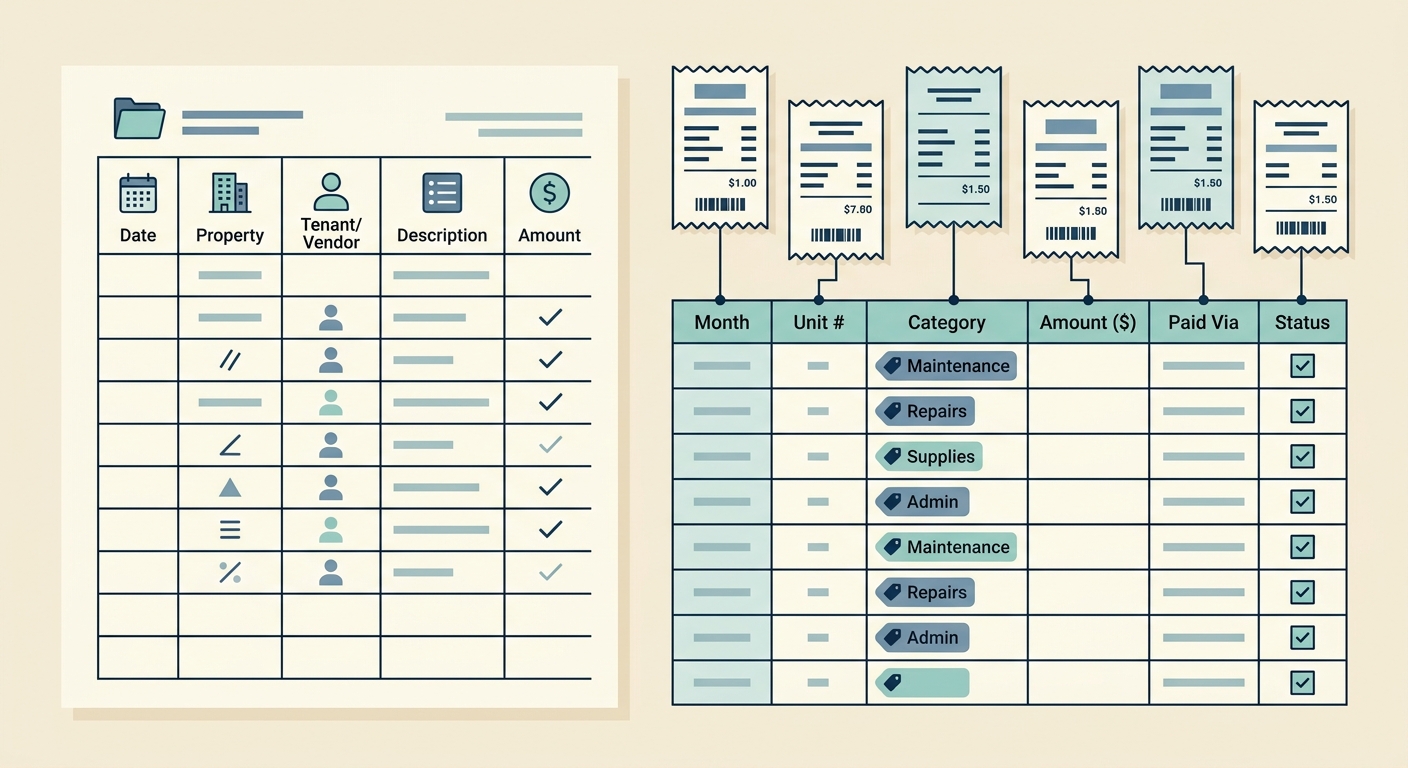
Property management creates a steady stream of small but important receipts. A plumber fixes a leak, a painter buys supplies, a cleaner replaces equipment, and a tenant texts a photo of a replacement part they bought with approval. Each receipt may look minor on its own, but together they affect owner statements, tax records, reimbursements, and maintenance budgets.
A receipt tracker for property managers should do more than store photos in a folder. It should help you capture receipts quickly, extract the details that matter, organize expenses by property or project, and move clean data into the spreadsheet or accounting system you already use. The goal is not to add another admin chore. The goal is to turn scattered receipt evidence into reliable expense records.
The problem
Property managers often handle receipts across multiple locations, vendors, owners, and maintenance categories. The hard part is not just collecting proof of purchase. It is keeping each receipt tied to the right property, unit, repair, vendor, and reporting period.
Common receipt tracking problems include:
- Receipts saved in email, texts, glove compartments, and vendor portals
- Photos with no property address or job context
- Delayed entry that forces end-of-month cleanup
- Duplicate receipts submitted by vendors, tenants, or maintenance staff
- Expense categories that do not match owner reports or bookkeeping rules
When receipt tracking is messy, the cleanup usually lands on the same person who is already managing leases, tenants, repairs, and owner questions. A better workflow reduces that end-of-month scramble.
Why it matters
Receipts support decisions. They help owners understand where maintenance money is going, help bookkeepers classify expenses correctly, and help managers defend reimbursements when questions come up. If the receipt record is incomplete, the financial story for each property becomes harder to trust.
Good receipt tracking also helps with cash flow. Property managers can see which properties have frequent repairs, which vendors are used most often, and which projects are running over budget. That visibility is difficult when receipts are only stored as images without structured data.
For tax time, accurate receipts make it easier to separate repairs, supplies, utilities, cleaning, landscaping, mileage, and capital improvements. You still need your tax professional to decide the final treatment, but clean receipt data gives them a much better starting point.
How SlipSheet helps
SlipSheet is built for people who want receipt data in spreadsheets without typing every line by hand. You upload or capture a receipt, SlipSheet extracts key details, then you review the results before exporting. For property managers, that means you can turn receipt photos into spreadsheet-ready rows with fields like vendor, date, total, tax, category, notes, and property assignment.
A practical SlipSheet workflow for property managers looks like this:
- Capture the receipt as soon as the expense happens.
- Add a property name, address, unit, vendor, or project note while the context is fresh.
- Let SlipSheet extract the main receipt data.
- Review the extracted fields for accuracy.
- Export the cleaned data to a spreadsheet for owner reporting, bookkeeping, or reimbursement tracking.
This keeps the workflow lightweight. You do not need a complex property management platform just to get receipts under control. If your team already works from spreadsheets, SlipSheet fits into that process instead of replacing it.
A day-in-the-life example
Imagine you manage twelve rental units across four properties. On Monday morning, a tenant reports a leaking sink. You send a handyman, who buys a replacement trap and submits a receipt photo. Later that day, a cleaner sends a supply receipt after a move-out. On Tuesday, you pick up smoke detector batteries and a lockset. By Friday, you have six small receipts tied to three properties.
Without a system, those receipts may sit in separate message threads until you prepare owner statements. You then have to remember which receipt belongs to which property, whether the expense was reimbursable, and which category should be used.
With a receipt tracker, each receipt can be captured as it arrives. The handyman receipt gets tagged to the right unit and repair. The cleaner receipt is marked for turnover supplies. Your hardware store receipt is split by property or noted for allocation. When the week ends, the spreadsheet already has most of the data you need.
The result is not just faster data entry. It is fewer vague expenses, fewer missing receipts, and fewer questions from owners or bookkeepers.
Getting started
Start with a simple receipt tracking structure before adding more detail. Most property managers should capture these fields:
- Receipt date
- Vendor name
- Total amount
- Sales tax, if relevant
- Property or unit
- Expense category
- Project, work order, or repair note
- Payment method
- Reimbursable status
Keep categories consistent. For example, use the same label every time for plumbing, cleaning, landscaping, pest control, repairs, utilities, supplies, and capital improvements. Consistency matters more than having a long list of categories.
Set one review habit. Some managers review receipts daily, while others review every Friday. The key is to review before the context disappears. A five-minute weekly review is far easier than rebuilding an entire month from memory.
Common pitfalls
The biggest mistake is treating receipt tracking as storage only. A folder full of receipt images is better than nothing, but it does not give you clean numbers for reports. The useful step is turning each receipt into structured data that can be filtered, sorted, and exported.
Another mistake is waiting until month-end to assign properties and categories. By then, similar maintenance jobs can blur together. Add context when the receipt is captured, even if you only add a short note like "Unit 3 sink repair" or "Maple Street turnover cleaning."
Finally, do not skip the review step. Receipt extraction saves time, but property managers still need to confirm totals, dates, vendor names, and property tags. A quick review protects your reports and prevents small mistakes from spreading into owner statements.
If you want a faster way to turn property receipts into spreadsheet-ready expense records, try SlipSheet. It helps you capture receipts, extract the details, review the results, and export clean data for the property management workflow you already use.
FAQ
What should property managers track on each receipt?
Track the date, vendor, total, tax, property or unit, expense category, payment method, and a short repair or project note. These fields make owner reporting and bookkeeping much easier.
Can I use a spreadsheet as my property receipt tracker?
Yes. A spreadsheet works well if you keep categories consistent and attach or reference the original receipt image for audit support.
How often should property managers review receipts?
Review receipts at least weekly, or daily if you manage a high volume of repairs. Short, regular reviews prevent missing context at month-end.
Does SlipSheet replace property management software?
No. SlipSheet is best for extracting receipt data and exporting it to spreadsheets or other workflows. It can support your existing property management and bookkeeping tools.
How do I handle receipts that cover multiple properties?
Add a note that explains the split, then allocate the total by property in your spreadsheet or bookkeeping system. Keep the original receipt linked to every related entry.