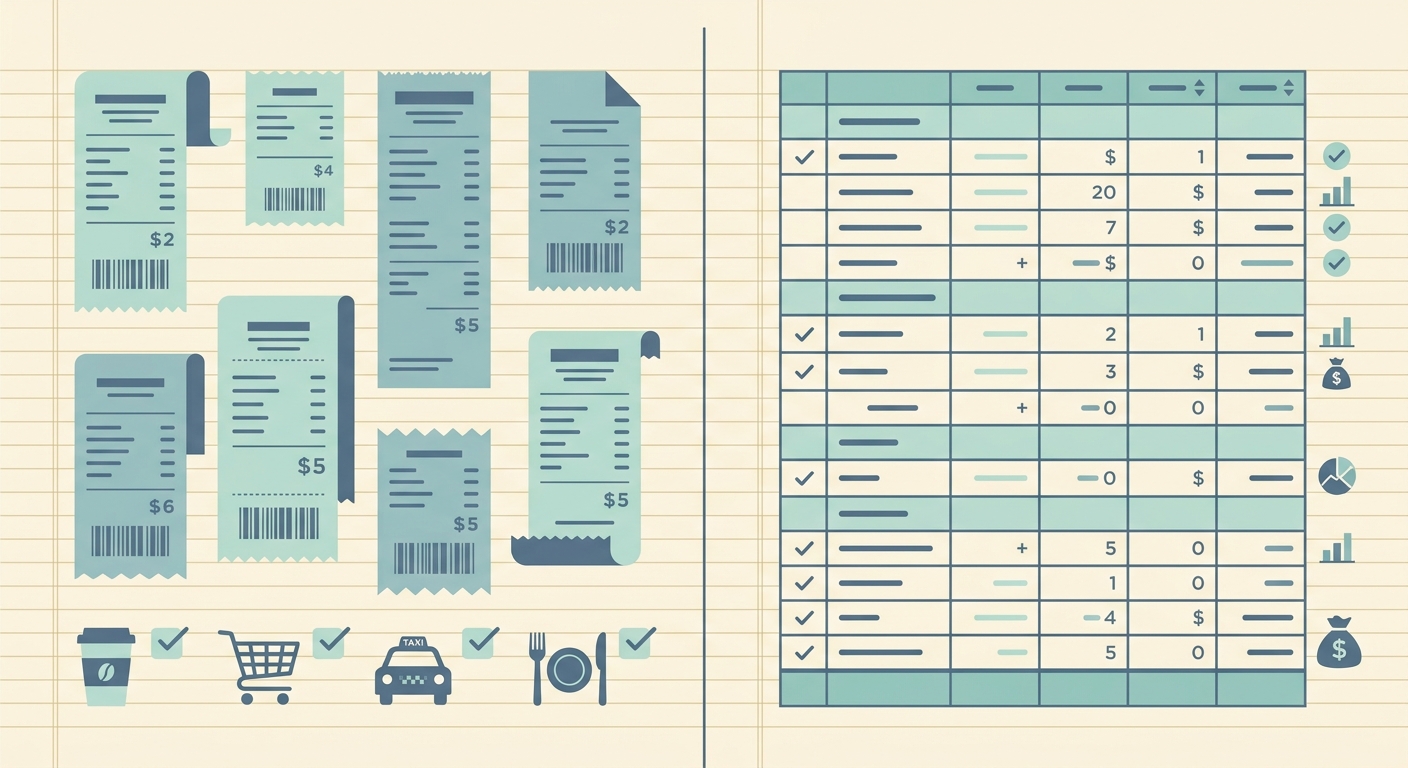
Choosing between a general scanner app and SlipSheet depends on what happens after the photo. If you only need a clean PDF of a receipt, most scanner apps can do the job well. If you need receipt details organized into a spreadsheet for bookkeeping, tax prep, reimbursements, or client billing, the workflow is different. You are not just scanning paper, you are turning messy purchase records into usable data.
This comparison looks at scanner apps versus SlipSheet from the perspective of small business owners, freelancers, and bookkeepers who need simple exports. The goal is not to declare every scanner app wrong. Many are useful. The question is whether they save time all the way through the receipt process, or only at the image capture step.
Receipt capture
Scanner apps are strong at capture. They usually include edge detection, image cleanup, cropping, PDF creation, and cloud sync. If your main goal is to preserve a readable image, a scanner app may be enough. You can photograph a receipt, clean up the contrast, and store it in a folder for later.
The limitation appears when later becomes bookkeeping time. A folder full of scanned receipts still needs review. Someone has to open each image, read the vendor, find the date, identify the total, decide on a category, and enter the data somewhere else. The scanner app helped you save the receipt, but it did not necessarily help you finish the admin work.
SlipSheet starts with the same basic need, capture the receipt, but it is designed around the next step. The scanned image is a source document for structured data. That makes it a better fit when the end result needs to be a spreadsheet, not just an archive.
Data extraction
Many scanner apps offer optical character recognition, often called OCR. This can make text searchable inside a scan, which is helpful when you need to find a receipt later. Some apps can also pull basic fields from documents, although the results vary by receipt format and plan level.
For bookkeeping, searchable text is only part of the job. You need specific fields in consistent places, such as merchant, transaction date, subtotal, tax, total, payment method, notes, and category. If those fields are not organized, you still have manual work before the information is useful.
SlipSheet focuses on receipt-to-spreadsheet extraction. That means the output is built for review and export, not just search. The practical benefit is simple: fewer copy and paste steps. You can move from receipt images to rows of data that are easier to check, sort, filter, and hand off.
Export and spreadsheet workflow
This is where the difference is clearest. Scanner apps often export PDFs or images. Some can export recognized text, but the workflow usually stays document centered. That works for recordkeeping, but it can be awkward when your accounting process lives in Google Sheets, Excel, CSV files, or a bookkeeping import template.
SlipSheet is built for spreadsheet-first users. The receipt is not the final product. The final product is a clean table you can use. That matters if you reconcile expenses monthly, prepare reports for a client, separate personal and business purchases, or send organized records to a tax preparer.
A good spreadsheet workflow also makes mistakes easier to catch. You can sort by vendor, scan down totals, filter by category, and spot missing dates. With a folder of scans, quality control happens one file at a time. With rows in a sheet, review is faster and more systematic.
Pricing and value
Scanner apps can be inexpensive, and some are included with tools you already use. If you only scan a handful of documents each month, a basic scanner app may be the most economical choice. Paying for a specialized receipt workflow may not make sense if you rarely need structured exports.
The value calculation changes when receipt volume grows. Ten receipts a month is one problem. A hundred receipts across fuel, meals, supplies, travel, subscriptions, and client expenses is another. At that point, the cost is not just the app subscription. It is the time spent opening files, reading totals, renaming scans, entering rows, correcting typos, and chasing missing details.
SlipSheet is worth considering when the admin time is the real expense. If it helps you turn receipt piles into usable spreadsheet data faster, the value comes from fewer manual steps and cleaner handoffs.
Integrations and handoff
Scanner apps often integrate well with cloud storage. You can save documents to Drive, Dropbox, iCloud, or OneDrive, then share folders with a bookkeeper or accountant. That is useful for documentation, especially when you need proof of purchase attached to a record.
For spreadsheet-based handoff, folder sharing is only half complete. Your bookkeeper may still need a summary file. Your accountant may still ask for totals by category. Your reimbursement process may still require a CSV. SlipSheet fits better when the handoff needs to include structured information, not just scanned backup.
The best setup for many small teams is a simple combination: keep the receipt image for proof, then use SlipSheet to create the spreadsheet record. That gives you both audit support and practical data. You do not have to choose between clean documentation and clean exports.
Which option should you choose?
Choose a scanner app if you mainly need digital copies, searchable PDFs, or a quick way to store receipts in folders. It is a good fit for occasional scanning and document archiving.
Choose SlipSheet if your receipts need to become spreadsheet rows. It is a better fit for freelancers tracking deductible expenses, small businesses preparing monthly books, bookkeepers organizing client receipts, and anyone who is tired of manual entry after scanning.
The practical test is simple. Ask what you do after each scan. If the answer is save it and forget it, a scanner app may be enough. If the answer is type the details into a spreadsheet later, SlipSheet is designed to remove that extra work.
Ready to turn receipt scans into cleaner spreadsheet records? Try SlipSheet and build a receipt workflow that ends with usable data, not another folder to sort through.
FAQ
Is SlipSheet a replacement for a scanner app?
SlipSheet replaces the receipt-to-spreadsheet part of the workflow. If you also need advanced PDF cleanup or document archiving, you may still use a scanner app for those tasks.
When is a scanner app enough for receipts?
A scanner app is usually enough if you only need readable copies for storage. If you need totals, dates, merchants, and categories in a spreadsheet, SlipSheet is a better fit.
Can SlipSheet help with bookkeeping handoff?
Yes. SlipSheet is designed to produce structured receipt data that is easier to review, export, and share with a bookkeeper or accountant.
Do I still need to keep receipt images?
In most cases, yes. Keep the image as proof of purchase, then use SlipSheet to create the organized spreadsheet record.
Who gets the most value from SlipSheet?
Freelancers, small business owners, and bookkeepers with recurring receipt volume usually see the most value because they save time on manual entry and review.