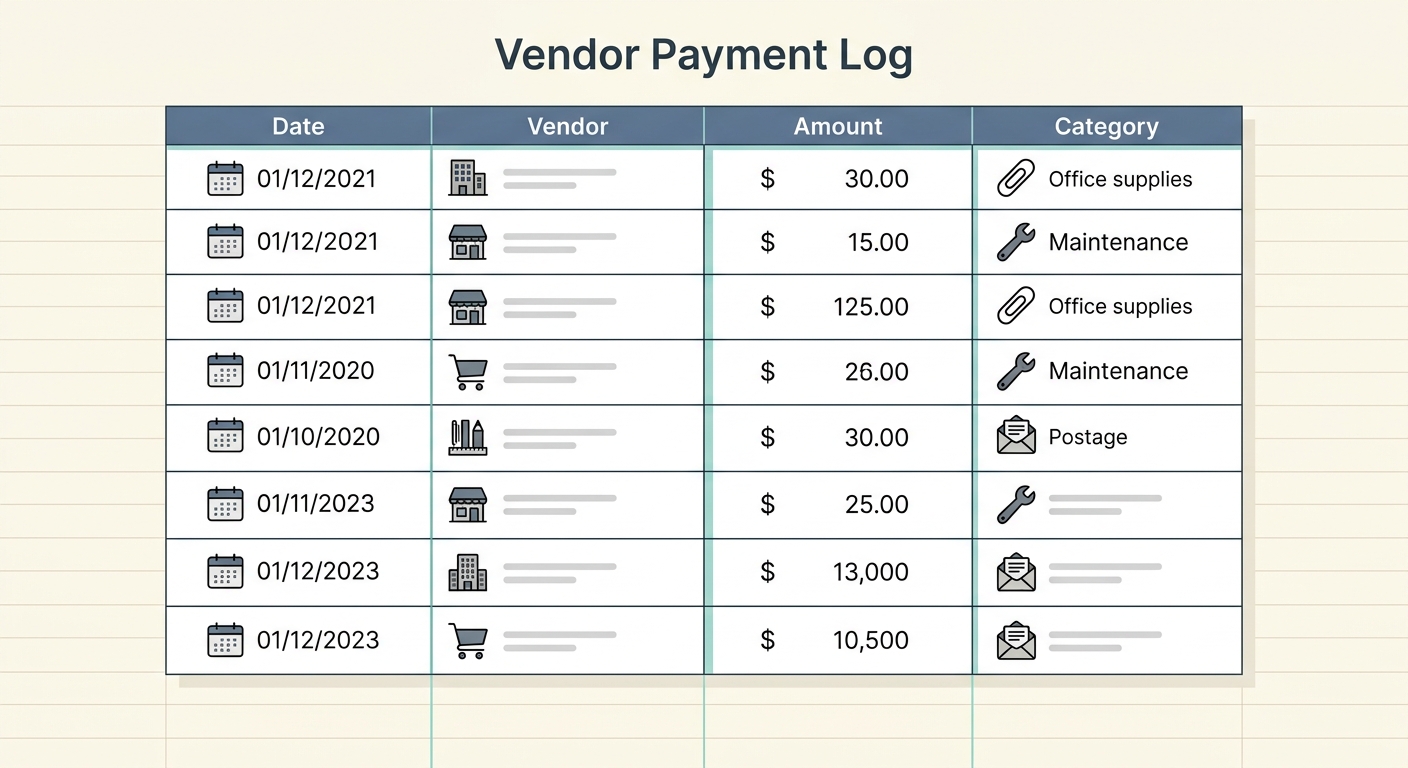
Master Your Finances with a Comprehensive Vendor Payment Log Template
Effective financial management is the cornerstone of any successful business, regardless of its size or industry. One of the most critical aspects of this is meticulously tracking your outgoing payments to vendors. Without a clear system, businesses risk late fees, missed discounts, budget overruns, and a general lack of visibility into their cash flow. This is where a robust vendor payment log template becomes indispensable. It serves as your central hub for all vendor-related expenditures, ensuring you stay organized, compliant, and financially sound.
Imagine effortlessly knowing when each payment is due, how much you owe, and when it was actually settled. A well-structured template provides this clarity, transforming what can often be a chaotic task into a streamlined process. While manual data entry can be tedious and prone to errors, modern tools like SlipSheet are revolutionizing how businesses capture and organize this vital information, converting receipt photos and email receipts directly into spreadsheet rows for your payment log.
What is a Vendor Payment Log Template and Why Do You Need One?
A vendor payment log template is a structured document, typically a spreadsheet, designed to record and monitor all payments made to your suppliers and service providers. It acts as a detailed ledger, offering a comprehensive overview of your financial obligations and payment history with each vendor. The primary goal is to provide a clear, organized, and up-to-date record that supports sound financial decision-making.
The benefits of maintaining such a log are numerous. Firstly, it helps you avoid late payment penalties by clearly flagging upcoming due dates. Secondly, it empowers you to take advantage of early payment discounts, saving your business money. Thirdly, it simplifies budget reconciliation and forecasting, providing accurate data on your spending patterns. Furthermore, a well-kept log is invaluable during tax season, audits, and when resolving any payment discrepancies with vendors. It also offers crucial insights into your overall operational costs and helps you identify areas for potential savings or negotiation.
Essential Fields for Your Vendor Payment Log Template
To be truly effective, your vendor payment log template must capture specific, critical pieces of information for each transaction. These fields ensure comprehensive tracking and provide all the necessary details at a glance. Here are the core columns you should include:
- Vendor: This identifies the specific company or individual you are paying. Consistent naming conventions are key here to avoid confusion and facilitate accurate reporting.
- Invoice Date: The date the vendor issued the invoice. This is crucial for tracking payment terms and understanding the age of an invoice.
- Invoice Number: A unique identifier assigned by the vendor to each invoice. This number is essential for referencing specific transactions, especially when communicating with vendors or reconciling accounts.
- Amount: The total amount due or paid for the invoice. Clearly indicate whether this is the gross amount, net amount, or includes any taxes or shipping fees.
- Due Date: The date by which the payment is expected. This field is paramount for proactive cash flow management and preventing late payments.
- Paid Date: The actual date the payment was successfully processed. This confirms that the obligation has been met and helps track payment history.
- Payment Method: How the payment was made, such as credit card, bank transfer, check number, PayPal, or other electronic methods. This information is vital for reconciliation and payment tracing.
- Notes: A flexible field for any additional relevant information. This could include details about partial payments, disputes, contact person, project codes, or any specific terms related to the invoice.
Manually entering all these details from every receipt and email can be a significant time drain. This is where SlipSheet shines, automating the extraction of data points like Vendor, Invoice Date, Invoice Number, and Amount directly from your receipt photos and email receipts. This significantly reduces manual effort and improves accuracy, populating your spreadsheet with the core information you need.
How to Effectively Use Your Vendor Payment Log Template
Implementing your vendor payment log template effectively requires consistency and a strategic approach. Follow these steps to maximize its utility:
- Choose Your Platform: While a simple spreadsheet (Excel, Google Sheets) is a popular and flexible choice, some businesses might opt for integrated accounting software. The key is to select a platform that is accessible and easy for your team to update.
- Input Data Promptly: As soon as you receive an invoice or make a payment, record it in your log. Procrastination leads to errors and omissions. Tools like SlipSheet make this step much faster, allowing you to simply snap a photo or forward an email receipt and have the data instantly available for your log.
- Regularly Review and Reconcile: Set aside dedicated time each week or month to review your payment log against your bank statements and vendor statements. This ensures accuracy and helps identify any discrepancies early.
- Utilize for Planning: Leverage the data in your log for cash flow forecasting. By knowing your upcoming payment obligations, you can better manage your budget and ensure sufficient funds are available.
- Generate Reports: Use your log to create reports on spending by vendor, payment method, or time period. These insights are invaluable for negotiating better terms, identifying cost-saving opportunities, and understanding your overall financial health.
By integrating SlipSheet into your workflow, the initial data entry, which is often the biggest hurdle, becomes largely automated. This frees up valuable time, allowing you to focus more on analysis and strategic financial planning, rather than tedious manual input.
Customizing Your Vendor Payment Log for Specific Needs
While the essential fields provide a solid foundation, your business may have unique requirements that necessitate customization. A flexible template allows you to adapt and add columns that are specific to your operations. Consider these potential additions:
- Category/Account: Assign payments to specific expense categories (e.g., Office Supplies, Marketing, Utilities) for easier financial reporting and budgeting.
- Department/Project: If your business has multiple departments or runs various projects, tracking payments by these identifiers can help allocate costs accurately and assess project profitability.
- Approval Status: For larger organizations, tracking whether an invoice has been approved for payment can be a crucial internal control.
- Reference Number: An internal reference number for your own tracking system, if different from the vendor's invoice number.
- Contact Person: The specific individual at the vendor company responsible for the invoice or account.
The beauty of a spreadsheet-based template, especially when paired with a data capture tool like SlipSheet, is its adaptability. You can easily add or remove columns as your business evolves, ensuring your log remains relevant and useful without requiring complex software changes.
Vendor Payment Log Variations for Different Business Types
While the core principles remain, the emphasis and additional fields in a vendor payment log can vary significantly based on the type of business:
- Retail Businesses: Might focus heavily on inventory suppliers, potentially adding fields like SKU numbers, quantity, or cost of goods sold (COGS) allocation.
- Service-Based Companies: Often deal with contractors, software subscriptions, and professional services. They might prioritize fields like 'Service Period,' 'Contract Number,' or 'Client Project ID' to link vendor costs directly to client revenue.
- Manufacturing Companies: Would track raw material suppliers, equipment maintenance, and logistics. Fields such as 'Batch Number,' 'Production Line,' or 'Delivery Date' could be important.
- Freelancers and Sole Proprietors: Often have fewer vendors but still benefit from a log to track software subscriptions, professional development, and marketing expenses, perhaps with a simpler template focusing on tax-deductible categories.
Understanding your specific business needs allows you to tailor your template, making it an even more powerful tool for financial control. Regardless of your industry, the goal remains the same: clear, accurate, and accessible records of all vendor payments.
A well-maintained vendor payment log template is more than just a record-keeping tool; it is a strategic asset that supports healthy cash flow, minimizes financial risk, and provides invaluable insights into your business's spending. While setting up and consistently updating such a log might seem daunting, especially with numerous paper receipts and email invoices, innovative solutions are available. SlipSheet transforms the tedious task of data entry by instantly converting your receipt photos and email receipts into organized spreadsheet rows, making it easier than ever to keep your vendor payment log accurate and up-to-date. Take control of your financial records and streamline your operations today. Visit slipsheet.app to learn how you can automate your receipt data entry and revolutionize your financial tracking.
FAQ
Why is a vendor payment log template important for my business?
A vendor payment log template is crucial for managing cash flow, avoiding late fees, taking advantage of early payment discounts, and simplifying financial reporting. It provides a clear, organized record of all your outgoing payments.
What essential information should I include in my vendor payment log?
Key fields include Vendor, Invoice Date, Invoice Number, Amount, Due Date, Paid Date, Payment Method, and a Notes section. These ensure comprehensive tracking of each transaction.
How often should I update my vendor payment log?
It is best practice to update your vendor payment log promptly as invoices are received and payments are made. Daily or weekly updates ensure accuracy and prevent omissions, making reconciliation much easier.
Can a vendor payment log help with budgeting and financial forecasting?
Absolutely, by tracking all outgoing payments and their due dates, your vendor payment log provides a clear picture of future financial obligations. This data is invaluable for accurate budgeting, cash flow forecasting, and making informed financial decisions.
How does SlipSheet assist with maintaining a vendor payment log?
SlipSheet automates the data entry process for your vendor payment log by converting receipt photos and email receipts directly into spreadsheet rows. It accurately extracts key information like vendor name, date, invoice number, and amount, saving time and reducing manual errors.