Mastering Your Annual Tax Filing Workflow with SlipSheet
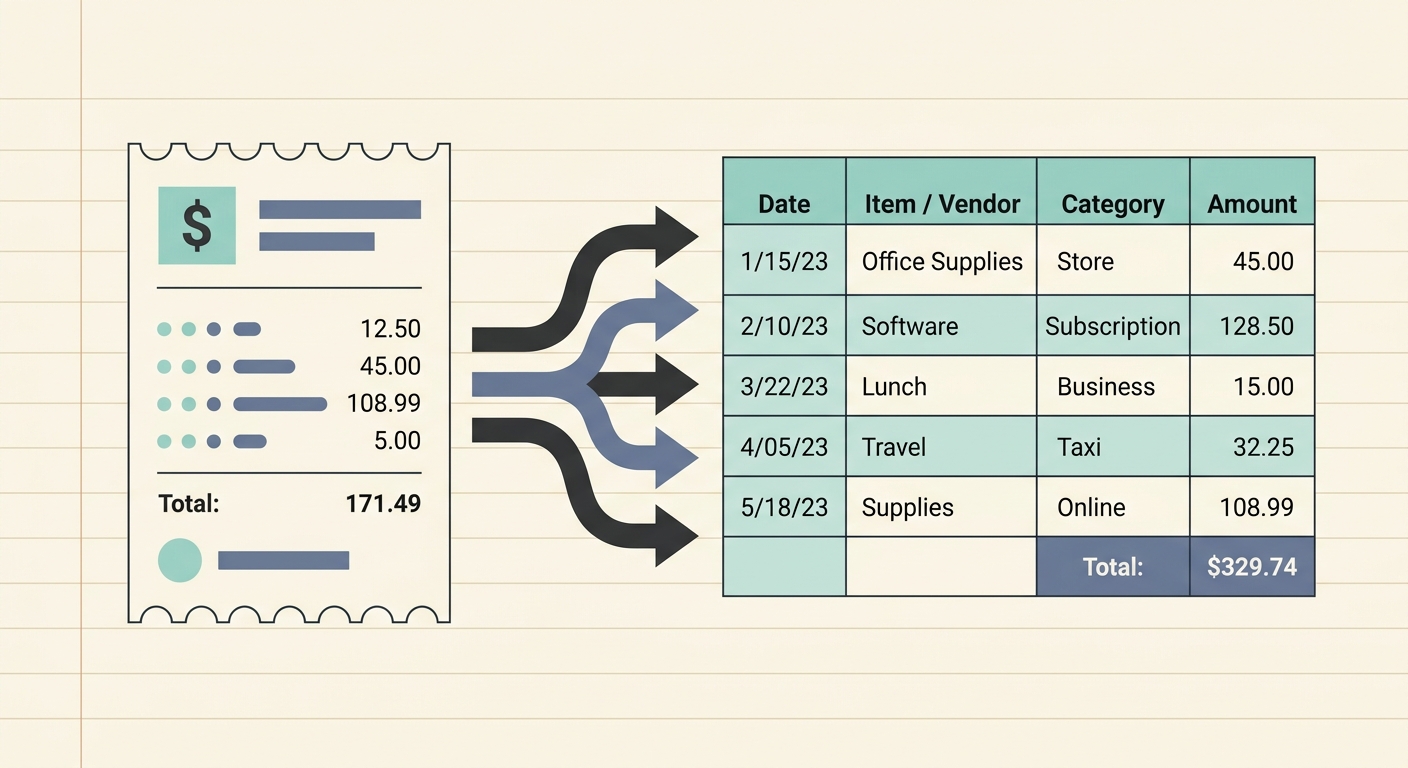
The dreaded tax season often brings with it a flurry of paper, digital receipts, and a looming sense of organizational chaos. For many individuals and small businesses, the annual tax filing workflow can be a significant source of stress, consuming valuable time and energy. Imagine a world where every expense is neatly categorized, every receipt accounted for, and your financial data is ready for export with just a few clicks. This is not a distant dream; it is the reality offered by tools like SlipSheet, designed to transform your receipt management from a chore into a seamless, automated process.
A well-structured annual tax filing workflow is crucial for accuracy, efficiency, and peace of mind. It minimizes errors, maximizes potential deductions, and ensures you are prepared long before the filing deadline. By integrating smart technology into your routine, you can move away from the shoebox method and embrace a system that truly works for you.
Getting Started: Streamlining Your Annual Tax Filing Workflow
Embarking on a more organized tax journey begins with adopting the right tools and mindset. The first step is acknowledging that manual receipt management is outdated and inefficient. You need a system that captures, organizes, and prepares your financial data consistently throughout the year, not just in a frantic rush at tax time. SlipSheet serves as the cornerstone of such a system, acting as your digital assistant for all receipt-related tasks.
To effectively streamline your annual tax filing workflow, consider these initial setup strategies:
- Choose Your Tool: Select a robust receipt management solution like SlipSheet that offers both mobile capture and email integration.
- Establish a Routine: Decide on a regular schedule, daily or weekly, for processing new receipts. Consistency is key.
- Understand Your Categories: Familiarize yourself with common tax-deductible categories relevant to your situation, whether personal or business.
By laying this groundwork, you set the stage for a much smoother and less stressful tax season.
Phase 1: Effortless Receipt Capture and Upload
The foundation of any effective annual tax filing workflow is the ability to capture receipts as they occur, preventing them from being lost or forgotten. Traditional methods often involve accumulating paper receipts in wallets, desk drawers, or even actual shoeboxes. Digital receipts, while seemingly easier, can scatter across various email inboxes, making consolidation a nightmare.
SlipSheet revolutionizes this initial phase through its intuitive capture mechanisms:
- Photo Capture: Simply snap a picture of any paper receipt using your smartphone. SlipSheet's intelligent OCR technology immediately begins processing the image.
- Email Forwarding: For digital receipts, just forward them to your unique SlipSheet email address. The system automatically extracts the necessary data.
This immediate capture ensures that every expense, whether a business lunch, office supply purchase, or travel expense, is recorded promptly. No more sifting through crumpled papers or searching old emails; all your receipts are centralized from the moment of transaction.
Phase 2: Intelligent Extraction and Review of Financial Data
Once your receipts are captured, the real magic of SlipSheet begins. This phase is where raw images and email content are transformed into structured, actionable financial data, significantly enhancing your annual tax filing workflow.
SlipSheet's advanced technology automatically extracts key information from each receipt, including:
- Vendor Name: Who you paid.
- Date of Transaction: When the expense occurred.
- Total Amount: The exact cost.
- Currency: The denomination of the expense.
- Tax Amounts: Applicable sales tax or VAT.
After the initial extraction, you have the opportunity to review the data. SlipSheet presents the extracted fields clearly, allowing you to quickly verify accuracy. If any detail needs adjustment, such as a slightly misread vendor name or an incorrect date, you can easily edit it directly within the platform. This review step ensures the integrity of your financial records, providing confidence in the data you will use for tax purposes.
Phase 3: Organizing and Categorizing for Tax-Ready Reports
Accurate categorization is paramount for successful tax filing. Without proper categorization, even perfectly captured data is difficult to utilize. This phase of your annual tax filing workflow is where SlipSheet truly shines, enabling you to transform raw data into tax-ready insights.
SlipSheet provides robust tools for organizing your expenses:
- Customizable Categories: Create and assign categories that align with your personal finances or specific business tax codes, such as 'Office Supplies', 'Travel Expenses', 'Client Meals', or 'Professional Development'.
- Tags and Notes: Add additional tags or detailed notes to individual transactions for further context, which can be invaluable during an audit or for clarifying specific expenses.
- Automated Rules: Set up rules to automatically assign categories based on vendor names or keywords, further streamlining your process over time.
By consistently categorizing your receipts, you build a comprehensive and organized ledger throughout the year. When tax season arrives, you will not be faced with a mountain of unclassified expenses, but rather a neatly structured dataset, ready for analysis.
Phase 4: Seamless Export to Your Preferred Tax Tool
The ultimate goal of an optimized annual tax filing workflow is to have your financial data in a format that is easily consumable by your tax software or accountant. SlipSheet ensures a smooth transition from data capture and organization to final reporting.
SlipSheet offers flexible export options to suit various needs:
- CSV Export: Download all your categorized data into a universal Comma Separated Values file, compatible with virtually all spreadsheet programs like Microsoft Excel or Google Sheets.
- Spreadsheet Formats: Export directly to common spreadsheet formats, making it easy to share with tax professionals or integrate into your existing accounting software.
- Detailed Reports: Generate comprehensive reports based on your chosen date ranges and categories, providing a clear overview of your expenditures.
This seamless export capability means you can hand over a perfectly organized spreadsheet to your accountant, saving them time and potentially reducing your accounting fees. If you are a do-it-yourself filer, you can effortlessly import this data into your preferred tax preparation software, drastically cutting down on manual data entry and minimizing errors.
Common Pitfalls to Avoid in Your Annual Tax Filing Workflow
Even with the best tools, certain habits can undermine an otherwise efficient annual tax filing workflow. Being aware of these common pitfalls can help you avoid them and maintain a smooth process year-round.
- Procrastination: Waiting until the last minute to gather and process receipts leads to rushed work, increased stress, and a higher chance of errors or missed deductions.
- Inconsistent Capture: Failing to capture every receipt as it occurs results in gaps in your records. Make receipt capture a daily habit.
- Poor Categorization: Vague or incorrect categorization can lead to confusion, difficulty in identifying deductions, and potential issues during an audit. Take time to categorize accurately.
- Lack of Backup: Relying solely on physical receipts or a single digital location is risky. Ensure your digital records are securely stored and regularly backed up, which SlipSheet handles automatically.
- Ignoring Small Expenses: Individually, small expenses might seem insignificant, but collectively, they can add up to substantial deductions. Every receipt counts.
By actively avoiding these pitfalls and leveraging SlipSheet's features, you can maintain a robust and reliable annual tax filing workflow throughout the entire year.
Transform Your Tax Season with SlipSheet
Embracing a modern annual tax filing workflow is not just about convenience; it is about smart financial management. SlipSheet empowers you to take control of your receipts, turning a potentially chaotic process into an organized, efficient, and stress-free experience. From instant capture to intelligent extraction, precise categorization, and seamless export, SlipSheet provides a comprehensive solution for individuals and businesses alike. Stop dreading tax season and start optimizing your financial life today. Visit slipsheet.app to begin your journey towards a smarter, simpler tax filing workflow.
FAQ
What is SlipSheet?
SlipSheet is a powerful tool designed to transform receipt photos and email receipts into organized spreadsheet rows. It automates the data entry process for financial record keeping.
How does SlipSheet help with annual tax filing?
SlipSheet streamlines the annual tax filing workflow by capturing, extracting, categorizing, and exporting all your expense data. This organized data can then be easily used by tax software or an accountant, saving time and reducing errors.
What types of receipts can SlipSheet process?
SlipSheet can process both physical paper receipts, by taking a photo with your smartphone, and digital receipts, by forwarding them directly to your unique SlipSheet email address.
Is SlipSheet secure for my financial data?
Yes, SlipSheet prioritizes the security of your financial data through robust encryption and secure storage practices. Your information is protected throughout the capture and processing stages.
Can I customize expense categories in SlipSheet?
Absolutely, SlipSheet allows users to create and customize expense categories to perfectly match their personal financial needs or specific business tax codes. You can also add tags and notes for further detail.