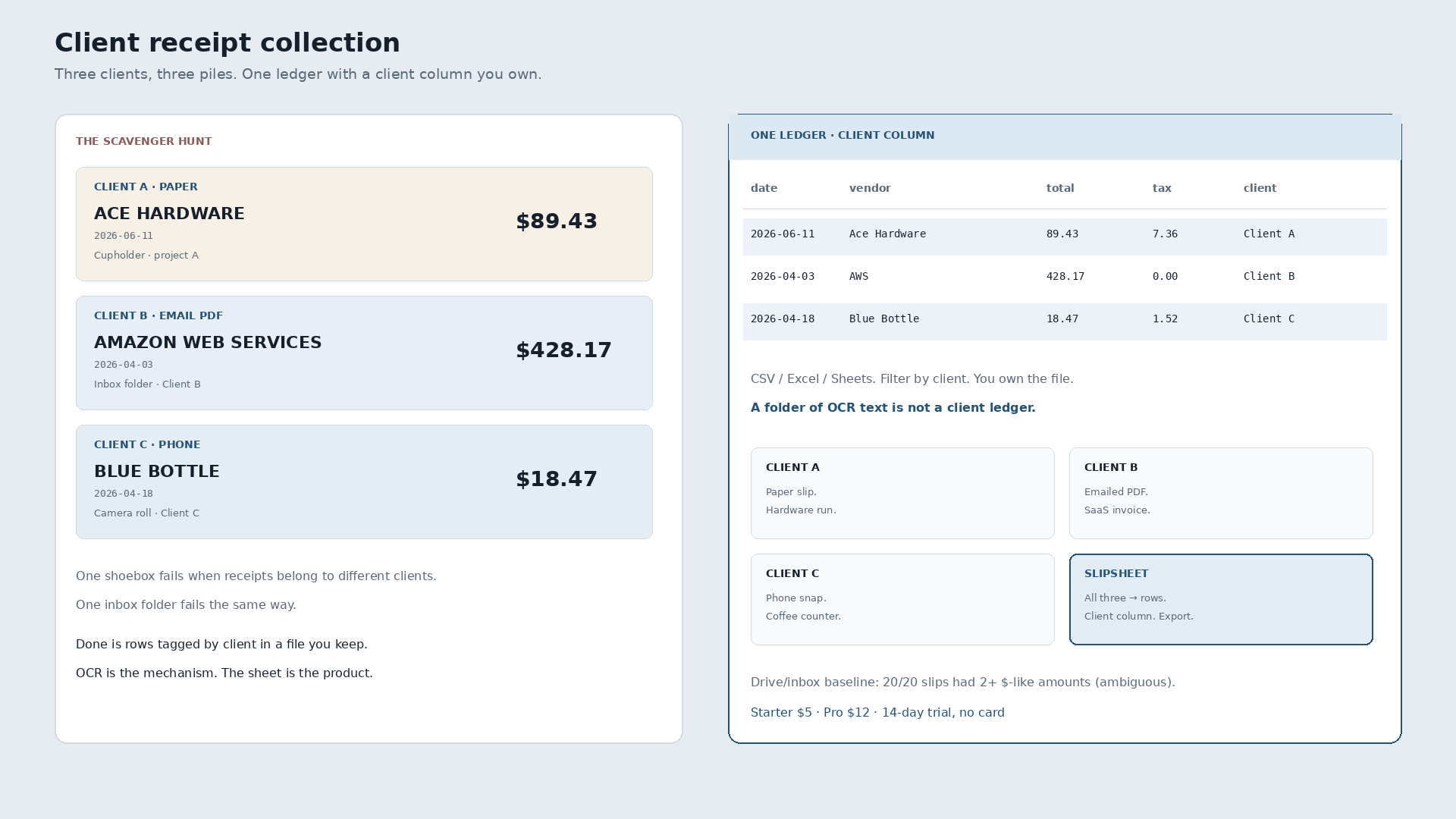
What is client receipt collection? It is gathering every slip that belongs to a client and landing date, vendor, total, tax, and a client tag as rows in a spreadsheet you own. Not a billing tour. Not a tips list. Done means you can filter Client B without opening three apps and a shoebox.
Freelancers and one-person shops rarely lose receipts in one pile. They lose them across clients. Client A leaves a paper Ace Hardware tape in the cupholder after a site run ($89.43, June 11). Client B emails an Amazon Web Services PDF ($428.17, April 3) into an inbox folder that also holds personal mail. Client C’s Blue Bottle snap ($18.47, April 18) sits in the camera roll next to weekend photos. One inbox fails. One Drive folder fails. The scavenger hunt starts every time an invoice or tax week needs the week by client.
| Date | Vendor | Total | Tax | Client | Was sitting in |
|---|---|---|---|---|---|
| 2026-06-11 | Ace Hardware | 89.43 | 7.36 | Client A | Paper in the cupholder |
| 2026-04-03 | Amazon Web Services | 428.17 | 0.00 | Client B | Email PDF |
| 2026-04-18 | Blue Bottle Coffee | 18.47 | 1.52 | Client C | Phone camera roll |
Those totals are measured slips from a local Q2 2026 research corpus (n=20 synthetic receipts). Client A/B/C labels are the freelancer framing on top of the same four fields. Narrative only: not a claim that OCR invented the client names.
Why one folder is not a client ledger
Paper, emailed PDFs, and phone snaps are different intake. The ledger shape stays the same: columns you can sort. Dump OCR text into Drive or leave PDFs in Receipts and you still have ambiguous dollar amounts on every slip. On that same corpus, 20/20 receipts had two or more currency-like numbers (100% ambiguity). Average 6.05 $-like matches per receipt. 121 matches across the set. Grepping a folder does not answer “what did Client A spend.”
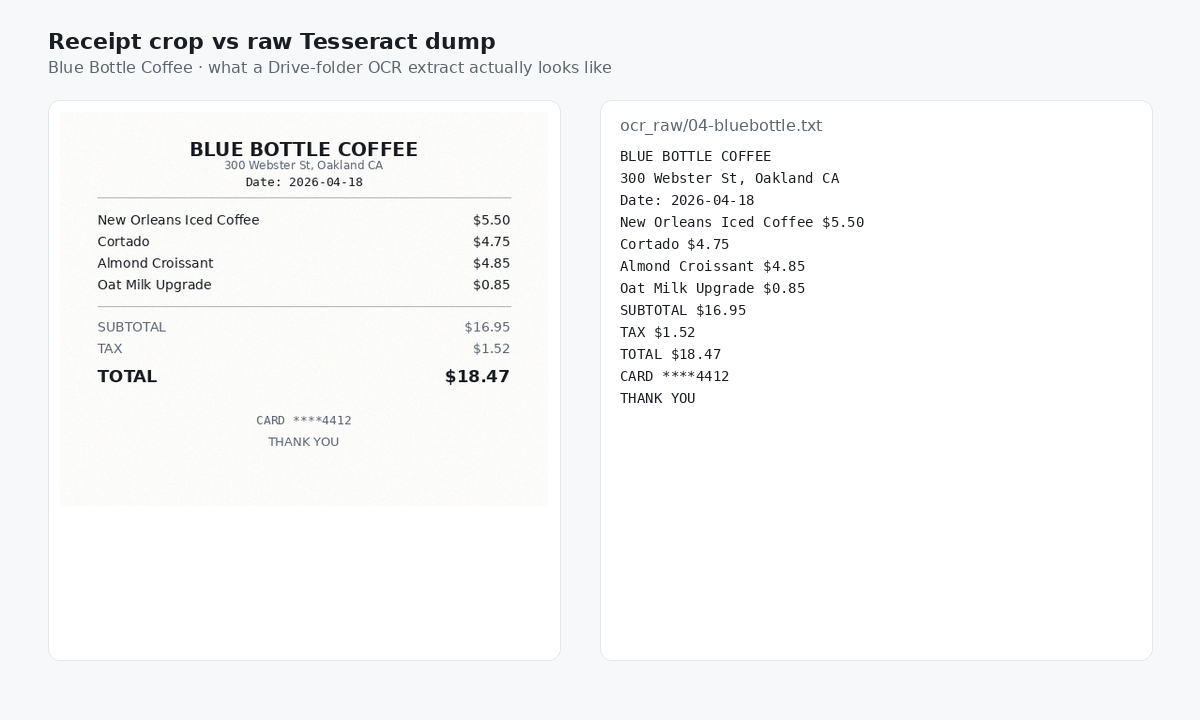
Local Tesseract 5.5.0 baseline on the corpus: vendor 95%, date 100%, total 100%, tax 60%, all four fields correct 55% (11/20). Ground-truth Q2 sum $2,034.43 matched OCR-parsed sum ($0.00 abs error). Synthetic clean PNGs, not crumpled phone photos. Dumb OCR / Drive-like extract, not a dunk on named paid tools we did not test the same way. Field accuracy is not the same job as a client column you maintain.
What “done” looks like for client receipt collection
Photograph Client A’s hardware tape. Forward Client B’s SaaS PDF. Snap Client C’s coffee. Review three rows with the client column filled. Export CSV or Excel. Filter Client B when their invoice week arrives. You own the file. Excel and Sheets stay fine destinations. Typing every line from three piles is the job that breaks.
Slipsheet Starter is $5 a month for 250 receipts. Pro is $12 a month for 1,500. Fourteen-day trial, no card. Photo, PDF, or forward to the inbox at receipts@slipsheet.app, then CSV, Excel, or Sheets. You still glance at the totals and the client tags. The scavenger hunt is optional.
A few straight answers
Is a separate email folder per client enough?
Enough for finding the PDF later. Not enough when you need totals by client without opening each message and typing.
Do I need a full billing suite to collect client receipts?
Not if the destination is a spreadsheet you own. Billing and invoicing are different jobs. This page is collection into tagged rows.
Can paper, email, and phone snaps live in one ledger?
Yes. Intake varies. The row shape stays the same: date, vendor, total, tax, client.