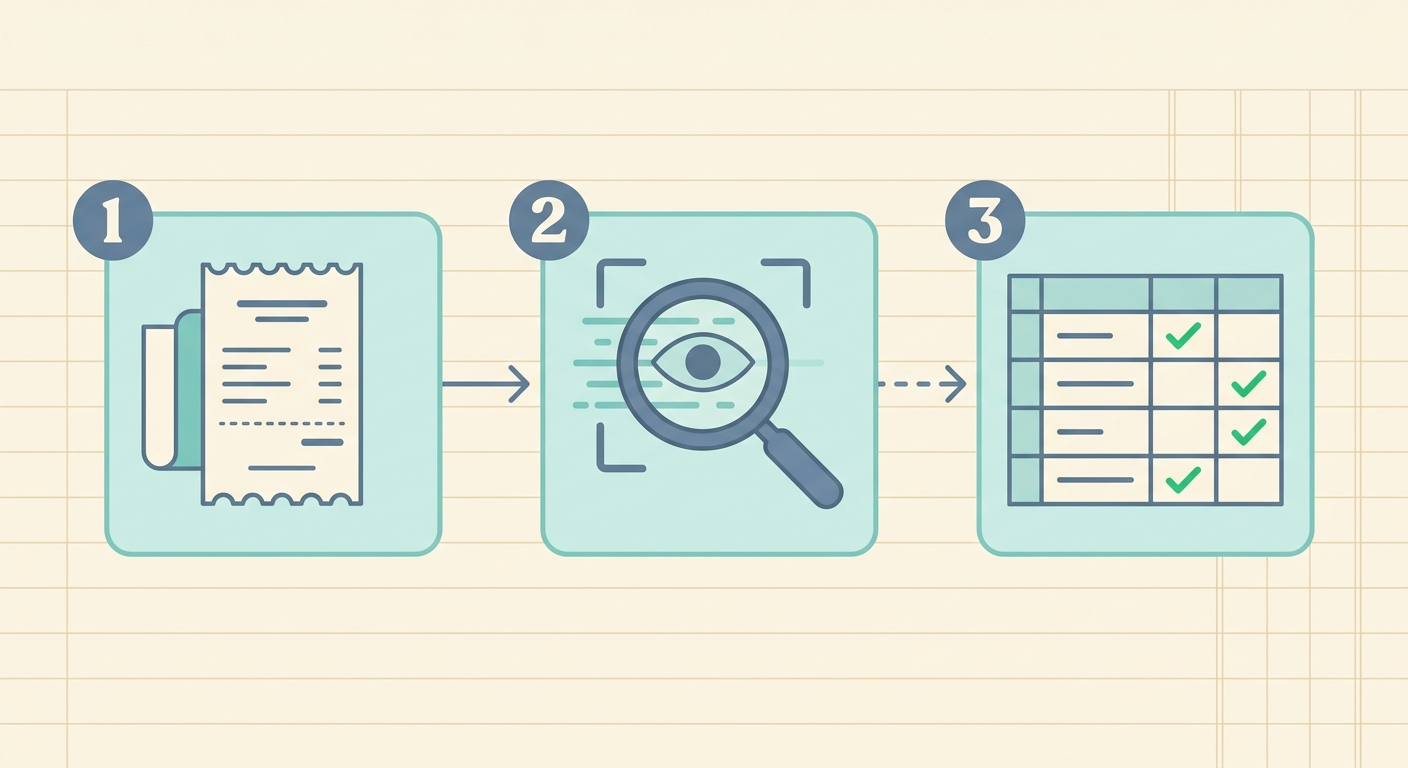
Managing expenses, tracking purchases, and preparing for tax season often involve a mountain of receipts. Traditionally, this has meant hours of tedious manual data entry, a process prone to errors and significant time consumption. However, modern technology offers a powerful solution: the ability to extract data from receipt images. This revolutionary approach transforms scattered paper and digital receipts into organized, actionable data, streamlining financial management for individuals and businesses alike.
Imagine a world where every receipt, whether a crumpled paper slip or an email confirmation, automatically populates a spreadsheet, ready for analysis. This guide will walk you through the process of leveraging advanced tools, like SlipSheet, to achieve precisely that. We will cover everything from preparing your receipts to exporting your meticulously organized data, ensuring you can efficiently manage your financial records with minimal effort.
What You Need to Extract Data from Receipt Images
Before diving into the extraction process, it is helpful to understand the basic tools and resources you will need. Fortunately, the requirements are minimal and likely items you already possess or can easily access:
- Your Receipts: This includes physical paper receipts, digital receipts received via email, or even screenshots of online purchases.
- A Smartphone or Scanner: For physical receipts, a smartphone with a good camera is often sufficient. Alternatively, a dedicated scanner can provide higher quality images, especially for large volumes.
- An Internet Connection: Most advanced data extraction tools operate in the cloud, requiring an internet connection to process your images and deliver results.
- Specialized Data Extraction Software: This is the most crucial component. Generic OCR (Optical Character Recognition) software may identify text, but specialized tools, such as SlipSheet, are designed to understand the structure of receipts, accurately identify key data points, and categorize information effectively.
Using a purpose-built tool like SlipSheet significantly enhances accuracy and reduces the need for extensive manual corrections, making the entire process far more efficient than attempting to use general-purpose text recognition.
Phase 1: Gather Your Receipts
The first step in any data extraction project is to consolidate your source material. Whether you are dealing with a handful of recent purchases or a backlog of months, effective organization at this stage will save you time later.
- For Physical Receipts: Collect all your paper receipts. If they are wrinkled or creased, gently flatten them to ensure the text is as legible as possible. Grouping them by date or category can be helpful, but it is not strictly necessary as the software will handle the data organization.
- For Digital Receipts: Locate email receipts in your inbox. Many tools, including SlipSheet, offer direct integration or a dedicated email address to forward these digital documents, eliminating the need for screenshots or manual uploads. Consider creating a specific folder in your email client to keep them tidy.
- For Online Purchases: Take clear screenshots of digital receipts displayed on websites if they are not emailed to you. Ensure all relevant details, such as vendor name, date, and total, are visible.
A little preparation goes a long way in ensuring the highest quality input for the extraction software, leading to more accurate and reliable data output.
Phase 2: Upload or Capture Receipts with SlipSheet
Once your receipts are gathered, the next phase involves feeding them into your chosen data extraction tool. This is where SlipSheet truly shines, offering multiple intuitive methods for inputting your receipts.
- Using Your Smartphone Camera: For physical receipts, simply open the SlipSheet app on your smartphone. The app's intelligent camera function guides you to capture clear, well-lit photos of your receipts. It is designed to optimize image quality for accurate data recognition, helping you avoid common issues like blurriness or poor lighting.
- Emailing Receipts Directly: For digital receipts, SlipSheet provides a unique email address. You can forward any email receipt directly to this address, and SlipSheet will automatically process it, extracting all the necessary information. This feature is a huge time-saver for online shoppers and service subscribers.
- Uploading Files: If you have scanned receipts or digital receipts saved on your computer as image files (JPG, PNG) or PDFs, you can easily upload them through the SlipSheet web interface. This flexibility ensures that all your receipt types can be processed seamlessly.
SlipSheet's sophisticated algorithms then get to work, employing advanced OCR and machine learning to identify and categorize critical information such as vendor names, dates, total amounts, line items, taxes, and payment methods. The goal is to accurately extract data from receipt images with minimal user intervention.
Phase 3: Review Extracted Fields and Make Corrections
While modern data extraction tools, especially those built with advanced AI like SlipSheet, boast impressive accuracy rates, a quick review of the extracted data is always a wise practice. This step ensures that every detail is precisely as it should be, providing you with complete confidence in your financial records.
- Automated Accuracy: SlipSheet is designed for high precision, often achieving near-perfect extraction. However, factors like extremely faded ink, crumpled paper, or unusual receipt layouts can occasionally lead to minor discrepancies.
- User-Friendly Interface: After processing, SlipSheet presents the extracted data in an easy-to-read format. You can see the original receipt image alongside the recognized fields, allowing for quick side-by-side verification.
- Simple Corrections: If a field is incorrect or missing, SlipSheet's interface allows for effortless editing. You can manually adjust any data point, ensuring that your spreadsheet will be perfectly accurate before export. This human-in-the-loop approach combines the speed of automation with the reliability of human oversight.
This review phase is crucial for maintaining data integrity and is typically a very swift process thanks to the high initial accuracy provided by specialized tools.
Phase 4: Export or Share Your Organized Data
With your receipt data accurately extracted and verified, the final step is to put it to use. SlipSheet offers versatile options for exporting and sharing your newly organized financial information, integrating seamlessly with your existing workflows.
- Export to Spreadsheets: The most common and useful export option is to a spreadsheet format, such as CSV or Microsoft Excel (XLSX). SlipSheet generates clean, structured spreadsheets, with each receipt typically occupying a row and each data point (vendor, date, total, etc.) in its own column. This format is ideal for further analysis, budgeting, or import into accounting software.
- Integrate with Accounting Software: Depending on your needs, SlipSheet may offer direct integrations or easy import capabilities for popular accounting platforms. This minimizes manual entry into other systems, saving even more time.
- Share with Others: If you work with an accountant, bookkeeper, or a team, you can easily share the exported files, ensuring everyone has access to the same, reliable data set.
This phase transforms raw receipt images into valuable, structured data, ready to power your financial decisions and streamline your reporting.
Common Mistakes to Avoid When Extracting Data from Receipt Images
While the process of extracting data from receipt images is largely automated with tools like SlipSheet, being aware of potential pitfalls can further enhance your success and accuracy.
- Poor Image Quality: Blurry, dark, or overexposed photos are the biggest culprits for inaccurate extraction. Always aim for clear, well-lit images where all text is legible.
- Crumpled or Damaged Receipts: Receipts that are heavily creased, torn, or have significant sections obscured will naturally be harder for any software to process accurately. Try to flatten receipts before capturing.
- Using Generic OCR: Relying on general-purpose OCR software that is not specifically trained on receipt layouts will lead to much lower accuracy and require extensive manual correction. Specialized tools understand the nuances of receipt formats.
- Skipping the Review Phase: Even with highly accurate tools, omitting the quick review step can allow minor errors to propagate into your financial records. A brief check ensures 100% accuracy.
- Not Utilizing Digital Receipt Features: Overlooking features like direct email forwarding for digital receipts means you might be unnecessarily converting them to images, adding an extra, avoidable step.
By avoiding these common mistakes, you can maximize the efficiency and accuracy of your receipt data extraction process.
Extracting data from receipt images no longer needs to be a daunting task. With specialized tools like SlipSheet, you can transform a tedious chore into a seamless, automated process. From capturing images to exporting perfectly organized spreadsheets, the journey from physical receipt to actionable data is remarkably straightforward. Embrace the power of intelligent automation to save time, reduce errors, and gain better control over your financial records.
Ready to revolutionize your expense management? Visit slipsheet.app today and start turning your receipt chaos into organized financial clarity.
FAQ
Why should I extract data from receipt images?
Extracting data from receipt images saves significant time, reduces manual data entry errors, and simplifies expense tracking, budgeting, and tax preparation for individuals and businesses.
How accurate is automatic data extraction from receipts?
With specialized tools like SlipSheet, automatic data extraction is highly accurate, often achieving near-perfect results, although a quick human review is always recommended for absolute precision.
What specific data points can be extracted from a receipt?
Typically, tools can extract the vendor name, date of purchase, total amount, individual line items, applicable taxes, and the payment method used.
Can data be extracted from old or faded receipts?
The ability to extract data from old or faded receipts depends on their legibility; clear, well-preserved receipts yield the best results, but some advanced tools can enhance and process less ideal images.
What file formats does SlipSheet support for receipt images?
SlipSheet supports common image formats like JPG, PNG, and PDF for uploads, and uniquely allows direct processing of email receipts, offering broad compatibility for various receipt types.