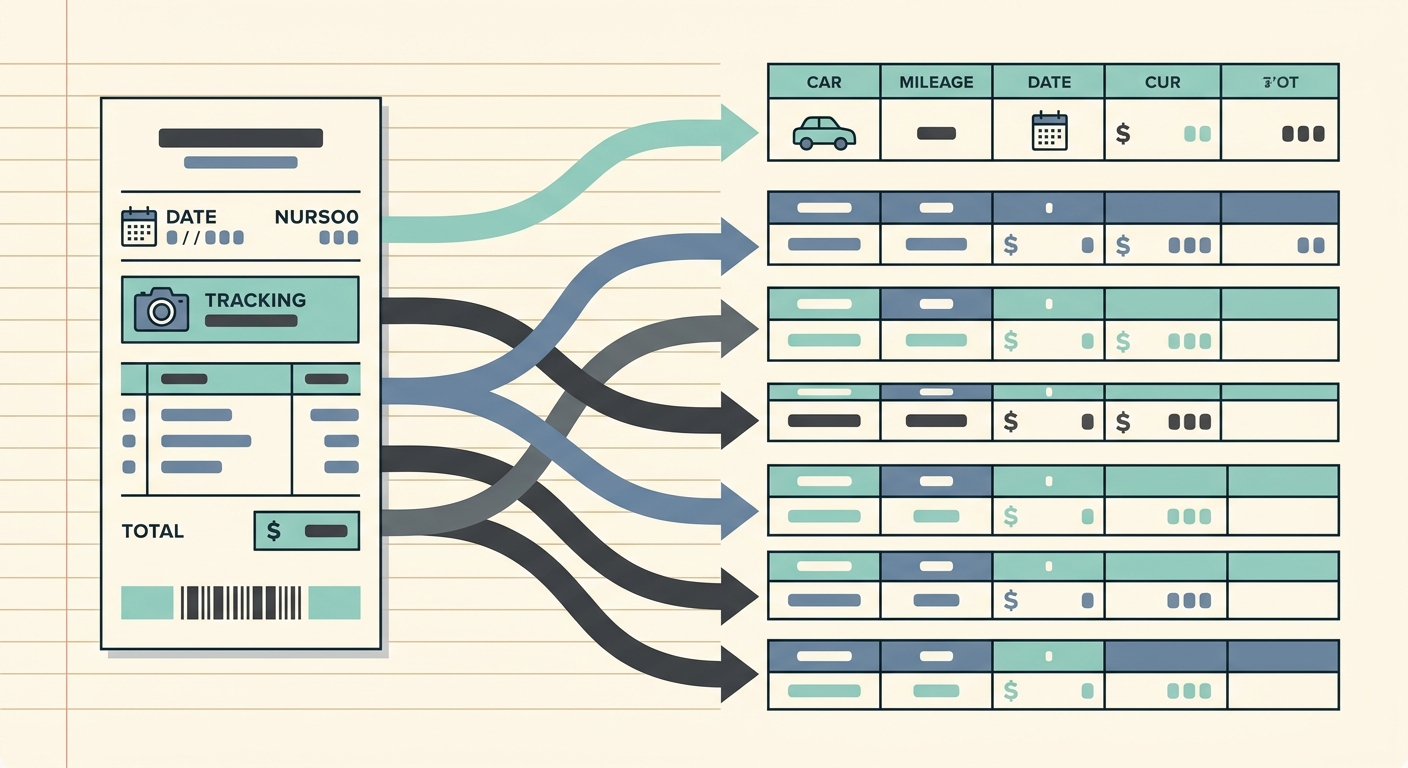
Managing business expenses and mileage can feel like a relentless uphill battle. From stacks of paper receipts to scattered email confirmations, keeping track of every dollar spent and every mile driven is a tedious but essential task. Without an efficient system, you risk missed deductions, audit nightmares, and countless hours wasted on manual data entry. This is where a streamlined mileage and receipt tracking workflow becomes indispensable, transforming chaos into clarity and saving you valuable time and money.
An optimized workflow isn't just about avoiding headaches; it's about gaining control, ensuring accuracy, and maximizing your financial efficiency. Imagine a world where every receipt is instantly digitized, every expense categorized, and every mile recorded, all without breaking a sweat. Tools like SlipSheet are designed precisely for this purpose, turning your receipt photos and email receipts into organized spreadsheet rows, ready for analysis or export. Let's explore how to establish a robust workflow that keeps you on top of your financial game.
Getting Started with an Efficient Workflow
The foundation of any successful mileage and receipt tracking workflow is a clear, repeatable process. Before diving into the specifics, it's crucial to understand the benefits of a structured approach. It reduces errors, ensures consistency, and makes tax season significantly less stressful. For many, the biggest hurdle is simply starting. By embracing a digital-first mindset and leveraging smart tools, you can automate much of the heavy lifting, allowing you to focus on your core business activities.
The goal is to move away from reactive tracking, where you're scrambling to find receipts at the end of the month, to a proactive system where data is captured and processed continuously. This not only improves accuracy but also provides real-time insights into your spending habits. SlipSheet plays a pivotal role here, acting as the central hub where your various expense inputs converge and are intelligently processed, setting the stage for a truly efficient workflow.
Phase 1: Seamless Capture or Upload of Receipts
The first and most critical step in any effective mileage and receipt tracking workflow is the initial capture of expense data. Traditionally, this involved stuffing paper receipts into wallets or shoeboxes, hoping they wouldn't get lost or fade. Email receipts, while digital, often get buried in crowded inboxes. This chaotic approach is a recipe for missed deductions and frustration.
-
Photo Capture: With SlipSheet, capturing physical receipts is as simple as taking a photo with your smartphone. The app's intelligent scanning technology captures all necessary details, ensuring nothing is overlooked. This immediate digitization means no more crumpled papers or faded ink.
-
Email Forwarding: For your digital receipts, SlipSheet offers a dedicated email address. Simply forward your online purchase confirmations, travel bookings, or subscription invoices, and SlipSheet will automatically extract the relevant information, pulling them directly into your workflow.
-
File Uploads: If you have existing digital receipts or PDFs on your computer, you can easily upload them to SlipSheet. This flexibility ensures that no matter where your receipts originate, they can all be consolidated within a single, organized system.
By making the capture process instant and effortless, SlipSheet eliminates the primary bottleneck in receipt management, laying a solid foundation for your comprehensive workflow.
Phase 2: Intelligent Review of Extracted Fields
Once your receipts are captured, the next crucial step in your mileage and receipt tracking workflow involves intelligent data extraction and review. This is where technology truly shines, transforming raw images or emails into structured, usable data. SlipSheet employs advanced Optical Character Recognition, OCR, to automatically identify and pull key information from your receipts.
SlipSheet accurately extracts details such as:
- Vendor name
- Date of transaction
- Total amount
- Currency
- Tax information
While OCR technology is highly accurate, a brief review is always recommended, especially for complex or handwritten receipts. SlipSheet presents the extracted data in an easy-to-read format, allowing you to quickly verify its accuracy and make any necessary minor adjustments. This review phase ensures that your data is clean and reliable before it moves further down the workflow, safeguarding against errors that could impact your financial records or tax filings.
Phase 3: Smart Assignment of Categories and Tags
After data extraction and review, the next vital component of your efficient mileage and receipt tracking workflow is categorization and tagging. This step is crucial for organizing your expenses, understanding your spending patterns, and preparing accurate reports for tax purposes or internal analysis. Without proper categorization, even perfectly captured data remains a jumble.
SlipSheet empowers you to assign meaningful categories to each transaction. Common categories often include:
- Travel expenses, e.g., flights, hotels, public transport
- Meals and entertainment
- Fuel and vehicle maintenance
- Office supplies and equipment
- Software subscriptions
Beyond standard categories, SlipSheet also allows you to add custom tags. These tags provide an extra layer of granularity, letting you track expenses by project, client, department, or any other specific criteria relevant to your business. For instance, you might tag all expenses related to a specific client project, making it easy to generate a detailed cost report for that project. Consistent categorization and tagging are key to unlocking the full analytical potential of your expense data, making reporting and reconciliation a breeze.
Phase 4: Effortless Export to Your Preferred Tool
The final phase of your optimized mileage and receipt tracking workflow is the seamless export of your organized data. All the effort put into capturing, extracting, reviewing, and categorizing culminates here, as your clean, structured data is prepared for its ultimate destination, whether that's an accounting system, a spreadsheet for detailed analysis, or a tax preparation tool.
SlipSheet understands that different users have different needs, which is why it offers flexible export options. You can easily export your expense data in popular formats such as:
- CSV (Comma Separated Values): A universal format compatible with virtually all spreadsheet software and many accounting platforms.
- Google Sheets: Directly export your data to a new or existing Google Sheet for collaborative work or cloud-based storage.
- Excel: Download your organized expenses into an Excel spreadsheet, perfect for detailed analysis, custom formulas, or offline work.
This effortless export capability ensures that your meticulously tracked mileage and receipts can be integrated into your existing financial ecosystem without manual transcription or formatting headaches. It closes the loop on your workflow, providing you with actionable data that drives informed financial decisions and simplifies compliance.
Common Pitfalls and How to Avoid Them in Your Workflow
Even with a robust system like SlipSheet, users can encounter common pitfalls that hinder the effectiveness of their mileage and receipt tracking workflow. Awareness and proactive measures can help you avoid these issues:
-
Delaying Receipt Capture: The biggest mistake is waiting. Always capture receipts immediately after a transaction. SlipSheet makes this easy, so there's no excuse to let them pile up.
-
Inconsistent Categorization: Randomly assigning categories can lead to messy data. Establish a consistent set of categories and tags from the outset and stick to them. This ensures accurate reporting.
-
Skipping the Review Phase: While SlipSheet's OCR is advanced, a quick glance at extracted data can catch any anomalies, especially for unusual or complex receipts. This small step prevents larger errors down the line.
-
Neglecting Mileage Tracking: Don't forget mileage. Integrate mileage logs into your routine. While SlipSheet focuses on receipts, ensure your mileage data is also regularly recorded and associated with relevant trips or projects, either manually or via a dedicated mileage app that can then be reconciled with your SlipSheet exports.
-
Lack of Regular Review: Periodically review your entire expense log. This helps you identify trends, catch errors, and ensure your tracking remains aligned with your business needs and tax requirements.
By being mindful of these common issues and leveraging SlipSheet's features consistently, you can maintain a highly efficient and accurate mileage and receipt tracking workflow.
An optimized mileage and receipt tracking workflow is no longer a luxury, it's a necessity for anyone looking to reclaim their time, reduce stress, and ensure financial accuracy. By embracing the structured phases of capture, review, categorization, and export, and by utilizing intelligent tools like SlipSheet, you can transform a daunting task into a seamless part of your daily operations. Say goodbye to manual data entry and hello to organized financial peace of mind. Ready to revolutionize your mileage and receipt tracking workflow? Visit slipsheet.app today and experience the difference.
FAQ
What is the primary benefit of using a structured mileage and receipt tracking workflow?
A structured workflow ensures accuracy, saves significant time, and prepares you for audits, preventing stress and potential financial discrepancies.
How does SlipSheet handle different types of receipts, such as paper and email?
SlipSheet offers versatile capture methods; you can snap photos of paper receipts, forward email receipts directly, or upload existing digital files for processing.
Can I customize categories for my expenses within SlipSheet?
Yes, SlipSheet allows you to assign standard categories and create custom tags, providing granular control for detailed expense classification and reporting.
What export options does SlipSheet provide for my tracked mileage and receipts?
SlipSheet supports flexible export options, including CSV, Google Sheets, and Excel, enabling seamless integration with most accounting software or personal spreadsheets.
Is SlipSheet suitable for both individual users and small businesses?
Absolutely, SlipSheet's intuitive design and robust features make it an ideal solution for freelancers, small business owners, and individuals seeking to streamline their expense and mileage tracking.