
What is nonprofit receipt management? Turning every program slip (paper, emailed PDF, phone snap) into the same export-ready ledger: vendor, date, total, tax (and category or program when you need it), without retyping. Not a grant-tagging tutorial. Soft product land: a spreadsheet the org file and the auditor folder can open.
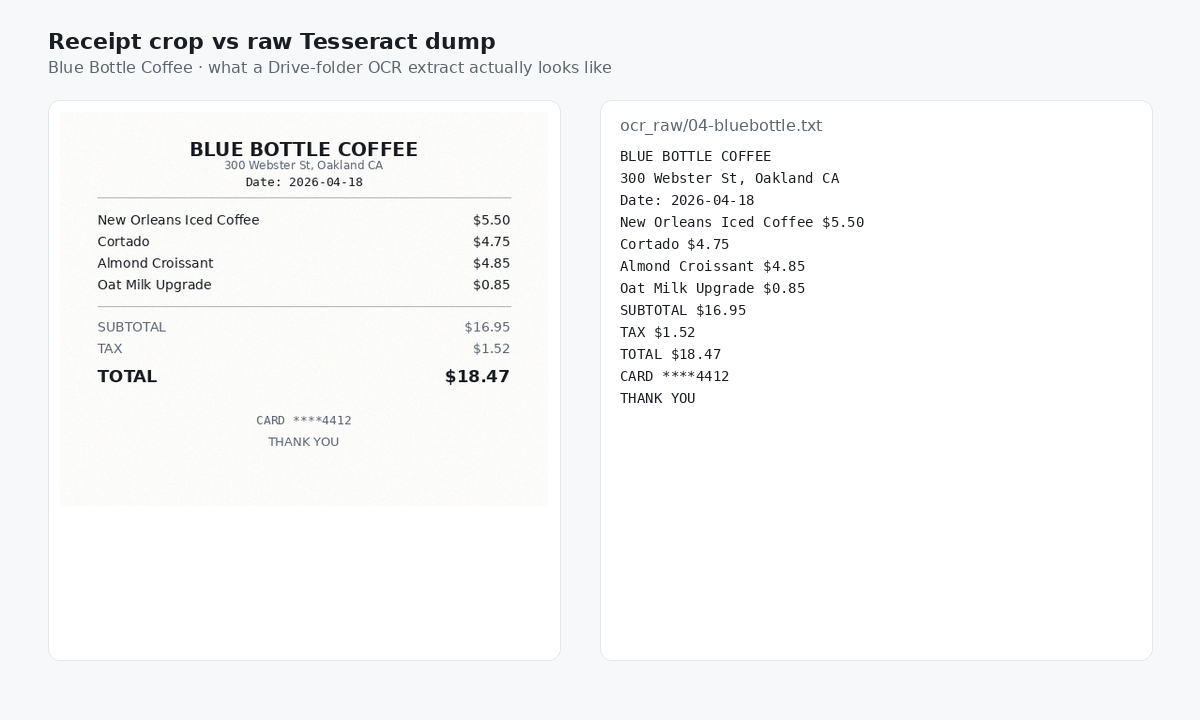
The scavenger hunt looks like this. Crumpled Ace Hardware tape from a youth-program run ($89.43, June 11) still in a volunteer wallet. Amazon Web Services PDF ($428.17, April 3) sitting in the shared inbox. Phone snap of a Blue Bottle cafe ticket after a volunteer meetup ($18.47, April 18). Three formats. One books close due Friday. A Drive dump of OCR text is still ambiguous dollar amounts. The job is clean rows the org owns.
| Date | Vendor | Total | Tax | Was sitting in |
|---|---|---|---|---|
| 2026-06-11 | Ace Hardware | 89.43 | 7.36 | Volunteer wallet · paper |
| 2026-04-03 | Amazon Web Services | 428.17 | 0.00 | Shared inbox · emailed PDF |
| 2026-04-18 | Blue Bottle Coffee | 18.47 | 1.52 | Phone · volunteer meetup |
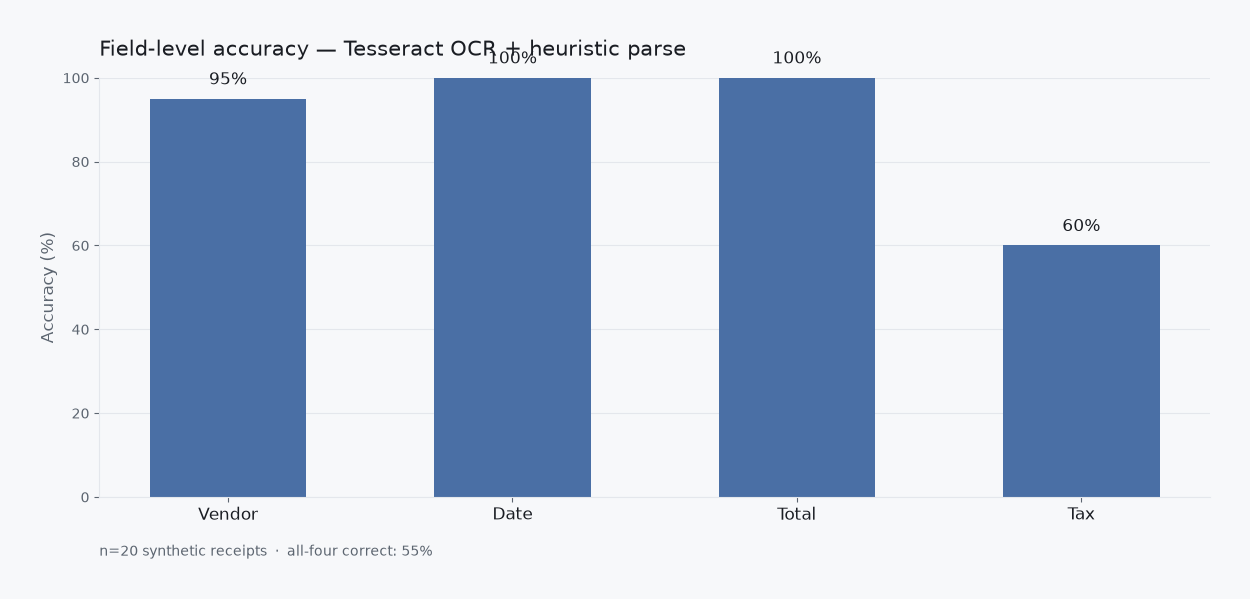
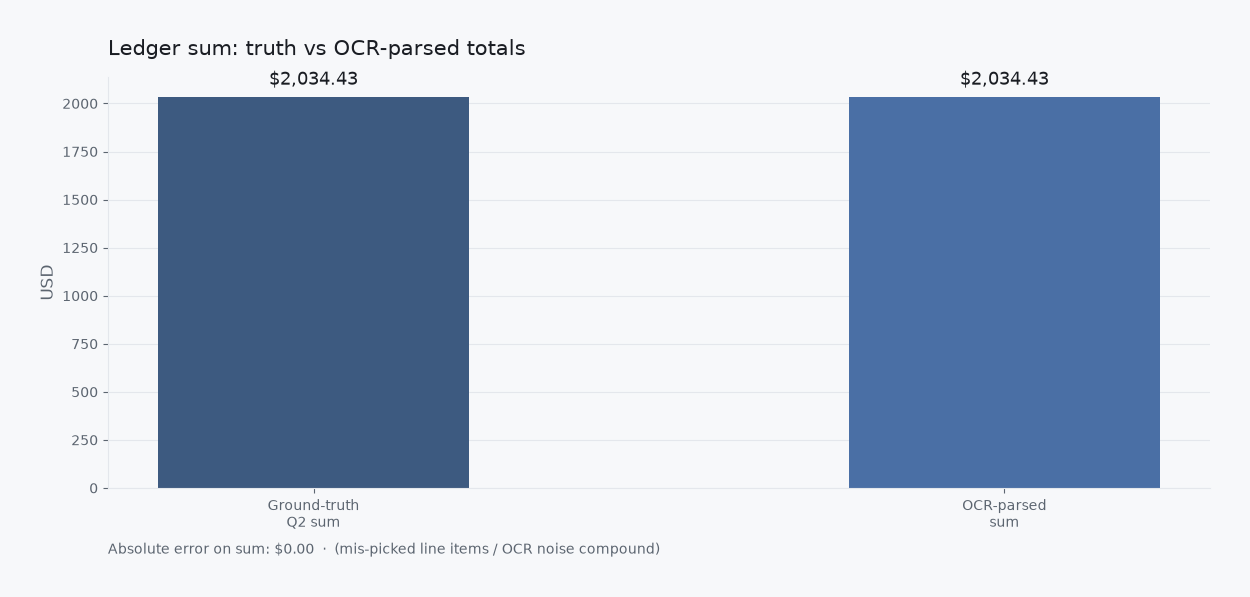
Those totals are measured slips from a local Q2 2026 research corpus (n=20 synthetic receipts). Nonprofit framing is narrative on top of the same four fields. Not invented vendors or totals.
Grant suites vs rows for the books
Grant-compliance and approval suites win when the org needs policies, managers, and tagged reimbursement queues. That is a real job. Many nonprofits still need the opposite shape first: intake from volunteer wallets, shared inboxes, and grant folders into CSV, Excel, or Sheets they drop into the auditor folder. Excel and Sheets stay fine destinations. Typing every line from the hunt is the job that burns the week.
AI and OCR pull digits off the page. They are the mechanism, not the story. The story ends when the row is in the org file. Grant tagging is a later workflow; rows come first. The tagged path lives on nonprofit grant expense workflow if you need that next.
What “done” looks like
Collect the Ace tape from the wallet. Forward the AWS PDF from the shared inbox. Keep the cafe snap. Review three rows. Export. Drop the CSV or Excel into the org file. You own the export. Import into the books or a grant suite later if the close needs it. That is a choice, not a requirement to start.
Slipsheet Starter is $5 a month for 250 receipts. Pro is $12 a month for 1,500. Fourteen-day trial, no card. Photo, PDF, or forward to the inbox at receipts@slipsheet.app, then CSV, Excel, or Sheets. You still glance at the totals. The scavenger hunt is optional.
A few straight answers
Is nonprofit receipt management the same as a grant-tagging workflow?
No. Grant tagging maps spend to funds and codes. Receipt management finishes intake so those codes have clean rows to land on.
Is a folder of OCR text enough for the auditor?
Enough for finding a PDF later. Not enough when line items, tax, and total collide and you still have to build the ledger by hand.
Do we still use Excel or Sheets?
Yes if that is where the org file lives. The management job finishes intake so you open the sheet to use rows, not to retype the hunt.