Streamline Your Quarterly Tax Prep Workflow with SlipSheet
Managing taxes for your business can feel like a constant uphill battle, especially when it comes to quarterly filings. The traditional process, often involving mountains of paper receipts and endless spreadsheets, is not only time-consuming but also prone to errors. A disorganized approach can lead to missed deductions, compliance issues, and unnecessary stress. However, by adopting an efficient quarterly tax prep workflow, you can transform this daunting task into a manageable and even straightforward process. The key lies in leveraging modern tools designed to simplify expense tracking and data organization.
This article will guide you through an optimized quarterly tax prep workflow, highlighting how a tool like SlipSheet can revolutionize the way you handle receipts and financial data. We will cover each crucial phase, from initial capture to final export, ensuring your tax preparation is accurate, timely, and stress-free.
Getting Started: Why a Smooth Quarterly Tax Prep Workflow Matters
Quarterly tax payments are a reality for many small business owners, freelancers, and self-employed individuals. Staying on top of income and expenses throughout the year is not just good practice; it is essential for accurate tax calculations and avoiding penalties. Without a robust system, you risk scrambling at the last minute, overlooking legitimate deductions, and enduring significant frustration. A proactive approach, built around a consistent quarterly tax prep workflow, ensures you have all your financial ducks in a row well before deadlines.
The primary pain points in traditional quarterly tax prep include:
- Manual Data Entry: Typing out details from every receipt is tedious and error-prone.
- Lost or Damaged Receipts: Physical receipts can easily go missing or fade, leading to lost deductions.
- Disorganized Records: Jumbled expenses make it difficult to categorize and reconcile transactions.
- Time Consumption: The sheer volume of work can divert valuable time from core business activities.
SlipSheet addresses these challenges head-on, offering a streamlined solution that automates much of the manual work, allowing you to focus on growing your business rather away from administrative burdens.
Phase 1: Effortless Receipt Capture and Upload
The foundation of any effective quarterly tax prep workflow is accurate and timely receipt capture. Gone are the days of stuffing receipts into shoeboxes or overflowing folders. With SlipSheet, capturing your expenses is as simple as taking a photo or forwarding an email. This initial step is critical for ensuring no expense is overlooked.
- Capture Physical Receipts: Simply open the SlipSheet app on your smartphone, snap a clear picture of your paper receipt, and upload it instantly. SlipSheet’s intelligent technology processes the image, preparing it for data extraction.
- Forward Email Receipts: For online purchases or digital invoices, you can easily forward email receipts directly to your unique SlipSheet email address. This eliminates the need to print digital documents, further streamlining your digital expense tracking.
This immediate capture mechanism ensures that every expense, big or small, is recorded as it happens, preventing the accumulation of a daunting pile of receipts at quarter-end. This proactive approach sets the stage for a much smoother tax preparation process.
Phase 2: Intelligent Data Extraction and Review
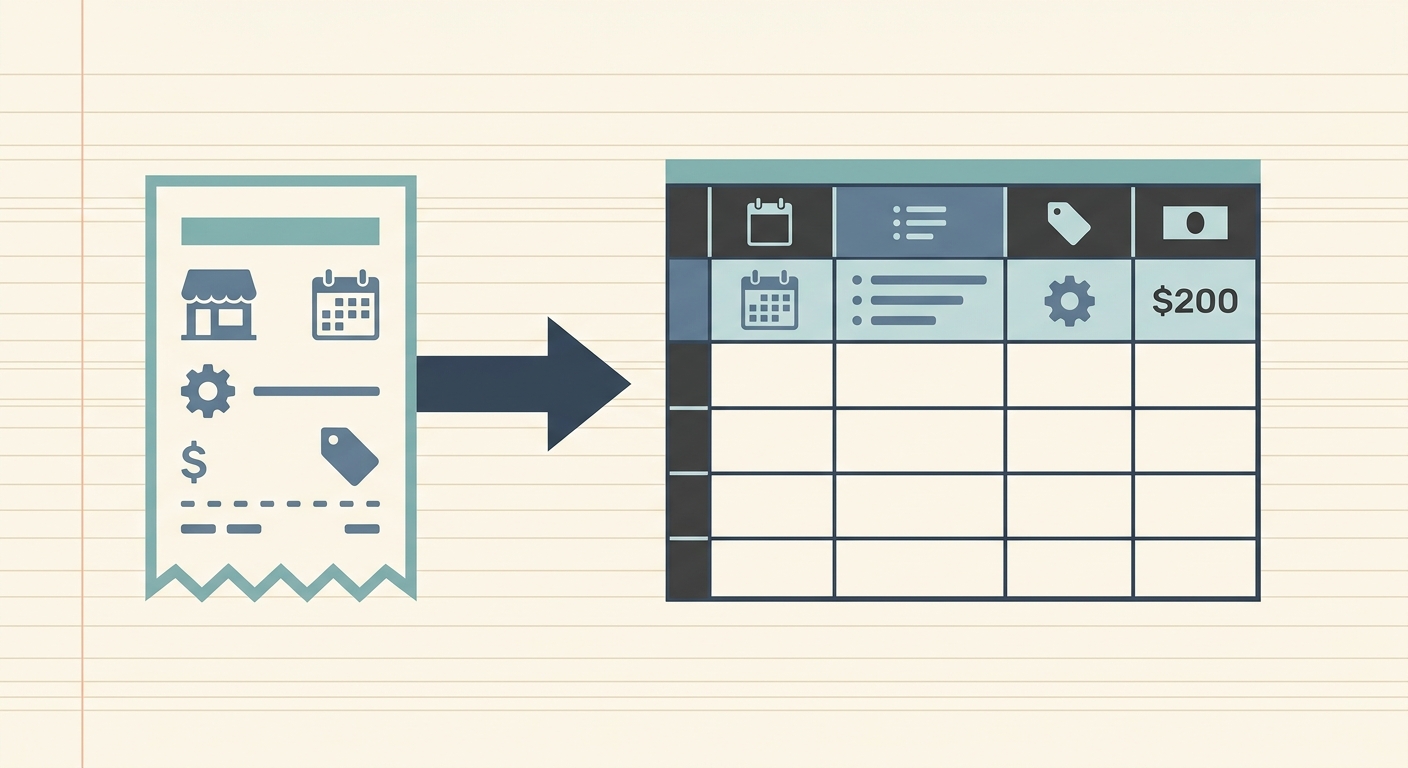
Once your receipts are captured, SlipSheet truly shines by automating the tedious process of data entry. This phase is where raw data is transformed into actionable financial information, ready for your review and categorization. The goal is to quickly and accurately convert receipt images and emails into structured spreadsheet rows.
- Automatic Data Extraction: SlipSheet uses advanced Optical Character Recognition (OCR) technology to automatically extract key information from your receipts. This includes the vendor name, date, total amount, and even line items where available.
- Quick Review and Verification: After extraction, the data is presented to you in an intuitive interface. You can quickly review the extracted fields to ensure accuracy. If any detail needs adjustment, it can be edited directly within SlipSheet in moments, guaranteeing that your records are perfect.
This automated extraction significantly reduces the time you would otherwise spend manually inputting data, virtually eliminating transcription errors. It is a cornerstone of an efficient quarterly tax prep workflow.
Phase 3: Smart Categorization and Tagging for Clarity
Accurate categorization is paramount for tax purposes, as it directly impacts which expenses are deductible and how they are reported. SlipSheet makes this process straightforward, helping you organize your financial data intelligently. This step ensures your expenses are properly classified before they are exported for tax preparation.
- Assign Categories: Easily assign each expense to a relevant category, such as office supplies, travel, meals, or professional services. You can use pre-defined categories or create custom ones that align with your business and tax requirements.
- Add Tags and Notes: Enhance your organization by adding custom tags, like 'client project X' or 'Q1 marketing campaign', and include specific notes for additional context. This detailed tagging capability provides granular insights and supports robust record-keeping for audit purposes.
By categorizing and tagging expenses diligently, you build a clear picture of your spending, making it simple to identify deductible expenses and prepare comprehensive reports for your tax professional. This organized approach is vital for a stress-free quarterly tax prep workflow.
Phase 4: Seamless Export to Your Preferred Tax Tools
The final step in your optimized quarterly tax prep workflow is to export your meticulously organized data. SlipSheet ensures your financial information is easily transferable to the tools you already use for accounting and tax filing, making the transition from expense tracking to tax preparation smooth and efficient.
- Flexible Export Formats: Export your data in popular formats like CSV or Excel spreadsheets. These universal formats are compatible with most accounting software, tax preparation platforms, and can be easily shared with your accountant.
- Ready for Accounting Software: The clean, structured data from SlipSheet can be directly imported into your preferred accounting software, such as QuickBooks, Xero, or FreshBooks, minimizing manual data entry during the reconciliation process.
- Simplified Tax Filing: With all your expenses neatly categorized and exported, generating reports for your quarterly tax filings becomes a quick and simple task. You or your tax professional will have immediate access to all the necessary documentation, reducing preparation time significantly.
This seamless export capability ensures that the effort put into capturing and organizing receipts pays off exponentially when it is time to file your taxes, solidifying an efficient and reliable workflow.
Common Pitfalls in Quarterly Tax Prep and How to Avoid Them
Even with good intentions, several common issues can derail an otherwise efficient quarterly tax prep workflow. Recognizing these pitfalls and understanding how SlipSheet helps you circumvent them can save you considerable time and potential financial headaches.
- Lost Receipts: The most common pitfall. Physical receipts are easily misplaced, faded, or damaged. SlipSheet solves this by digitizing receipts instantly upon capture, creating a permanent, cloud-based record.
- Incorrect or Inconsistent Categorization: Without a standardized system, expenses can be miscategorized, leading to errors in tax deductions. SlipSheet’s customizable categories and easy assignment process ensure consistency and accuracy across all your expenses.
- Procrastination: Putting off expense tracking until the last minute creates immense pressure and increases the likelihood of errors. SlipSheet’s 'capture as you go' functionality encourages continuous, low-effort tracking, eliminating the need for quarterly crunch times.
- Manual Data Entry Errors: Human error is inevitable when manually typing data from dozens or hundreds of receipts. SlipSheet’s automated OCR extraction minimizes these errors, providing a more reliable dataset for your tax filings.
By proactively addressing these challenges with a tool like SlipSheet, you can maintain a clean, accurate, and audit-ready financial record throughout the year, making each quarterly tax preparation period a breeze.
An optimized quarterly tax prep workflow is not just about compliance; it is about reclaiming your time, reducing stress, and gaining a clearer financial picture of your business. By integrating SlipSheet into your routine, you transform a traditionally burdensome task into an efficient, automated, and accurate process. From capturing receipts to exporting perfectly organized data, SlipSheet empowers you to manage your expenses with confidence and precision. Take control of your quarterly tax preparation today and experience the difference a streamlined workflow can make. Visit slipsheet.app to get started.
FAQ
What is SlipSheet?
SlipSheet is a powerful tool designed to transform receipt photos and email receipts into organized spreadsheet rows. It automates data extraction, making expense tracking efficient and accurate.
How does SlipSheet help with quarterly tax prep?
SlipSheet streamlines your quarterly tax prep workflow by digitizing receipts, extracting key data, allowing for easy categorization, and exporting clean, structured data for your accounting software or tax professional.
What types of receipts can I process with SlipSheet?
You can process both physical paper receipts by taking a photo with your smartphone and digital email receipts by forwarding them to your unique SlipSheet email address.
Can I integrate SlipSheet with my accounting software?
While SlipSheet does not offer direct integrations, it allows you to export your organized data in universal formats like CSV or Excel. These files can then be easily imported into most popular accounting software programs.
How secure is my financial data with SlipSheet?
SlipSheet prioritizes the security of your financial data through robust encryption and secure cloud storage. Your information is protected throughout the entire process, from capture to export.