Streamline Your Expense Reporting: The Ultimate Receipt to Expensify Workflow with SlipSheet
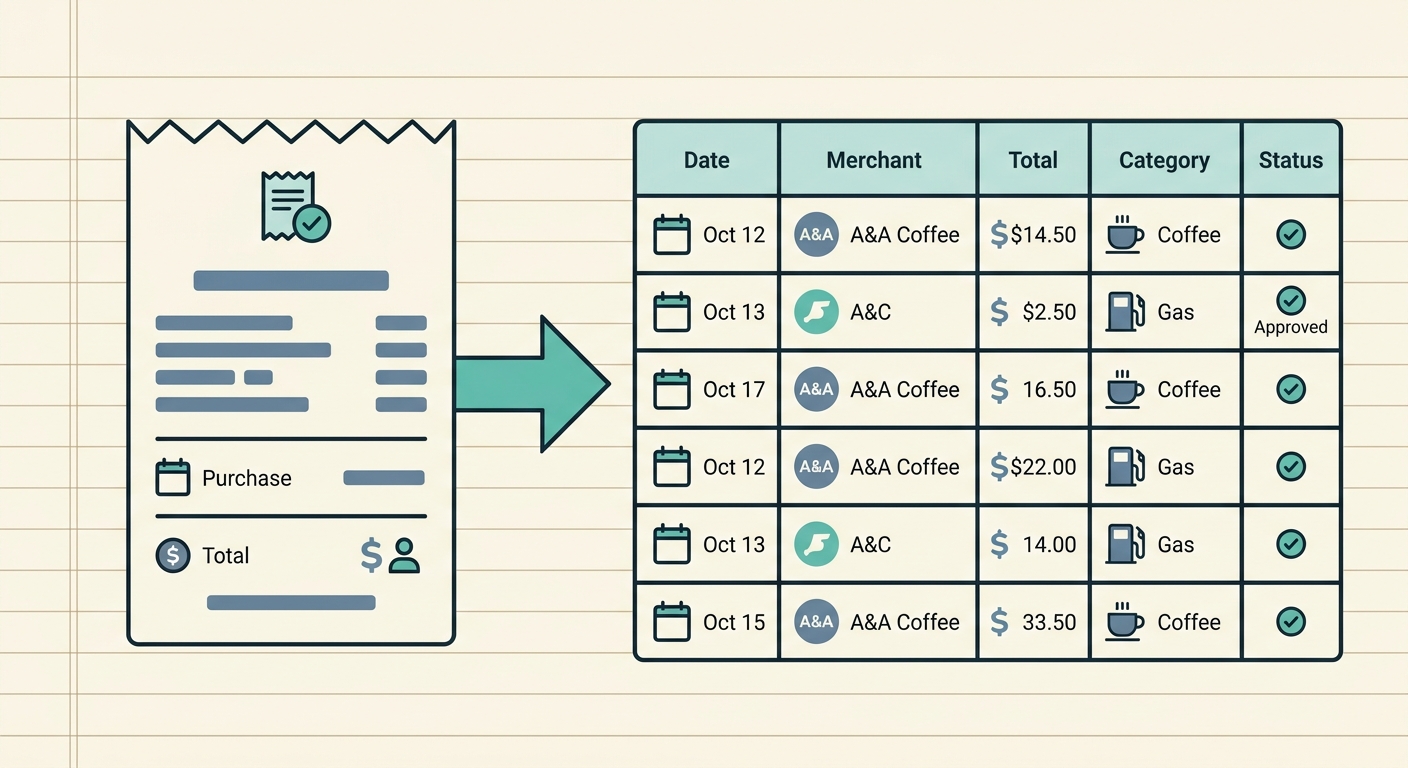
Managing business expenses can often feel like a never-ending battle against a mountain of paper receipts, digital invoices, and manual data entry. For professionals and businesses relying on Expensify for expense management, the journey from a crumpled receipt to a submitted report can be riddled with inefficiencies. This is where an optimized receipt to Expensify workflow becomes not just a convenience, but a necessity. Imagine a world where your receipts magically transform into perfectly formatted spreadsheet rows, ready for Expensify. That world is made possible with SlipSheet.
In this comprehensive guide, we will walk you through how SlipSheet revolutionizes your expense reporting, creating a seamless, accurate, and incredibly efficient receipt to Expensify workflow. Say goodbye to the tedious hours spent transcribing details and hello to automated precision.
Getting Started with a Streamlined Receipt to Expensify Workflow
Before diving into the specifics, it is essential to understand why streamlining your expense process is crucial. Manual data entry is prone to errors, time-consuming, and takes valuable time away from core business activities. For businesses of all sizes, ensuring accurate and timely expense reporting is vital for budgeting, tax compliance, and financial oversight. Expensify offers robust features for expense management, but its effectiveness hinges on the quality and ease of data input. SlipSheet acts as the perfect bridge, ensuring your data enters Expensify cleanly and effortlessly.
The core principle of an efficient workflow is to minimize manual touchpoints. By digitizing and automating the initial data capture and extraction phase, you set the stage for a much faster and more reliable journey to Expensify. SlipSheet is designed precisely for this purpose, transforming raw receipt data into structured information ready for your financial systems.
Phase 1: Effortless Receipt Capture and Upload
The first hurdle in any expense reporting process is getting the receipt information into a usable format. SlipSheet excels at this, offering multiple intuitive ways to capture your receipts, regardless of their original form. This flexibility is key to maintaining a consistent receipt to Expensify workflow.
- Photo Receipts: Simply snap a picture of your paper receipt using your smartphone. SlipSheet's intelligent OCR (Optical Character Recognition) technology instantly goes to work, recognizing and extracting all relevant information. No more struggling with illegible handwriting or faded print, just clear, digital data.
- Email Receipts: For online purchases and digital invoices, simply forward your email receipts to your dedicated SlipSheet email address. SlipSheet automatically processes the content, pulling out vendor names, dates, amounts, and other crucial details. This feature is a game-changer for e-commerce transactions.
- Direct Uploads: Have a PDF invoice or a saved image of a receipt on your computer? You can easily upload these files directly to SlipSheet. The system processes them with the same accuracy and speed as photo and email receipts.
This initial phase, powered by SlipSheet, eliminates the need for manual transcription, saving countless hours and drastically reducing the potential for human error right from the start of your receipt to Expensify workflow.
Phase 2: Accurate Data Extraction and Review
Once your receipts are captured, SlipSheet's advanced technology takes over, moving to the critical phase of data extraction. This is where the magic happens, transforming unstructured receipt images or emails into organized, actionable data.
- Intelligent OCR and AI: SlipSheet employs cutting-edge OCR combined with artificial intelligence to identify and extract key data points from every receipt. This includes the vendor name, transaction date, total amount, currency, and even line-item details where available. The system is continuously learning, improving its accuracy with every receipt it processes.
- High Accuracy Rates: Thanks to its sophisticated algorithms, SlipSheet boasts impressive accuracy rates. This means you can trust that the data extracted is reliable, minimizing the need for extensive manual corrections later on. High accuracy is paramount for maintaining data integrity throughout your receipt to Expensify workflow.
- User Review and Correction: While SlipSheet is highly accurate, it also provides an intuitive interface for a quick human review. You can easily glance over the extracted fields, make any necessary minor adjustments, or add missing information. This collaborative approach, combining AI efficiency with human oversight, ensures perfect data quality before export.
This phase ensures that all the necessary information is not only extracted but also validated, setting a strong foundation for a seamless transfer to Expensify.
Phase 3: Smart Categorization and Tagging for Expensify Readiness
Preparing your expense data for Expensify requires more than just extracting numbers and dates. It demands proper categorization and tagging to align with your company's accounting structure and reporting needs. SlipSheet makes this process intelligent and efficient, a vital step in your receipt to Expensify workflow.
- Customizable Categories: SlipSheet allows you to define and manage custom categories that perfectly mirror those set up in your Expensify account. This ensures consistency across your financial systems, making reconciliation and reporting straightforward.
- Flexible Tagging and Labels: Beyond basic categories, you can add custom tags or labels to your expenses. These might include project codes, client names, departments, or any other identifier crucial for detailed analysis or internal tracking. This granular level of detail is invaluable for comprehensive expense reporting.
- Automated Rule Creation: One of SlipSheet's most powerful features is its ability to learn from your actions. As you categorize and tag receipts, SlipSheet can create rules. For example, it can learn that all receipts from "Starbucks" should be categorized as "Meals & Entertainment" and automatically apply this rule to future Starbucks receipts. This automation dramatically speeds up the categorization process over time.
By intelligently categorizing and tagging your expenses within SlipSheet, you are effectively pre-processing your data, making it perfectly ready for import into Expensify with minimal additional effort.
Phase 4: Seamless Export to Expensify and Beyond
The final and most satisfying step in your optimized receipt to Expensify workflow is exporting your perfectly organized data. SlipSheet ensures this transition is smooth and hassle-free.
- Expensify-Ready CSV Export: While direct integrations can be complex, SlipSheet focuses on providing a robust, flexible export. You can easily export your processed receipts as a CSV (Comma Separated Values) file. This file is structured in a way that makes it incredibly easy to import into Expensify, often directly mapping to Expensify's SmartScan or manual upload fields.
- Batch Processing: Instead of exporting one receipt at a time, SlipSheet allows you to select and export multiple receipts simultaneously. This batch processing capability is a huge time-saver, especially for those who process expenses weekly or monthly.
- Consistent Data Format: Every export from SlipSheet adheres to a consistent data format. This consistency is vital for maintaining data integrity in Expensify and ensures that your reports are always accurate and ready for review.
With your data neatly exported from SlipSheet, uploading it to Expensify becomes a matter of a few clicks, completing your efficient receipt to Expensify workflow and freeing you from the burdens of manual data entry.
Common Pitfalls in the Receipt to Expensify Workflow and How to Avoid Them
Even with powerful tools like SlipSheet, being aware of common challenges can further enhance your efficiency.
- Poor Photo Quality: Blurry or poorly lit receipt photos can challenge even the best OCR. Always aim for clear, well-lit pictures that capture the entire receipt. SlipSheet tries its best with imperfect images, but clear inputs yield the best results.
- Delaying Receipt Processing: Letting receipts pile up defeats the purpose of an efficient workflow. Make it a habit to capture and process receipts regularly, perhaps daily or weekly. SlipSheet makes this quick and easy, so there is no reason to postpone.
- Inconsistent Categorization: Ensure your categories in SlipSheet align with your Expensify setup from the beginning. Inconsistent categorization can lead to confusion and extra work during reconciliation. Leverage SlipSheet's rule-based automation to maintain consistency.
- Not Leveraging Automation: Many users underutilize the smart features of tools like SlipSheet. Take the time to set up custom rules and categories; the initial investment pays off immensely in long-term time savings.
By avoiding these common pitfalls, you can ensure your receipt to Expensify workflow remains as smooth and efficient as possible.
Transforming your expense reporting from a tedious chore into a streamlined, automated process is no longer a distant dream. With SlipSheet, your receipt to Expensify workflow becomes a model of efficiency, accuracy, and ease. From the moment you capture a receipt to the final export to Expensify, SlipSheet handles the heavy lifting, giving you back valuable time and peace of mind. Experience the future of expense management today. Visit slipsheet.app to get started and revolutionize your financial processes.
FAQ
How does SlipSheet integrate with Expensify?
SlipSheet streamlines your data for Expensify by allowing you to export processed receipt data into a clean, Expensify-ready CSV file. This file can then be easily imported into your Expensify account, minimizing manual entry.
What types of receipts can SlipSheet process?
SlipSheet can process a wide variety of receipt types, including photo receipts from your smartphone, email receipts, and digital receipts uploaded as PDFs or image files. Its advanced OCR technology handles diverse formats effectively.
Is my financial data secure with SlipSheet?
Yes, SlipSheet prioritizes the security and privacy of your financial data. All data is processed and stored using industry-standard security protocols to ensure your information remains protected.
Can I customize categories to match my Expensify account?
Absolutely, SlipSheet allows you to create and manage custom categories that perfectly align with your existing expense categories in Expensify. This ensures consistency and simplifies your accounting processes.
What if SlipSheet makes an error in data extraction?
While SlipSheet boasts high accuracy, it provides an intuitive interface for quick review and correction of extracted data. You can easily make any necessary adjustments to ensure 100% accuracy before exporting your receipts.