Mastering Your Receipt to Xero Workflow with SlipSheet
Managing business expenses can often feel like a never-ending battle against stacks of paper, forgotten receipts, and the tedious task of manual data entry. For businesses relying on Xero, a powerful cloud accounting platform, ensuring a seamless receipt to Xero workflow is paramount for accurate bookkeeping, simplified reconciliation, and clear financial insights. However, without the right tools, this process can quickly become a bottleneck, negating Xero's efficiency benefits.
Enter SlipSheet, the innovative solution designed to transform your chaotic receipt management into a streamlined, automated process. SlipSheet takes your receipt photos and email receipts, extracts the crucial data, and turns them into organized spreadsheet rows, making your journey from receipt to Xero effortless and error-free.
Getting Started: Streamlining Your Receipt to Xero Workflow
The traditional approach to expense management, often involving shoeboxes full of paper or scattered digital files, is not only time-consuming but also prone to errors. Each manual entry into Xero for a receipt means valuable time lost, time that could be better spent on core business activities. A robust receipt to Xero workflow is not just about convenience; it is about financial accuracy, compliance, and strategic decision-making.
SlipSheet empowers businesses to overcome these challenges by automating the initial, most cumbersome steps of expense tracking. By converting raw receipt data into structured, ready-to-use information, SlipSheet acts as the crucial bridge between your everyday transactions and your Xero accounting system. This automation significantly reduces the administrative burden, allowing you to maintain up-to-date and accurate financial records with minimal effort.
Phase 1: Seamless Receipt Capture and Upload
The first step in any effective expense management system is capturing receipts reliably and efficiently. Historically, this has been a major pain point, leading to lost receipts and delayed expense reporting. SlipSheet revolutionizes this initial phase, ensuring every transaction is captured the moment it occurs, no matter its format.
With SlipSheet, the process of capturing or uploading receipts is incredibly flexible and user-friendly. You can simply snap a photo of a physical receipt using your smartphone, and SlipSheet will instantly begin processing it. For online purchases or digital subscriptions, you can forward email receipts directly to your unique SlipSheet address. Additionally, if you have existing digital receipts in various formats, you can easily upload them as images or PDFs. This versatility ensures that whether you are on the go or at your desk, your receipts are always just a click or a photo away from being processed, preventing any from falling through the cracks.
Phase 2: Intelligent Data Extraction and Review
Once your receipts are captured, the real magic of SlipSheet begins. Forget about squinting at faded thermal paper or manually typing out details. SlipSheet employs advanced Artificial Intelligence and Optical Character Recognition (OCR) technology to meticulously scan and extract all the critical information from your receipts.
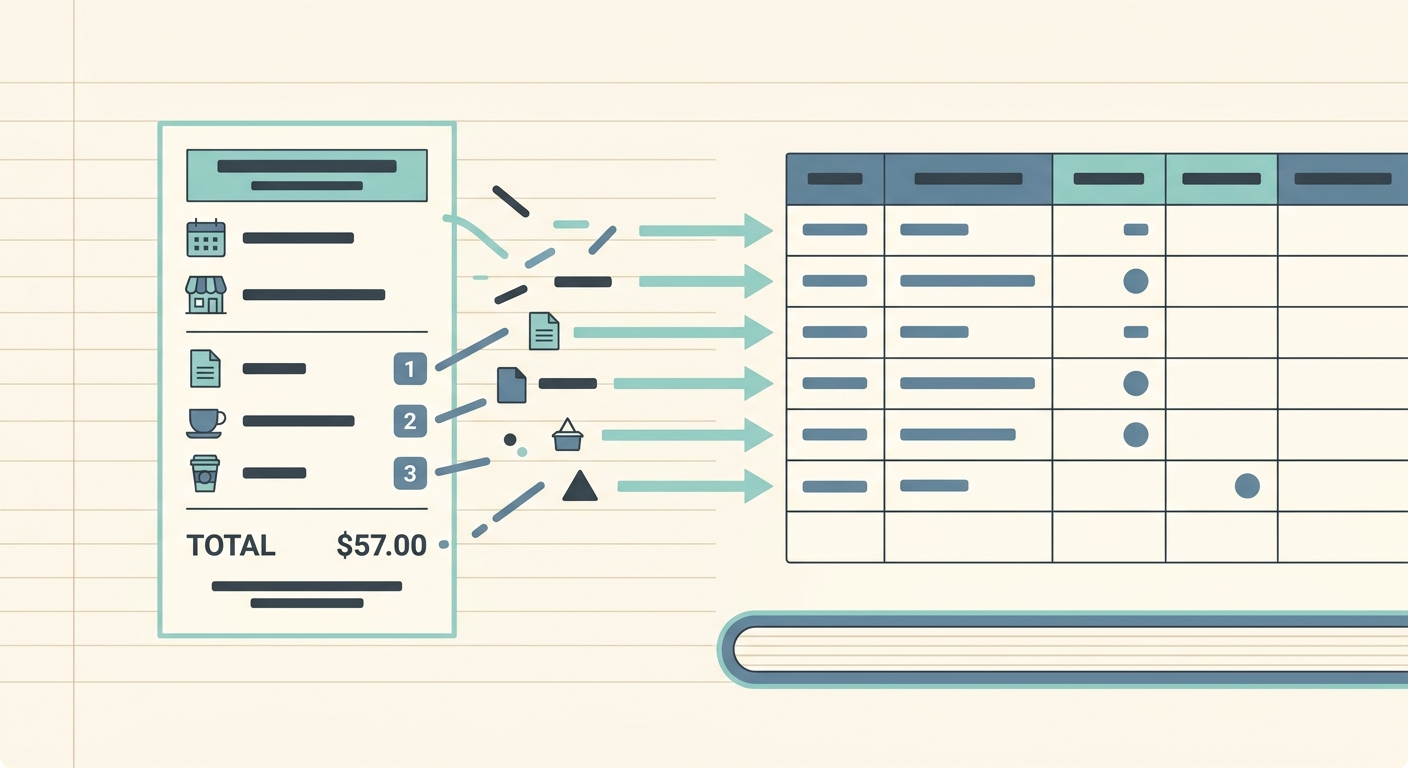
This intelligent extraction process automatically identifies and pulls out key data points, including the vendor name, date of purchase, total amount, currency, and even individual line items where available. After extraction, SlipSheet presents you with a clear, organized view where you can easily review extracted fields. This crucial review step allows you to quickly verify the accuracy of the extracted data and make any necessary minor edits, ensuring that the information is 100% correct before it moves further down your receipt to Xero workflow. This combination of automation and user control guarantees both speed and precision, drastically cutting down on manual data entry errors.
Phase 3: Categorization, Tagging, and Preparation for Xero
Accurate categorization is fundamental for insightful financial reporting and seamless reconciliation in Xero. After your receipt data has been accurately extracted and reviewed, SlipSheet provides the tools to organize it effectively, preparing it for its final destination.
SlipSheet allows you to effortlessly assign categories or tags to each expense. You can utilize existing categories that mirror your Xero Chart of Accounts, or create custom tags for specific projects, clients, or departments. This level of granular organization is invaluable for detailed financial analysis, budgeting, and compliance. By pre-categorizing your expenses within SlipSheet, you ensure that when the data reaches Xero, it is already perfectly aligned with your accounting structure, minimizing the need for further manual adjustments. This proactive organization simplifies your reconciliation process and enhances the quality of your financial reports, providing a clearer picture of your business's spending.
Phase 4: Effortless Export to Xero
The culmination of your efficient receipt management process is the smooth transfer of data into your accounting system. For Xero users, SlipSheet makes this final step incredibly straightforward, completing your optimized receipt to Xero workflow.
Once your receipts are captured, extracted, reviewed, and categorized within SlipSheet, the organized data is ready to be exported. SlipSheet compiles all this information into a clean, structured spreadsheet file, which serves as your preferred tool for importing into Xero. Xero offers robust capabilities for importing data via CSV, whether for bank reconciliation purposes, creating expense claims, or updating general journals. By providing a perfectly formatted spreadsheet, SlipSheet eliminates the complexities of manual data entry into Xero, allowing you to swiftly import multiple transactions at once. This final step significantly accelerates your bookkeeping cycle, ensuring your Xero accounts are always up-to-date with minimal effort.
Common Pitfalls and How to Avoid Them
Even with advanced tools, understanding common challenges can further refine your receipt to Xero workflow. Many businesses struggle with lost receipts, illegible paper, incorrect categorization, or simply delaying the processing of expenses until the last minute. These issues can lead to discrepancies, missed tax deductions, and a significant time sink during reconciliation periods.
SlipSheet inherently addresses many of these pitfalls. Its immediate capture capabilities prevent lost receipts by allowing you to process them instantly. The powerful OCR technology can handle various receipt formats and conditions, reducing issues with illegibility. Furthermore, SlipSheet's consistent categorization tools help maintain uniformity across all expenses, minimizing errors. To further optimize your workflow, establish a routine for processing receipts, perhaps daily or weekly, ensuring prompt reconciliation. Always take clear photos of physical receipts and use consistent tagging conventions for maximum accuracy in Xero.
Transforming your receipt management from a dreaded chore into a smooth, automated process is no longer a luxury, but a necessity for modern businesses. SlipSheet provides the robust framework to achieve an impeccable receipt to Xero workflow, saving you time, reducing errors, and providing clearer financial insights. Embrace the future of expense management and empower your business with accurate, real-time financial data.
Ready to revolutionize your expense tracking and streamline your Xero integration? Visit slipsheet.app today to discover how SlipSheet can transform your receipt management.
FAQ
What types of receipts can SlipSheet process?
SlipSheet can process various receipt types, including photo receipts taken with your smartphone and email receipts forwarded directly to the platform. It handles common formats like images and PDFs for comprehensive coverage.
How accurate is SlipSheet's data extraction?
SlipSheet employs advanced OCR technology for highly accurate data extraction, capturing details like vendor, date, and total. Users can easily review and edit any extracted fields for complete precision before export.
Can I categorize expenses before exporting to Xero?
Yes, SlipSheet allows you to assign custom categories and tags to your expenses within its intuitive interface. This pre-categorization ensures your data is perfectly organized and ready for efficient import into Xero.
How does SlipSheet help with Xero reconciliation?
By exporting your processed receipts as a structured spreadsheet, SlipSheet provides clean, categorized data for importing into Xero. This streamlines bank reconciliation, making it faster and more accurate than manual entry.
Is SlipSheet suitable for both small businesses and larger organizations?
SlipSheet is designed to benefit businesses of all sizes by automating the tedious task of receipt management. Its scalable features support individual users and teams looking to optimize their financial workflows with Xero.