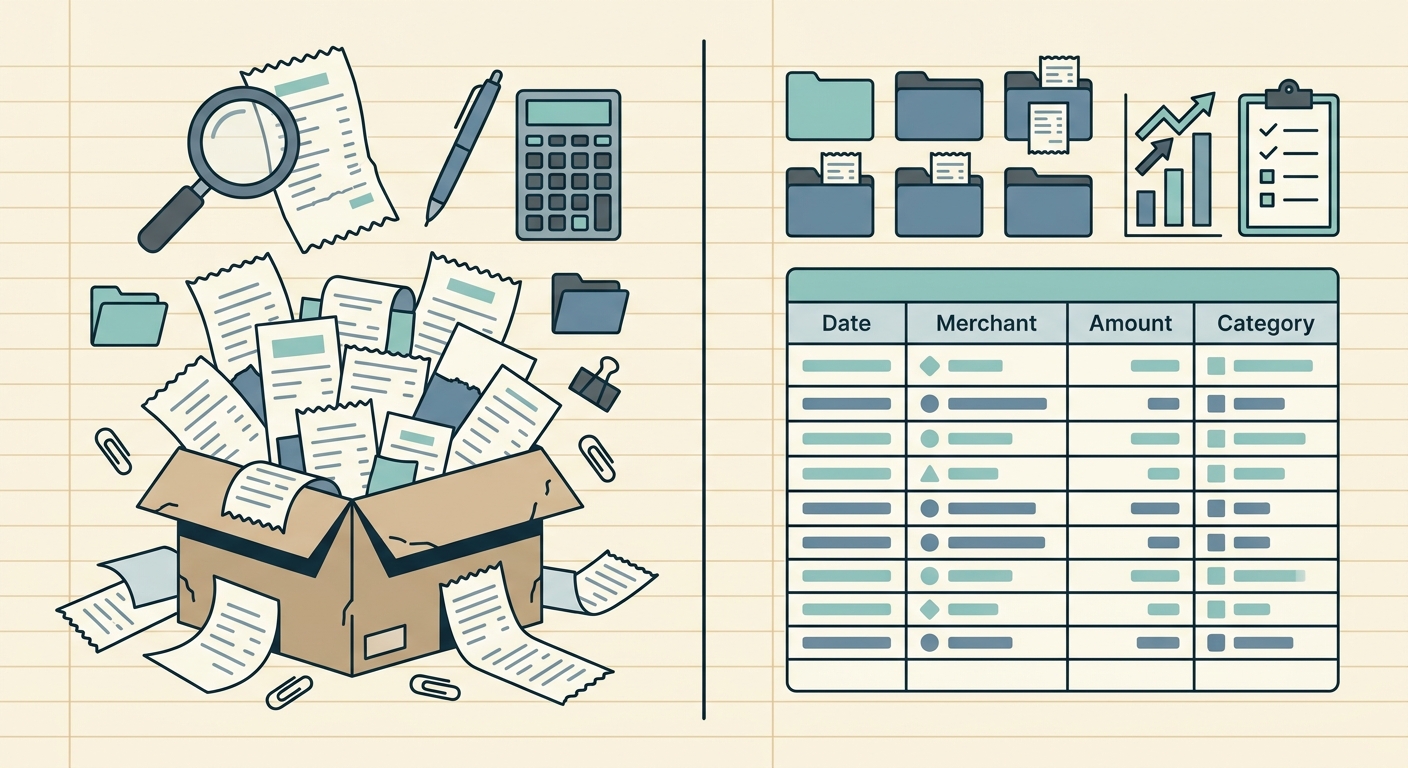
Managing expenses, whether for a bustling business or personal finances, often feels like an uphill battle against a mountain of paper receipts and digital invoices. Tools like Zoho Expense have emerged as powerful allies, streamlining many aspects of expense reporting. However, for a significant segment of users, the ultimate goal isn't a complex reporting suite, but rather a simple, accurate, and quick way to get receipt data into a spreadsheet. If you find yourself in this camp, looking for a more focused approach, you might be seeking a dedicated Zoho Expense receipt alternative.
This article explores why a specialized tool like SlipSheet could be the perfect solution for those who prioritize direct receipt-to-spreadsheet conversion over a full-fledged expense management system. We will delve into what Zoho Expense excels at, identify scenarios where it might be more than you need, and highlight how SlipSheet offers a streamlined, efficient alternative.
Zoho Expense: A Powerful Suite for Comprehensive Expense Management
Zoho Expense is undoubtedly a robust and feature-rich platform, designed to cater to a wide array of expense management needs. Its strengths lie in its comprehensive ecosystem, making it a go-to choice for many businesses. Here are some of its key capabilities:
- End-to-End Expense Reporting: From receipt capture to report generation, Zoho Expense handles the entire lifecycle of an expense.
- Policy Enforcement and Approvals: Businesses can set up custom expense policies and multi-level approval workflows, ensuring compliance and control.
- Multi-Currency Support: Ideal for international businesses or travelers, it simplifies managing expenses in various currencies.
- Integrations: It seamlessly integrates with other Zoho products and various third-party accounting software, providing a unified financial management experience.
- Mobile Accessibility: Its mobile app allows for on-the-go receipt scanning, expense logging, and report submission.
- Corporate Card Reconciliation: Helps businesses keep track of corporate credit card spending and reconcile transactions efficiently.
For organizations requiring extensive reporting, complex approval hierarchies, and deep integration into a broader financial ecosystem, Zoho Expense offers a compelling, all-encompassing solution. It excels at providing a structured environment for managing, tracking, and auditing company-wide expenses.
Where Zoho Expense Might Be Overkill for Simple Receipt Export Needs
While Zoho Expense shines in its comprehensive offerings, its very breadth can sometimes be a disadvantage for users with more focused requirements. If your primary need is simply to convert receipt information into spreadsheet rows for basic accounting, personal budgeting, or project tracking, Zoho Expense might present several points of friction:
- Feature Bloat: The extensive features, while powerful, can lead to a steeper learning curve and unnecessary complexity if you only need a fraction of its capabilities. Navigating through menus for approvals, policies, or integrations you do not use can slow down the core task of data extraction.
- Setup and Configuration Time: Setting up a full expense management system, even for a small team, can involve configuring policies, approval flows, and user roles. This time investment might not be justified if your end goal is merely a CSV file of your expenses.
- Cost for Basic Needs: For individuals or very small businesses, the pricing structure of a comprehensive solution might feel disproportionate if the only feature truly utilized is receipt digitization and basic export. You could be paying for an extensive suite you do not fully leverage.
- Focus on Reporting, Not Just Raw Data Export: Zoho Expense is designed to generate expense reports. While you can export data, the primary workflow is geared towards creating structured reports, which might involve extra steps if your aim is just to get raw, clean data into your own spreadsheet format for other purposes.
For those who desire a direct, no-frills path from a receipt to a spreadsheet row, the extensive infrastructure of a full expense management system can feel like using a sledgehammer to crack a nut. This is precisely where a specialized Zoho Expense receipt alternative becomes highly valuable.
SlipSheet: The Streamlined Zoho Expense Receipt Alternative for Spreadsheet Exports
Enter SlipSheet, a refreshingly focused tool designed specifically to address the need for efficient receipt-to-spreadsheet data conversion. SlipSheet positions itself as a direct and intuitive Zoho Expense receipt alternative for users who prioritize simplicity, speed, and accuracy in getting their expense data into a manageable spreadsheet format. Here is what SlipSheet does differently:
- Laser Focus on Data Extraction: SlipSheet's core competency is transforming receipt photos and email receipts into structured spreadsheet rows. It is built from the ground up to excel at this specific task, ensuring high accuracy and efficiency.
- Effortless Receipt Capture: Whether you snap a photo of a paper receipt with your phone, forward an email receipt, or upload a PDF, SlipSheet quickly processes the information. It intelligently identifies key data points such as vendor name, date, total amount, currency, and line items.
- Direct Spreadsheet Output: The extracted data is immediately ready for export. You can download it as a CSV or Excel file, perfectly formatted for import into your preferred accounting software, personal budget planner, or custom spreadsheet. This eliminates the need to navigate complex reporting modules if your ultimate destination is a simple spreadsheet.
- Simplicity and Ease of Use: SlipSheet boasts an intuitive interface, designed for minimal learning curve. You do not need to configure intricate policies or approval workflows; you simply upload receipts and get your data. This makes it incredibly fast to get started and maintain.
- Cost-Effective: By specializing in a core function, SlipSheet can offer a more budget-friendly solution for users who do not require the comprehensive features of larger expense management platforms. You pay for precisely what you need: accurate receipt data extraction.
- Flexibility for Your Workflow: Instead of dictating a specific expense reporting process, SlipSheet provides you with the raw, clean data. This allows you to integrate it seamlessly into your existing financial workflow, whatever that may be, offering unparalleled flexibility.
SlipSheet cuts through the noise, providing a direct pipeline from your receipts to actionable spreadsheet data. It is an ideal solution for anyone who finds the multi-layered features of broader platforms to be an unnecessary barrier to their primary goal of organized financial data.
Who Should Consider SlipSheet as Their Zoho Expense Receipt Alternative?
If the extensive features of Zoho Expense feel like overkill for your specific needs, then SlipSheet could be the perfect fit. Here are several profiles of individuals and businesses who would greatly benefit from making SlipSheet their preferred Zoho Expense receipt alternative:
- Freelancers and Independent Contractors: Managing client expenses and personal business deductions requires meticulous record-keeping. SlipSheet provides a fast, easy way to categorize and export all receipts for tax purposes or invoicing without a complex system.
- Small Business Owners: For businesses that use simple spreadsheet-based accounting or have a lean financial team, SlipSheet offers an efficient way to digitize expenses without investing in a full-scale expense reporting solution.
- Individuals Tracking Personal Budgets: If you are diligently tracking personal spending, SlipSheet can transform your everyday receipts into organized spreadsheet entries, making budget analysis and financial planning significantly easier.
- Project-Based Teams Requiring Quick Data Entry: Teams working on specific projects might need to track expenses quickly and then export them into a project-specific spreadsheet. SlipSheet streamlines this data capture process.
- Users Prioritizing Flexibility: Those who prefer to maintain control over their data in their own spreadsheets or import into specialized legacy systems will appreciate SlipSheet's direct export capabilities.
- Budget-Conscious Users: If cost-effectiveness for a specific function, receipt data extraction, is a top priority, SlipSheet provides an excellent value proposition.
Ultimately, if your core requirement is to effortlessly turn piles of receipts into clean, organized spreadsheet data, and you find comprehensive expense suites more cumbersome than helpful for this task, SlipSheet offers a refreshing and practical alternative.
Transitioning to a Focused Receipt Solution: Common Questions
Switching to a new tool, even a simpler one, often raises questions. Here are some common inquiries about adopting a focused receipt solution like SlipSheet:
- How easy is it to get started with SlipSheet? Getting started is remarkably simple. There is no complex setup, policy configuration, or lengthy onboarding process. You can begin uploading receipts and generating spreadsheet data almost immediately.
- What about the accuracy of data extraction? SlipSheet employs advanced OCR and machine learning algorithms specifically tuned for receipt data. This specialized focus ensures a high degree of accuracy in capturing vendor names, dates, amounts, and other critical details, making your spreadsheet data reliable.
- Can I use SlipSheet alongside my existing accounting software? Absolutely. SlipSheet is designed to be a powerful data entry assistant. It provides you with clean, exportable data that can then be easily imported into most accounting software, ERP systems, or other financial tools you already use, complementing your existing setup.
- Is my financial data secure with SlipSheet? Data security is a top priority. SlipSheet utilizes industry-standard encryption and security protocols to protect your uploaded receipts and extracted financial information, ensuring your data remains private and secure.
- What types of receipts can SlipSheet process? SlipSheet is versatile. It can process photos of paper receipts, PDF receipts, and even receipts forwarded from your email. This flexibility ensures you can capture expense data from virtually any source.
Choosing a specialized tool like SlipSheet means opting for efficiency and precision in a specific domain. It means regaining control over your expense data in the format you prefer, without the overhead of features you do not need.
In conclusion, while Zoho Expense offers a broad and powerful solution for comprehensive expense management, not everyone requires such extensive functionality. For individuals, freelancers, and small businesses whose primary need is to transform receipt photos and email receipts into perfectly organized spreadsheet rows, SlipSheet stands out as the ideal Zoho Expense receipt alternative. It delivers unparalleled simplicity, accuracy, and directness, ensuring your financial data is always spreadsheet-ready. Experience the ease of focused expense data extraction today. Visit slipsheet.app to learn more and streamline your receipt management.
FAQ
What is SlipSheet, and how does it differ from Zoho Expense?
SlipSheet is a specialized tool that converts receipt photos and email receipts directly into spreadsheet rows. Unlike Zoho Expense, which offers a full suite of expense reporting and management features, SlipSheet focuses solely on efficient data extraction for spreadsheet exports.
Is SlipSheet suitable for small businesses or freelancers?
Yes, SlipSheet is ideal for small businesses, freelancers, or individuals who require a straightforward, cost-effective method to digitize and organize their receipt data into spreadsheets without the complexity of a comprehensive expense management system.
Can I integrate SlipSheet with my existing accounting software?
SlipSheet generates clean spreadsheet data, typically in CSV or Excel format, which can be easily imported into most accounting software, ERP systems, or used directly for budgeting and financial analysis. It acts as a powerful data entry assistant.
How accurate is SlipSheet at extracting data from receipts?
SlipSheet utilizes advanced optical character recognition OCR and smart data extraction algorithms to accurately capture details like vendor, date, amount, and currency from various receipt formats. Its specialized focus ensures high precision for spreadsheet-ready data.
What kind of receipts can SlipSheet process?
SlipSheet can process a wide variety of receipt types, including physical receipt photos taken with your phone, PDF receipts, and email receipts. It extracts key information regardless of the format, making your expense tracking effortless.