Dropbox vs SlipSheet: Streamlining Your Receipt Management for Spreadsheets
In today's fast-paced business environment, managing receipts efficiently is crucial for accurate bookkeeping, expense tracking, and tax preparation. While many tools promise to simplify this task, choosing the right one depends heavily on your specific needs. This article dives into a direct comparison: Dropbox vs SlipSheet, two platforms that, at first glance, might seem to offer overlapping functionalities but cater to very different user requirements. Our focus is on helping individuals and businesses who prioritize a simple, direct path from receipt to spreadsheet row understand which tool truly fits their workflow.
Dropbox, a household name in cloud storage, offers robust file synchronization and sharing capabilities, making it a general-purpose solution for storing all types of documents, including receipt photos. However, for users whose primary goal is to transform those receipts into structured spreadsheet data without manual entry, a specialized tool like SlipSheet presents a compelling alternative. Let's explore how these two platforms stack up in key areas of receipt management.
Receipt Capture and Storage
When it comes to initial receipt capture and storage, both Dropbox and SlipSheet offer viable options, but with different philosophies. Dropbox excels as a universal digital filing cabinet. You can easily upload receipt photos taken with your smartphone, scan documents, or save email receipts directly to your Dropbox folders. Its mobile app provides a convenient way to snap pictures of physical receipts, and these files are then synchronized across all your devices. For users who need a centralized place for all their digital files, not just receipts, Dropbox is an unparalleled solution.
SlipSheet, on the other hand, is purpose-built for receipts. While it also allows you to upload receipt photos, its strength lies in its specialized capture methods designed specifically for expense tracking. SlipSheet can directly process email receipts by forwarding them to a dedicated address. For physical receipts, you simply snap a photo with your phone, and SlipSheet's intelligent system begins working immediately. This dedicated focus means its capture interface is optimized for receipt data, often simplifying the initial step for users solely concerned with expense documentation rather than general file storage.
Data Extraction and Processing
This is where the fundamental difference between Dropbox and SlipSheet becomes most apparent. Dropbox, as a file storage service, does not inherently extract data from the contents of your uploaded receipts. While it offers powerful search capabilities that can sometimes find text within PDFs or certain image files, it does not automatically identify key data points like vendor name, date, total amount, or line items. For users storing receipts in Dropbox, the next step often involves manually transcribing this information into a spreadsheet, which can be time-consuming and prone to errors.
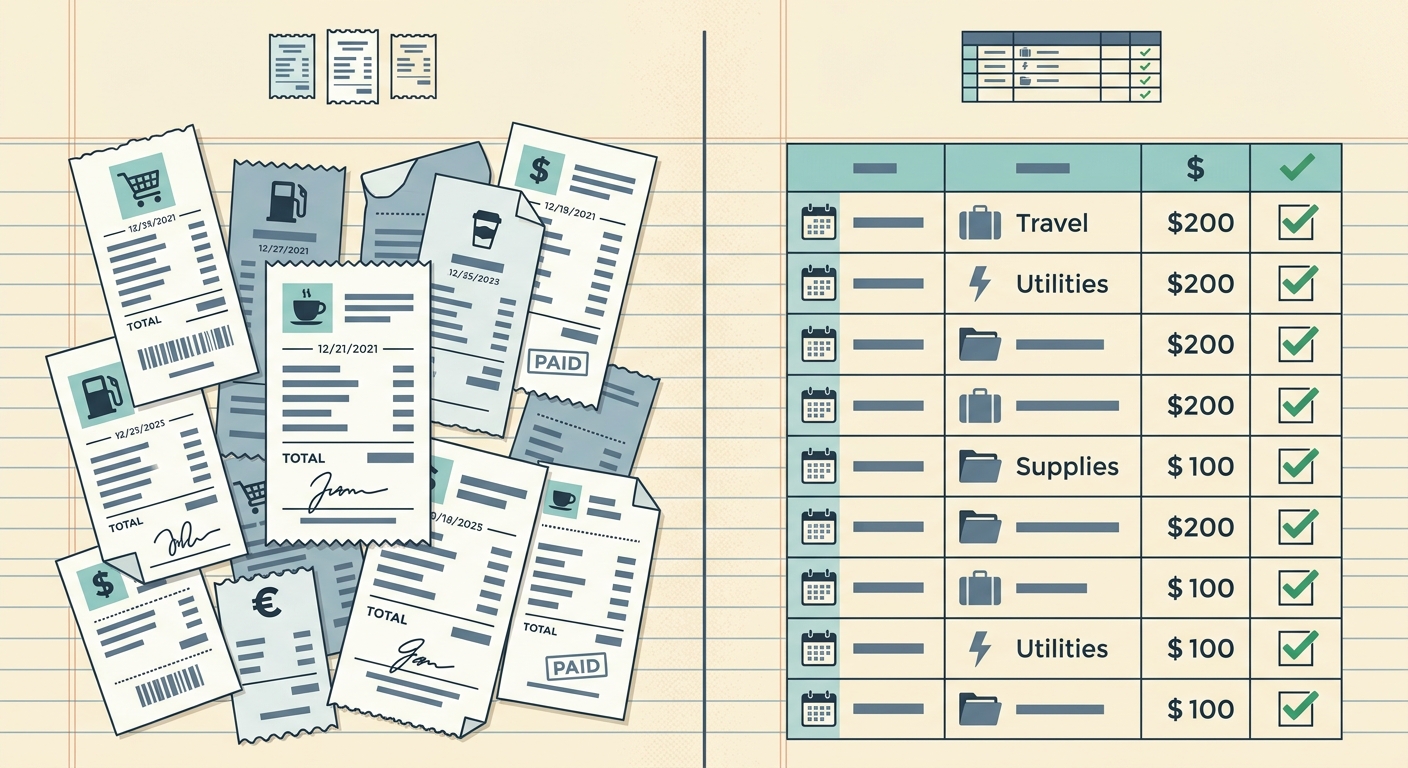
SlipSheet is engineered precisely to solve this problem. Its core functionality revolves around advanced optical character recognition (OCR) and machine learning algorithms that automatically read and extract critical information from your receipt photos and email receipts. When you upload a receipt to SlipSheet, it processes the image, identifies the relevant data fields, and presents them in a structured format. This automated data extraction is the cornerstone of SlipSheet's value proposition, eliminating the need for tedious manual data entry and significantly speeding up the reconciliation process for spreadsheet-first users.
Exporting and Spreadsheet Integration
After receipts are captured and data is processed, the next crucial step for many is getting that information into a spreadsheet. Dropbox allows you to download your stored receipt images or PDFs, but the data within them remains unstructured. To get this into a spreadsheet, you would typically open each receipt file and manually input the details into your preferred spreadsheet software, whether it's Google Sheets, Microsoft Excel, or another program.
SlipSheet shines in its direct and streamlined export capabilities for spreadsheet users. Once the data has been extracted, SlipSheet allows you to export it directly into a clean, organized spreadsheet format. This means you receive a CSV or Excel file where each row represents a receipt, and columns are pre-filled with extracted data such as date, vendor, amount, and currency. This direct-to-spreadsheet functionality is designed to minimize friction and maximize efficiency, making SlipSheet an ideal tool for anyone who needs to quickly populate expense reports or accounting ledgers with accurate receipt data.
Pricing and Value Proposition
The pricing structures of Dropbox and SlipSheet reflect their differing value propositions. Dropbox offers a range of plans, from free basic storage to various paid tiers for individuals and teams, providing vast amounts of general-purpose cloud storage, file sharing, and collaboration features. Its value lies in its versatility as a comprehensive file management system for all digital assets.
SlipSheet's pricing is typically structured around the number of receipts processed, aligning directly with its specialized service. While specific pricing details can be found on their website, its value proposition is clear: saving time and improving accuracy through automated data extraction. For users who process a significant volume of receipts and spend considerable time on manual data entry, the cost of SlipSheet is an investment in efficiency and error reduction. It provides a focused solution where the return on investment is measured in saved hours and enhanced data integrity for financial record-keeping.
Integrations and Ecosystem
Dropbox boasts a broad ecosystem of integrations with thousands of applications, from productivity suites to design tools, reflecting its role as a central hub for various types of files and workflows. Its API allows developers to connect Dropbox with almost any service, making it incredibly flexible for general business operations.
SlipSheet, while potentially having a more focused set of integrations, is designed to fit seamlessly into accounting and financial workflows. Its primary integration is with your spreadsheet software, but it may also offer direct connections or easy export options to popular accounting platforms or expense management systems, further streamlining the entire process from receipt capture to financial reporting. For users whose main goal is getting receipt data into financial systems, SlipSheet's targeted integrations can be more impactful than Dropbox's broad general-purpose connections.
Conclusion: Choosing the Right Tool for Your Receipts
Both Dropbox and SlipSheet are powerful tools, but they serve different masters. Dropbox is an excellent general-purpose cloud storage and file synchronization service, perfect for housing all your digital documents, including receipts, if manual data entry is not a bottleneck for you. Its strength lies in its flexibility and widespread adoption for general file management.
However, if your primary pain point is the time-consuming and error-prone process of manually extracting data from receipts and inputting it into spreadsheets, SlipSheet emerges as the superior, specialized solution. It transforms receipt photos and email receipts into structured spreadsheet rows automatically, freeing you from manual transcription. For anyone seeking to streamline their expense tracking and financial record-keeping with a direct, efficient path from receipt to usable spreadsheet data, SlipSheet offers a focused and highly effective alternative. Discover how SlipSheet can revolutionize your receipt management by visiting slipsheet.app today.
FAQ
What is the primary difference between Dropbox and SlipSheet for receipt management?
Dropbox is a general cloud storage service that can store receipt images, but it does not automatically extract data. SlipSheet specializes in automatically extracting key data, like vendor, date, and amount, from receipt photos and email receipts, then converting them into spreadsheet rows.
Can I store my receipts in both Dropbox and SlipSheet?
Yes, you can use both. You might store original receipt files in Dropbox for general archiving and then use SlipSheet to process copies of those receipts for data extraction and spreadsheet export.
Does SlipSheet require manual data entry for receipts?
No, SlipSheet is designed to minimize manual data entry. It uses OCR and machine learning to automatically extract data from your receipt photos and email receipts, presenting it in a structured format ready for export.
Is SlipSheet suitable for businesses with many receipts?
Absolutely. SlipSheet is particularly beneficial for businesses or individuals who process a high volume of receipts, as it significantly automates the data extraction and spreadsheet preparation process, saving considerable time and reducing errors.
How does SlipSheet export receipt data?
SlipSheet exports extracted receipt data directly into organized spreadsheet formats, typically as CSV or Excel files. Each receipt becomes a row with its key details pre-filled in designated columns, ready for immediate use in your financial software.