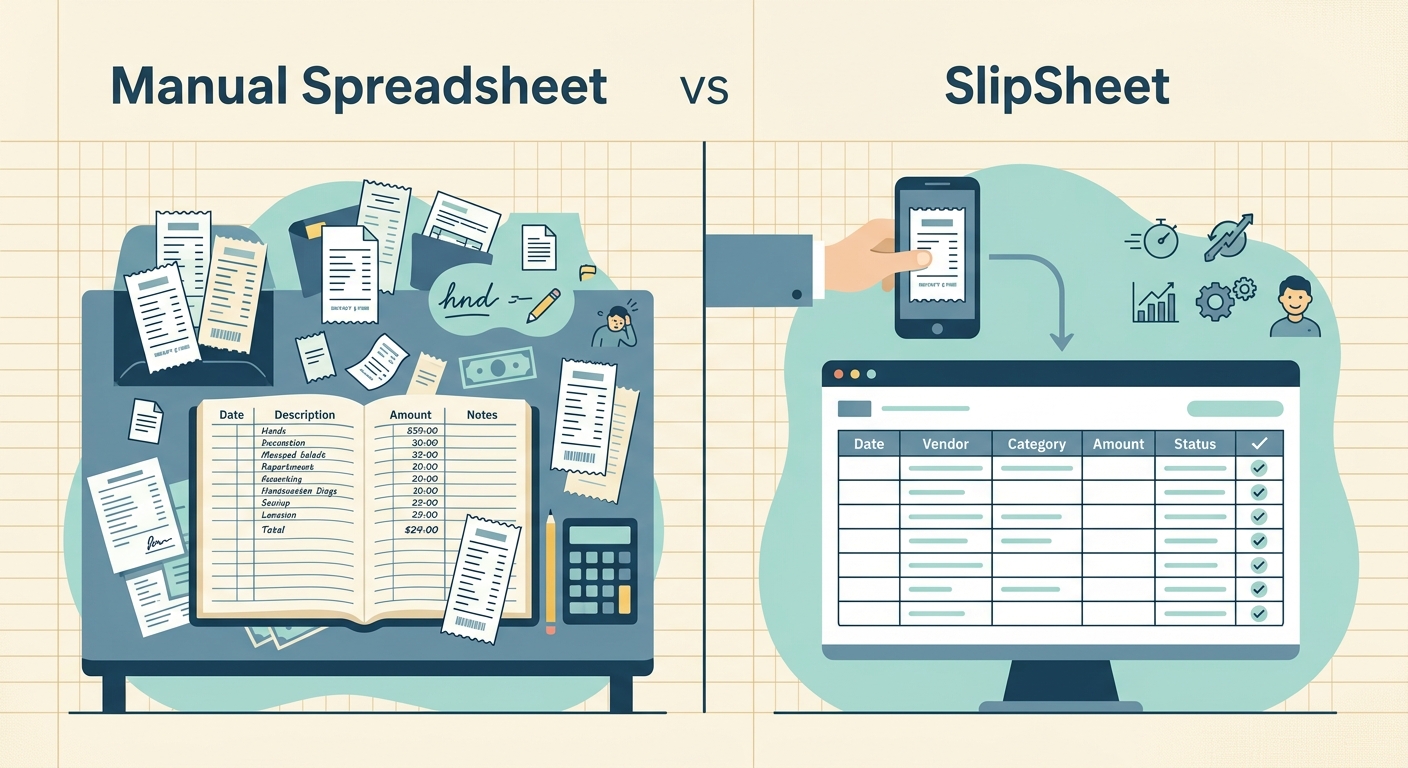
Manual Spreadsheet vs SlipSheet: Streamlining Your Receipt Management
In an age where efficiency is paramount, the way we manage financial records significantly impacts productivity. For countless individuals and businesses, the humble receipt remains a cornerstone of expense tracking. The traditional method, painstakingly entering data into a manual spreadsheet, has long been the default. However, a specialized tool like SlipSheet is emerging as a powerful alternative, specifically designed to transform how you handle receipt data. This article delves into a detailed comparison, examining the pros and cons of a manual spreadsheet vs SlipSheet, and highlighting why the latter is a game-changer for spreadsheet-first users seeking simple, accurate exports.
Receipt Capture: From Physical Clutter to Digital Ease
The first hurdle in expense tracking is simply getting your receipts into a manageable format. This initial step often dictates the efficiency of your entire process.
- Manual Spreadsheet Approach:
Traditionally, receipts are collected physically, often ending up in shoeboxes, folders, or scattered across various locations. While this method requires no upfront technological investment, it presents several challenges:
- Physical Management: Keeping track of paper receipts is prone to loss, damage, or fading over time. Locating a specific receipt later can be a time-consuming scavenger hunt.
- Lack of Organization: Without a consistent system, physical receipts can quickly become disorganized, creating stress during tax season or audits.
- SlipSheet Approach:
SlipSheet revolutionizes receipt capture by embracing digital convenience. It offers straightforward methods to get your receipts into its system instantly:
- Photo Capture: Simply snap a picture of your paper receipt with your smartphone. SlipSheet processes the image, reducing physical clutter and creating an immediate digital record.
- Email Forwarding: For digital receipts received via email, you can effortlessly forward them to your unique SlipSheet email address. This ensures that all your digital expense proofs are consolidated in one place.
- Seamless Archiving: Both methods create a digital archive that is easy to search, secure, and accessible, eliminating the worries associated with physical receipt storage.
Data Extraction: Manual Typing vs. Intelligent Automation
Once receipts are collected, the arduous task of extracting relevant information begins. This is where the contrast between a manual spreadsheet vs SlipSheet becomes most apparent.
- Manual Spreadsheet Approach:
Entering data into a manual spreadsheet is a highly labor-intensive process. For each receipt, you must:
- Type Every Detail: Manually input the date, vendor name, total amount, currency, tax, and any other relevant fields. This repetitive task is not only time-consuming but also mentally draining.
- High Error Rate: Human error is an inevitable part of manual data entry. Typos, transposed numbers, or missed details can lead to inaccuracies in your financial records, causing headaches down the line.
- Inconsistent Formatting: Without strict guidelines, different users or even the same user on different days might use inconsistent formatting for dates, vendors, or categories, making analysis more difficult.
- SlipSheet Approach:
SlipSheet leverages advanced technology to automate data extraction, significantly boosting efficiency and accuracy:
- Automated OCR: Using Optical Character Recognition, SlipSheet intelligently scans your receipt photos and email receipts to identify and extract key data points. This includes the date, vendor, total amount, currency, and often tax information.
- Time Savings: What used to take minutes per receipt now takes seconds. This automation frees up valuable time, allowing you to focus on analysis rather than data entry.
- Reduced Errors: By minimizing manual intervention, SlipSheet drastically reduces the potential for human error, ensuring more accurate and reliable expense data. While a quick review is always recommended, the heavy lifting of data capture is handled automatically.
Export & Analysis: Raw Data vs. Ready-to-Use Spreadsheets
The ultimate goal of receipt management is to have organized data ready for analysis, budgeting, or tax purposes. The method of getting data into an analyzable format varies greatly.
- Manual Spreadsheet Approach:
When you use a manual spreadsheet, the data is inherently already in your analysis tool. However, the path to getting it there is inefficient:
- Immediate Manipulation: Data is directly entered into the spreadsheet, allowing for immediate manipulation and formula application.
- Pre-Analysis Formatting: Before any meaningful analysis can occur, extensive manual formatting and cleaning are often required due to inconsistent data entry.
- No Standardized Input: Each entry is an individual act, meaning the structure and completeness of data can vary widely, complicating aggregate analysis.
- SlipSheet Approach:
SlipSheet is designed specifically for spreadsheet-first users, providing clean, structured data ready for immediate use:
- One-Click Export: Easily export your collected and processed receipt data into universally compatible formats like CSV. This allows for seamless import into Microsoft Excel, LibreOffice Calc, or any other spreadsheet software.
- Direct Google Sheets Integration: For users who prefer cloud-based solutions, SlipSheet offers direct integration with Google Sheets. Your receipt data can be automatically synced, appearing in a clean, organized spreadsheet ready for your formulas and pivot tables.
- Standardized Data: SlipSheet ensures that all extracted data is presented in a consistent, standardized format, making it effortless to perform analysis, create reports, and import into accounting software.
Integrations: Isolated Efforts vs. Connected Workflows
In today's interconnected digital landscape, how well a tool integrates with your existing workflow is a critical consideration.
- Manual Spreadsheet Approach:
A manual spreadsheet, while versatile, often operates as a standalone entity for data input:
- Self-Contained: It can function entirely on its own, requiring no external connections for its basic operation.
- No Automated Input: Integrating data from external sources, such as receipts, still requires manual copy-pasting or re-typing, creating a bottleneck in the workflow.
- SlipSheet Approach:
SlipSheet is built to enhance your existing spreadsheet-centric workflows, acting as a powerful data feeder:
- Google Sheets Sync: Its primary integration allows for automatic, real-time syncing of your receipt data directly into a Google Sheet. This means your expense spreadsheet is always up-to-date without any manual intervention.
- Universal CSV Export: The ability to export data as a CSV file ensures compatibility with virtually any spreadsheet program, accounting software, or personal finance tool that supports CSV imports. This flexibility makes SlipSheet a valuable front-end for various financial management systems.
- Streamlined Data Flow: SlipSheet acts as the bridge between your physical and digital receipts and your preferred spreadsheet or accounting solution, ensuring a smooth and consistent flow of financial data.
Pricing & Value: The Cost of Time vs. Subscription Benefits
When comparing manual spreadsheet vs SlipSheet, it is important to consider not just monetary costs, but also the invaluable cost of time and potential errors.
- Manual Spreadsheet Approach:
On the surface, a manual spreadsheet appears to be a 'free' solution, especially if you already own spreadsheet software like Microsoft Excel or use free tools like Google Sheets:
- Zero Software Cost: There is no direct subscription fee for the data entry process itself.
- High Time Cost: The hidden cost is the immense amount of time spent on manual data entry and error correction. For businesses or individuals with many receipts, this opportunity cost can be substantial.
- Risk of Financial Errors: Manual errors can lead to incorrect financial reporting, missed deductions, or audit complications, which can incur significant financial penalties or lost savings.
- SlipSheet Approach:
SlipSheet operates on a subscription model, offering a clear return on investment through efficiency and accuracy:
- Subscription Value: A modest subscription fee unlocks significant time savings, increased accuracy, and a streamlined workflow. This investment quickly pays for itself by reducing manual labor and potential errors.
- Focus on Core Activities: By automating the tedious task of receipt data entry, SlipSheet allows individuals and small businesses to reallocate their time towards more productive and value-generating activities.
- Peace of Mind: Knowing your receipt data is accurately captured and readily available for export provides peace of mind, especially during tax season or when preparing financial reports.
The choice between a manual spreadsheet vs SlipSheet ultimately depends on your priorities. While manual spreadsheets offer ultimate control and zero software cost, they demand a significant investment of your time and carry a higher risk of error. SlipSheet, conversely, offers a specialized, automated, and highly efficient solution for capturing and extracting data from receipts, perfectly suited for those who value their time and require clean, structured data for their spreadsheets. It's not about replacing your spreadsheet, but about making it infinitely more powerful by feeding it accurate data effortlessly.
Ready to transform your receipt management and unlock unparalleled efficiency? Visit slipsheet.app today and experience the difference.
FAQ
What is SlipSheet?
SlipSheet is a tool that converts receipt photos and email receipts into structured spreadsheet rows, ready for export or direct integration with Google Sheets.
How does SlipSheet differ from entering data into a manual spreadsheet?
While manual spreadsheets require you to type every detail, SlipSheet automates data extraction from receipts, saving significant time and reducing errors.
Can SlipSheet integrate with my existing accounting software?
SlipSheet exports data in CSV format, which is widely compatible with most accounting software and spreadsheet programs like Excel or Google Sheets.
Is SlipSheet suitable for both personal and business expenses?
Yes, SlipSheet is designed for anyone who needs to organize receipt data efficiently, whether for personal budgeting, tax purposes, or small business expense tracking.
What data can SlipSheet extract from my receipts?
SlipSheet typically extracts key information such as date, vendor name, total amount, currency, and often tax details, providing clean data for your spreadsheet.