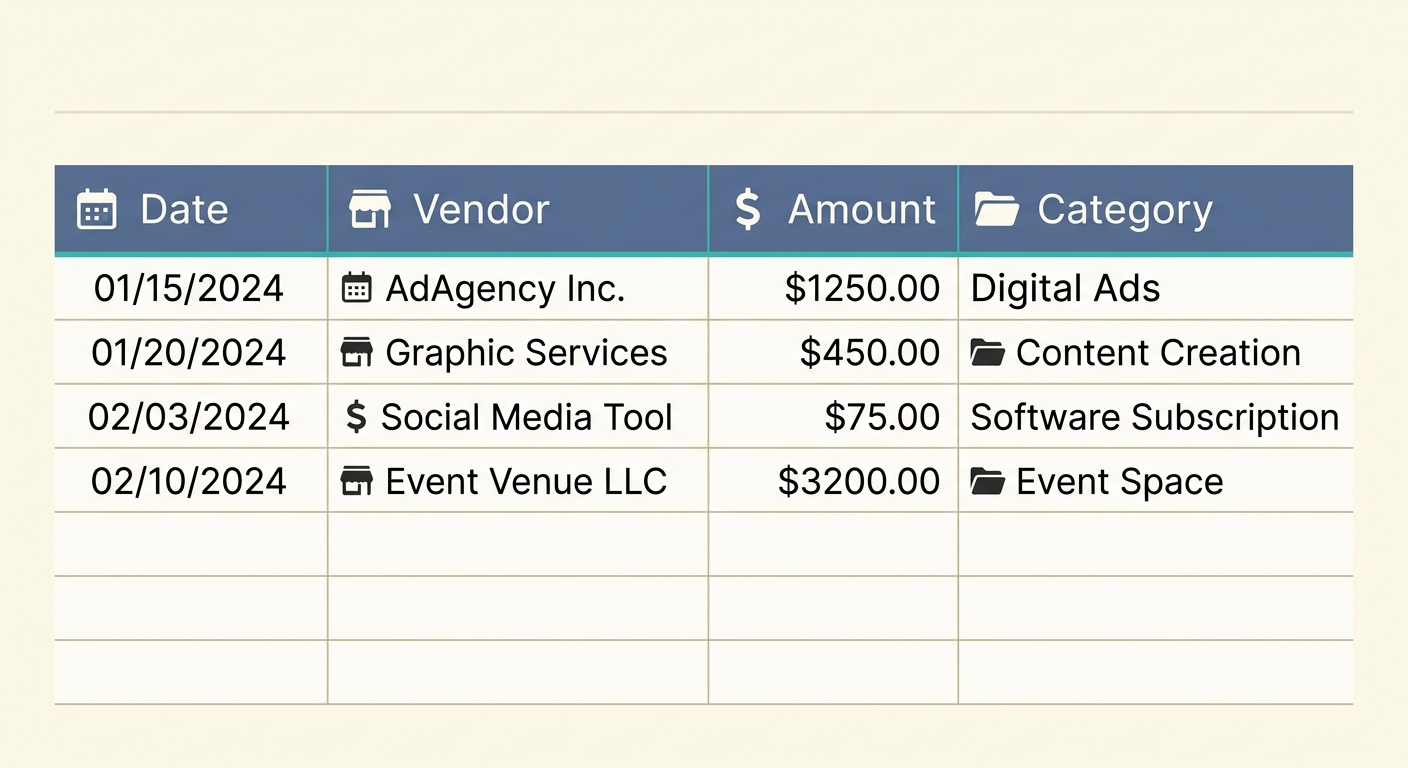
In the dynamic world of marketing, managing your budget effectively is not just good practice, it is essential for survival and growth. Every dollar spent on campaigns, content, ads, or events needs to be accounted for, analyzed, and optimized. Without a robust system, marketing expenses can quickly spiral out of control, making it impossible to gauge true return on investment (ROI) or make informed strategic decisions. This is where a well-designed marketing expense tracking template becomes an invaluable asset for any business, regardless of size or industry.
A dedicated template brings order to the chaos of receipts, invoices, and digital ad spend. It provides a structured framework to log every financial transaction related to your marketing efforts, allowing you to see exactly where your money is going and what results it is generating. While the idea of manually inputting every expense might seem daunting, tools like SlipSheet significantly streamline this process, transforming receipt photos and email receipts directly into spreadsheet rows, thus saving countless hours and reducing errors.
What is a Marketing Expense Tracking Template and Why Do You Need One?
A marketing expense tracking template is a pre-formatted spreadsheet designed to record, categorize, and monitor all expenditures related to your marketing activities. Think of it as your financial ledger specifically tailored for marketing. It provides a centralized hub for all your spending data, moving beyond simple budget allocation to detailed expense analysis.
The benefits of adopting such a template are multifaceted:
- Budget Control: It helps you stay within your allocated budget by providing a real-time overview of your spending against planned expenditures. You can quickly identify overspending in certain areas and reallocate resources as needed.
- ROI Analysis: By linking expenses to specific campaigns and channels, you can more accurately calculate the return on investment for each marketing initiative. This insight is crucial for optimizing future campaigns.
- Strategic Decision-Making: Detailed expense data empowers you to make data-driven decisions. You can identify which channels and campaigns are most cost-effective and which ones might need adjustment or discontinuation.
- Tax Preparation: Come tax season, having all your marketing expenses neatly categorized and documented simplifies the process of claiming deductions, ensuring compliance and maximizing savings.
- Improved Accountability: It fosters greater accountability within your marketing team, as everyone can see the financial impact of their respective projects.
Essential Fields for Your Marketing Expense Tracking Template
To be truly effective, your marketing expense tracking template needs specific fields, or columns, to capture comprehensive data. Here is a breakdown of the critical components:
- Campaign: This field identifies the specific marketing campaign the expense is tied to, for example, "Holiday Sales Push 2024" or "New Product Launch Q3." It is vital for attributing costs to particular initiatives.
- Channel: Specify the marketing channel used, such as "Facebook Ads," "Google Ads," "Email Marketing," "Content Creation," "PR," or "Event Sponsorship." This helps you understand channel-specific performance.
- Date: The exact date the expense occurred. This is a fundamental piece of data for chronological tracking and reconciliation. SlipSheet excels at extracting this information directly from receipts and invoices.
- Vendor: The name of the company or individual from whom the service or product was purchased, for instance, "Meta," "Google," "Adobe," or "Local Print Shop." SlipSheet can automatically identify vendors, streamlining data entry.
- Amount: The monetary value of the expense. This is perhaps the most critical financial data point. With SlipSheet, you can simply snap a photo of a receipt or forward an email receipt, and the amount will be accurately extracted and ready for your spreadsheet.
- ROI Estimate: While often an estimate, this field allows you to project or track the expected or actual return on investment for the expense. This could be a percentage, a multiple, or a qualitative note on impact.
- Notes: A free-form field for any additional details, context, or observations about the expense. This might include project codes, approval status, or specific ad group names.
How to Effectively Use Your Marketing Expense Tracking Template
Implementing your marketing expense tracking template effectively involves a consistent process:
- Choose Your Platform: Start with a reliable spreadsheet program like Google Sheets, Microsoft Excel, or even a specialized accounting tool.
- Set Up Your Template: Create the columns outlined above, ensuring clear headers and proper formatting.
- Input Data Regularly: This is where consistency is key. As soon as an expense occurs, record it. This prevents forgotten expenses and ensures accuracy. Leverage tools like SlipSheet to automate data entry; simply photograph your paper receipts or forward your digital ones, and the data will be organized for your template.
- Categorize and Tag: Use consistent naming conventions for campaigns and channels to ensure data integrity and make filtering easier.
- Review and Analyze: Schedule regular reviews, weekly or monthly, to analyze your spending patterns, identify trends, and compare actual expenses against your budget.
- Adjust Strategy: Use the insights gained from your tracking to refine your marketing strategies, optimize spending, and improve campaign performance.
Customizing Your Template for Specific Needs
While the core fields are essential, your business might have unique requirements that necessitate template customization. Adaptability is one of the greatest strengths of a spreadsheet-based system.
- Add More Granular Fields: You might want to add fields like "Payment Method" (credit card, bank transfer), "Budget Allocated," "Project ID," or "Client ID" if you are an agency managing multiple clients.
- Create Drop-down Menus: For consistency and ease of data entry, turn frequently used fields like "Channel" or "Campaign" into drop-down menus.
- Implement Conditional Formatting: Use conditional formatting to highlight expenses that exceed a certain threshold, expenses that are pending approval, or those that are approaching budget limits.
- Integrate with Other Tools: While SlipSheet handles the initial data extraction, you might link your spreadsheet to other reporting dashboards or analytics tools for deeper insights.
- Add Summary Tabs: Create separate tabs within your spreadsheet for summary reports, pivot tables, or charts that visualize your spending by channel, campaign, or time period.
Template Variations for Different Business Types
The core template is universally applicable, but different business models often benefit from slight variations to optimize tracking for their specific operations:
- Small Businesses: Often prefer a simpler template, focusing on the essential fields like Date, Vendor, Amount, Campaign, and Channel. Their marketing budget might be smaller, so granular detail is less critical than overall visibility.
- E-commerce Businesses: May add fields like "Platform" (Shopify, Amazon, Etsy), "Ad Set ID," "Conversion Rate," or "Customer Acquisition Cost (CAC) per Channel." Their focus is heavily on digital ad spend and direct sales attribution.
- Marketing Agencies: Require fields such as "Client Name," "Project Code," and "Billable/Non-Billable" to track expenses for multiple clients and projects, ensuring accurate invoicing and profitability analysis.
- SaaS Companies: Might track "Trial Conversion Rate," "Churn Rate Impact," or "Lifetime Value (LTV) Contribution" alongside their marketing expenses, focusing on the long-term value generated by customer acquisition.
- Event-Based Businesses: Could include "Event Name," "Venue Cost," "Speaker Fees," and "Attendee Count" to measure the specific ROI of each event.
Mastering your marketing budget is a continuous journey that starts with accurate and consistent tracking. A robust marketing expense tracking template is your foundational tool, providing clarity and control over your financial outlay. By systematically logging and analyzing your expenses, you transform raw data into actionable insights, paving the way for more effective campaigns and sustainable growth. Make expense tracking effortless and precise. Visit slipsheet.app today to see how it can revolutionize your financial record-keeping, turning receipts into ready-to-use spreadsheet data.
FAQ
What is the primary benefit of using a marketing expense tracking template?
The primary benefit is gaining clear visibility into where marketing funds are being spent, enabling better budget control, more accurate ROI calculation, and data-driven strategic decisions for future campaigns.
How often should I update my marketing expense tracking template?
For optimal accuracy and real-time insights, you should update your template as frequently as expenses occur, ideally daily or weekly. This prevents backlogs and ensures your financial overview is always current.
Can a marketing expense tracking template help with tax preparation?
Yes, absolutely. A well-maintained template categorizes all marketing expenditures, making it much easier to identify deductible expenses and prepare accurate financial reports for tax purposes, saving you time and potential headaches.
What if my business has unique expense categories not covered by a standard template?
The beauty of a spreadsheet-based template is its flexibility. You can easily customize it by adding new columns, creating specific categories, or incorporating unique tracking fields that cater precisely to your business's individual needs and operational structure.
How does SlipSheet simplify marketing expense tracking?
SlipSheet automates the data entry process by converting receipt photos and email receipts into structured spreadsheet rows. It extracts key information like date, vendor, and amount, significantly reducing manual effort and improving the accuracy of your expense tracking.