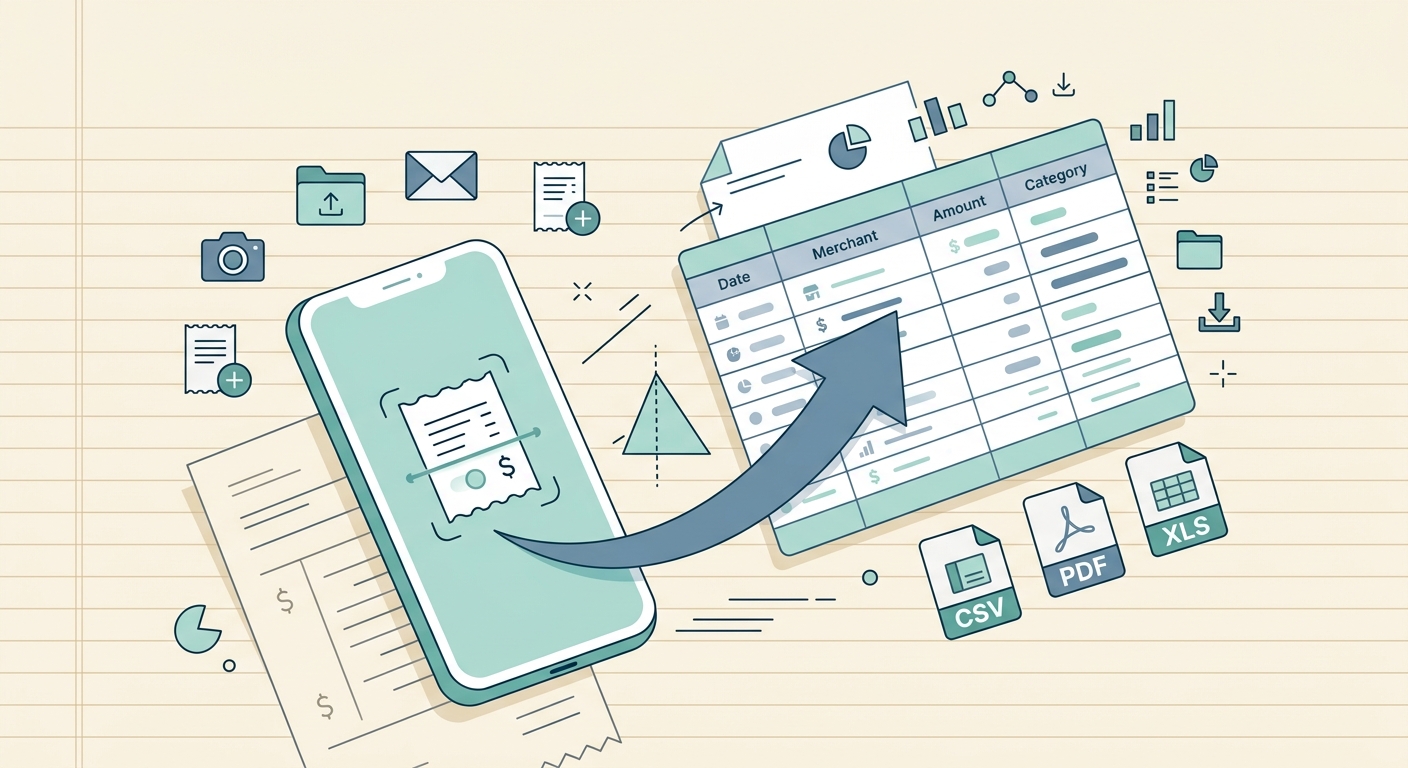
In today's fast-paced digital world, managing financial records can feel like a constant battle against a deluge of disparate information. Receipts arrive in every conceivable format: crisp paper slips from a physical store, digital images captured on your phone, detailed PDFs from online purchases, and even embedded directly within your email inbox. The sheer variety often leads to disorganization, lost data, and endless hours spent manually transcribing information into spreadsheets. This is precisely where SlipSheet steps in, offering a revolutionary solution to streamline your expense tracking with its powerful multi-format receipt upload capability.
Imagine a world where every receipt, regardless of its original form, can be effortlessly transformed into a structured row in your spreadsheet. SlipSheet makes this a reality, eliminating the friction associated with varied receipt sources and formats. Our innovative tool is designed to simplify your financial life, ensuring accuracy, saving time, and giving you a clear, comprehensive overview of your expenditures. No more wrestling with different file types; just upload, process, and organize.
The Power of Multi-Format Receipt Upload with SlipSheet
What exactly does multi-format receipt upload mean for you? Simply put, it means unparalleled flexibility in how you capture and process your expenses. Whether you have a physical receipt you quickly snap a photo of, a screenshot from an online shopping cart, a PDF invoice downloaded from a vendor, or an email containing your purchase confirmation, SlipSheet handles them all with ease. This feature is crucial because modern commerce is not monolithic; receipts come from various channels, and a robust expense management tool must adapt to this reality.
The traditional approach often involves separate workflows for each receipt type, leading to inefficiencies and potential data loss. SlipSheet consolidates these workflows into a single, intuitive process. It intelligently recognizes and extracts key data points, such as vendor name, date, total amount, and currency, from each uploaded item. This unified approach not only saves significant time but also drastically reduces the chances of human error inherent in manual data entry. By embracing diverse input formats, SlipSheet ensures that no expense goes untracked, providing a complete financial picture without the usual hassle.
Step-by-Step Guide: Uploading Receipts to SlipSheet
Utilizing SlipSheet's multi-format receipt upload feature is designed to be straightforward and user-friendly. Here is a simple guide to get your receipts into your spreadsheet:
- Access SlipSheet: Log in to your SlipSheet account at slipsheet.app from your web browser or mobile device.
- Navigate to Upload: Locate the 'Upload Receipt' or similar button, usually prominently displayed on your dashboard.
- Select Your File(s): A file selection dialog will appear. Here is where the multi-format magic happens. You can select:
- Image Files: Choose photos from your camera roll (JPG, PNG) or screenshots from your device.
- PDF Documents: Upload any PDF invoices or digital receipts saved on your computer or cloud storage.
- Forwarded Emails: For email receipts, simply forward the original email to your unique SlipSheet email address, which you can find in your account settings. SlipSheet will automatically process the content.
- Initiate Upload: Click 'Open' or 'Upload' after selecting your files. If forwarding an email, simply send it.
- Processing and Conversion: SlipSheet's intelligent engine will then get to work, processing each receipt, extracting the relevant data, and converting it into a structured format ready for your spreadsheet. This usually takes just a few moments.
- Review and Export: Once processed, you will see your receipts listed with extracted data. You can quickly review, make any minor edits, categorize, and then export your perfectly organized data to your preferred spreadsheet format, such as CSV or Excel.
Behind the Scenes: Technical Notes on SlipSheet's Processing
The ability to handle a multi-format receipt upload is powered by sophisticated technology working silently in the background. For image-based receipts, including photos and screenshots, SlipSheet employs advanced Optical Character Recognition, OCR, technology. This technology identifies text within the image, recognizing numbers, dates, and names, even if they are slightly skewed or in varying fonts. Our OCR engine is continuously refined to improve accuracy across a wide range of receipt layouts and conditions.
When it comes to PDF documents, SlipSheet directly parses the digital text, which often allows for even higher accuracy in data extraction. For email receipts, a specialized parsing algorithm analyzes the email body, identifying common patterns and keywords associated with transaction details. This intelligent parsing allows SlipSheet to pull out vendor names, purchase dates, itemized lists, and total amounts, even from complex email layouts.
Security and data privacy are paramount in this process. All uploads are handled with robust encryption, ensuring your financial information is protected from the moment it leaves your device until it is securely stored and processed within SlipSheet. We support common image formats like JPG and PNG, standard PDF files, and the content of forwarded emails. While SlipSheet strives for perfection, optimal results are achieved with clear, well-lit photos and original, untampered digital files.
Real-World Applications: Common Use Cases for Multi-Format Uploads
The versatility of SlipSheet's multi-format receipt upload feature makes it indispensable for a diverse array of users and scenarios:
- Freelancers and Consultants: Juggling multiple clients often means a mix of paper receipts from business meals, PDF invoices for software subscriptions, and email confirmations for travel. SlipSheet allows them to consolidate all these expenses into one place, simplifying tax preparation and client billing.
- Small Business Owners: Managing operational costs, inventory purchases, and employee expenses can be daunting. With SlipSheet, owners and their teams can quickly upload receipts from various sources, ensuring every business expenditure is accurately recorded and categorized for better financial oversight.
- Personal Budgeters: Tracking household expenses, from weekly grocery trips with paper receipts to online utility bill payments via email, becomes effortless. SlipSheet provides a clear overview of spending habits, empowering better financial decisions.
- Travelers: Whether for business or leisure, travel generates a mountain of receipts, often in different currencies and formats. Capturing hotel bills, restaurant receipts, and transportation tickets, whether as photos or PDFs, and forwarding flight confirmations, ensures comprehensive expense reporting without lost details.
- Anyone with a Busy Lifestyle: For individuals who simply want to ditch the shoebox full of receipts and gain control over their finances, SlipSheet offers a straightforward path to digital organization, eliminating manual effort and reducing stress.
Optimizing Your Experience: When to Upgrade or Adjust Settings
While SlipSheet's core multi-format receipt upload functionality offers immense value, there are times when optimizing your setup or considering an upgrade can further enhance your experience. For users with high volumes of receipts, such as growing businesses or active freelancers, a premium SlipSheet subscription can provide increased upload limits, faster processing times, and access to advanced features like custom categories, enhanced reporting, and perhaps even direct integrations with accounting software.
Regularly reviewing your SlipSheet settings can also refine your workflow. For instance, you might want to customize your default export preferences, set up recurring expense rules, or define specific tags for easier categorization. To maximize the accuracy of data extraction, especially for image uploads, always aim for clear, well-lit photos with minimal glare. For PDF and email receipts, ensuring the original file or message is used, rather than a screenshot of it, can prevent potential parsing issues.
Staying informed about new SlipSheet features and updates, which often include improvements to our multi-format processing, can help you leverage the tool to its fullest potential. Our goal is to continuously evolve, providing you with the most efficient and accurate receipt management solution available.
The days of struggling with scattered receipts and manual data entry are over. SlipSheet's robust multi-format receipt upload feature empowers you to effortlessly transform any receipt into actionable spreadsheet data, saving you time, reducing errors, and bringing clarity to your finances. Start simplifying your expense tracking today and experience the freedom of seamless financial organization. Visit slipsheet.app to learn more and get started.
FAQ
What types of receipt formats does SlipSheet support for upload?
SlipSheet supports a wide range of formats, including photos and screenshots (JPG, PNG), PDF documents, and forwarded email receipts. This flexibility ensures you can capture receipts from almost any source.
How does SlipSheet convert different receipt formats into spreadsheet data?
SlipSheet utilizes advanced optical character recognition (OCR) for image and PDF receipts, extracting key data points. For email receipts, it intelligently parses the email body to identify transaction details, then converts everything into structured spreadsheet rows.
Is there a limit to the number of receipts I can upload with the multi-format receipt upload feature?
The number of receipts you can upload may depend on your SlipSheet subscription plan. Free or trial accounts might have certain limits, while premium plans typically offer higher or unlimited upload capacities, accommodating extensive financial tracking.
Can I upload multiple receipts at once, even if they are in different formats?
Yes, SlipSheet is designed to handle batch uploads. You can select and upload multiple receipts simultaneously, regardless of whether they are a mix of images, PDFs, or email forwards, streamlining your data entry process significantly.
What if my receipt photo is blurry or the email receipt is poorly formatted?
While SlipSheet's technology is robust, clear photos and well-formatted emails yield the best results. For blurry images, try retaking them in good lighting. For complex email formats, SlipSheet will do its best, but manual review might occasionally be needed for optimal accuracy.