Scan Receipts to CSV: The Ultimate Guide to Effortless Expense Tracking
Managing receipts can feel like an endless chore. Whether you are a small business owner juggling expenses, a freelancer tracking deductions, or an individual striving for a clearer personal budget, the sheer volume of paper slips and digital confirmations can quickly become overwhelming. The traditional methods, from shoeboxes full of receipts to manual data entry, are not only time-consuming but also prone to errors. In a world that demands efficiency and precision, there is a growing need for a smarter solution, one that allows you to easily scan receipts to CSV and gain immediate control over your financial data. This is where modern tools like SlipSheet step in, transforming your receipt chaos into organized, actionable information.
The Problem with Traditional Receipt Management
For many, the process of handling receipts is a significant bottleneck in financial management. Here are some common pain points:
- Manual Data Entry: Typing out details from each receipt into a spreadsheet is a tedious, error-prone task. It consumes valuable time that could be spent on more productive activities.
- Scattered Information: Physical receipts pile up, get lost, or fade over time. Digital receipts, while convenient, are often scattered across various email inboxes, making consolidation a nightmare.
- Proprietary Data Formats: Many existing receipt scanning applications, while helpful in digitizing receipts, often trap your data within their own ecosystems. They might offer limited export options or present your data in formats that are not easily compatible with your preferred spreadsheet software, preventing you from truly owning your financial information. This lack of a simple spreadsheet export means you are often forced to use their interface, even if you prefer the flexibility of Excel or Google Sheets.
- Month-End Headaches: The scramble to collect, sort, and process receipts at the end of the month or quarter for bookkeeping or tax purposes creates unnecessary stress and can lead to missed deductions or inaccurate reporting.
The core issue is a lack of flexibility and control. Users want a straightforward way to create a CSV from receipts, allowing them to import expenses into another tool or simply review purchases in Sheets or Excel without hassle.
Why a CSV Export Matters for Your Finances
For individuals and businesses who prefer the power and flexibility of spreadsheets over complex, heavyweight accounting tools, a CSV export is not just a convenience; it is a necessity. Here is why having your receipt data in CSV format is invaluable:
- Universal Compatibility: CSV, or Comma Separated Values, is a universal file format. It can be opened and easily imported into virtually any spreadsheet program, including Microsoft Excel, Google Sheets, LibreOffice Calc, and many budgeting or accounting applications. This ensures your data is always accessible, regardless of the software you use.
- Unrivaled Flexibility and Control: Once your receipt data is in a spreadsheet, you gain unparalleled control. You can sort, filter, analyze, and manipulate your expenses in any way you see fit. Want to see all purchases from a specific vendor? Easy. Need to categorize expenses by project or client? Simple. This level of customization is often limited in proprietary receipt management systems.
- Seamless Integration: A CSV file makes it effortless to import expenses into another tool. Whether you are populating a custom budgeting template, feeding data into a specialized expense analysis program, or preparing information for your tax accountant, CSV acts as a perfect bridge.
- Powerful Review and Analysis: Spreadsheets are powerful analytical tools. By having all your receipt data in a CSV, you can easily review purchases in Sheets or Excel to identify spending patterns, spot areas for savings, track budget adherence, and prepare comprehensive reports for tax season or business reviews. This detailed overview is crucial for informed financial decision-making.
- Streamlined Bookkeeping: For many, the goal is to clean up month-end bookkeeping. With all your receipts accurately scanned and exported to a CSV, this process becomes significantly faster and more accurate. You spend less time chasing down missing information and more time analyzing your financial health.
The ability to reliably scan receipts to CSV empowers you to manage your finances on your own terms, leveraging the tools you already know and love.
How SlipSheet Simplifies 'Scan Receipts to CSV'
SlipSheet is engineered precisely for users who demand simplicity, control, and the power of spreadsheet-based financial management. It eliminates the headaches associated with traditional receipt processing by offering a seamless path to turn your receipts into clean, exportable CSV data.
Here is how SlipSheet works its magic:
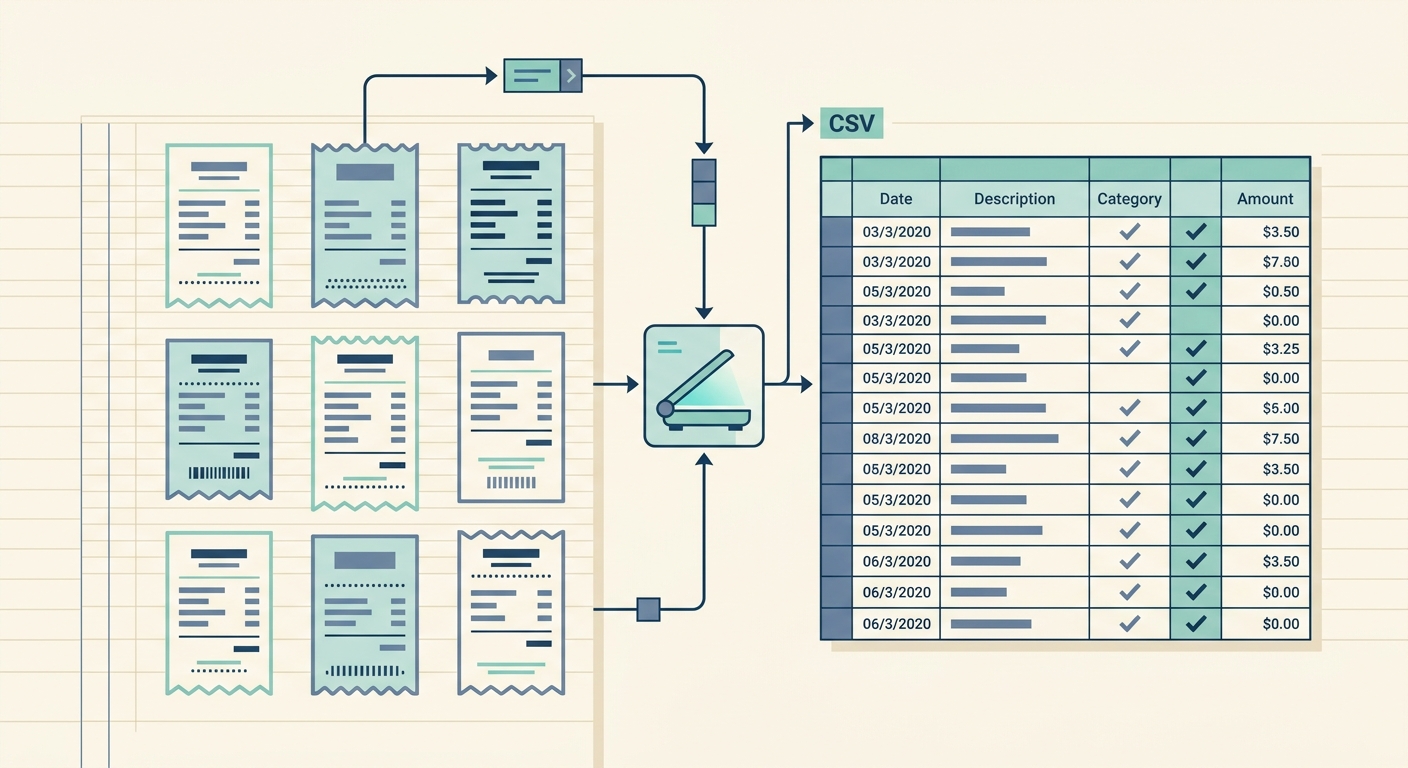
- Effortless Digitization: SlipSheet allows you to capture receipts in multiple ways. Snap a photo of any physical receipt with your smartphone or upload existing images. For digital receipts, simply forward them to your unique SlipSheet email address. This flexibility ensures that no receipt, physical or digital, goes unprocessed.
- Intelligent Data Extraction: Once a receipt is submitted, SlipSheet employs advanced Optical Character Recognition, OCR, technology to intelligently extract key information. This includes the vendor name, date of purchase, total amount, currency, and often even individual line items. The goal is to get as much accurate data as possible, minimizing the need for manual corrections.
- Organized Data Presentation: After extraction, your receipt data is presented in a clear, intuitive interface. You can review, categorize, and make any necessary edits before export. This step ensures that the data you export is exactly what you need.
- One-Click CSV Export: The core benefit of SlipSheet is its ability to effortlessly create a CSV from receipts. With a single click, all your processed receipt data is compiled into a perfectly formatted CSV file, ready for download. This file contains all the extracted information, neatly organized into columns, making it instantly compatible with your favorite spreadsheet software.
SlipSheet cuts through the complexity, providing a direct, efficient solution for anyone looking to scan receipts to CSV and take back control of their expense tracking.
A Day in the Life: Streamlining Expense Tracking with SlipSheet
Imagine a typical day or week for a busy professional or small business owner. Without SlipSheet, every receipt is a potential headache. With SlipSheet, it becomes a smooth, integrated part of your workflow.
Meet Sarah, a freelance graphic designer. Her work involves client meetings, purchasing software licenses, and occasional office supplies. Before SlipSheet, her desk was cluttered with paper receipts, and her inbox was a maze of digital purchase confirmations. Month-end meant hours of sifting and manual entry into a basic spreadsheet, often leading to frustration and missed deductions.
Now, with SlipSheet, Sarah's routine is transformed:
- Morning Coffee Meeting: After a client meeting at a local cafe, Sarah pays and immediately snaps a photo of the receipt with her phone. The image is sent to SlipSheet in seconds.
- Online Software Purchase: Later, she purchases a new design plugin online. As soon as the email receipt arrives in her inbox, she simply forwards it to her unique SlipSheet email address.
- Office Supplies Run: On her way home, Sarah picks up some new pens and paper. Again, a quick photo of the receipt is all it takes to capture the expense.
Throughout the week, Sarah continues this simple process. At the end of the month, instead of dreading bookkeeping, she logs into SlipSheet. All her receipts, digital and physical, are neatly organized. She quickly reviews the extracted data, makes any minor categorizations, and then clicks the 'Export to CSV' button. Within moments, she has a perfectly formatted spreadsheet containing all her expenses for the month. She then opens this CSV in Google Sheets, where she can easily review purchases in Sheets or Excel, categorize them for tax purposes, and get a clear overview of her business spending. This process not only helps her clean up month-end bookkeeping with ease but also ensures she is always prepared for tax season, maximizing her deductions without the stress.
This day-in-the-life example illustrates how SlipSheet makes the seemingly daunting task of expense tracking simple, accurate, and efficient, allowing users like Sarah to focus on their core work.
Getting Started with SlipSheet: Your Path to Organized Data
Embracing a more efficient way to manage your receipts and financial data is easier than you think. SlipSheet is designed for a quick and intuitive onboarding process, ensuring you can start seeing the benefits almost immediately. If your goal is to efficiently scan receipts to CSV, SlipSheet provides the most direct route.
Here are the simple steps to begin your journey towards streamlined expense tracking:
- Sign Up: Visit the SlipSheet website and create your account. The process is straightforward and quick, designed to get you up and running without unnecessary hurdles.
- Submit Receipts: Start sending your receipts to SlipSheet. You can do this by taking photos of your physical receipts directly through the SlipSheet web application, uploading existing image files, or by forwarding your digital email receipts to your unique SlipSheet email address. The system is built to handle various input methods, accommodating your workflow.
- Review and Organize: Once your receipts are processed, log into your SlipSheet dashboard. Here, you will find all the extracted data neatly presented. You can quickly review the vendor names, dates, amounts, and other details. Make any necessary edits or add custom categories to further organize your expenses, ensuring the data is exactly as you need it for your financial records.
- Export to CSV: This is where the magic happens. With a single click, you can export all your processed receipt data into a comprehensive CSV file. This file is perfectly formatted, ready to be opened in Excel, Google Sheets, or any other spreadsheet program you prefer. You now have complete control over your expense data, enabling you to manage your finances with unprecedented ease and accuracy.
SlipSheet removes the friction from receipt management, providing you with a powerful yet simple tool to effortlessly scan receipts to CSV, giving you back control and saving you valuable time.
The days of drowning in paper receipts or wrestling with proprietary software are over. With SlipSheet, you gain a powerful, user-friendly tool that respects your preference for spreadsheets, giving you direct control over your financial data. It is the ideal solution for anyone looking to easily scan receipts to CSV, import expenses into another tool, review purchases in Sheets or Excel, and ultimately clean up month-end bookkeeping with minimal effort. Ready to transform your receipt chaos into organized data? Visit slipsheet.app today and start scanning receipts to CSV with unparalleled ease.
FAQ
What kind of receipts can SlipSheet process?
SlipSheet can process both physical receipt photos, captured via your phone or uploaded, and digital email receipts, which you can simply forward to your unique SlipSheet address.
How accurate is SlipSheet at extracting data from receipts?
SlipSheet utilizes advanced Optical Character Recognition, OCR, technology to achieve high accuracy in extracting details like vendor, date, amount, and currency, minimizing the need for manual corrections.
Can I customize the CSV export from SlipSheet?
While SlipSheet provides a standardized, clean CSV export with key extracted data, you can easily manipulate and customize the data further once it is imported into your preferred spreadsheet software like Excel or Google Sheets.
Is SlipSheet suitable for small businesses or just individuals?
SlipSheet is designed to benefit anyone who needs to track expenses efficiently and prefers to manage their financial data in spreadsheets, making it ideal for individuals, freelancers, and small businesses alike.
What makes SlipSheet different from other receipt scanning apps?
Unlike many apps that lock your data into their ecosystem, SlipSheet focuses specifically on providing a seamless 'scan receipts to CSV' experience, giving you direct control and flexibility over your financial information in a universally compatible format.