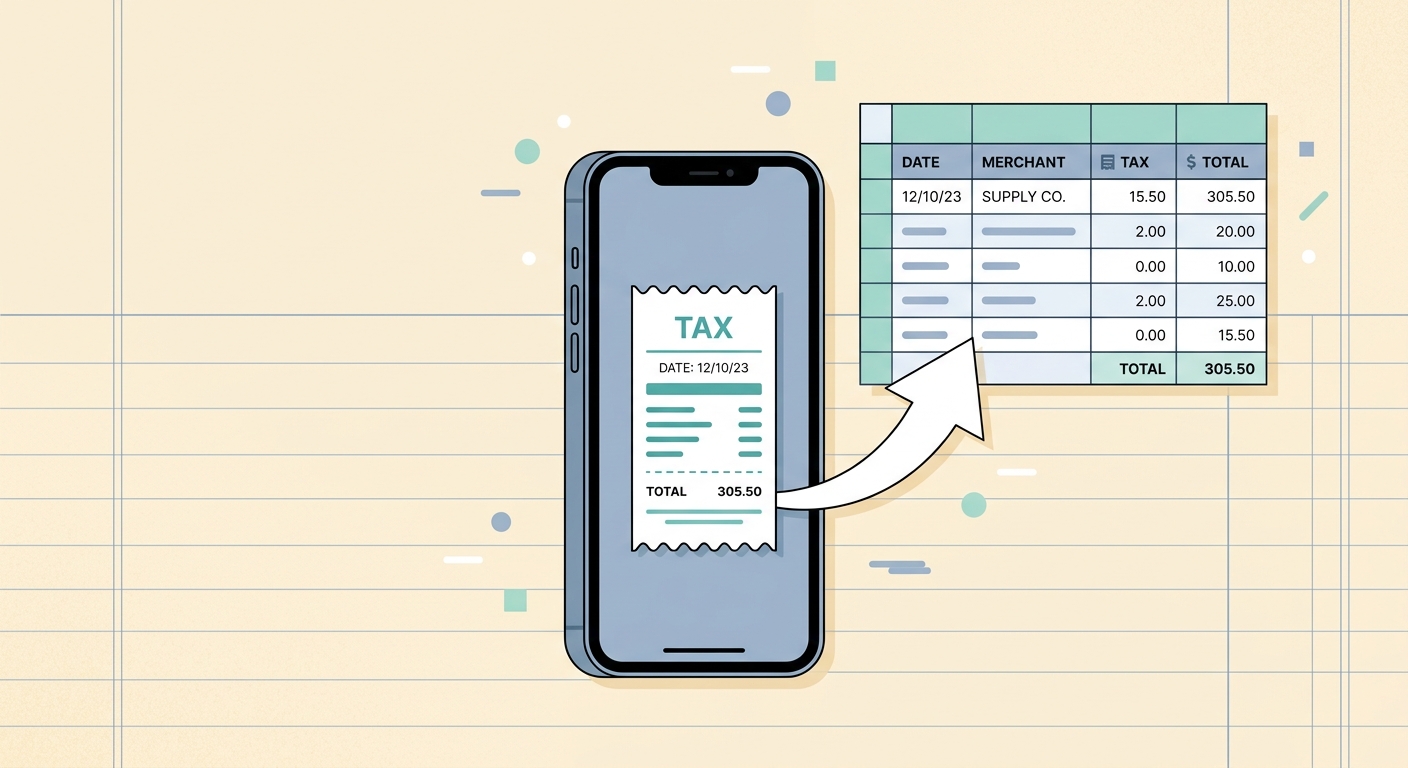
Managing finances, whether for a bustling business or personal budgeting, often involves the tedious task of tracking receipts. Manually sifting through paper trails and digital invoices to extract crucial financial details, particularly for tax purposes, consumes invaluable time and is prone to human error. This is where the power of automated tax field extraction becomes indispensable. Imagine a tool that transforms your receipt photos and email receipts into perfectly organized spreadsheet rows, automatically identifying and isolating the subtotal, tax amount, and total. SlipSheet is precisely that solution, revolutionizing how you handle expense data and prepare for tax season.
Understanding Tax Field Extraction with SlipSheet
At its core, tax field extraction is the automated identification and retrieval of specific financial data points from receipts and invoices. These points typically include the subtotal of goods or services, the precise tax amount applied, and the grand total. For anyone managing expenses, this capability is not merely a convenience; it is a necessity for accurate record-keeping, efficient budgeting, and seamless tax preparation. SlipSheet excels in this area, employing advanced technology to scan, interpret, and extract these critical fields from even the most varied receipt formats.
The traditional method of manually entering these figures into a spreadsheet is not only time-consuming but also introduces a high risk of transcription errors. A single misplaced digit can lead to discrepancies in financial reports, complicate audits, and potentially result in incorrect tax filings. SlipSheet mitigates these risks by providing a reliable, automated process for tax data capture. It understands that a receipt from a restaurant looks different from a hardware store invoice, yet it consistently pulls the correct subtotal, tax, and total, providing a uniform dataset for your financial analysis.
Step-by-Step Guide to Using SlipSheet for Tax Field Extraction
Leveraging SlipSheet's robust tax field extraction capabilities is designed to be straightforward and user-friendly. The process is streamlined into a few simple steps, ensuring that anyone can quickly turn their receipt clutter into organized financial data.
- Step 1: Capture or Upload Your Receipts. The journey begins by getting your receipts into SlipSheet. You can snap a photo of a paper receipt using your smartphone, or simply forward email receipts directly to your unique SlipSheet address. This flexibility ensures that whether your expenses are physical or digital, they can be easily captured.
- Step 2: SlipSheet's Automatic Processing. Once your receipts are uploaded, SlipSheet's intelligent engine takes over. Utilizing optical character recognition, OCR, combined with sophisticated artificial intelligence, the platform automatically scans the receipt for all relevant financial fields. It intelligently identifies the vendor, date, line items, and most importantly, the subtotal, tax amount, and total.
- Step 3: Review and Verify Extracted Data. After processing, SlipSheet presents the extracted data in an easy-to-read format. While the system boasts high accuracy, you always have the option to quickly review the extracted subtotal, tax, and total amounts. This crucial verification step allows you to make any minor adjustments if necessary, ensuring complete accuracy before finalizing.
- Step 4: Export to Your Preferred Spreadsheet. With the data verified, you are ready to export. SlipSheet seamlessly integrates with your workflow by allowing you to export all your extracted receipt data, including the precise tax fields, directly into a spreadsheet format like CSV or Excel. This organized data is then ready for your accounting software, tax preparation, or personal financial analysis.
The Technology Behind Accurate Tax Field Extraction
The accuracy and efficiency of SlipSheet's tax field extraction are powered by a combination of cutting-edge technologies. At its foundation is Optical Character Recognition, or OCR, which converts images of text into machine-readable text. However, raw OCR alone is often insufficient for complex, unstructured data like receipts, which come in countless layouts, fonts, and conditions.
To overcome these challenges, SlipSheet integrates advanced Artificial Intelligence and machine learning algorithms. These intelligent systems are trained on vast datasets of receipts, allowing them to understand context, identify patterns, and learn from new data. This means SlipSheet can accurately distinguish between a subtotal and a discount, or a sales tax and a service charge, even when presented in unconventional formats. The AI continually learns and improves, enhancing its ability to handle faded receipts, crumpled paper, or diverse international tax structures, ensuring that the extracted subtotal, tax, and total are consistently reliable. This sophisticated technological backbone is what makes SlipSheet a leader in automated expense management.
Common Use Cases for Automated Tax Field Extraction
The benefits of automated tax field extraction extend across various user groups, offering significant advantages for financial management and compliance. SlipSheet's capability simplifies tasks that were once time-consuming and error-prone.
- Small Businesses and Freelancers: For entrepreneurs and independent contractors, meticulously tracking every expense is vital for maximizing tax deductions and maintaining healthy cash flow. SlipSheet automates the classification of expenses and the extraction of tax fields, making quarterly and annual tax filings significantly easier and more accurate.
- Individuals for Personal Budgeting and Tax Deductions: Even for personal finances, tracking deductible expenses like medical bills, charitable donations, or business-related purchases can be complex. SlipSheet provides an effortless way to keep these records organized, ensuring you do not miss out on potential tax savings.
- Accountants and Bookkeepers: Professionals managing multiple clients can drastically reduce the manual data entry burden. By having clients use SlipSheet, accountants receive clean, organized data, allowing them to focus on analysis and strategic advice rather than tedious data transcription.
- Auditing and Compliance: Accurate and easily verifiable expense records are crucial for audits and regulatory compliance. SlipSheet provides a clear audit trail with extracted tax fields, helping businesses meet their obligations with confidence and ease.
Optimizing Your Tax Field Extraction Experience
While SlipSheet is designed for out-of-the-box efficiency, understanding how to optimize your usage can further enhance your tax field extraction experience. As your volume of receipts grows or your financial needs evolve, there are several considerations to ensure you are getting the most out of the platform.
For users dealing with a high volume of receipts, ensuring consistent capture quality is paramount. Clear, well-lit photos of paper receipts yield the best results for OCR and subsequent AI processing. Similarly, for email receipts, ensuring they are forwarded promptly allows for timely extraction. SlipSheet's intelligent system continuously refines its understanding of various receipt formats. If you encounter a particularly complex receipt or a new vendor whose layout consistently presents a challenge, the AI will often adapt over time, improving its extraction accuracy with more data.
Consider reviewing your extracted data regularly, especially when first starting or when introducing new types of expenses. This practice helps reinforce the system's learning and allows you to quickly correct any anomalies. While SlipSheet aims for near-perfect accuracy, a quick human review ensures complete peace of mind. For businesses with evolving accounting needs, exploring all of SlipSheet's export options can help integrate the extracted data seamlessly into existing financial software, further streamlining your operations.
Automated tax field extraction is not just a technological advancement; it is a fundamental shift in how we approach financial record-keeping. By transforming chaotic receipt data into structured, actionable information, SlipSheet empowers individuals and businesses to save time, reduce errors, and gain clearer insights into their financial health. Embrace the future of expense management and simplify your tax preparation process with unparalleled efficiency and accuracy.
Ready to experience the ease of automated tax field extraction? Visit slipsheet.app to get started today.
FAQ
What is tax field extraction?
Tax field extraction is the automated process of identifying and pulling key financial figures like subtotal, tax amount, and total from receipts and invoices. SlipSheet uses advanced technology to streamline this task, ensuring accuracy and saving valuable time.
How accurate is SlipSheet's tax field extraction?
SlipSheet employs sophisticated AI and machine learning algorithms, combined with optical character recognition, to achieve high accuracy in tax field extraction. While no system is 100% perfect, it significantly minimizes manual errors and improves data reliability.
Can SlipSheet handle different types of receipts and taxes?
Yes, SlipSheet is designed to process a wide variety of receipt formats, from scanned images to email receipts, and can identify common tax fields. Its intelligent system adapts to diverse layouts and vendor specifics for comprehensive data capture.
Who benefits most from SlipSheet's tax field extraction feature?
Small business owners, freelancers, accountants, and individuals benefit immensely by automating expense tracking and tax preparation. Anyone needing to efficiently categorize and sum up expenses, especially for tax purposes, will find SlipSheet invaluable.
Is it difficult to get started with SlipSheet for tax field extraction?
Not at all. SlipSheet offers an intuitive user experience; simply upload your receipt photos or forward email receipts, and the system automatically extracts the relevant tax fields. You can then review and export your data with ease.