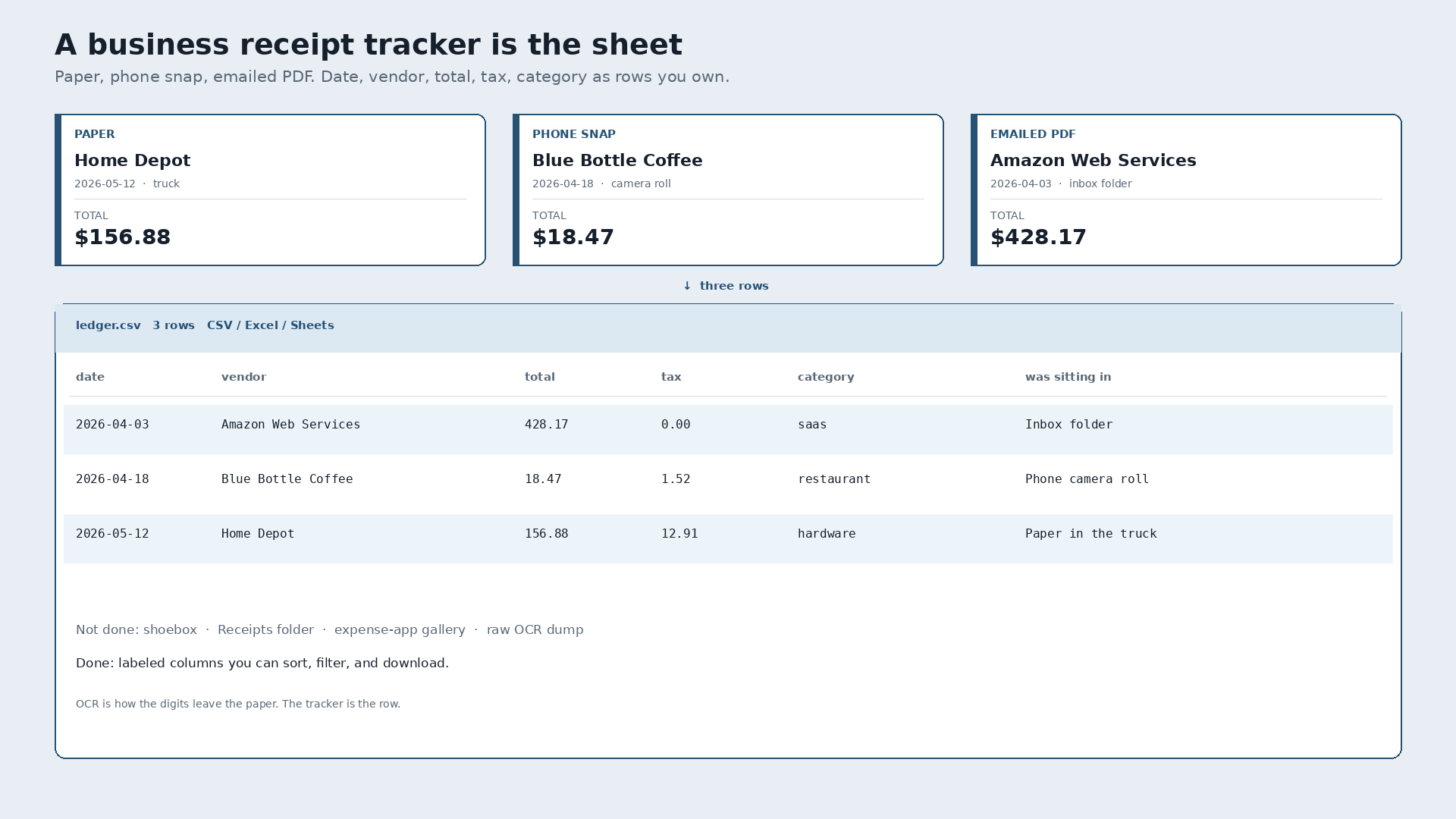
A business receipt tracker is capture to structured rows you own. Date, vendor, total, tax, and category land in CSV, Excel, or Sheets. A shoebox, an inbox folder named Receipts, and an expense-app feature gallery are still piles. The tracker is the sheet.
Paper Home Depot tape, $156.88, May 12, crumpled in the truck. Phone snap of Blue Bottle Coffee, $18.47, April 18, still in the camera roll. Emailed Amazon Web Services invoice, $428.17, April 3, sitting in that inbox folder. Done is those three as rows the same day, not three more files and a hope you will sort them.
What the tracker is for
The job is narrow. Photograph the tape, drop the PDF, or forward the email. Pull the fields. Glance. Export one file. That is a receipt tracker. Mileage, approvals, corporate cards, and reimbursement workflows are a different product. Ranked lists of those products are a different search result.
People who type "business receipt tracker" usually do not want ten expense apps. They want the thermal out of the glovebox, the PDF out of the inbox, and the phone photo out of the camera roll, into a sheet they can sort by vendor next month.
Three slips, one table
Invented week. Not a real person. Same columns, three sources.
| Date | Vendor | Total | Tax | Category | Was sitting in |
|---|---|---|---|---|---|
| 2026-04-03 | Amazon Web Services | 428.17 | 0.00 | saas | Inbox folder |
| 2026-04-18 | Blue Bottle Coffee | 18.47 | 1.52 | restaurant | Phone camera roll |
| 2026-05-12 | Home Depot | 156.88 | 12.91 | hardware | Paper in the truck |
That table is the destination. Not a rented gallery of scans. Not a searchable folder of OCR text. OCR pulls the digits off the page. It is the mechanism, not the story. The story ends when the row is yours.
An expense-app listicle is not a receipt tracker
Search this query and the first results are often roundups: full suites, travel-and-expense platforms, card feeds, approval chains. Those tools can be the right buy if you run that stack. They are not the job in the query. A tracker finishes when date, vendor, total, tax, and category exist as columns you can download. A page of product screenshots does not produce that file.
If the article is comparing ten apps and never shows a row, it is an expense-app listicle. Close it. You wanted the sheet.
A searchable OCR folder is not a ledger
Dumping PNGs into Drive and letting default OCR make them searchable feels like tracking. Search finds money. It does not label which number is the total, which is tax, and which line item is sitting in the way.
A supporting check on that baseline, not the point of this page: twenty synthetic Q2 2026 receipt PNGs, Tesseract 5.5.0 as a Drive-like extract. Vendor 95%. Date 100%. Total 100%. Tax 60%. All four fields correct on 11 of 20 (55%). Ground-truth sum $2,034.43, parsed sum the same. Every receipt had two or more currency-like amounts, average 6.05, so a grepped folder is ambiguous even when the digits are right. Caveat: clean synthetic renders, not crumpled phone photos. Not a dunk on a named paid document-AI. It is the folder-of-scans path measured once.
What "done" looks like
Photograph the Home Depot tape. Snap Blue Bottle. Forward the AWS PDF. Review the three rows. Export. Open the file in Google Sheets or Excel, or keep the CSV. You own the file. The service that extracted it is optional after that.
The plain how-to, without the tracker framing, is how to convert receipts to a spreadsheet. This page is only the tracker question.
Slipsheet Starter is $5 a month for 250 receipts. Pro is $12 a month for 1,500. Fourteen-day trial, no card. Photo, PDF, or forward to receipts@slipsheet.app, then CSV, Excel, or Sheets. You still glance at the totals. The shoebox is optional.
A few straight answers
What is a business receipt tracker?
A tool whose job ends at structured rows: date, vendor, total, tax, category, in a CSV, Excel file, or sheet you keep. Capture is the intake. The tracker is the export.
Is an expense app the same thing?
No. Expense apps add mileage, approvals, cards, and reimbursements. Those can be useful. They are not a receipt tracker unless they also hand you the rows as a file you own.
Is a Drive folder of OCR'd PDFs a tracker?
No. Searchable text is still a pile. A ledger is labeled columns. On that synthetic set every slip had multiple dollar-like amounts, so search alone cannot pick the total.
Do paper and email belong in the same sheet?
Yes. Spending does not care how the proof arrived. One table, three sources, same columns.