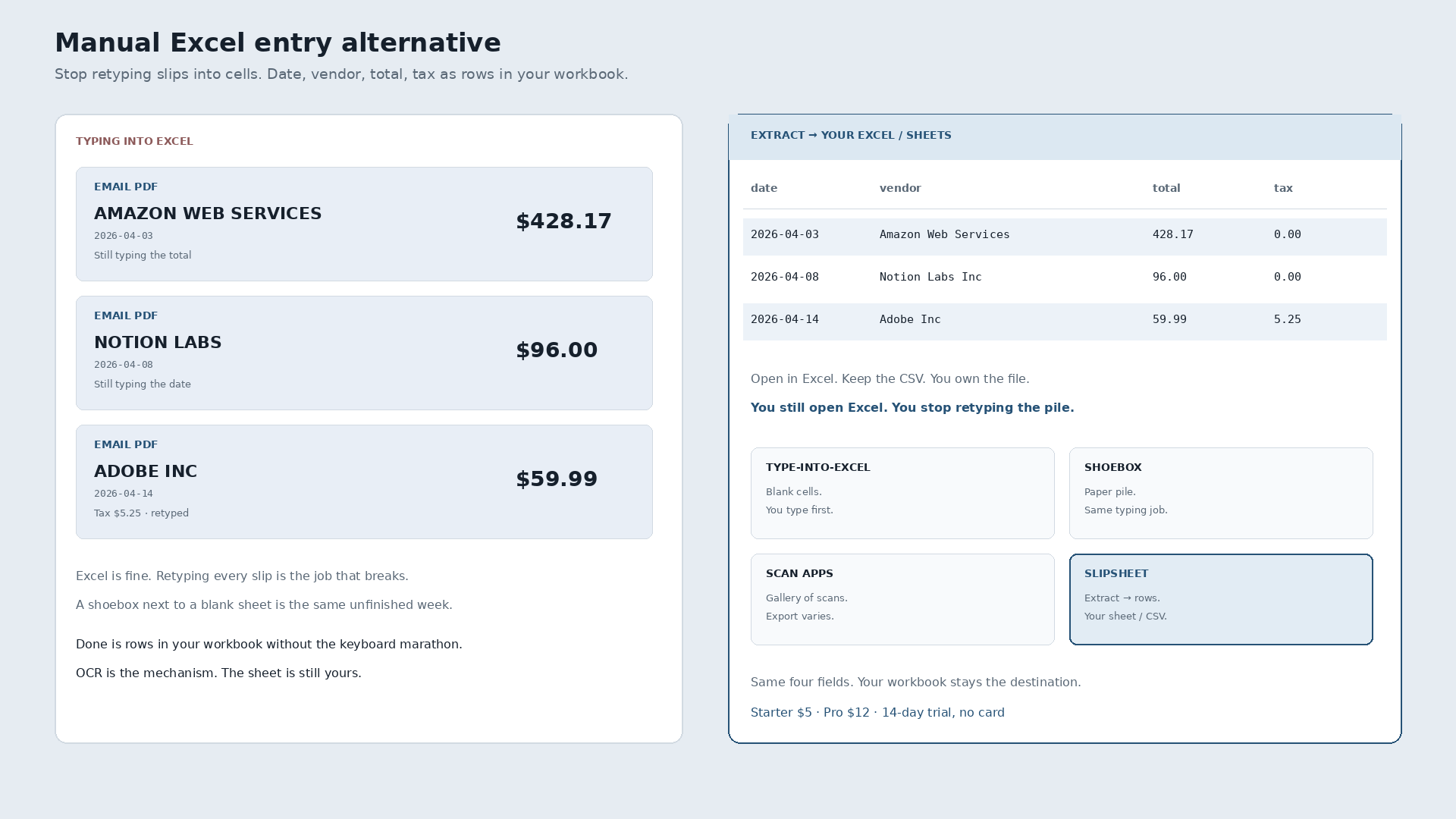
A manual Excel entry alternative is not a lecture against Excel. It is a way to stop retyping receipt photos and PDFs into cells. Done means date, vendor, total, and tax land as rows you open in Excel or Google Sheets. The workbook stays yours. The keyboard marathon does not.
Emailed Amazon Web Services PDF, $428.17, April 3. Notion Labs, $96.00, April 8. Adobe Inc, $59.99 plus tax $5.25, April 14. Three files next to a blank sheet. Manual entry turns them into three typed lines if you finish. The alternative is three rows without retyping the totals.
| Date | Vendor | Total | Tax | Was sitting in |
|---|---|---|---|---|
| 2026-04-03 | Amazon Web Services | 428.17 | 0.00 | Email PDF · waiting to be typed |
| 2026-04-08 | Notion Labs Inc | 96.00 | 0.00 | Email PDF · waiting to be typed |
| 2026-04-14 | Adobe Inc | 59.99 | 5.25 | Email PDF · waiting to be typed |
Those three lines are ground-truth slips from a local Q2 2026 research corpus (synthetic email-style receipts). The before state is files beside Excel. The after state is columns in the workbook you already use.
Excel is not the villain
Freelancers and small shops already live in Excel and Sheets. Formulas, pivots, bank tabs, the file you email your bookkeeper. That destination is fine. The broken job is opening each slip and typing vendor, date, total, and tax by hand. A shoebox next to a blank sheet is the same unfinished week.
Scan-to-Excel neighbors (ReceiptOCR, ScanToExcel, SendItSheets, and similar) can help when their export lands cleanly in your file. This page is not a roundup. The differentiator that matters here: the end state is rows in your workbook, not a rented gallery of scans.
OCR pulls digits off the page. It is the mechanism, not the story. The story ends when the row is yours.
Type-into-Excel vs extract-to-sheet
Honest, not a dunk list.
| Type into Excel / Sheets | Extract to sheet (Slipsheet) | |
|---|---|---|
| What it is | Blank columns you fill by hand | Photo / PDF / forward → structured rows |
| Job it finishes | Whatever you typed, when you typed it | Date, vendor, total, tax in a file you keep |
| You still open Excel? | Yes, to type | Yes, to review and keep the books |
| Best when | Volume is tiny and typing is fine | The pile is mixed and retyping burns the week |
Pick typing when the pile is three slips a month. Pick extract-to-sheet when the pile is paper, emailed PDFs, and camera-roll snaps that never become rows unless someone finishes the conversion.
The plain how-to, without the alternative framing, is how to convert receipts to a spreadsheet.
What “done” looks like
Forward the AWS PDF. Forward Notion. Forward Adobe. Review three rows. Export. Open the file in Excel or Sheets, or keep the CSV. You own the file. Import into books later if you still use a suite. That is a choice, not a requirement to start.
Slipsheet Starter is $5 a month for 250 receipts. Pro is $12 a month for 1,500. Fourteen-day trial, no card. Photo, PDF, or forward to the inbox at receipts@slipsheet.app, then CSV, Excel, or Sheets. You still glance at the totals. The typing is optional.
A few straight answers
Is Excel itself the problem?
No. Excel is often the right destination. Manual entry of every receipt is the job that does not scale. An alternative finishes intake so the sheet can stay the books.
Do I still open Excel?
Yes if that is where you keep expenses. You open it to use the rows, not to retype the pile from PDFs and photos.
What about Google Sheets?
Same job. Blank columns you type, or rows extracted into a file you own. Sheets is not a different philosophy. It is a different file format.