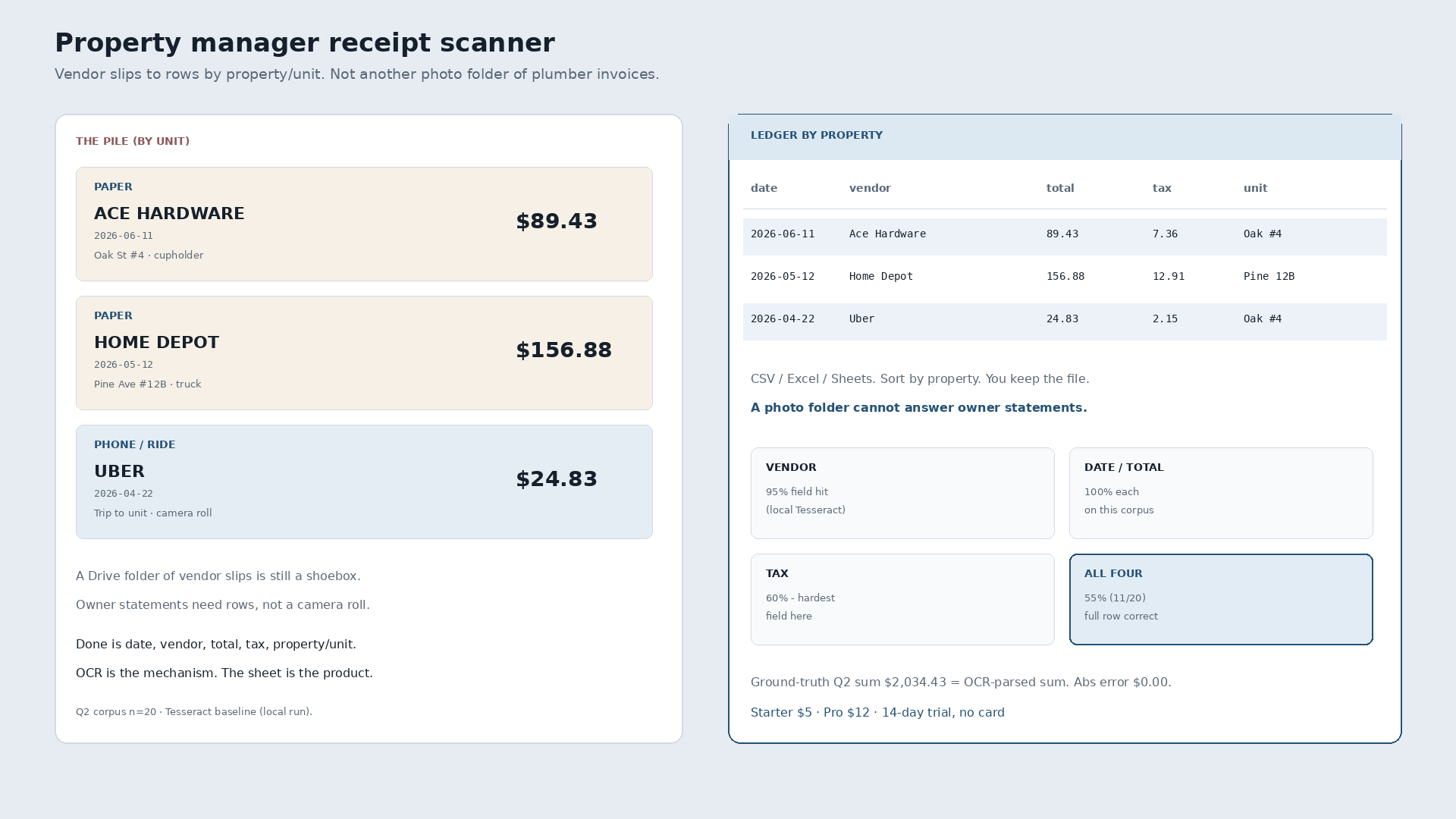
A property manager receipt scanner that dumps plumber, paint, and cleaner slips into a camera roll or Drive folder is still a shoebox. Owner statements and tax season need date, vendor, total, tax, and property/unit as rows you can sort. Photos prove the slip existed. Rows answer which building spent what.
Paper Ace Hardware tape, $89.43, June 11, crumpled after a fix at Oak St #4. Home Depot paint run, $156.88, May 12, still in the truck for Pine Ave #12B. Uber to a unit, $24.83, April 22, sitting in the camera roll. Three vendor slips. The job is three ledger lines tagged to the right property, not three more files in a folder named Repairs.
| Date | Vendor | Total | Tax | Property / unit | Was sitting in |
|---|---|---|---|---|---|
| 2026-06-11 | Ace Hardware | 89.43 | 7.36 | Oak St #4 | Paper in the cupholder |
| 2026-05-12 | Home Depot | 156.88 | 12.91 | Pine Ave #12B | Paper in the truck |
| 2026-04-22 | Uber Technologies | 24.83 | 2.15 | Oak St #4 | Phone camera roll |
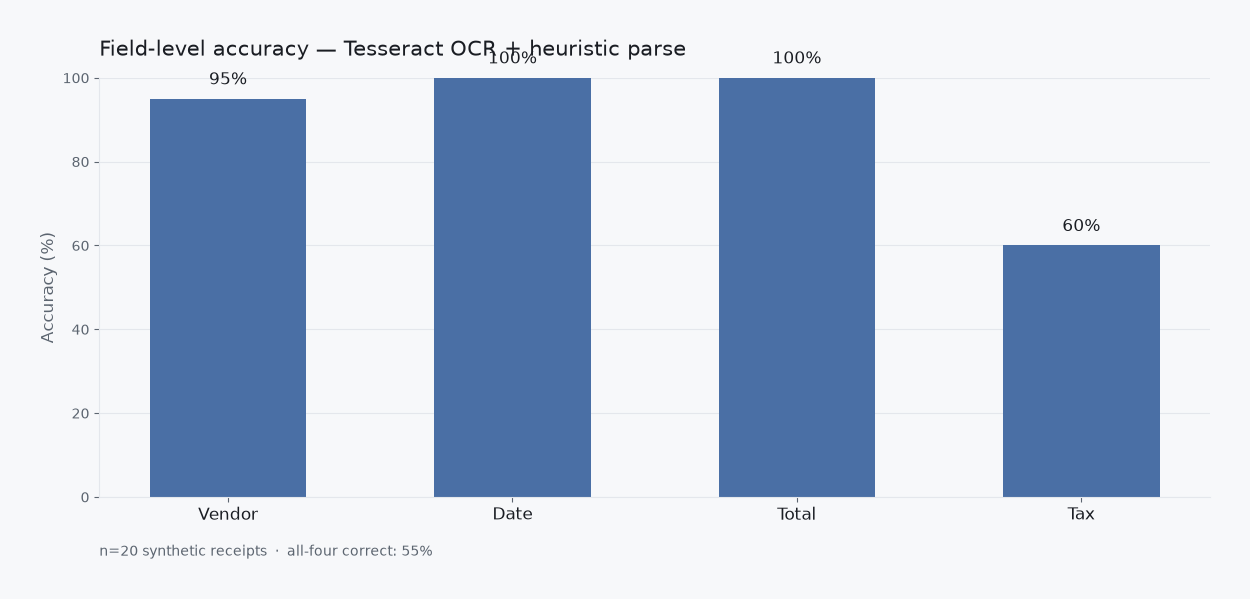
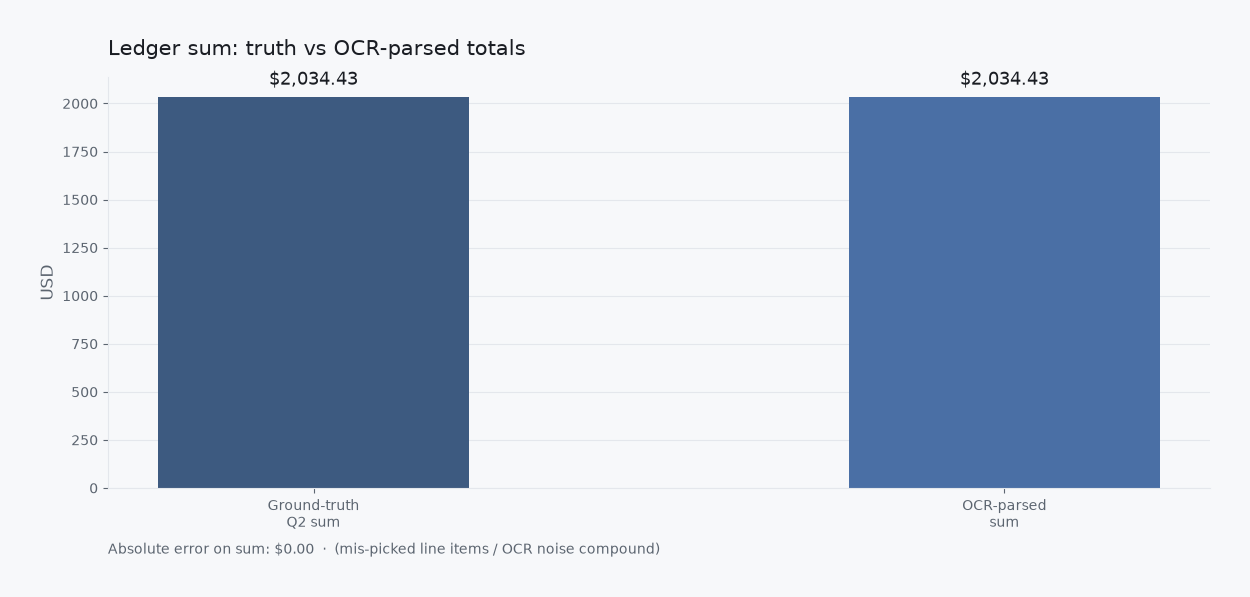
Those totals are measured slips from a local Q2 2026 research corpus (n=20 synthetic receipts). Property/unit tags are the PM framing on top of the same four fields. Narrative only: not a claim that the OCR run labeled buildings by itself.
What a PM receipt scanner has to finish
Day-to-day property management is a stream of vendor slips: hardware, paint, cleaning, rides to a unit, emailed Office Depot PDFs for supplies. Scanning into a gallery keeps the paper off the desk. It does not build a ledger by property. Excel and Sheets win when you will type every line. A shoebox and a messy inbox are the same unfinished job with different shelves.
AI and OCR pull digits off the page. They are the mechanism, not the story. The story ends when the row is yours and the unit column is filled.
Why a photo folder fails owner season
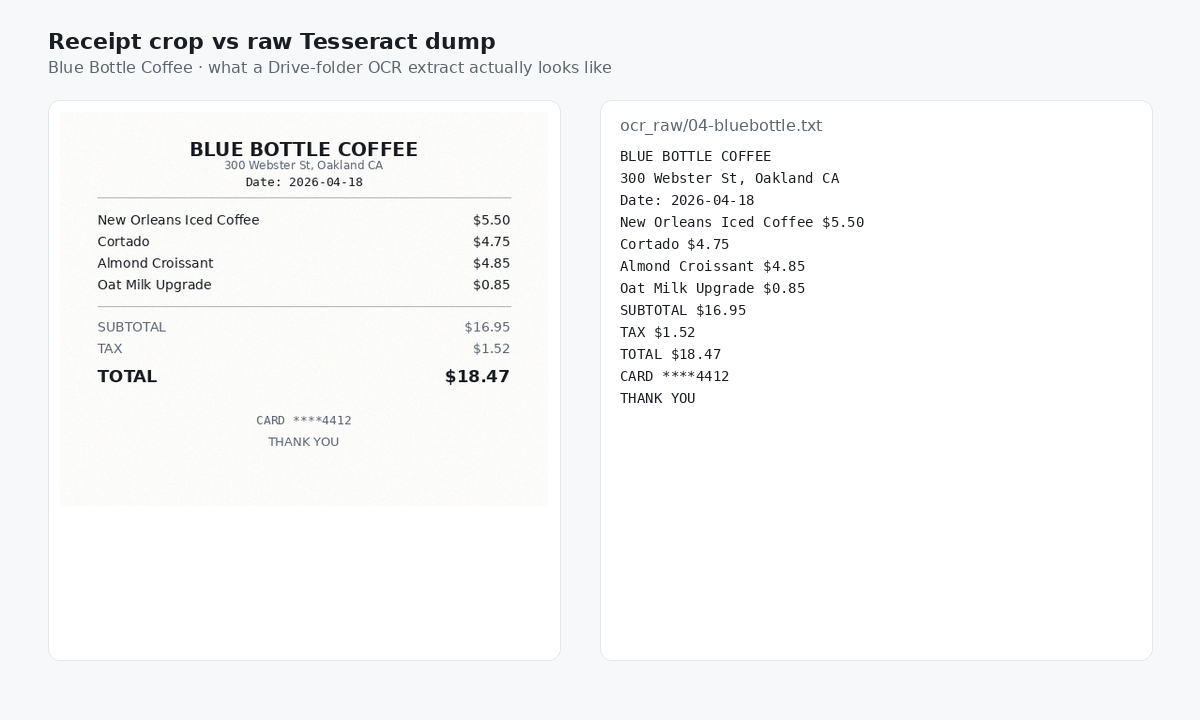
Treat OCR text like a searchable Drive dump and grep for dollar signs. On this corpus every receipt (20/20) had two or more currency-like amounts (100% ambiguity). Average 6.05 $-like matches per receipt. 121 matches across the set. That is fine for finding a PDF. It is not a statement by property.
Scanner job vs year-end landlord workflow
This page is the day-to-day PM scanner job: vendor slips into rows tagged by property/unit as they happen. Year-end landlord expense workflows are a different question. Leave those alone here. Soft product path for managers who want the tracker shape: receipt tracker for property managers.
What “done” looks like
Photograph the Ace tape after Oak #4. Snap Home Depot for Pine #12B. Keep the Uber to the unit. Review three rows with property filled. Export. Open CSV or Excel, sort by building. You own the file. Import into books later if you still use a suite. That is a choice, not a requirement to start.
Slipsheet Starter is $5 a month for 250 receipts. Pro is $12 a month for 1,500. Fourteen-day trial, no card. Photo, PDF, or forward to the inbox at receipts@slipsheet.app, then CSV, Excel, or Sheets. You still glance at the totals and the unit tags. The camera-roll gallery is optional.
A few straight answers
Is scanning receipts into Drive enough for property managers?
Enough for finding the PDF later. Not enough when an owner asks what Oak St #4 spent on repairs this month without you retyping every slip.
Do I need a full PM suite to get rows by property?
Not if the destination is a spreadsheet you own. Suites win when work orders and accounting already live there. A scanner job finishes when the ledger columns exist.
Can I mix paper, email PDFs, and rideshare receipts?
Yes. The intake varies. The row shape stays the same: date, vendor, total, tax, property/unit.