Slipsheet ยท Content Back to ledger
Home / QuickBooks Receipt Scanner Alternative
QuickBooks Receipt Scanner Alternative

QuickBooks Receipt Scanner Alternative

Seeking a QuickBooks Receipt Scanner Alternative? Discover a Lightweight Path to Spreadsheet Data

Managing business expenses, especially tracking receipts, is a critical task for any individual or organization. While comprehensive accounting software like QuickBooks offers a suite of tools for financial management, some users find themselves searching for a dedicated, more streamlined solution for receipt processing. If you're looking for a QuickBooks receipt scanner alternative that prioritizes simplicity and direct spreadsheet integration, you've come to the right place.

QuickBooks is undeniably powerful, but its all-encompassing nature isn't always the perfect fit for every specific need, particularly when it comes to the initial step of transforming physical or digital receipts into actionable data. This article will explore where QuickBooks excels, where a more focused tool might offer advantages, and how SlipSheet provides a refreshingly straightforward approach to turning your receipt chaos into organized spreadsheet rows.

What QuickBooks Does Well for Receipt Management

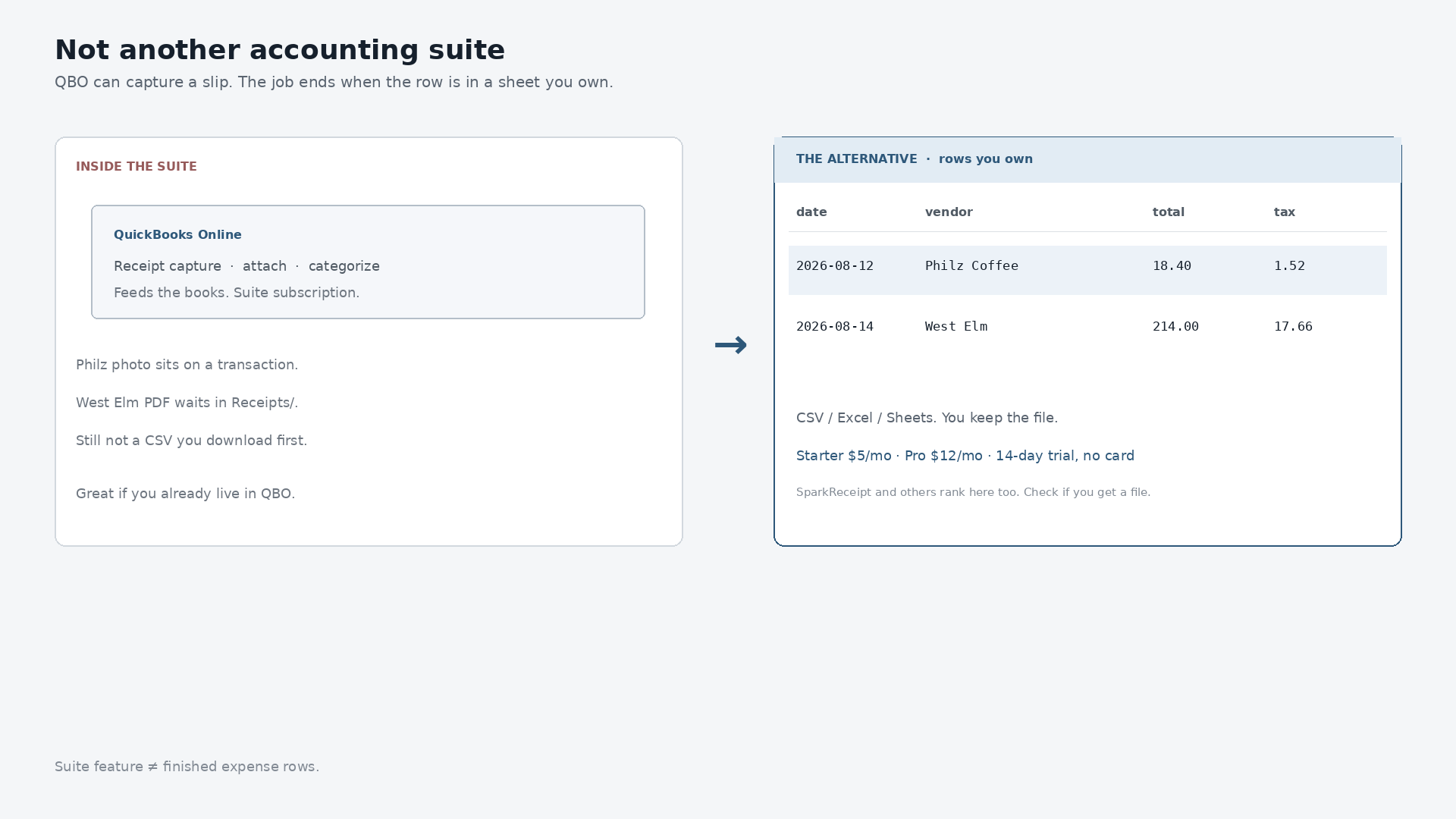
QuickBooks, as a leading accounting software, provides robust features for managing receipts within its ecosystem. Its integrated receipt scanning function allows users to capture receipt images, attach them to transactions, and often categorize them automatically. This functionality is part of a larger, interconnected system designed to streamline bookkeeping from start to finish. Users can match scanned receipts to bank transactions, reconcile accounts, and generate detailed financial reports, all within a single platform.

For businesses that are fully committed to the QuickBooks environment, this integration offers significant convenience. The ability to keep all financial records, including source documents like receipts, in one place simplifies audits and ensures a complete financial picture. QuickBooks' advanced OCR technology aims to extract key data points, such as vendor, date, and amount, minimizing manual data entry for many users. Its strength lies in being a comprehensive solution, handling not just receipt capture but also invoicing, payroll, inventory, and more.

Where QuickBooks Receipt Scanning Might Fall Short for Some Users

Despite its strengths, the integrated nature of QuickBooks' receipt scanner can present challenges for certain users. One common issue is complexity. For those who primarily need to extract data from receipts into a simple spreadsheet format, the full QuickBooks interface might feel overwhelming or overly intricate. The learning curve for navigating the entire system solely for receipt management can be steep, consuming valuable time that could be spent elsewhere.

Another point of contention can be the cost. QuickBooks is a subscription service, and while it offers immense value for full accounting needs, paying for an extensive suite of features when only a portion, like receipt scanning and basic data extraction, is required might not be economically efficient for everyone. Furthermore, some users report that QuickBooks' OCR, while good, may not always be perfectly accurate for every receipt type or for extracting specific, niche data points they need for their unique tracking methods. The primary goal of QuickBooks' receipt feature is to feed its internal accounting system, not necessarily to provide raw, easily manipulable spreadsheet data for external use or custom analysis.

Finally, for those who prefer to maintain their financial records in spreadsheets, perhaps for personal budgeting, project-specific tracking, or before handing off to an external bookkeeper, QuickBooks' emphasis on its internal ledger can make direct, flexible spreadsheet export of receipt data a less straightforward process. This is where a dedicated QuickBooks receipt scanner alternative can truly shine.

How SlipSheet Offers a Different, Lightweight Approach to Receipt Data

Enter SlipSheet, a powerful yet elegantly simple tool designed with a singular focus: transforming your receipt photos and email receipts directly into organized spreadsheet rows. SlipSheet offers a refreshing alternative for anyone seeking a more direct and less cumbersome path from receipt to data. Its philosophy centers on providing a lightweight, efficient bridge between your expenses and your preferred spreadsheet program, whether that's Excel, Google Sheets, or another platform.

Unlike the comprehensive accounting platforms, SlipSheet doesn't aim to be your entire financial system. Instead, it excels at the crucial first step of data extraction. Here's how it works: you simply upload a photo of your receipt or forward an email receipt. SlipSheet's intelligent processing then extracts key information, such as vendor name, date, total amount, currency, and line items, presenting it to you in a clear, editable format. The magic happens next: with a click, this structured data is ready for export as a CSV file, perfectly formatted for immediate use in any spreadsheet.

This streamlined process eliminates the need to navigate complex accounting interfaces or deal with features you don't need. SlipSheet focuses on accuracy and ease of use, ensuring that the data you get is clean, consistent, and ready for your specific analytical or organizational needs. It's a tool built for speed and directness, making it an ideal QuickBooks receipt scanner alternative for those who value agility in their financial data management.

Who Should Consider SlipSheet as a QuickBooks Receipt Scanner Alternative?

SlipSheet isn't for everyone, but for a specific segment of users, it's an absolute game-changer. Consider SlipSheet if any of the following describe your situation:

  • Freelancers and Solopreneurs: You need a simple way to track expenses for tax purposes or project billing without the overhead of a full accounting system.
  • Small Businesses with Simple Needs: Your primary goal is to get receipt data into a spreadsheet for basic tracking, budgeting, or for handing off to an accountant who prefers CSV files.
  • Users Frustrated by Complexity: You find QuickBooks' receipt features overly complicated or time-consuming for your specific data extraction requirements.
  • Spreadsheet Enthusiasts: You prefer managing your finances in Excel or Google Sheets and need a fast, accurate way to populate those spreadsheets with receipt data.
  • Individuals Managing Personal Expenses: You want to meticulously track your personal spending from various receipts without manual data entry.
  • Teams Needing Quick Data Collection: If your team needs to collect expense data rapidly and consolidate it into a central spreadsheet without extensive accounting software integration.

If your core requirement is to efficiently convert receipt images and email receipts into clean, exportable spreadsheet rows, SlipSheet offers a compelling, focused solution that stands apart from broader accounting platforms.

Common Questions About Migrating Your Receipt Workflow

Switching to a new tool, even one as simple as SlipSheet, often brings up questions. Here are answers to some common concerns:

  • Will my existing receipt data be compatible? SlipSheet processes new receipts as they come in. For historical data, you would typically continue to access it within your previous system, or manually import it into SlipSheet if it's in a compatible format.
  • How easy is it to learn SlipSheet? Designed for simplicity, SlipSheet has a minimal learning curve. Most users can start converting receipts to spreadsheet rows within minutes of signing up.
  • Can I still use QuickBooks for other accounting needs? Absolutely. SlipSheet can function as a complementary tool, handling the initial receipt-to-spreadsheet conversion, while you continue to use QuickBooks for your broader accounting, invoicing, and reporting needs.
  • What about security and data privacy? SlipSheet employs industry-standard security measures to protect your receipt data. Your financial information is processed securely and is not shared without your explicit consent.

Making the move to a specialized tool for receipt data entry can significantly streamline your workflow, allowing you to focus on what matters most, rather than wrestling with complex software.

In conclusion, while QuickBooks offers a comprehensive solution for business accounting, its integrated receipt scanner might not always be the most efficient or cost-effective option for users whose primary need is simple, direct receipt data extraction into spreadsheets. For those seeking a lightweight, focused, and highly efficient QuickBooks receipt scanner alternative, SlipSheet provides an unparalleled solution. It bridges the gap between your physical and digital receipts and the organized spreadsheet data you need, saving you time and reducing complexity.

Ready to transform your receipt management? Discover the simplicity and power of SlipSheet today. Visit slipsheet.app to get started and experience a truly streamlined path from receipts to spreadsheet rows.

FAQ

What is SlipSheet?

SlipSheet is a tool that converts receipt photos and email receipts into organized spreadsheet rows. It extracts key data like vendor, date, and amount, making it ready for export to CSV.

How does SlipSheet compare to QuickBooks' receipt scanning?

SlipSheet focuses purely on extracting receipt data into spreadsheets, offering a lightweight alternative to QuickBooks' integrated, comprehensive accounting system. It prioritizes direct CSV export and simplicity.

Can I export data from SlipSheet to my accounting software?

Yes, SlipSheet allows you to export your processed receipt data as a CSV file, which can then be easily imported into most accounting software, including QuickBooks, or used directly in spreadsheets.

Is SlipSheet suitable for small businesses?

SlipSheet is ideal for small businesses, freelancers, and individuals who need an efficient, cost-effective way to track expenses and get receipt data into spreadsheets without the complexity of full accounting software.

What types of receipts does SlipSheet support?

SlipSheet supports both receipt photos taken with your phone or camera and email receipts forwarded directly to the platform. It's designed to handle a wide variety of receipt formats.

Ready to stop typing receipts?

Open your ledger.

14-day trial. No card. Cancel anytime. Your receipts write themselves while you do literally anything else.